










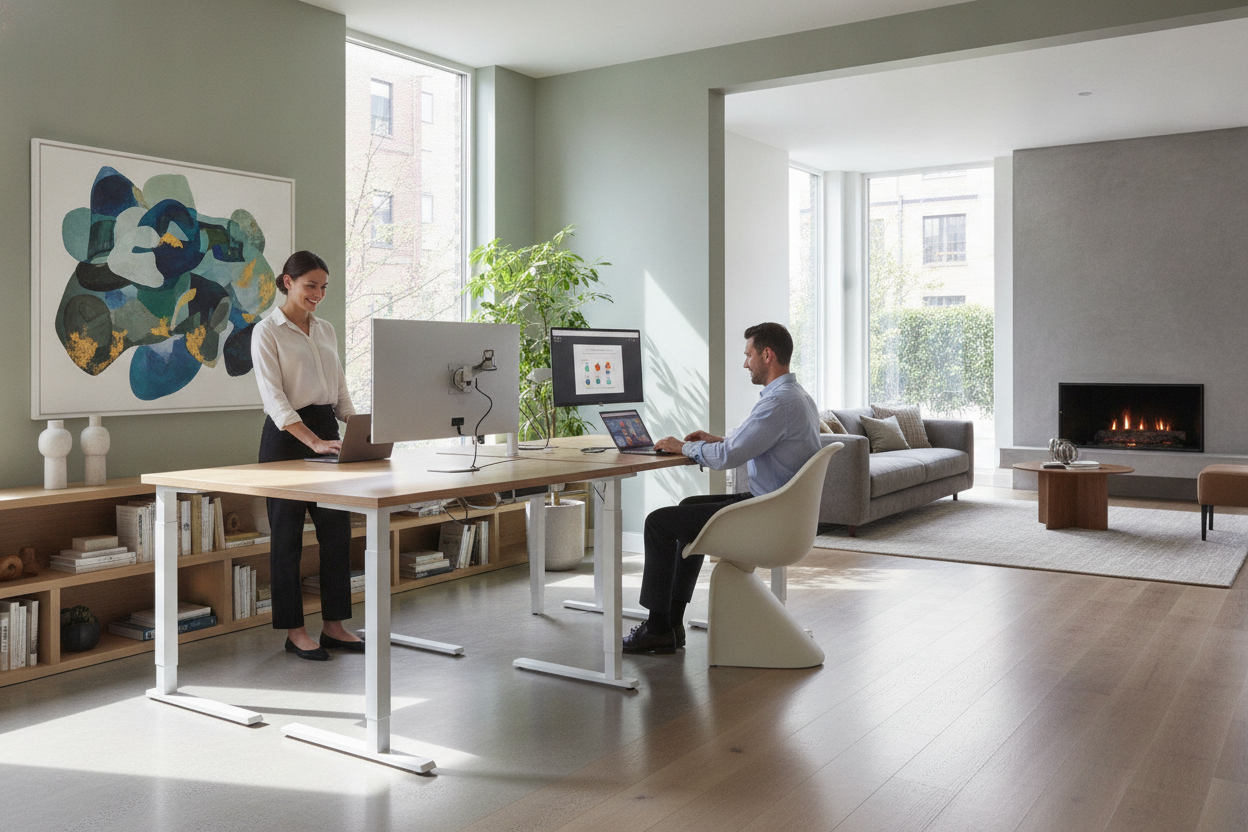
Modern home offices frequently demand hours of continuous screen work, making physical comfort and spatial utility essential considerations for long-term productivity. While standard fixed desks have long served as the default workspace surface, height-adjustable furniture has transformed how individuals interact with their work environments. Understanding the core benefit of sit stand desk workstations requires looking beyond fleeting trends and examining how fluid physical movement, ergonomic customization, and thoughtful room design come together to support sustainable daily routines.
Understanding the Core Benefit of Sit Stand Desk Workstations
At its foundation, an adjustable workstation changes the relationship between the worker and their physical space. Rather than forcing the body to conform to a single static height for an entire working day, a height-adjustable sit stand workstation allows the surface to adapt to the user's natural movement patterns.
Breaking the Static Work Cycle with Postural Movement
Remaining in any single posture for hours at a time tends to produce localized tension, joint stiffness, and physical slumping. Even when seated in a supportive ergonomic chair, static posture limits natural blood circulation and strains lower-back structures over extended sessions. The primary advantage of a sit-stand desk is postural variation. By alternating between seated and standing positions throughout the day, users engage different muscle groups, relieve sustained pressure on spinal discs, and reduce physical fatigue associated with prolonged immobility.
Customizable Precision Beyond Fixed-Height Standard Desks
Traditional writing and computer desks are manufactured to standardized heights that rarely match individual body dimensions. A desk that feels comfortable for typing while seated might force taller individuals to hunch or shorter individuals to elevate their shoulders awkwardly. A sit-stand frame allows micro-adjustments to find the exact seated elbow level, eliminating the compromises inherent in fixed-height furniture.
Workflow and Daily Productivity Advantages
Physical mobility often translates into mental agility. Changing physical orientation alters sensory input, providing a natural reset that can help sustain concentration during long workdays.
Task-Based Posture Alignment
Many professionals discover that specific tasks naturally pair with distinct postures. Dynamic activities—such as presenting on video calls, facilitating virtual meetings, or brainstorming project outlines—often benefit from a standing posture, which encourages energetic vocal delivery and natural hand gesturing. Conversely, deep analytical tasks, long-form typing, and delicate design drafting often benefit from a stable, seated posture where arms and wrists rest securely supported.
Maintaining Energy and Alertness Throughout the Workday
The midafternoon lull is a familiar challenge in sedentary environments. Instead of stepping away entirely or relying on frequent breaks, transitioning to a standing position introduces subtle physical activation. Adjusting height engages core and leg stabilizers, creating a modest boost in alertness that helps maintain momentum through dense workloads without disrupting task continuity.
Ergonomic Alignment: Setting Up for Optimal Physical Comfort
Merely owning a sit-stand workstation does not guarantee ergonomic success; positioning the desk correctly in both configurations is vital for realizing its true utility.
Elbow Angle and Wrist Neutrality
Whether sitting or standing, your working surface should align with the natural resting position of your forearms. When your shoulders are relaxed, your elbows should form an approximate right angle, allowing your forearms to rest parallel to the floor. Typing with wrists angled upward or shoulders hunched upward can introduce forearm strain, undermining the comfort of the workstation.
Screen Elevation and Neck Alignment
As the desk surface rises, monitor height must rise proportionally to preserve a neutral neck angle. The top third of your display should align near eye level so that your gaze rests naturally on the active working area without tilting your chin up or down. When working on compact desk surfaces, optimizing desktop clearance with screen stands or dedicated monitor arms ensures screens remain at the ideal visual height without consuming valuable tabletop real estate.
Spatial Planning and Storage Harmony in Sit-Stand Environments
Integrating a motorized desk requires careful spatial consideration, particularly regarding vertical clearance and surrounding office furniture.
Managing Dynamic Vertical Clearance
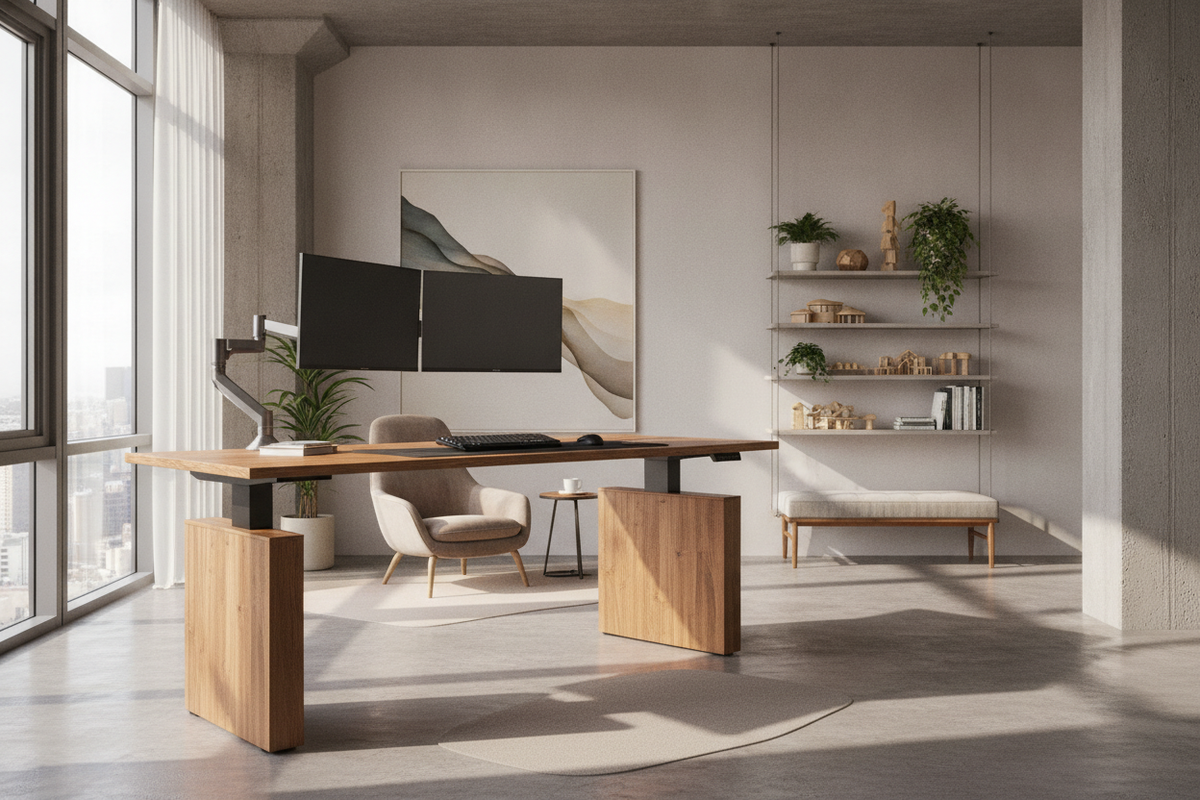
A sit-stand desk travels through a vertical envelope that must remain free of obstructions. When configuring the surrounding layout, ensure that upper wall shelves, framed artwork, window sills, and desktop monitor arms do not collide with obstacles at maximum height extension. Similarly, cable management requires intentional slack so power leads, monitor connections, and peripheral cables do not pull taut or detach as the frame elevates.
Balancing Open-Frame Desks with Under-Desk and Side Storage
Unlike traditional executive desks that feature built-in pedestals and deep drawers, sit-stand frames prioritize open clearance under the surface to facilitate smooth vertical travel. To maintain an organized workspace, complement open frames with mobile filing carts, lateral credenzas, or a complementary desk with integrated monitor stand and storage situated nearby for reference materials, stationery, and hardware accessories.
How to Choose the Right Sit-Stand Setup for Your Home Office
Selecting the ideal height-adjustable desk involves evaluating mechanical controls, stability engineering, and durable surface construction tailored to your everyday gear.
Motorized vs. Manual Adjustability and Memory Presets
While manual crank systems provide functional adjustability, motorized electric frames offer seamless daily operation. A sit stand desk with memory presets simplifies routine transitions by allowing you to program preferred sitting and standing heights into digital buttons, ensuring repeatable ergonomic precision at a single touch.
Frame Load Capacity and Desktop Material Durability
Consider the total weight of your desktop equipment, including heavy dual monitors, audio interfaces, computer towers, and desk lamps. Sturdy steel lifting columns prevent wobbling at maximum height extensions, while scratch-resistant, water-resistant desktop surfaces withstand heavy daily wear. Balancing structural durability with clean aesthetic design ensures your workstation remains a functional, comfortable anchor for your home office for years to come.

Dejar un comentario
Este sitio está protegido por hCaptcha y se aplican la Política de privacidad de hCaptcha y los Términos del servicio.