










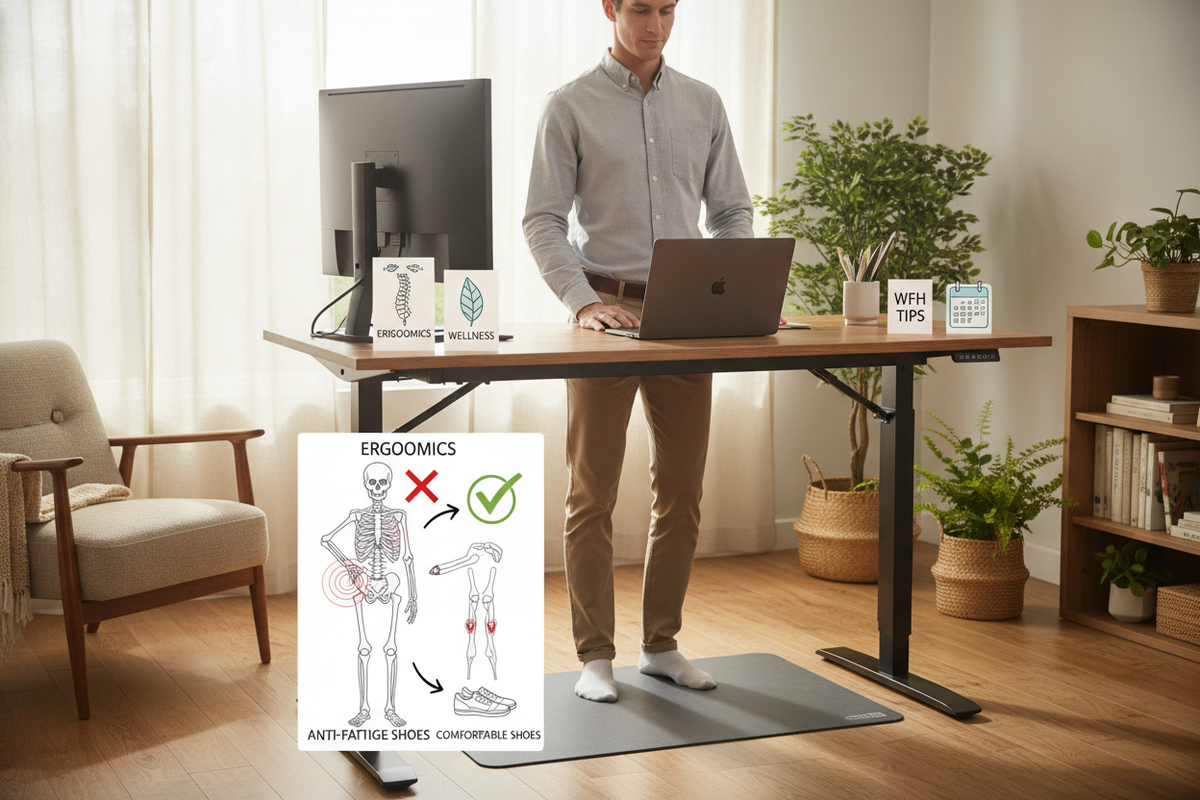
I remember the day my motorized frame arrived. I thought I was fixing my life. I'd finally stop slouching, my core would magically engage, and the mid-afternoon slump would vanish. Instead, four hours into my first day, my heels felt like they were being crushed by a hydraulic press.
Learning how to stand at work desk stations is a physical skill, not just a purchase. If you think you can just stand on a hardwood floor for eight hours because you bought a fancy motor, your joints are about to stage a protest. You need a strategy, not just a higher surface.
Quick Takeaways
- Static standing is just as harmful as static sitting; keep moving.
- Hard surfaces are joint killers—invest in a 3/4 inch polyurethane mat.
- Footwear matters more than the desk itself; ditch the socks.
- Memory presets are the only way to ensure you actually switch positions throughout the day.
The Reality Check of Ditching Your Office Chair
We’ve been conditioned to sit. For decades, the standard writing computer desk has been the anchor of the office. When you suddenly remove that support, your body doesn't know what to do with the load. Your calves get tight, your lower back begins to ache, and you’ll likely find yourself leaning awkwardly on your elbows.
The physical shock is real. It’s not that standing is bad for you; it's that your stabilizer muscles are probably weak from years of chair-dependency. Expect a two-week break-in period where you feel more tired than usual. This is normal, but it shouldn't be agonizing if you set the stage correctly.
Why Bare Feet Are Sabotaging Your Standing Desk Work
I see it in every WFH setup photo: a beautiful desk, a sleek laptop, and a pair of bare feet on a rug. This is a recipe for plantar fasciitis. Hardwood and laminate floors have zero give. When you are standing at work desk setups without support, your arches collapse and your heels take the full force of your body weight.
I learned this the hard way. I finally decided to stand at desk to work and within three days, I was limping to the kitchen. You need a buffer between your bones and the floor. Socks are just a slippery way to get a sore back and inflamed heels.
The 'Micro-Movement' Method (Because Standing Still Is Bad)
The biggest mistake people make with standing desk work is standing like a statue. If you lock your knees, blood pools in your legs and your joints stiffen up. You need to be in a constant state of subtle motion. I like to keep a tennis ball under the desk to roll my arches, or a small footstool to alternate which leg is taking the weight.
Space is your friend here. Using a spacious 71 W height adjustable standing desk gives you enough runway to actually pace a little or step side-to-side during a long Zoom call. If you're cramped, you're static. If you're static, you're in pain. Give yourself room to dance, shift, and lean.
Essential Gear to Make Standing at Work Desk Setups Painless
You wouldn't run a marathon in flip-flops. Don't try to pull a full shift at a standing desk without the right infrastructure. It’s about creating a soft ecosystem for your lower half so your upper half can actually focus on the screen.
Anti-Fatigue Mats Are Non-Negotiable
A thin yoga mat won't cut it. You need a dedicated anti-fatigue mat, ideally 3/4 of an inch thick. Look for high-density polyurethane. Cheap foam mats bottom out after an hour, leaving you standing on the hard floor anyway. A good mat feels like standing on a firm cloud that pushes back against your feet, encouraging your leg muscles to make tiny, healthy adjustments.
The Right Indoor Footwear Makes All the Difference
If you hate mats, you need house shoes. I’m talking about recovery slides or dedicated indoor sneakers with high-rebound foam. I personally swear by a pair of cork-bed clogs. They provide the arch support that flat ground lacks, keeping your kinetic chain aligned from the floor up to your neck. If you’re standing on concrete or tile, this is the single best investment you can make.
How Memory Presets Keep You from Giving Up
The friction of adjusting a desk is the primary reason people stop using them. If you have to manually crank a handle or hold a down button while your coffee gets cold, you’ll eventually just leave it in the seated position forever. It's a psychological hurdle that kills the habit before it even forms.
Investing in an electric lift desk with memory presets is the only way to stay consistent. I have one button for Focus (sitting) and one for Calls (standing). One touch and the transition happens while I'm grabbing a water. It removes the choice and makes the movement automatic, which is the only way to survive the WFH grind long-term.
FAQ
How long should I stand at first?
Start with 20 minutes per hour. Your body needs to build the endurance. If you try to go 100% standing on day one, you'll be back in your chair by Tuesday with a heating pad and a lot of regret.
Do I really need a mat if I have carpet?
Yes. Typical residential carpet and padding are designed for walking, not prolonged standing. They compress quickly and don't provide the ergonomic rebound needed to keep your blood flowing properly.
What is the correct desk height?
Your elbows should be at a 90-degree angle, and your wrists should be neutral on the keyboard. If you're reaching up or leaning down, you're going to wreck your shoulders and neck within a week.

Dejar un comentario
Este sitio está protegido por hCaptcha y se aplican la Política de privacidad de hCaptcha y los Términos del servicio.