










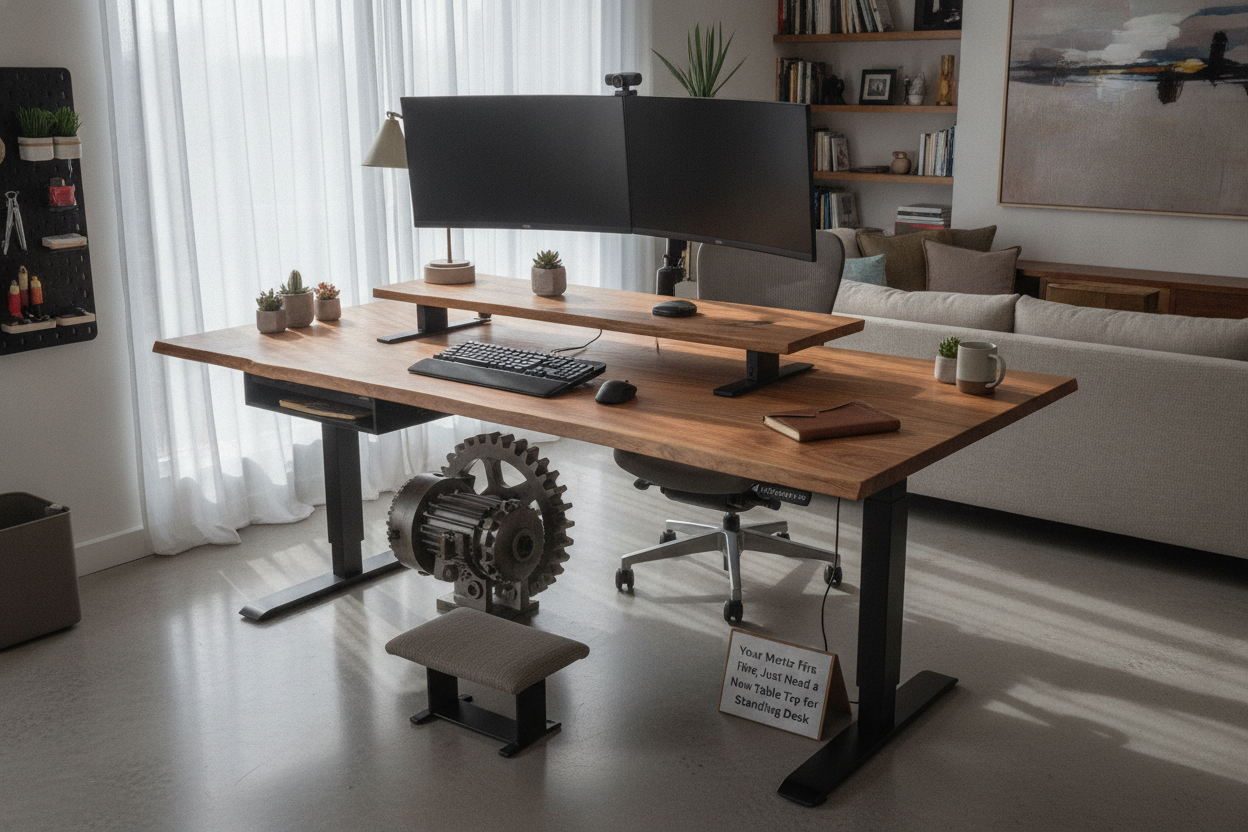
I was staring at my dual-monitor setup one Tuesday and realized my screen wasn't crooked; the desk was. The cheap laminate 'wood' that came with my $300 Amazon special was sagging like an old mattress. It was a sad, 1-inch thick piece of particle board that couldn't handle the weight of my gear and my heavy-leaning elbows. I almost threw the whole thing out, motors and all.
But then I realized the legs were fine. The motor was quiet, the height presets worked perfectly, and the steel frame was rock solid. The problem was the surface. I didn't need a whole new setup; I just needed a high-quality table top for standing desk use to replace the bowing mess I was currently using.
- Keep the frame: The motorized legs are the most expensive part of the setup.
- Choose solid wood: Butcher block or solid oak won't sag over time like particle board.
- Check the weight: Ensure your new top doesn't exceed your motor's lifting capacity.
- Pre-drill everything: Avoid splitting your expensive new wood by drilling pilot holes.
The Day My Particle Board Desk Top Finally Gave Up
It happened slowly, then all at once. I noticed my coffee mug would always migrate toward the center of the desk. My 27-inch monitors were leaning toward each other like they were sharing a secret. When I finally cleared the clutter, the dip in the standing desk tabletop was unmistakable—nearly half an inch of sag in the middle.
I felt cheated. I'd only had the desk for eighteen months. But that's the reality of most 'all-in-one' standing desk bundles. They spend the budget on the motor and ship the cheapest, flimsiest desk top for standing desk they can find. I was ready to scrap the whole thing and go back to a static table until I realized how easy it is to just swap the top.
Why I Bought a Standing Desk Top Only (Instead of Starting Over)
The math is simple. A decent dual-motor frame costs $300 to $500. A 'complete' desk with a real wood top often jumps to $900 or more. By looking for a standing desk top only, you can source your own high-quality surface for a fraction of that markup. I looked at the surface of a standard writing computer desk and realized it was leagues better than my current setup. Why not just put a better top on my existing legs?
Replacing just the adjustable table top saved me at least $400. Plus, I didn't have to deal with the nightmare of disassembling the motorized legs and trying to sell them on Marketplace for pennies. The frame is the engine; the top is just the upholstery. You don't buy a new car when the floor mats get dirty. Buying a standing desk table top only is the ultimate office hack.
What to Look For in a Standing Desk Top Replacement
If you are going through the effort of a standing desk top replacement, do not buy another piece of laminate. You want something with structural integrity. I went with a 1.5-inch thick birch butcher block. It's heavy, it looks expensive, and it doesn't vibrate when the motor is running. If you want something unique, people are even making your own standing desk out of a vintage table saved my office by repurposing old furniture tops onto modern frames.
When choosing a standing table top, aim for a thickness of at least 1 inch. This gives your mounting screws enough 'bite' to hold the frame securely without poking through the top. Avoid 'honeycomb' or hollow-core tops from big-box retailers—they are mostly air and won't hold the weight of a heavy elevated table top setup over time. A solid tabletop for standing desk use should feel substantial when you knock on it.
Don't Ignore Your Motor's Weight Limit
Solid wood is significantly heavier than particle board. My new adjustable standing desk tabletop weighed about 55 pounds. Once you add two monitors, a mounting arm, a laptop, and your own body weight if you lean on the desk, you're looking at 120+ pounds. Most entry-level motors cap out at 150 lbs. If you go too heavy with your top for standing desk, you'll hear the motor straining, or worse, it will just stop working mid-lift. Check your adjustable standing desk tops for their weight before you commit.
How I Attached the New Desk Top (Without Ruining the Wood)
Mounting a standing desk table top is a two-person job, mostly for the flipping part. I laid the new wood top face-down on a thick rug to prevent scratches. I've read about how a standing computer stand for desk saved my antique table from damage, and I wanted to be just as careful with this new investment. Once the frame was centered, I marked the holes and used a drill bit with a piece of tape as a depth stop.
Pro tip: Use furniture bolts and threaded inserts if you plan on moving the desk in the future. If you just use wood screws, you only get one or two chances to get it right before the holes strip out. I took my time, used a level, and made sure the frame was perfectly aligned with the standing desk table top only brackets before tightening everything down. It took less than an hour.
The Final Verdict: Is a Custom Top Worth the Effort?
Absolutely. Swapping the standing desk table top completely transformed my home office. It doesn't just look better; it feels better. There is zero wobble when I type, and the tactile feel of real wood under my wrists is a massive upgrade over cold, cheap plastic. If your motor still works, don't buy a new desk. Just get a better top and give your office the upgrade it actually deserves.
FAQ
Can I use any tabletop for a standing desk?
Mostly, yes, provided it is thick enough (1 inch+) to hold screws and doesn't exceed the weight limit of your motor. Avoid hollow-core tops that can't support the concentrated weight of monitor arms.
How thick should a standing desk top be?
I recommend at least 1 inch, but 1.5 inches is the sweet spot for stability and aesthetics. Anything thinner might flex or allow screws to pull out under stress.
Do I need to drill holes in my new desk top?
Yes, most solid wood tops don't come pre-drilled. Use a pilot bit slightly smaller than your screws to prevent the wood from splitting when you mount the frame.



Dejar un comentario
Este sitio está protegido por hCaptcha y se aplican la Política de privacidad de hCaptcha y los Términos del servicio.