










Desk Archetypes and Their Impact on Sitting Posture
Selecting the best desk for posture requires looking beyond surface aesthetics to understand how furniture geometry shapes everyday physical alignment. Workstation architecture dictates forearm elevation, thoracic support, and pelvic balance. Evaluating the structural fundamentals of the ergonomics of desk sitting allows home professionals to establish a workspace that minimizes unnecessary muscular tension and encourages dynamic movement throughout the workday.
Dynamic Height-Adjustable Desks for Active Alignment
Height-adjustable frames offer continuous adaptability, enabling users to calibrate the work surface precisely to their seated elbow height. When exploring sitting desk ergonomics, fixed-height surfaces frequently force shorter individuals to elevate their shoulders or taller individuals to slouch forward. Selecting a versatile ergonomic office desk product provides micro-level surface positioning that keeps forearms parallel to the floor, relieving tension across the upper trapezius and cervical spine.
Integrated Storage Desks and Postural Stability
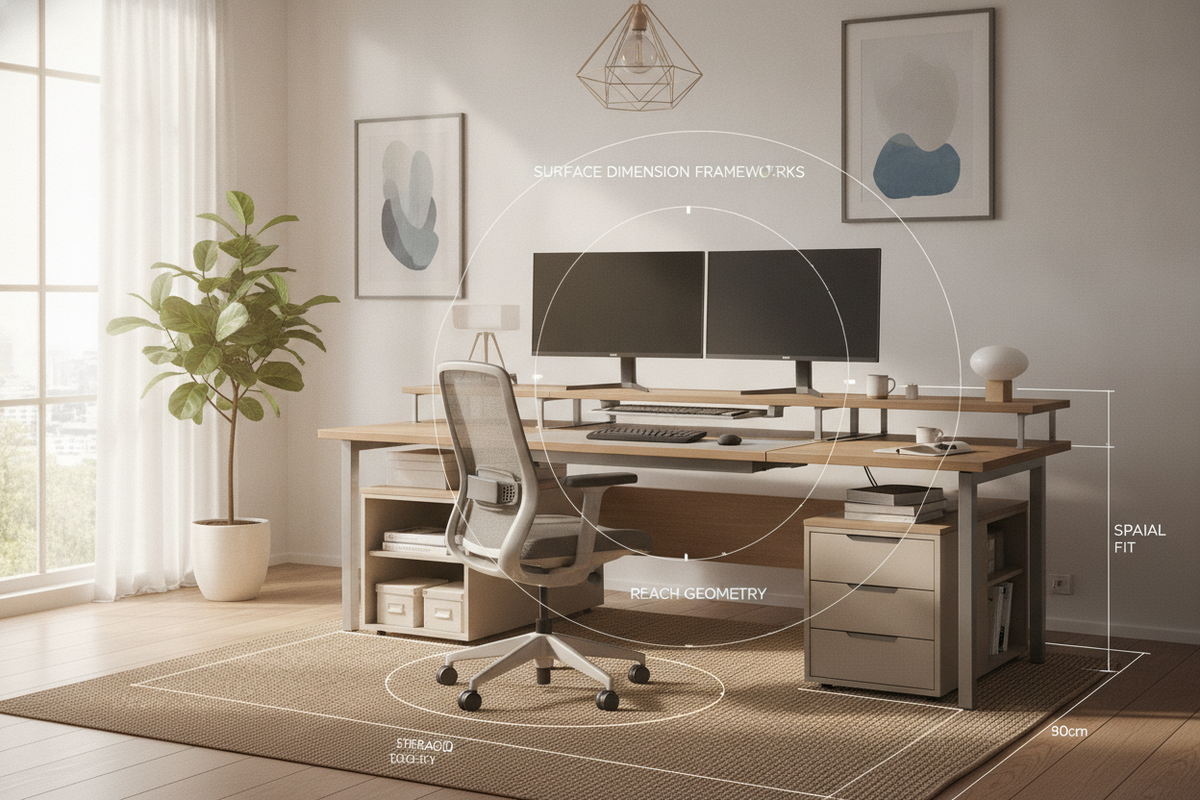
While adjustable tables emphasize vertical movement, desks integrated with structural cabinetry provide grounded stability and streamlined organization. A dedicated office desk product featuring built-in side pedestals keeps essential supplies within immediate reach. Consolidating heavy hardware and paperwork within built-in storage prevents cluttered work surfaces, reducing the frequent twisting and overreaching motions that compromise spinal neutrality.
Surface Dimension Categories and Reach Envelope Geometry
A central tenet of the ergonomics of sitting at a desk is organizing work tools according to functional reach envelopes. Primary tasks—such as typing, mouse navigation, and note-taking—belong within the primary reach zone directly in front of the body. Secondary items, including desk lamps, reference notebooks, and charging docks, should reside along the perimeter to prevent sustained forward reaching.
Desktop Depth and Neutral Forearm Placement
Surface depth plays a direct role in maintaining proper ergonomics for sitting at a desk. A shallow desktop brings screens uncomfortably close to the eyes, which often causes users to tilt their head backward or lean forward to adjust focal distance. In contrast, standard and deep work surfaces accommodate dedicated monitor stands while leaving ample room for relaxed forearm resting zones, supporting balanced ergonomic sitting at desk routines.
Vertical Sightlines and Tiered Storage Elevation
Positioning computer displays at eye level prevents the downward neck bend that leads to mid-back strain. Tiered hutches and raised shelving modules elevate digital screens while freeing up foundational work area. Implementing thoughtful vertical organization, as explored in this desk office guide, enables users to align their primary monitor with their natural resting sightline without sacrificing desktop square footage.
Under-Desk Clearance Envelopes and Lower-Body Ergonomics
Effective workspace planning requires paying close attention to the open envelope beneath the tabletop. The ergonomics of sitting rely heavily on lower-body freedom; restricted leg cavities force awkward seated angles that disrupt pelvic symmetry and encourage slouched lumbar posture.
Knee and Thigh Clearance Geometry
Under-desk crossbars, bulky center drawers, and low apron rails can limit vertical thigh clearance. When thighs contact the underside of a work surface, users typically lower their chairs to compensate, which places knees above hip level and flattens the natural lumbar curve. Prioritizing open-knee designs with slim front profiles allows chairs to glide smoothly beneath the surface, fostering an upright, supported ergonomic office posture.
Foot Placement and Sub-Surface Footprint Freedom
An unobstructed floor zone permits full sole planting and dynamic leg shifts during extended sessions. When cables, storage containers, or low crossbars crowd the lower bay, users are forced into asymmetrical foot resting positions or crossed-leg habits. Keeping the under-desk footprint clear ensures feet remain firmly grounded, which stabilizes the pelvis and distributes body weight evenly across the seat cushion.
Material Craft, Tactile Edges, and Structural Stability
Tactile details and structural integrity directly influence upper-body comfort over prolonged hours. Desks manufactured with rigid joinery and refined edge treatments protect forearms from mechanical contact stress and eliminate distracting surface wobble.
Chamfered and Waterfall Edge Profiles
Sharp, squared desktop perimeters can exert localized pressure on the soft tissue of the wrists and anterior forearms during keyboard use. Softened edges, subtle bevels, and smooth rounded contours distribute contact force over a wider surface area. These thoughtful edge treatments support comfortable forearm resting, making it easier to maintain neutral wrist angles throughout demanding work sessions.
Frame Rigidness and Vibration Mitigation
A stable frame foundation is essential for steady, distraction-free concentration. Micro-vibrations and desktop wobble caused by typing or peripheral movement often prompt subtle postural compensations, such as tensing the shoulders or anchoring forearms too firmly against the desktop. Heavy-gauge metal legs, reinforced gussets, and solid structural back panels keep the surface motionless and dependable.
Room Fit Archetypes, Compact Spaces, and Storage Harmony
Balancing postural requirements with room layout is vital in modern homes where workstations often share space with living areas, bedrooms, or multifunction dens.
Dedicated Office vs. Dual-Purpose Room Planning
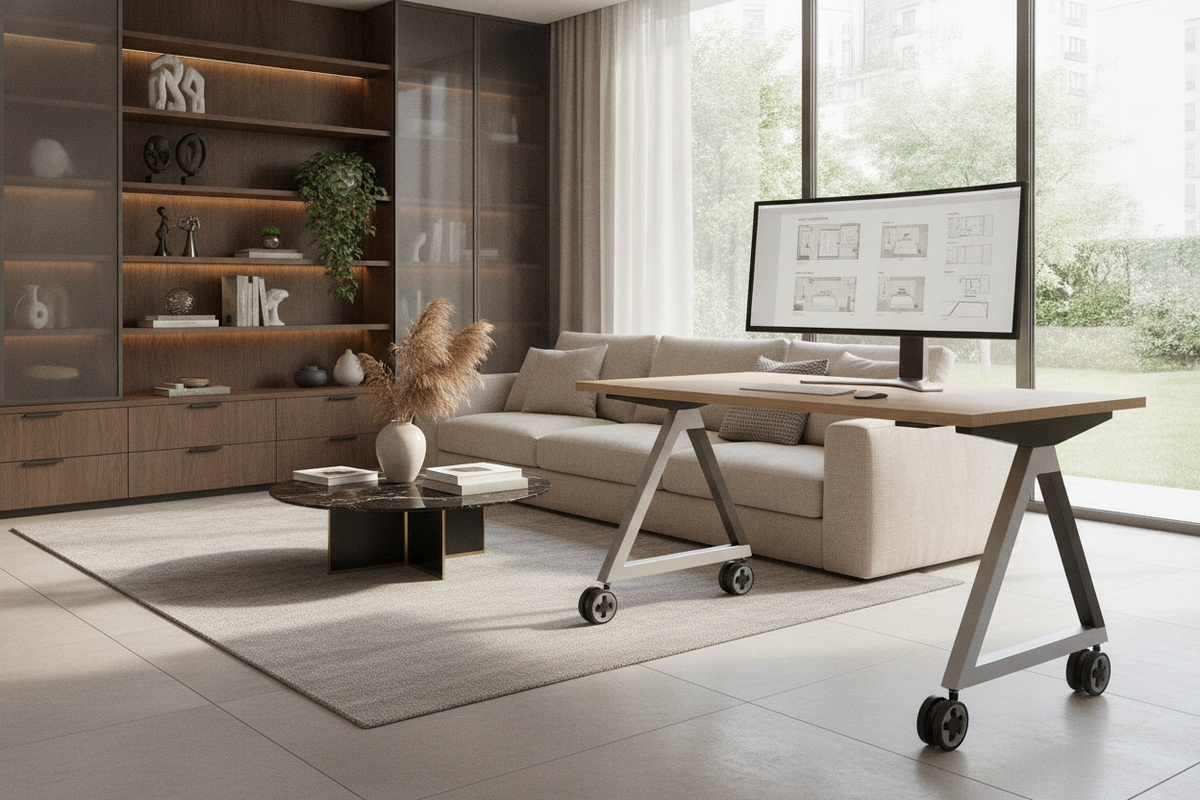
In dedicated home studies, expansive executive or L-shaped configurations allow clear demarcation between digital entry zones and physical writing areas. In multi-purpose spaces, modular secretaires or compact executive setups provide ergonomic support within a smaller footprint. Examining compact layouts through a specialized desk office guide illustrates how concealed workstations can preserve healthy focal distances and legroom clearances while blending harmoniously into living spaces.
Peripheral Storage to Keep Primary Work Surfaces Clear
Pairing a streamlined desk with freestanding credenzas, side lateral files, or adjacent shelving maintains an uncluttered primary work zone. When non-essential supplies are moved to secondary storage furniture, the main desk remains dedicated to essential tasks, facilitating natural movement, optimal monitor alignment, and an effortless ergonomic posture every day.

Leave a comment
This site is protected by hCaptcha and the hCaptcha Privacy Policy and Terms of Service apply.