










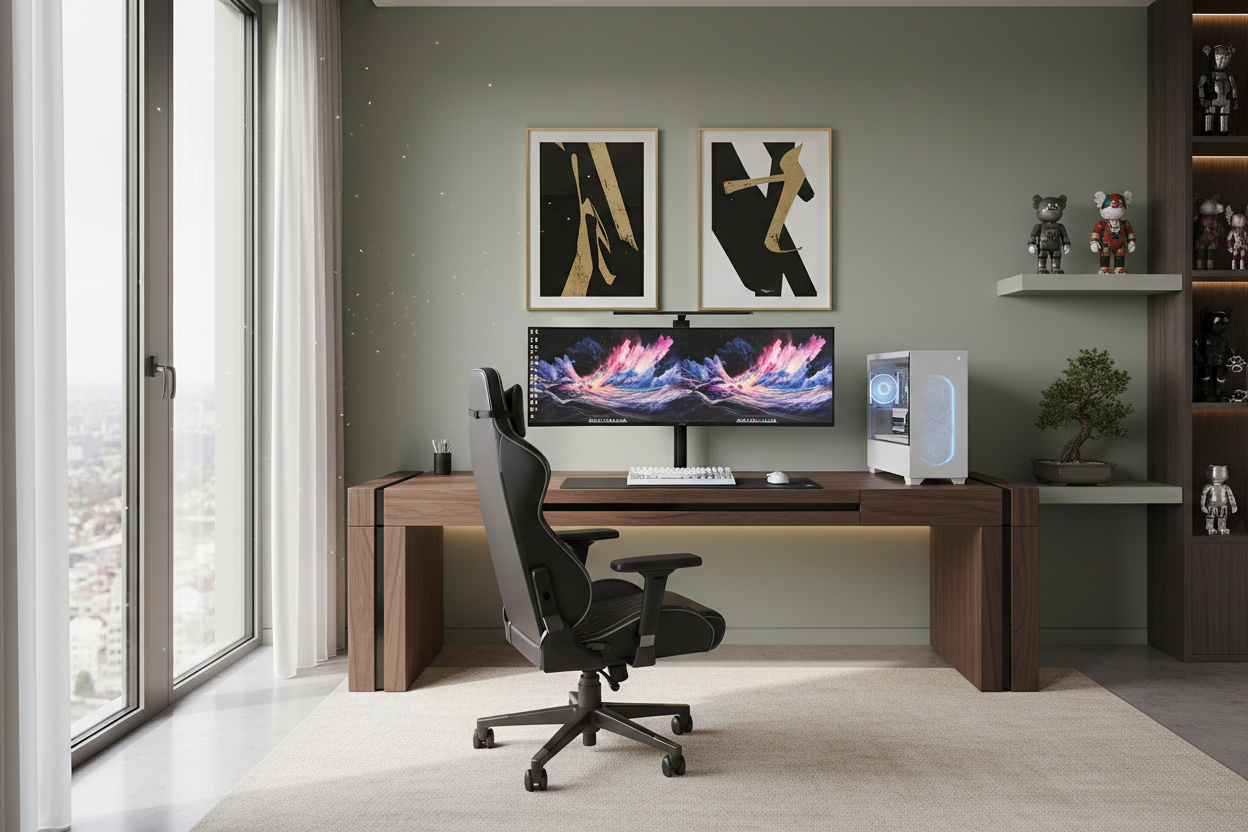
One of the most frequent design dilemmas I encounter with residential clients is integrating high-tech hardware into a refined interior without making the room look like a college dorm. The challenge lies in balancing the aggressive aesthetics of modern hardware with the warmth of a home. A truly sophisticated workspace isn't just about the components; it is about how the **pc gaming desk setups** interact with the room's architecture, lighting, and flow. This guide will walk you through curating a station that performs for gaming but functions as a piece of high-end furniture.
Key Features to Look For
- Surface Depth: Aim for at least 30 inches (76cm) to allow proper focal depth between your eyes and the monitor, reducing strain.
- Material Integrity: Prioritize solid hardwoods (Walnut, Oak) or high-grade HPL over hollow-core particle board to prevent sagging under heavy monitor arms.
- Cable Management Architecture: Look for integrated grommets, under-mount trays, or hollow legs to maintain visual minimalism.
- Frame Stability: For adjustable desks, dual-motor systems with a crossbar or heavy feet are essential to prevent monitor wobble during intense keystrokes.
Choosing the Right Material: Texture and Durability
When selecting the foundation for your desk gaming pc setup, the tactile experience is just as important as the visual one. While carbon fiber wraps are popular in the e-sports world, they often cheapen the look of a home office. As a designer, I advocate for natural materials that develop a patina over time.
Solid wood—specifically Walnut or White Oak—offers superior acoustic dampening compared to glass or metal. Glass desks, while sleek, are magnets for fingerprints and reflect monitor glare, which creates visual fatigue. If you prefer a solid color, opt for Fenix NTM laminate; it offers a soft-touch matte finish that is thermally healing and resists micro-scratches, a common issue with standard gaming setups desk surfaces.
Space Planning and Visual Weight
The placement of your setup dictates the energy of the room. A common mistake is pushing the desk flush against a wall, leaving the user staring at drywall. If your square footage allows, consider floating the desk in the center of the room or positioning it perpendicular to a window. This commands the space and allows for a better command of the room's entry points.
For the best pc desk setup, consider the silhouette of the legs. If the room is small, choose a desk with slender, metal legs or a cantilever design to increase the perception of floor space. Heavier, blocky wooden legs work best in larger rooms where they can serve as a substantial focal point.
Ergonomics Meets Aesthetics
Ergonomics does not require sacrificing style. The "gamer aesthetic" often relies on racing-style bucket seats, which are frequently ergonomically disastrous and visually loud. Instead, look for high-performance task chairs from brands like Herman Miller or Steelcase that offer sophisticated colorways (charcoal, mineral, polished aluminum) that blend with your decor.
Furthermore, monitor arms are non-negotiable for premium desk setups for gaming. They reclaim valuable desktop real estate and allow you to align the screen with your natural sightline. Ensure the arm finish matches your hardware or desk legs for a cohesive look.
My Personal Take on PC Gaming Desk Setups
In my years of designing home offices, I have learned that "matte black" is a double-edged sword. I once designed a custom built-in setup for a client using a matte black soft-touch laminate. It looked stunning in the portfolio photos. However, two months later, the client called to complain. The surface was a nightmare for showing the natural oils from their wrists and forearms. No amount of microfiber cloth wiping could keep it looking pristine for long.
Since then, I always steer clients toward textured wood grains or mid-tone greys for the primary contact surfaces. Additionally, I learned the hard way that cheap standing desk frames have a "wobble factor" at standing height that transfers directly to the monitor. There is nothing more distracting than a screen that shakes every time you flick your mouse. Investing in a four-leg frame or a heavy-duty two-leg frame with wedge stabilizers is an absolute must if you are sensitive to movement.
Conclusion
Creating a gaming space that feels luxurious is about restraint and material quality. By choosing solid textures, managing your cables ruthlessly, and prioritizing ergonomic furniture with a refined silhouette, you can build a space that invites you to play without disrupting the harmony of your home. It is worth the investment to buy the right piece once.
Frequently Asked Questions
What is the ideal desk size for a dual-monitor setup?
For dual monitors, a width of 60 to 72 inches is ideal. This ensures your speakers can be placed wide enough for a proper stereo soundstage and leaves room for a PC tower if you choose to display it on the desk.
How do I manage cables on a glass desk?
Glass desks are notoriously difficult for cable management. The best approach is to use cable raceways that adhere to the back of the metal frame legs, or use a "spine" that travels from the floor to the desktop to hide power cords.
Is solid wood maintenance difficult for a gaming desk?
Not necessarily. While solid wood requires coasters for drinks to prevent rings, a yearly application of oil or wax keeps it looking fresh. Unlike veneer, if you scratch solid wood during a move, it can be sanded and refinished.


Leave a comment
This site is protected by hCaptcha and the hCaptcha Privacy Policy and Terms of Service apply.