










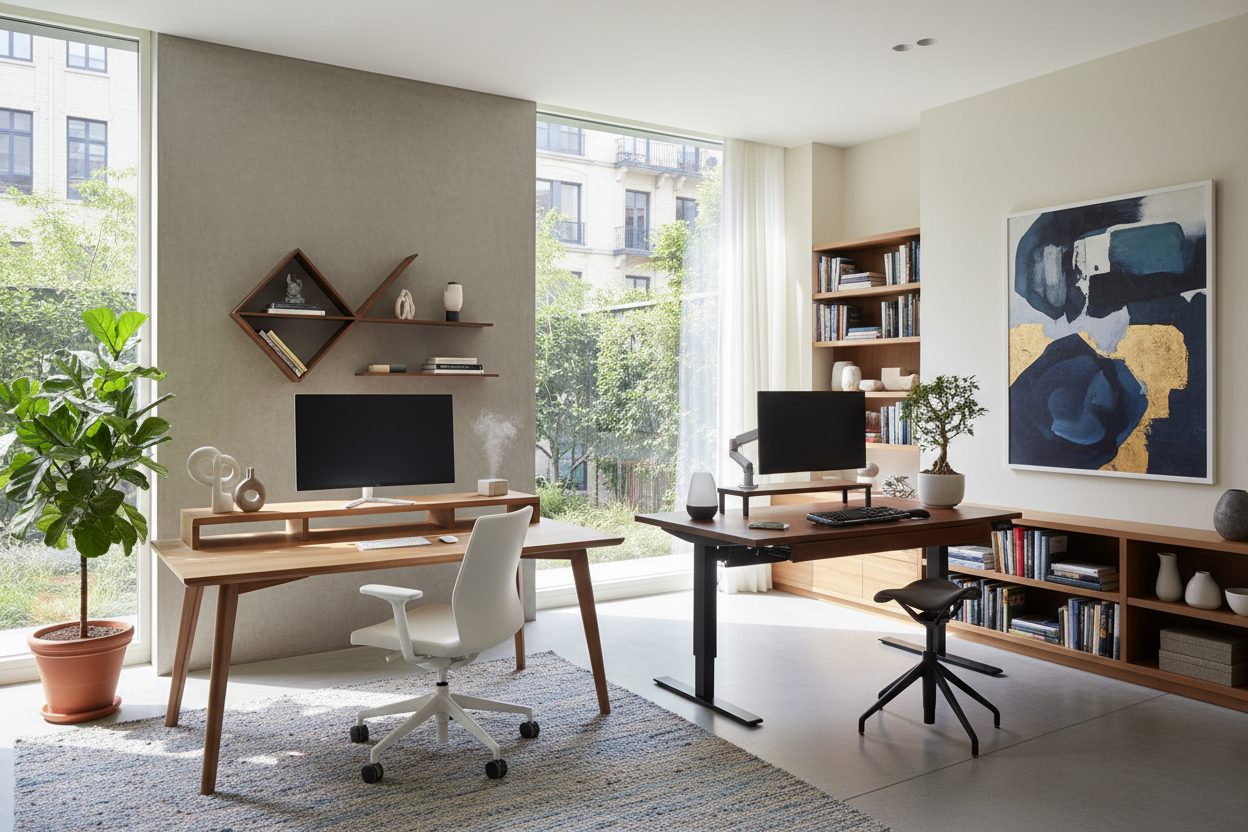
There is a distinct difference between a table you place a laptop on and a designated workspace designed for cognitive flow. As a designer, I frequently see clients struggle with fatigue and lack of focus, not realizing their environment is the silent culprit. A well-executed design anchors the room and dictates the rhythm of your workday. In this guide, we will move beyond basic utility and explore office workstations ideas that merge architectural integrity with ergonomic necessity.
Quick Decision Guide: Key Features to Look For
Before committing to a layout or a custom joinery piece, evaluate these core elements to ensure longevity and comfort:
- Surface Material: Opt for high-pressure laminates (HPL) or sealed hardwoods to resist heat from electronics and coffee rings.
- Ergonomic Envelope: Ensure the desk height allows your elbows to rest at a 90-degree angle (typically 29–30 inches for fixed desks).
- Cable Architecture: Look for integrated grommets or hidden channels; visual clutter creates mental clutter.
- Visual Weight: In smaller rooms, choose legs with a slender profile to maintain a sense of openness.
Curating the Layout: Flow and Light
The placement of your furniture is just as critical as the piece itself. When exploring office workstation design ideas, always prioritize natural light—but never directly behind you (glare) or directly in front of you (eye strain). Ideally, position the desk perpendicular to the window.
For executive-style setups, floating the desk in the center of the room commands authority and allows for better circulation. However, if you are working with limited square footage, anchoring the workstation to a wall and utilizing vertical shelving draws the eye upward, making the footprint feel larger.
Materiality and Texture
The tactile experience of a workstation is often overlooked. A glass desk might look sleek, but it is cold to the touch and amplifies sound. For a warmer, more acoustic-friendly environment, I recommend solid wood or high-quality veneers. Walnut offers a rich, traditional gravity, while white oak provides a Scandinavian, airy aesthetic.
Integrating Tech without the Mess
Modern workstation design ideas must account for the digital tether. We are past the era of simply drilling a hole in the back of a desk. Look for designs with modesty panels that conceal wiring, or surface-mounted power modules that sit flush with the desktop. This keeps the silhouette clean and sophisticated.
Mastering Small Office Workstation Design
Constraint breeds creativity. When dealing with a compact footprint, heavy cabinetry is your enemy. Successful small office workstation design relies on 'floating' elements. Wall-mounted desks free up floor space, creating an illusion of a larger room. Consider a drop-front secretary desk if you need to conceal your work at the end of the day; it allows you to physically and mentally 'close' the office, which is vital for work-life balance.
Styling At Home Workstation Ideas
The challenge with at home workstation ideas is ensuring the desk doesn't look like a corporate intruder in a residential setting. To soften the look, swap the standard mesh task chair for a structured upholstered chair that offers lumbar support but mimics a dining or lounge aesthetic. Accessorize with a table lamp that provides warm, ambient light rather than a harsh, clinical task light. The goal is to create a vignette that feels curated, not cubicle-like.
Lessons from My Own Projects: The "Matte Black" Regret
I want to share a specific realization from a project I designed last year to bridge the gap between theory and reality. I designed a stunning, custom built-in workstation for a client who insisted on a 'midnight matte black' laminate finish for the desktop. On the mood board and in the renderings, it looked incredibly chic and modern.
However, within two weeks of installation, I received a call. The issue wasn't the structure; it was the finish. Every single fingerprint, speck of dust, and natural oil from resting forearms showed up instantly on that matte surface. It required constant cleaning to look presentable. Since then, I always advise clients to choose a textured wood grain or a lighter mid-tone for the primary work surface. You can use the dark, matte finishes for vertical cabinetry or shelving where hands don't touch, but for the desktop itself, forgiveness is a feature you absolutely need.
Conclusion
Investing in the right workstation is an investment in your own productivity and peace of mind. Whether you are carving out a niche in a studio apartment or outfitting a dedicated room, prioritize ergonomics and materials that age gracefully. A well-designed space doesn't just hold your computer; it supports your career.
Frequently Asked Questions
What is the ideal depth for a home office desk?
For a standard setup with a laptop or single monitor, 24 inches is sufficient. However, if you use multiple monitors or require space for physical paperwork, aim for a depth of 30 inches to prevent feeling cramped.
How do I light my workstation effectively?
Layer your lighting. Start with general overhead lighting, then add a dedicated task lamp with an adjustable arm. Ensure the light source is positioned on the opposite side of your dominant hand to avoid casting shadows while writing.
Can a standing desk look stylish?
Absolutely. Avoid the industrial-looking utilitarian models. Look for standing desks with solid wood tops and legs that feature a shroud or cover to hide the telescoping mechanism, blending the tech with furniture-grade aesthetics.


Leave a comment
This site is protected by hCaptcha and the hCaptcha Privacy Policy and Terms of Service apply.