




The right entertainment center wall unit has a TV opening or console top wider than your TV's actual width (a 65-inch TV is about 57 inches wide), cabinets deep enough for your media equipment plus cables, open or vented space for anything that runs hot, and an anti-tip kit you actually install. The wall units in our range stand about 67 to 82 inches tall and run from 11.8 to 21.6 inches deep.
Below: how to match a TV wall unit to your screen, plan depth and ventilation, anchor it, and choose modular or one-piece. You can compare sizes in the FUFU&GAGA entertainment center collection as you go.
Key takeaways
- Measure the TV, not the diagonal: a 16:9 TV is about 0.87 times its screen size wide. Compare that number, and the TV height, with the unit's opening.
- Depth is for the gear: measure your deepest component and leave room behind it for plugs and cables.
- Heat needs a way out: keep receivers and game consoles on open or vented shelves with cable holes.
- Anchor it: the CPSC recommends securing entertainment units and TV stands to the wall.
What is a TV wall unit, and how is it different from a TV stand?
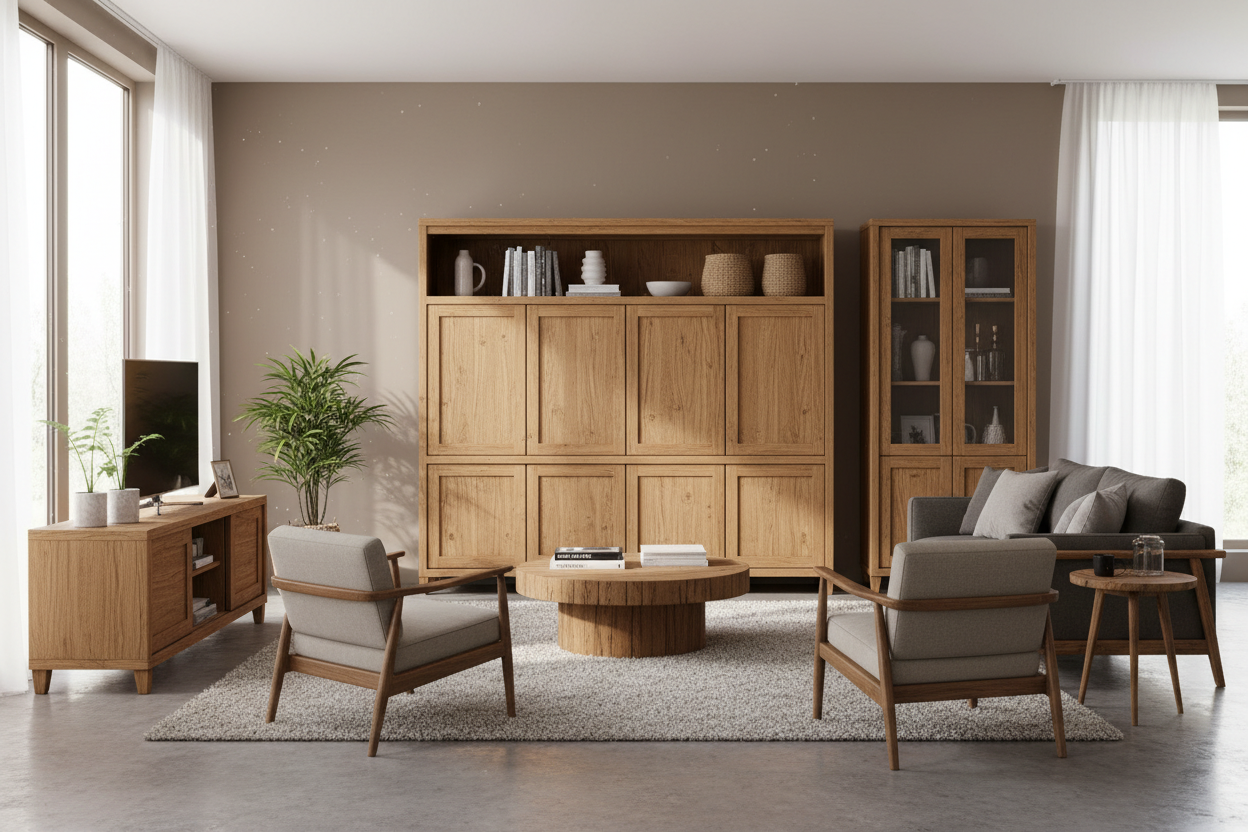
An entertainment center wall unit is a freestanding storage system that fills much of a wall: a TV console at the center, usually framed by tall side towers (piers) and often joined by a bridge or overhead cabinets across the top. Compared with a low TV stand, a wall unit adds vertical storage for books, display pieces and media, and gives a large TV a finished frame so the wall doesn't look empty. It works as the centerpiece of a living room or family room, and a smaller one suits a bedroom.
If you are still deciding between a TV stand, a media console and a full entertainment center, our TV stand vs entertainment center guide compares the three. This guide assumes you want the full wall.
What size TV wall unit do you need?
Television sizes are measured diagonally, so a "65-inch" screen is not 65 inches wide. For a standard 16:9 TV, width is about 0.87 times the screen size and height about 0.49 times. Add the stand or bezel if your model has them, and check the TV's spec sheet for exact numbers.
| TV size | Approx. screen width | Approx. screen height | Look for |
|---|---|---|---|
| 55 in | 48 in | 27 in | Units rated for 55-inch TVs or larger |
| 65 in | 57 in | 32 in | An opening of at least 60 in, such as a 63 in cutout |
| 75 in | 65 in | 37 in | An opening around 69 in or a long open console top |
| 85 in | 74 in | 42 in | A long low console; most framed wall units are too narrow |
For a wall unit with towers and a bridge, the TV must fit inside the opening, both in width and height. For example, our 100-inch gray unit has a 63-inch-wide by 39.4-inch-high cutout and is rated for TVs up to 65 inches. Always go with the manufacturer's maximum TV screen size, since it also reflects how much weight the console can support.
How wide should the whole unit be?
Mark the unit's width on the wall with painter's tape. It looks best with some open wall on each side, rather than running hard into a corner, window or door frame. In an open-concept room, a wall unit gives the living area a clear focal point; in a small room, a narrower, taller unit draws the eye up and saves floor space.
How deep should a TV wall unit be?
Most of the entertainment wall units in our range are 15 to 17.4 inches deep, and the full range runs from 11.8 inches for a slim, space-saving design to 21.6 inches for a unit with a built-in desk. Depth matters for two reasons: it decides what fits on the shelves, and how far the unit projects into the room.
- Electronics: measure your deepest component, typically an AV receiver, a game console or other equipment, and add space behind it for the power cord and HDMI cables to bend.
- Interior vs exterior: compare the cabinet interior depth, not the overall depth. Back panels and doors take up space.
- Sound bar: a sound bar shelf or a wide open shelf under the TV keeps the speaker clear of the screen.
Ventilation for media equipment
Receivers, game consoles and streaming boxes give off heat, and a closed cabinet traps it. The simple rule: put anything that runs hot on an open shelf, or in a compartment with vents or an open back, and keep its vents clear. Check each device's manual for its required clearance, since it varies by model.
Look for these features in a TV wall unit:
- Open media shelves under or beside the TV, rather than only solid doors.
- Cable management holes in the back panel or shelves, which also let warm air escape.
- Vents in closed compartments, if you want to hide equipment.
Anchoring and tip-over safety
A tall unit with a TV on it is a tip-over risk, especially for children who climb shelves. The CPSC estimates that emergency departments treated an average of 17,800 tip-over injuries a year from 2020 to 2022, and it recommends anchoring TVs and furniture securely to the wall (CPSC, 2026).
The CPSC's tips for TV furniture are specific: verify the furniture is stable on its own, anchor entertainment units and TV stands to the wall or floor with appropriate hardware, place the TV on sturdy furniture appropriate for its size, push the TV as far back as possible, and keep cords out of children's reach (CPSC safety tips).
- Install the anti-tip kit that comes with the unit, screwing into a wall stud where possible. The CPSC Anchor It! campaign lists a drill, a screwdriver and a stud finder as the tools you need.
- Anchor each tower separately on a modular unit, not just the center console.
- Stay within the weight capacity of the console and each shelf.
- Keep remotes and toys off high shelves, so children aren't tempted to climb.
For a step-by-step walkthrough, the method in our guide to anchoring a bookcase to the wall works the same way for wall unit towers.
Modular vs one-piece entertainment wall units
A one-piece wall unit is designed to stand as a single, fixed composition. A modular wall unit comes as separate pieces, typically a console, towers and a bridge, that you can arrange together or use apart.
| One-piece | Modular | |
|---|---|---|
| Look | Unified, built-in feel | Built-in look that you can reconfigure |
| Flexibility | Fixed layout | Use pieces together or in different rooms |
| Moving | Fewer pieces, but each one larger | Easier to move and refit a new floor plan |
| Assembly | Usually simpler | More pieces; each tower anchored separately |
| Best for | A long-term home with a set TV wall | Renters and changing storage needs |
Open shelves, doors or drawers?
The best entertainment wall units balance open and closed storage. Open shelves display books, ceramics, art and decor and keep the upper part of the unit light. Enclosed cabinets hide game controllers, cords and everyday clutter. Some units add built-in lighting for display shelves; if so, plan an outlet for it. A practical split is closed storage in the lower part of the unit and open shelving above.
Drawers suit remotes, cables and manuals; hinged doors suit bulky items and equipment. Glass doors show off collections, solid doors hide everything, and dark matte finishes show dust and fingerprints more than lighter wood tones.
Entertainment center wall unit checklist
- Your TV's real width and height are smaller than the TV opening.
- Your TV size is within the unit's stated maximum.
- Cabinet interior depth fits your deepest component plus cables.
- Equipment that runs hot sits on open or vented shelves.
- Cable holes line up with your outlets and TV connections.
- An anti-tip kit is included, and you can reach a stud to anchor it.
- The unit's width leaves open wall on each side; the depth leaves a clear walkway.
- The mix of open and closed storage suits what you need to hide.
- The delivered boxes fit through your doors, and you have two people to assemble a large unit.
- Modular if you rent or expect to move; one-piece if the TV wall is permanent.
Our picks: entertainment wall units from FUFU&GAGA
Five TV wall units, from a slim one-piece design to a 126-inch modular media wall. All five include anti-tip hardware.
126" Mid-Century Natural Wood Modular Media Wall

A four-piece media wall: a left storage cabinet, a right shelving unit, a 63-inch overhead bridge shelf and a 63-inch media console. It mixes tempered glass and wood shelving, with more than 12 open shelves plus closed compartments, so you can display and hide in the same unit.
Key facts: 71" H x 126" W x 15.7" D, fits TVs up to 65", sound bar shelf, 400 lb weight capacity, natural wood finish with black handles, anti-tip hardware.
Best for: long feature walls that need a lot of display space.
92.7" Oak and Black 3-Piece Entertainment Center with Overhead Cabinets

The largest TV capacity of our picks: a 69-inch-wide TV stand fits screens up to 75 inches. A tall side cabinet and four overhead compartments add closed storage, and two open center shelves keep sound bars and consoles reachable with airflow around them.
Key facts: 80.1" H x 92.7" W x 15.7" D, 69.1" TV opening, vents and cable management, 3 drawers on metal slides, oak and black finish, anti-tip hardware, ships in 2 packages, all tools included.
Best for: 70- to 75-inch TVs.
100" Gray Entertainment Center with Storage Cabinets and Open Shelves
A one-piece wall unit with a 63-inch by 39.4-inch TV cutout, which suits a TV on the console top or mounted to the wall inside the frame. Two open media shelves with cable management holes keep equipment organized, four closed cabinets hide the rest, and slanted side shelves hold plants and décor.
Key facts: 78.1" H x 100" W x 15.7" D, fits TVs up to 65", cabinet interior 23" H x 15.7" D x 29" W, sound bar shelf, gray woodgrain finish, built-in anti-tip feature.
Best for: 65-inch TVs, mounted or on the console.
88.5" White 4-Piece Modular Wall Unit with Writing Desk
A modular set that combines a writing desk, open bookcase shelves and closed storage, so one wall handles media, display and a small workspace. Four cabinets and five drawers on metal slides with safety stops hide documents and electronics.
Key facts: 78.7" H x 88.5" W x 21.6" D, fits TVs up to 55", 500 lb total weight capacity, white with paneled doors, anti-tip restraint kit, all assembly tools included.
Best for: family rooms or living rooms that double as a home office.
81" White Entertainment Center with 4-Door Storage and Open Shelves
At 11.8 inches deep, this is the slimmest option, useful in narrow living rooms and apartments. Six open side shelves and two 29.6-inch-wide center shelves with cable holes give display and media space, and four closed cabinets hide the clutter.
Key facts: 70.9" H x 81.1" W x 11.8" D, fits TVs up to 55", adjustable shelves, sound bar shelf, 500 lb weight capacity, white or black, anti-tip device.
Best for: small rooms where every inch of depth counts. Check your components' depth first.
Compare the picks
| Product | Size (H x W x D) | Max TV | Type | Best for |
|---|---|---|---|---|
| 126" media wall | 71 x 126 x 15.7 in | 65 in | Four-piece modular | Long walls, display |
| 92.7" oak and black | 80.1 x 92.7 x 15.7 in | 75 in | Three-piece | Big TVs |
| 100" gray | 78.1 x 100 x 15.7 in | 65 in | One-piece | Mounted or tabletop TV |
| 88.5" with desk | 78.7 x 88.5 x 21.6 in | 55 in | Four-piece modular | Media plus workspace |
| 81" slim | 70.9 x 81.1 x 11.8 in | 55 in | One-piece | Small rooms |
Mistakes to avoid
- Closing hot equipment behind solid doors: it traps heat and blocks remote signals.
- Skipping the anchor: a wall unit with a TV and full shelves is top-heavy.
- Ignoring outlets during setup: plan where the power strip and cable holes go before you assemble the unit.
FAQ
Are entertainment centers out of style?
No, but the style has changed. Bulky, ornate units with a box for a tube TV look dated, while today's entertainment wall units use clean lines, open shelving and modular pieces sized for flat screens. A wall unit is a practical way to frame a large TV and add storage on a wall that would otherwise look empty.
What size entertainment center do I need for a 65-inch TV?
A 65-inch TV is about 57 inches wide and 32 inches tall. Look for a unit rated for 65-inch TVs with an opening wider and taller than that, such as a 63-inch by 39.4-inch cutout. In our range, units rated for 65-inch TVs are 100 to 126 inches wide overall.
Can you wall-mount a TV inside an entertainment center?
Yes, if the unit has an open back or a cutout designed for it and there is a stud or solid wall behind it. Some units, like our 100-inch gray model, are designed for a TV either mounted or on the console top. Mount the TV to the wall itself, not to the unit's back panel.
Is a custom entertainment center worth it compared with a ready-made one?
A custom built-in fits an unusual wall exactly and stays with the home, but it costs more and takes longer. A ready-made freestanding unit ships quickly, moves with you and, if modular, can be reconfigured for a new room.
Can I put a TV wall unit in a rental?
Yes. Choose a freestanding unit rather than a built-in, ideally modular so it can be taken apart and reconfigured for the next floor plan. You will still need to anchor it, so ask your landlord about drilling small holes for the anti-tip hardware.
Ready to compare sizes and finishes? Browse the full entertainment center collection. FUFU&GAGA ships free to the contiguous US, and furniture bought on fufugaga.com comes with a 2-year limited warranty.


Leave a comment
This site is protected by hCaptcha and the hCaptcha Privacy Policy and Terms of Service apply.