










Architectural Overview: The Evolution of the Motorized Studio Workstation
Modern media creation demands a workstation capable of balancing intricate physical hardware with digital control interfaces. Standard flat-top desks often force creative professionals to compromise on monitor heights, controller reach, and keyboard positioning. Motorized studio desks represent an architectural evolution designed specifically for music producers, audio engineers, video editors, and broadcast creators who require ergonomic adjustments alongside multi-tier organization.
Specialized Formats: Flexispot Studio Desk and ESD101 Structural Profile
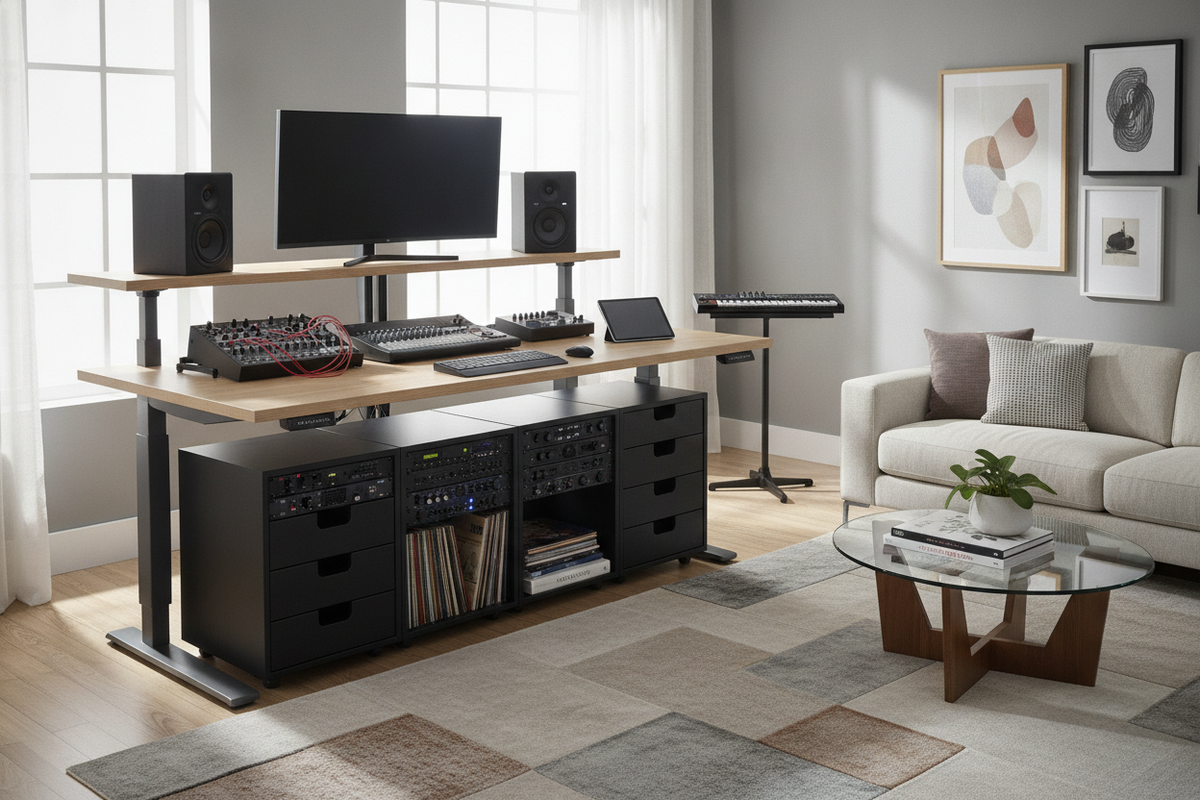
Workstation models such as the flexispot studio desk and the flexispot esd101 framework demonstrate how height-adjustable architecture can adapt to creative workflows. Rather than treating the desktop as a single planar surface, these dedicated units integrate structural tiers directly into the lifting frame. A reinforced base supports balanced elevation across the primary workspace, elevated speaker decks, and recessed controller drawers, ensuring smooth vertical transitions without destabilizing sensitive equipment.
From Flat Tabletop to Multi-Tier Command Center
Transitioning from a conventional flat surface to a tiered workstation redefines surface ergonomics. By dividing the workspace into distinct functional elevations, equipment naturally finds its optimal location based on frequency of use and physical interaction. This vertical segmentation clears central working room for hands-on mixing consoles and writing surfaces while keeping acoustic monitors and visual screens aligned with natural posture lines.
Tiered Ergonomics & Surface Zoning: Organizing Audio and Production Gear
Organizing a studio desk effectively requires dividing hardware across three core functional planes: visual and acoustic monitoring, tactile control, and peripheral input. Balancing these zones prevents physical fatigue during lengthy tracking, editing, or mastering sessions.
Upper Shelf Tier: Visual Displays and Nearfield Acoustic Monitors
The top shelf tier is engineered to hold visual monitors and studio nearfield monitors at optimal sightlines. Positioning audio monitors on an elevated platform places tweeters closer to ear level without requiring bulky aftermarket floor stands. To maintain clean acoustic imaging, decoupling pads can be placed beneath studio speakers, minimizing vibration transfer through the desk frame to lower tiers.
When comparing dedicated production workstations with customized modular layouts, reviewing a comprehensive studio desk guide can clarify whether integrated multi-tier desks or adapted furniture configurations best suit your room footprint.
Primary Desktop: Control Surfaces, Audio Interfaces, and Mixing Consoles
The central deck serves as the tactile zone for daily interactions. Audio interfaces, monitor controllers, mixing consoles, and primary editing devices should sit comfortably within forearm reach. Maintaining clear space in the center of this primary deck creates a comfortable resting area for hands during editing tasks and prevents accidental cable snags across primary control knobs.
Under-Desk Tray Tier: MIDI Keyboards, Synthesizers, and Input Peripherals
A heavy-duty slide-out tray provides a dedicated home for MIDI keyboards, synthesizers, and typing peripherals. Positioning musical keyboards below the main deck preserves a natural playing height, reducing wrist strain while keeping the main surface unobstructed for digital audio workstation navigation.
Dynamic Kinetic Travel: Acoustic Tuning and Sightline Clearances
Motorized sit-to-stand transitions introduce dynamic movement into an acoustic environment. Proper setup ensures that vertical adjustments maintain sound accuracy and visual alignment across every preset height.
Ear-Level Alignment Across Sitting and Standing Heights
Because acoustic nearfield monitors travel vertically alongside the desk surface, the listening triangle moves with the operator. When transitioning from seated to standing positions, maintaining an equilateral triangle between the speakers and the mixing position preserves stereo imaging and frequency balance without requiring recalibration of speaker mounts.
Spatial Envelope and Wall Clearances in Studio Environments
Studio environments frequently feature acoustic wall treatments, bass traps, and rear cable conduits. When installing a motorized studio desk, consider the dynamic travel path:
- Maintain clearance between the back of the upper shelf and acoustic wall panels to prevent friction during lift cycles.
- Ensure articulating visual monitor arms do not strike rear diffusers or wall shelves at maximum elevation.
- Check side clearances around acoustic isolation shields or perimeter microphone boom arms.
Studio Cable Management Architecture and High-Density Wire Routing
A production workstation relies on an extensive network of power cables, balanced audio lines, MIDI connections, and high-speed data cords. Systematic wire management prevents interference and maintains safety throughout kinetic travel.
Signal Separation: Isolate Audio, Data, and High-Draw AC Power
Electromagnetic interference can introduce unwanted noise into sensitive analog audio paths. To maintain clean signal transmission, route balanced and unbalanced audio cables along channels separate from AC power cords and high-draw transformer bricks. Crossing power and signal lines perpendicularly, rather than running them parallel in tight bundles, further minimizes noise induction.
Dynamic Cable Spine and Articulated Slack Channels
Kinetic desks require deliberate slack management to avoid cable strain at full height:
- Install an articulated vertical cable spine or flexible raceway from the desk undercarriage to the floor outlet.
- Anchor main power distribution strips to the underside of the desk frame, ensuring all onboard hardware moves together on a single unified power drop.
- Leave measured slack loops for studio monitors and display cables to allow full extension without pulling on delicate connection ports.
Studio Storage Synergy: Integrating Modular Credenzas, Sidecars, and Cabinets
While the primary studio desk manages active hardware, maintaining an uncluttered workspace requires dedicated auxiliary storage. Pairing a motorized desk with complementary perimeter furniture preserves a clean visual aesthetic and supports focused creative work.
Perimeter Sideboards and Media Consoles for Rack Units and Accessories
Low-profile sideboards, media consoles, and credenzas offer ideal staging areas for secondary studio gear. Outboard preamps, headphone distribution hubs, audio interface expansion units, and archival hard drives can be housed neatly along room boundaries. Utilizing enclosed credenzas prevents visual clutter and protects sensitive electronic accessories from ambient studio dust.
For further inspiration on organizing auxiliary surfaces and maintaining clean interior lines, explore our dedicated desk studio guide to refine your space.
Mobile Drawer Pedestals and Vertical Shelving Integration
Mobile drawer units and modular side cabinets can be tucked adjacent to the desk to hold spare cables, adapters, microphones, and studio tools. When positioning auxiliary pedestals, ensure they sit outside the desk's motorized downward travel zone to prevent accidental contact during height adjustments.
Decision Matrix: Evaluating Studio Desk Suitability for Your Production Space
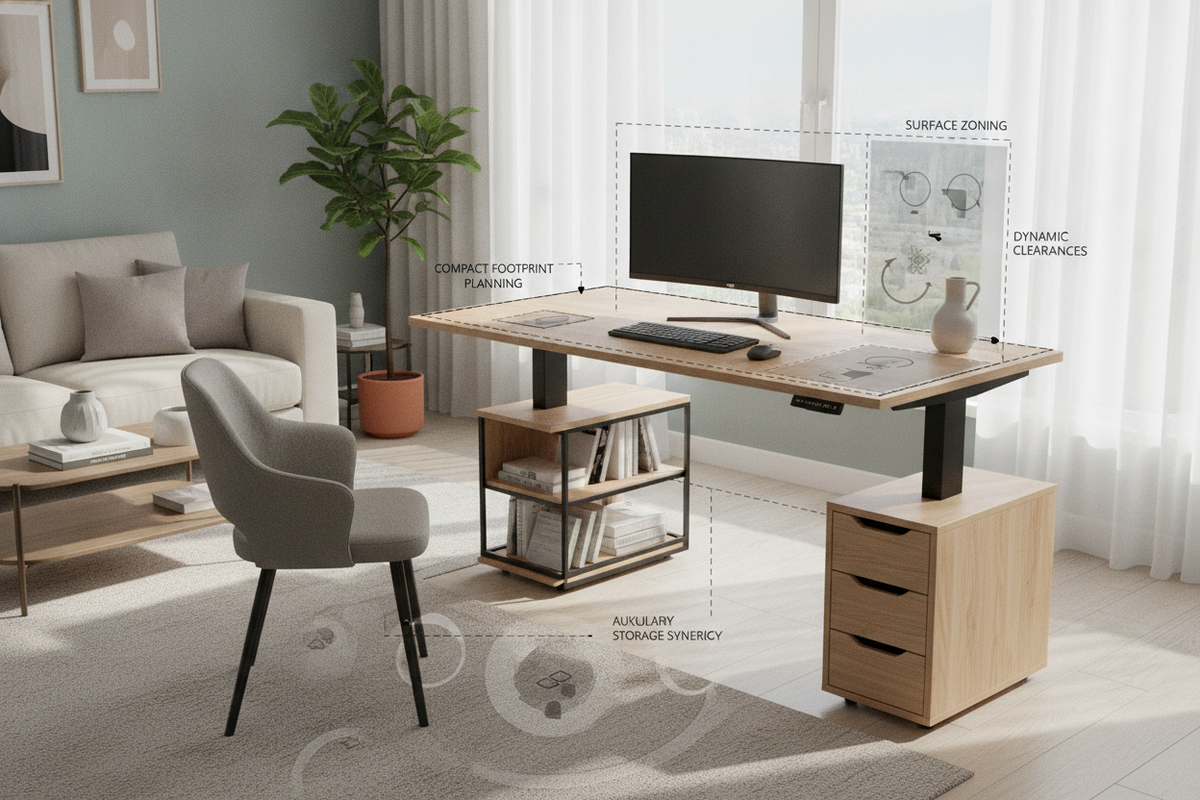
Before selecting a specialized motorized studio workstation, evaluate your room and equipment requirements against this practical planning framework:
- Footprint vs. Room Scale: Measure the width of your room to ensure sufficient clearance for speaker reflection boundaries and door swings around wide studio surfaces.
- Gear Distribution: Inventory your primary controllers, screen sizes, and MIDI keyboards to confirm tier depth and shelf stability accommodate your complete hardware setup.
- Perimeter Storage Balance: Coordinate dedicated sideboards and mobile credenzas to handle non-essential hardware, keeping your active production desk focused, organized, and ergonomically sound.

Leave a comment
This site is protected by hCaptcha and the hCaptcha Privacy Policy and Terms of Service apply.