










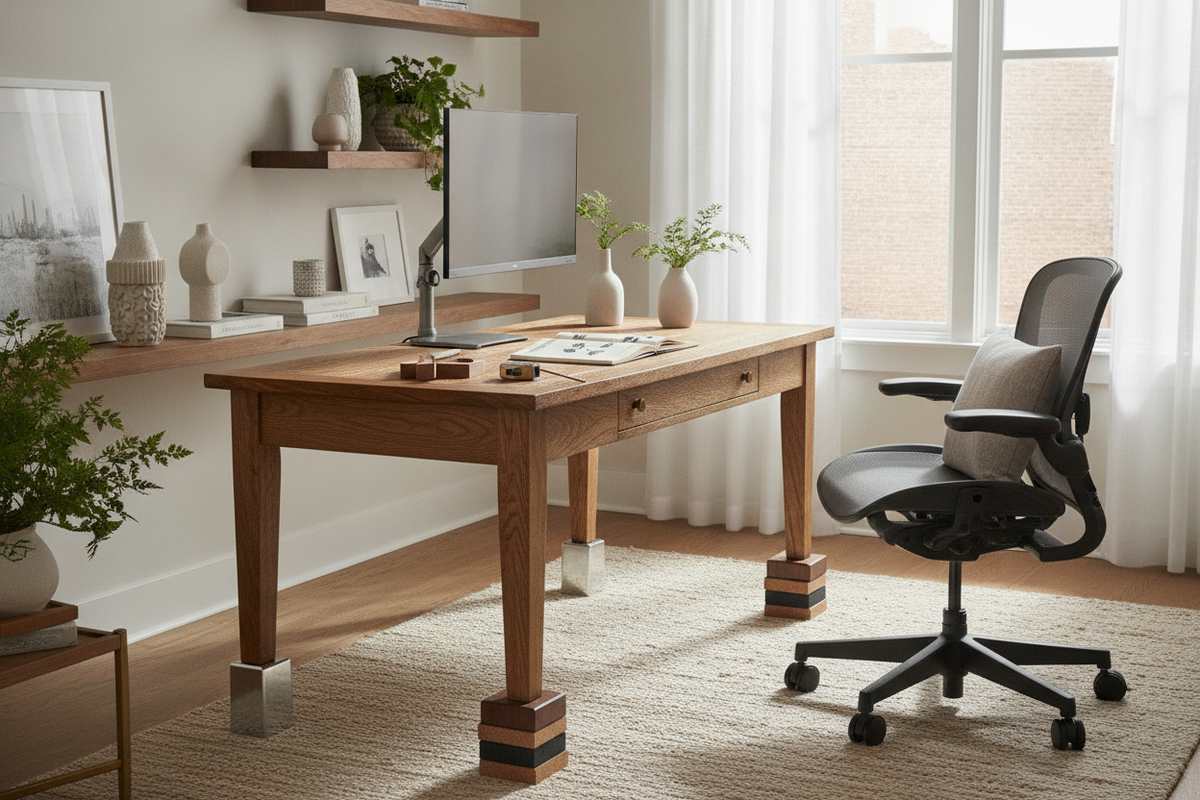
A workstation that sits slightly too short creates persistent friction during the workday. When your desktop rests lower than natural armrest and forearm levels, you may find yourself slouching forward, hunching your shoulders, or struggling to fit your thighs comfortably beneath the front apron or pencil drawer. Learning how to raise a desk 3 inches offers a targeted, moderate elevation that can dramatically improve seated posture and legroom without requiring an entirely new furniture purchase.
Whether your workstation features traditional spindle legs, modern steel posts, solid panel slabs, or modular storage pedestals, raising it by a few inches requires careful attention to balance, lateral stability, and structural weight distribution. This guide outlines reliable elevation methods ranging from simple heavy-duty risers and replacement hardware to custom DIY plinth bases and full ergonomic workspace considerations.
Understanding Workstation Elevation: Why a 3-Inch Lift Matters
Signs Your Desk Sits Too Short for Daily Comfort
Recognizing when a desk too short condition impacts your routine involves observing how your body naturally interacts with your work surface. Common indicators include having to lower your office chair so far that your knees sit higher than your hips, repeatedly knocking your thighs against the underside of the tabletop, or resting your forearms on the edge at a sharp downward angle. When you find yourself constantly seeking a practical desk too low solution, modest vertical adjustments often provide the needed relief.
Elbow Alignment, Thigh Clearance, and Seating Dynamics
Proper seated alignment generally calls for your forearms to rest parallel to the desktop surface while your shoulders stay relaxed and your feet remain flat on the floor. When you raise a desk by approximately three inches, you create generous clearance for ergonomic chair armrests to slide smoothly underneath the table surface. This clearance prevents awkward leaning, reduces wrist extension while typing, and preserves open leg volume for comfortable daily movement.
Top Methods to Add Height to Traditional Legged Desks
For freestanding desks equipped with four independent posts or turned wood legs, several straightforward hardware upgrades can introduce height quickly and securely.
Heavy-Duty Furniture and Caster Risers
Pre-engineered furniture risers made from solid hardwood or reinforced composite polymers provide an immediate method to gain vertical clearance. When selecting risers, choose models with recessed top cups or padded wells that cradle the bottom of each desk leg. This recessed lip prevents the leg from sliding off the platform during sudden bumps or lateral movement. Alternatively, replacing static floor glides with heavy-duty locking caster wheels can add several inches while introducing mobile flexibility across hard floors and area rugs.
Threaded Leveling Glides and Leg Extension Inserts
Many metal and contemporary wooden desks feature bottom inserts threaded for leveling feet. If your desk includes standard threaded sockets, you can swap the short stock glides for extra-long threaded stem levelers. Combining extended threaded stems with dense rubber spacer collars lets you distribute downward force across the entire base while stabilizing minor floor unevenness.
Replacing Factory Legs with Taller Architectural Posts
If you prefer an integrated, seamless aesthetic rather than external riser cups, swapping the original desk legs entirely is often the cleanest aesthetic choice. Removing low factory supports and installing taller wood or steel legs preserves the visual silhouette of the desk. For helpful insights on choosing and mounting taller furniture posts, explore this too low legs guide to understand base plates, mounting hardware, and structural alignment.
DIY Wooden Plinth Bases and Riser Blocks
When off-the-shelf risers do not match your desk finish or leg dimensions, crafting custom wooden supports gives you complete control over aesthetics, material density, and stability.
Crafting Solid Hardwood Spacer Blocks
To create custom diy desk leg risers, source hardwood blocks cut to the exact footprint of your desk legs plus a small perimeter border. Using a router or spade drill bit, create a shallow recessed pocket in the top face of each block where the desk leg sits firmly. Staining or painting the hardwood blocks to match your desktop or leg finish creates an intentional, furniture-grade appearance.
Constructing a Continuous Platform or Sled Base
Instead of four disconnected riser blocks, building two continuous wooden runners or a perimeter sled frame offers superior structural integrity. A sled base connects the front and back legs on each side with a continuous hardwood beam. This design distributes the total downward load across the floor and virtually eliminates front-to-back racking and wobbling.
Securing Riser Blocks Against Lateral Wobble
When applying a 3-inch elevation, lateral forces increase. To keep riser blocks anchored to the furniture:
- Use heavy-duty mounting dowels or center lag bolts extending upward from the riser into pre-drilled pilot holes in the desk legs.
- Attach discrete mending plates or corner brackets along the interior-facing sides of the legs to lock the block to the leg column.
- Apply non-skid rubber or high-friction silicone pads to the bottom of the risers to prevent the assembly from shifting across smooth flooring surfaces.
How to Raise Panel Desks, Credenzas, and Legless Configurations
Not all workspaces use four standard legs. Executive credenzas, laminate panel desks, and modular storage setups require specialized elevation tactics when learning how to raise a desk without legs.
Elevating Solid Side-Panel and Pedestal Desks
Slab-end and panel-base desks distribute weight along full vertical side panels rather than focused point loads. Elevating these units requires a continuous wooden sleeper or base plinth that runs the entire depth of each side panel. Secure the sleeper to the underside of the panel using countersunk wood screws and L-brackets to ensure the panel cannot slip off its foundation.
Adjusting Floating and Wall-Mounted Worksurfaces
For floating desks secured directly to wall studs with heavy-duty structural brackets, raising the work surface involves dismounting the desktop, relocating the wall brackets to the desired height, and securing them into structural framing using appropriate heavy-duty fasteners. Always check level across the length of the bracket before re-anchoring the desktop.
Integrating Floor Spacers Beneath Modular Cabinet Desks
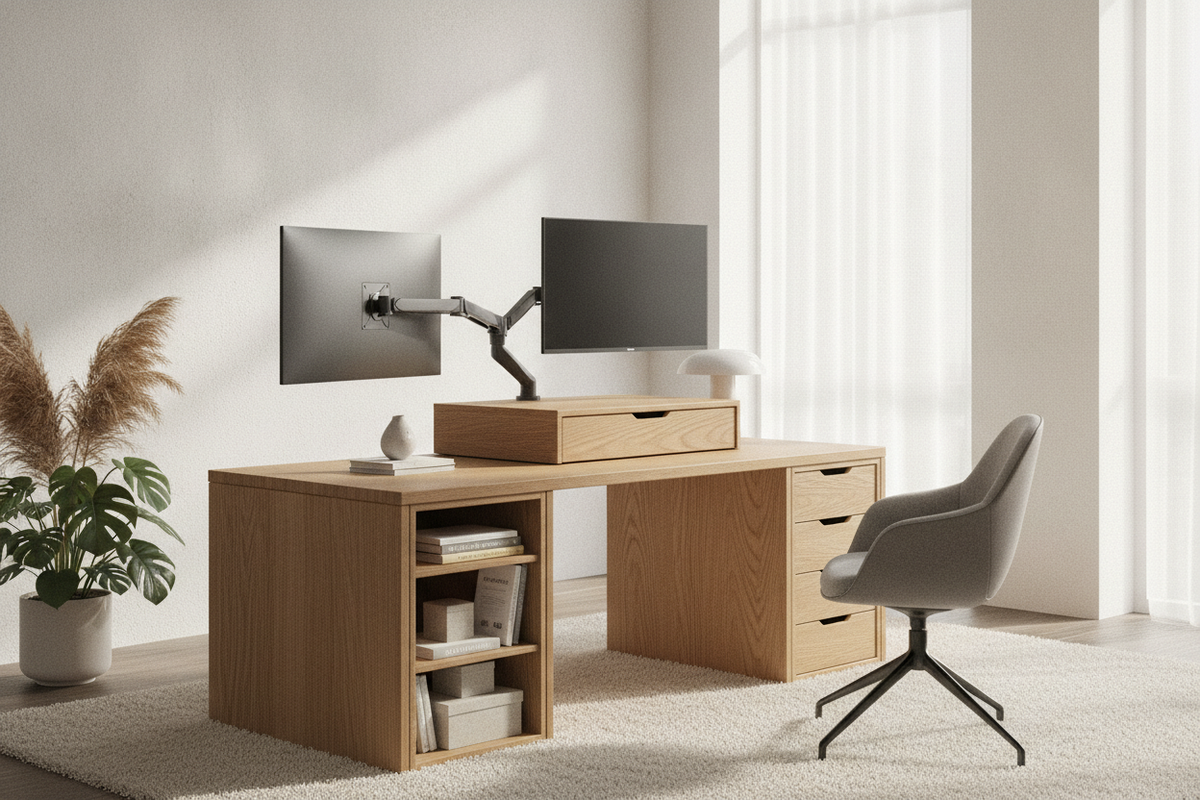
Desks created by resting a solid butcher block or desktop panel across two storage cabinets or file pedestals can be raised by placing rigid wooden risers or furniture riser rails directly between the top of the cabinets and the underside of the work surface. Alternatively, installing low-profile furniture feet beneath each modular storage cabinet elevates the entire workstation uniformly while preserving drawer accessibility.
Deciding Between a 3-Inch Lift and Full Standing Height
While a 3-inch adjustment resolves seating ergonomics and knee clearance, you may also consider whether full height adjustability better supports your overall work routine.
Incremental Elevation vs. Sit-Stand Conversion
A static 3-inch rise optimizes your primary seated desk height for proper arm angle and thigh room. However, if your daily work rhythm requires alternating between sitting and active standing postures throughout the day, static risers cannot bridge the full vertical span needed for standing use.
Desktop Converters vs. Purpose-Built Adjustable Frames
Adding a manual desktop riser on top of your existing surface allows for quick standing adjustments, though it consumes valuable desktop real estate. For an all-in-one approach that supports both seated and standing tasks without standalone blocks, exploring a dedicated height standing desk product provides push-button flexibility and substantial work surface area tailored to changing ergonomic needs.
Workstation Storage, Cable Management, and Room Layout Harmony
Modifying your desk height alters the spatial relationships between your desktop accessories, storage units, and surrounding decor.
Realigning Under-Desk File Pedestals and Drawers
Gaining vertical clearance beneath the desktop creates new opportunities for under-desk organization. You can introduce slide-out storage drawers, hanging keyboard trays, or compact filing carts that previously could not clear the lower desk apron. For curated organizational components tailored to compact footprints, exploring a dedicated solution collection helps you maximize under-desk storage efficiency without cluttering your floor plan.
Managing Cable Slack and Power Strip Mounting After Elevation
Raising your desk surface increases the physical distance between your electronic equipment and wall outlets. Review all monitor cables, laptop charging cords, and peripheral connections to ensure adequate slack. Mounting a multi-outlet surge protector directly beneath the newly elevated desktop keeps power cords consolidated and prevents strain on hanging cables.
Balancing Visual Proportions in Compact Workspaces
Elevating a desk can make a compact room feel lighter and more spacious by increasing visible floor area beneath the table. Keep visual proportions balanced by ensuring desk legs, risers, and complementary storage pieces share unified finishes, consistent material tones, and intentional design lines.


Leave a comment
This site is protected by hCaptcha and the hCaptcha Privacy Policy and Terms of Service apply.