










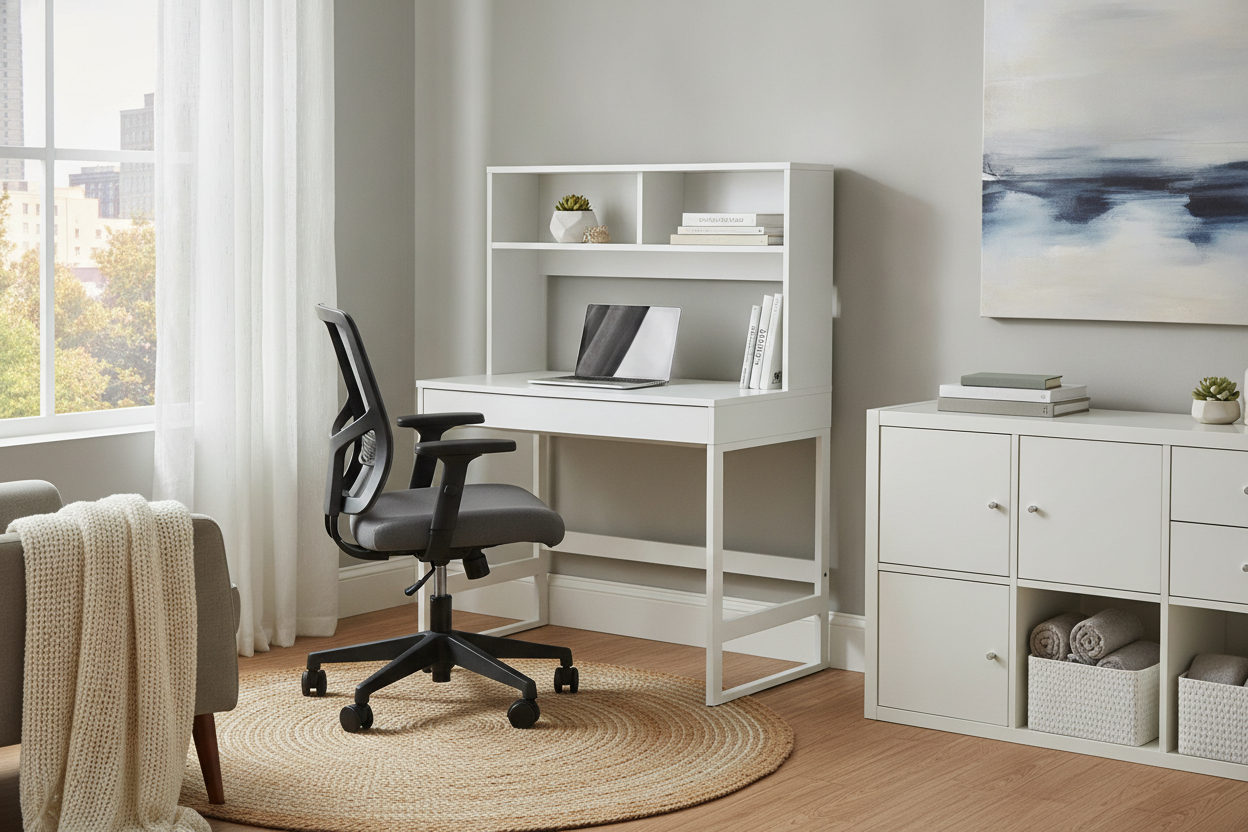
A 2 level standing desk offers a structural solution to one of the most common workstation dilemmas: positioning screens at eye level while keeping input devices at a comfortable elbow height. By dividing the primary work surface into an elevated display shelf and a lowered keyboard deck, this tiered layout provides dedicated zones for viewing and active tasks.
Whether you are designing a dedicated home office or carving out a productivity corner in a multi-use living space, choosing a dual level standing desk involves understanding platform ergonomics, room proportions, structural stability, and smart peripheral storage.
Understanding the 2 Level Standing Desk: Architecture and Ergonomic Principles
Standard flat sit-stand desks present a single plane for both typing and viewing. To position a monitor comfortably on a flat surface, users often rely on aftermarket monitor arms, clamp-on risers, or separate laptop stands. A dual-tier desk incorporates this height offset directly into its physical architecture.
Upper Deck vs. Lower Tier: Aligning Monitor Sightlines and Typing Heights
The core benefit of a two-tier configuration is the natural separation of working heights. When standing or seated upright, your forearms rest comfortably when typing on a surface near elbow level, while your natural line of sight falls slightly below horizontal when looking at a screen. Placing monitors on an elevated upper deck reduces the need to tilt your neck downward or hunch forward over a flat tabletop.
The lower surface serves as an expansive workspace for your keyboard, mouse, writing pads, and immediate task items. Because displays sit on the upper tier, the lower platform remains uncluttered and open for fluid arm movement.
Dual-Tier Configurations: Fixed Shelves vs. Independent Height Adjustments
Multi-tier desks generally come in two architectural styles: unified frames with integrated stepped shelving, and independently moving platforms. Unified systems lift both tiers simultaneously via motorized columns, preserving the set vertical distance between keyboard and monitor as you transition between sitting and standing.
For workspaces where multiple users share the same station, an standing desk product allows individuals to store their preferred elevation heights for rapid transitions throughout the workday.
Room Fit and Spatial Planning for Multi-Tier Workstations
Because tiered desks feature elevated vertical profiles and stepped depths, evaluating floor space and visual bulk is an important planning step.
Footprint Depth and Overhead Clearance Considerations
A dual-tier surface often requires greater front-to-back depth than a single flat board to ensure appropriate viewing distance between your eyes and the display deck. In compact rooms, ensure your chair can push back comfortably from the lower deck without blocking entryways or closet doors.
If you work with expansive multi-screen setups or wider peripherals, a spacious surface like a 71 w height adjustable standing desk provides ample horizontal width to prevent equipment crowding while keeping monitors set back at an easy focal range.
Corner, Window, and Open-Floor Zoning Strategies
Where you place your tiered desk affects both lighting and spatial balance. Positioning a desk perpendicular to natural windows helps minimize screen glare across the elevated display deck. When placing a tiered workstation against a wall, remember to leave a slight gap between the upper shelf and the wall surface to accommodate monitor overhang and cable runs during vertical movement.
For open-concept layouts, consult our standing desk guide on blending sit-stand furniture into shared living areas without creating visual friction.
Storage and Organization Ideas for a Dual Level Standing Desk
The stepped design of a 2 level standing desk introduces unique storage opportunities that standard desks lack. By taking advantage of the vertical elevation between surfaces, you can streamline your everyday workflow.
For creative interior concepts and styling advice, explore our standing desk guide for curated workspace arrangements.
Utilizing the Sub-Tier Shelf Void for Peripherals and Task Gear
The gap underneath an elevated monitor platform creates a natural horizontal alcove. This sheltered space is ideal for tucking away items that need to stay accessible but off the primary typing deck, such as audio interfaces, docking stations, external drives, notebook journals, and charging docks.
If you manage diverse creative or technical accessories, choosing a desk dual product provides integrated compartments and vertical boards to keep tools visible and organized.
Cable Routing and Weight Distribution Across Moving Tiers
With equipment distributed across two height levels, managing cords requires deliberate planning. Follow these best practices for clean cable routing:
- Group display cables and power cords from the upper platform into a shared flexible sleeve before running them downward.
- Ensure cables connecting equipment on the lower deck to wall outlets have adequate slack to extend smoothly through the desk's entire lifting range.
- Position heavier items, like computer towers or weighted monitor stands, toward the center or directly over frame support rails to maintain balanced weight across the lifting mechanism.
Material Selection, Frame Stability, and Assembly Essentials
Elevated tiers naturally introduce a higher center of gravity when loaded with multiple screens. Selecting the right frame geometry and executing a proper build ensures long-term stability.
Evaluating Steel Leg Geometry and Crossbar Support
Look for solid steel frames engineered with wide footings and sturdy support brackets under both tiers. T-frame and C-frame leg designs distribute the load evenly across the floor, minimizing front-to-back wobble when typing vigorously at full standing elevation. Crossbars under the main desktop provide torsional rigidity, preventing shelf flexing over time.
Step-by-Step Assembly and Leveling Checklist
- Unpack and Inspect: Clear an open floor area and check all frame components, fasteners, and tabletop panels against the included hardware guide.
- Assemble the Base: Secure the lifting columns to the bottom feet, ensuring all bolts are hand-threaded before tightening to prevent cross-threading.
- Attach Desktop Supports: Mount the support rails to the underside of the main deck and tiered shelf risers securely.
- Level the Unit: Once positioned in your workspace, adjust the leveling glides beneath the feet so the desk sits completely flat without rocking.
- Perform Motor Initialization: Follow the manufacturer reset procedure on the controller to calibrate the lifting columns before placing heavy hardware on the upper deck.
Choosing the Best Multi-Level Desk Setup for Your Daily Workflow
Selecting the ideal dual level standing desk comes down to your screen setup, room dimensions, and daily work habits. If you use dual monitors and seek built-in ergonomic viewing heights without extra accessories, an integrated stepped desk provides a clean, functional foundation. By matching your desk footprint to your room layout and taking advantage of sub-tier storage, you can create a balanced, clutter-free workspace built for all-day focus.


Leave a comment
This site is protected by hCaptcha and the hCaptcha Privacy Policy and Terms of Service apply.