










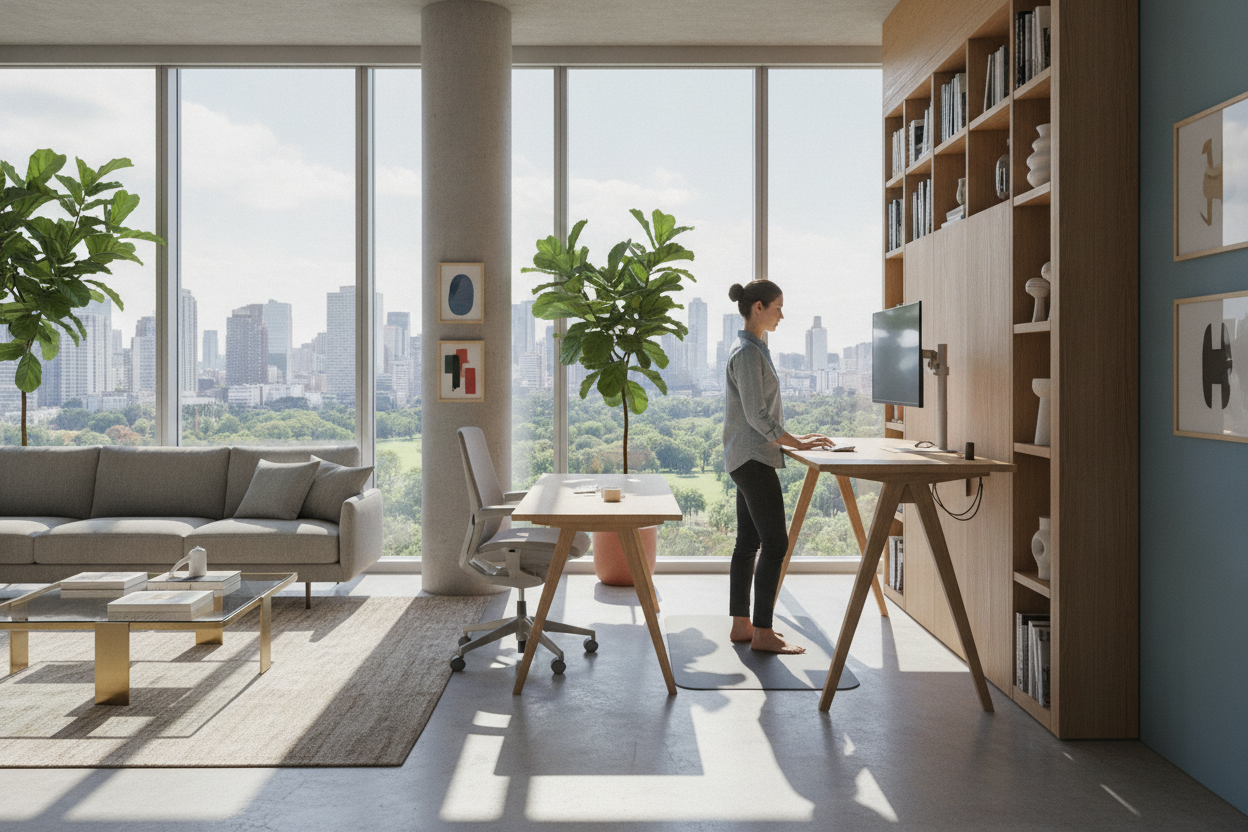
Understanding the Real Advantages of Standing Desk Workstations
Modern office environments have shifted away from rigid, single-position furniture toward adaptable work environments. At the center of this evolution is the height-adjustable workstation. Understanding the practical advantages of standing desk furniture requires looking beyond short-lived design trends and focusing on day-to-day ergonomic utility, structural flexibility, and overall room planning.
From Static Sitting to Dynamic Posture Rotation
A sit-to-stand workstation is designed to facilitate smooth transitions between sitting and upright standing throughout the workday. The primary mechanical advantage of an adjustable frame is that it eliminates static posture locking. When remaining seated in one position for extended periods, the body naturally settles into slouched angles, placing uneven pressure across the lower back, neck, and shoulders. Alternating between seated postures and upright positions re-engages major muscle groups, encourages natural spinal alignment, and relieves pressure on the pelvic girdle.
Rather than requiring users to stand for an entire eight-hour shift, the real benefit comes from regular posture rotation. Periodically shifting the tabletop height allows users to refresh their physical alignment without interrupting active projects, virtual meetings, or complex research tasks.
Key Daily Workflow and Focus Benefits
Physical movement and mental engagement are closely connected during intensive work sessions. Standing during active tasks—such as leading video presentations, organizing physical paperwork, or conducting quick brainstorming sessions—promotes an alert posture and energetic vocal projection. Conversely, lowering the desk to a supported seated position works well for focused analytical tasks, long-form writing, or detailed drafting. Having the flexibility to tailor the working height to the specific demands of the task creates a responsive workspace that supports daily productivity.
Evaluating Daily Workday Advantages: Comfort, Sightlines, and Movement
Proper ergonomic alignment requires precise dimensional synchronization between the user, the input peripherals, and the viewing monitors. Fixed-height desks force individuals to adjust their bodies to fit the furniture, often resulting in elevated shoulders, bent wrists, or downward neck craning.
Neutral Wrist Alignment and Sightline Ergonomics
When using an ergonomic sit stand desk, users can fine-tune desktop elevation to match their exact seated and standing elbow heights. In a properly adjusted arrangement, forearms rest parallel to the floor with elbows bent at approximately ninety degrees, allowing wrists to stay in a neutral, relaxed position over keyboard surfaces.
Simultaneously, raising the workstation brings display screens closer to natural horizontal eye levels when paired with adjustable monitor mounts. Aligning the top third of the viewing screen directly with the horizontal line of sight minimizes forward head tilt, helping to reduce upper-back tension across long working sessions.
Natural Physical Mobility During Long Working Hours
Standing upright naturally stimulates micro-movements that do not occur while seated in an office chair. While working upright, individuals naturally shift weight between feet, flex ankle joints, and adjust hip positions. These subtle, unconscious movements stimulate muscular activity in the legs and core, which helps prevent the physical stiffness often associated with continuous sitting.
Workstation Dimensions, Surface Zoning, and Stability Considerations
Selecting an effective height-adjustable desk requires careful consideration of physical tabletop dimensions, overall weight capacity, and frame rigidity across the entire elevation range.
Desktop Width and Depth for Multi-Screen Equipment
To preserve clear sightlines and comfortable reach zones, desktop dimensions must accommodate all essential hardware without clutter. Consider the following layout principles when planning surface real estate:
- Primary Reach Zone: Keep keyboards, mice, and primary input devices within twelve to fourteen inches of the front edge to avoid shoulder overextension.
- Secondary Peripheral Zone: Position reference notebooks, task lighting, and desktop audio controls within eighteen inches of the center.
- Display Clearance: Ensure the desktop depth provides adequate focal distance—typically twenty to thirty inches between the eyes and large monitor displays.
Compact workspaces benefit from streamlined tops measuring forty-eight inches in width, whereas multi-monitor setups or creative production desks generally require tops spanning fifty-five to sixty inches or more to prevent peripheral crowding.
Structural Frame Stability Across Full Height Ranges
A critical consideration for any standing workstation is lateral and longitudinal stability at maximum extension. As telescoping leg columns extend upward, the center of gravity shifts, making poorly constructed frames prone to monitor wobble during typing. High-grade lifting frames feature reinforced steel columns, widened floor feet, and cross-member supports that maintain a steady working surface even when elevated to upper limits.
Room Planning and Storage Integration for Sit-Stand Setups
Integrating a dynamic, moving desk into a home office or professional workspace requires careful spatial planning to ensure smooth operation and maintain a clean, organized appearance.
Vertical Clearance and Cable Management Pathways
Because the desktop surface moves continuously, vertical clearance must remain unobstructed. Users should check the surrounding wall space to ensure the rising monitors will not collide with overhead floating shelves, wall-mounted cabinetry, window sills, or framed artwork. Leaving sufficient clearance around the perimeter prevents accidental equipment contact during height adjustments.
Furthermore, dynamic movement requires deliberate cable organization. Power cables, video lines, and peripheral cords need dedicated flexible cable spines, under-desk raceways, or spiral wraps that accommodate the full extension height without pulling taut or tangling around table legs. For comprehensive styling guidance, exploring strategies for designing a standing desk setup that actually looks good helps balance technical cable management with cohesive interior decor.
Coordinating Mobile Pedestals and Surrounding Office Cabinets
Unlike traditional executive desks with built-in side drawers, height-adjustable tables typically feature open-frame undercarriages to facilitate vertical movement. Managing office essentials requires surrounding storage solutions that complement the open frame:
- Mobile Filing Pedestals: Compact drawer units on casters fit neatly under the desk at seated heights and can roll aside when standing.
- Freestanding Credenzas: Low storage cabinets positioned along adjacent walls keep reference binders, printers, and backup office supplies organized without impeding desk movement.
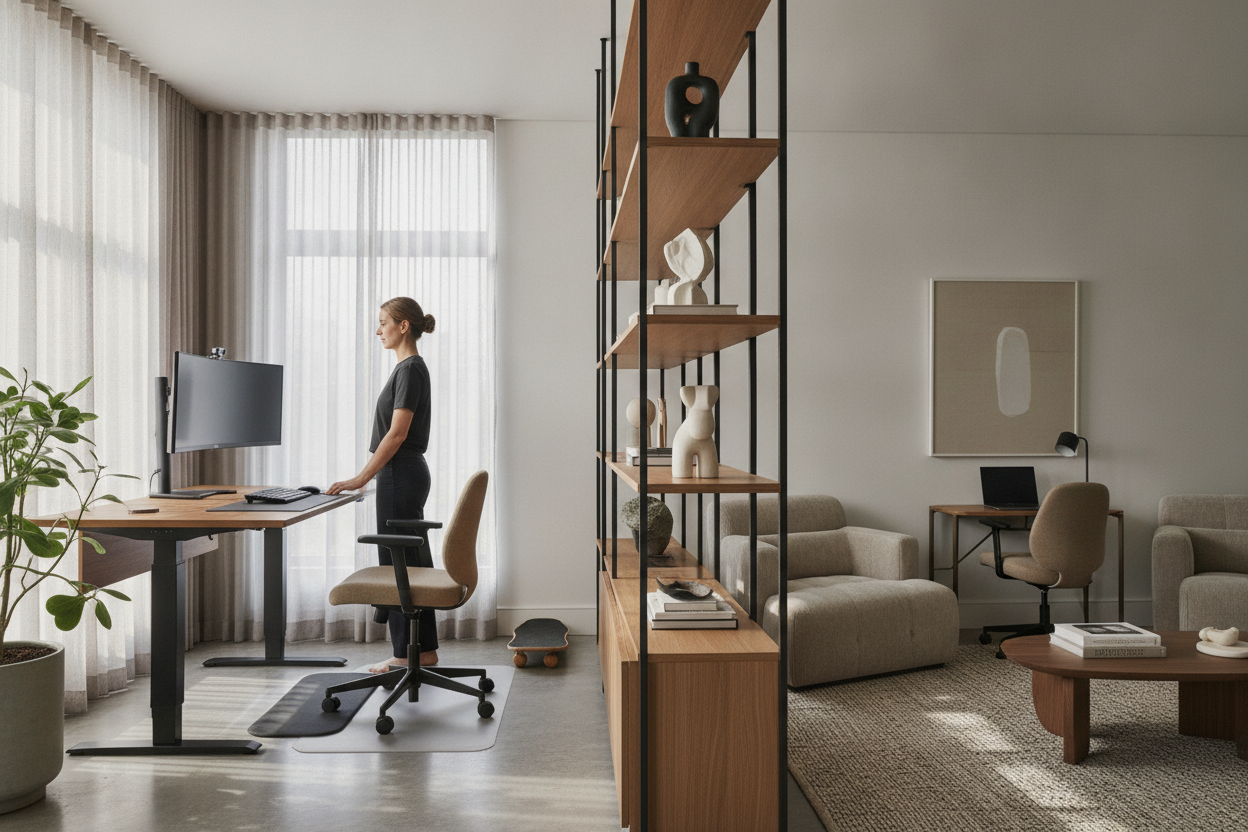
- Dedicated Bookcases: Vertical shelving units placed outside the desk travel path provide generous storage while keeping the primary desktop clean.
How to Maximize Your Sit-Stand Routine for Everyday Success
Transitioning to an adjustable standing setup is most successful when approached gradually. Adapting to standing work is a physical adjustment that benefits from steady, consistent habits rather than abrupt, prolonged standing sessions.
Gradual Transition Timelines and Posture Best Practices
When introducing a standing desk to your daily routine, start with short standing intervals of twenty to thirty minutes two or three times a day. As leg and back muscles adapt to supporting upright posture, you can alternate between sitting and standing on a balanced schedule—such as forty-five minutes seated followed by fifteen minutes standing, or thirty minutes in each position.
While standing, maintain soft, unlocked knees, distribute body weight evenly across both feet, and avoid leaning heavily on one hip. Wearing supportive, flat-soled footwear helps cushion step impact and prevents premature foot fatigue during upright working blocks.
Complementary Accessories: Anti-Fatigue Mats and Monitor Arms
Adding thoughtful ergonomic accessories can significantly enhance overall comfort at a standing desk. Supportive floor mats featuring high-density foam cushioning help reduce pressure on foot arches and lower joints when standing on hard flooring surfaces. Additionally, articulating monitor arms allow independent height and tilt adjustments, ensuring screens remain at optimal visual angles whether you are seated in a fully supported task chair or standing upright at full working height.

Leave a comment
This site is protected by hCaptcha and the hCaptcha Privacy Policy and Terms of Service apply.