










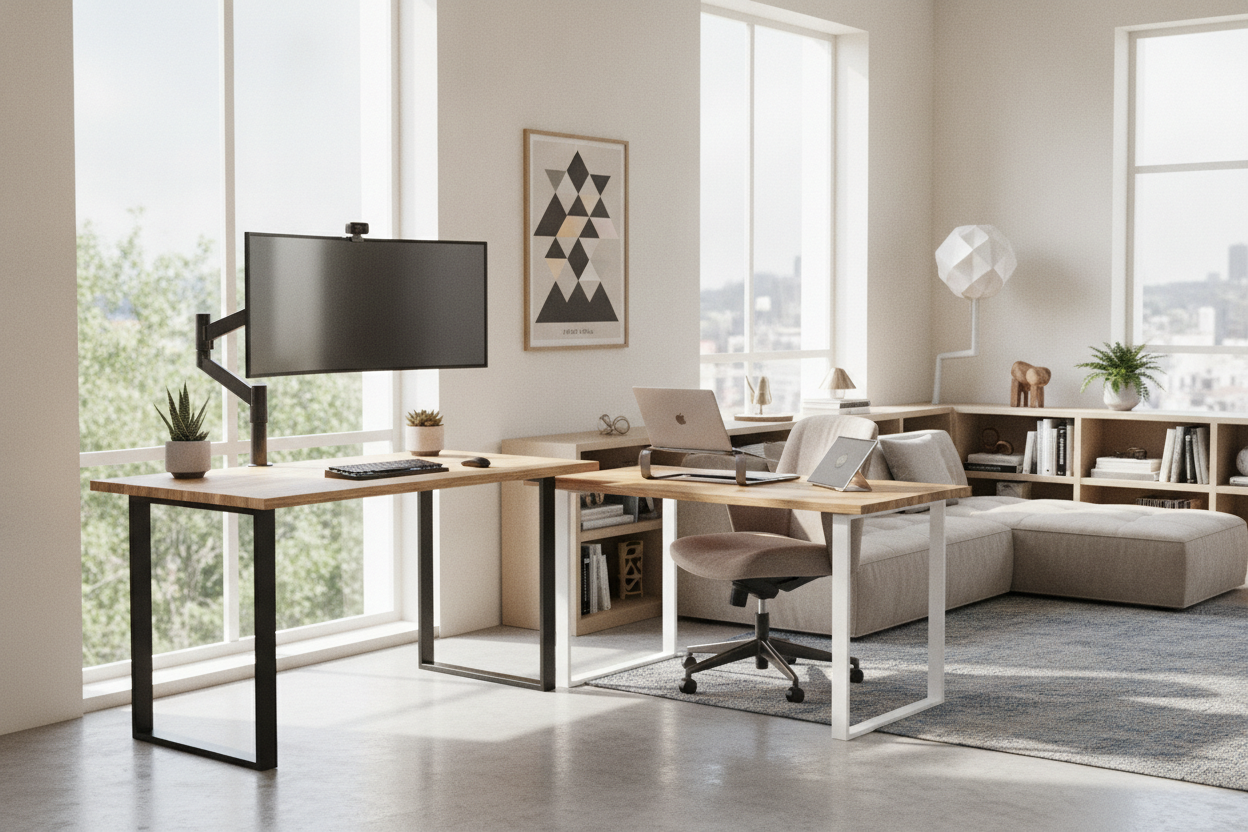
I spent three years hunched over a 48-inch slab of particle board that I bought in a panic during the 2020 lockdown. It was fine for a laptop and a coffee mug, but as my illustration work grew, so did my gear. Suddenly, I had a 27-inch iMac, a Cintiq tablet, and a mess of reference books competing for space on a surface that felt like a postage stamp. I was constantly shifting my keyboard to make room for my drawing hand, and by 3:00 PM every day, my lower back felt like it was being squeezed in a vice.
I realized that the problem wasn't my chair or my posture—it was the fact that my workstation was built for a 'generic human' who doesn't actually exist. That is when I started looking into a customizable sit stand desk. I didn't just want a desk that moved; I wanted a desk that fit my specific, chaotic workflow without forcing me to compromise on space or style. After weeks of measuring and re-measuring, I finally built a setup that actually works for me, and I am never going back to a pre-boxed solution.
- Custom sizing: Stop settling for 48 or 60 inches when your wall can handle 67.5.
- Motor strength: Dual motors are a must if you have heavy monitors or a desktop PC.
- Memory presets: If you have to hold the button down to reach standing height, you will eventually stop using it.
- Material choice: Solid wood or high-grade bamboo beats laminate for long-term durability and feel.
The Problem With 'One Size Fits All' Desks
Most big-box retailers sell desks in two sizes: cramped or slightly less cramped. When I was using a standard stationary writing computer desk, I was limited by the manufacturer's idea of what a 'home office' looks like. They assume you have a laptop and maybe a decorative plant. They don't account for the reality of a multitasker who needs a dual-monitor arm, a dedicated space for a drawing tablet, and enough clearance for a 32-ounce water bottle that won't tip over and ruin $2,000 worth of electronics.
Standard desks are almost always 24 inches deep. That is the sweet spot for shipping costs, but it is a nightmare for ergonomics. Your monitors end up way too close to your face, leading to eye strain that makes you want to quit by noon. When I started looking at customizable sit stand desk options, the first thing I did was bump my depth to 30 inches. Those extra six inches felt like moving from a studio apartment into a penthouse. I finally had room to rest my forearms on the desk instead of dangling them off the edge like a gargoyle.
What Makes Custom Sit Stand Desks Actually Worth It?
The 'custom' part of custom sit stand desks isn't just about the color of the legs. It is about the frame's flexibility. Most high-end frames are telescopic, meaning you can adjust the width of the base to support a desktop anywhere from 40 inches to 80 inches wide. This is a massive win if you move frequently. You can start with a small top in a cramped apartment and upgrade to a massive butcher block later without buying a whole new motorized system.
Payload capacity is another sleeper hit. Cheap, pre-configured desks usually tap out at 150 pounds. That sounds like a lot until you realize the desktop itself weighs 50 pounds, and your monitors, speakers, and mount add another 40. A custom frame with dual motors can usually handle 300 to 350 pounds. This means the desk moves smoothly and quietly, rather than sounding like a dying blender every time you try to stand up. Plus, you get the freedom to choose your own desktop dimensions to fit those weird alcoves in older homes that are always 2 inches too narrow for standard furniture.
Finding the Right Desktop Material for Your Vibe
Don't underestimate the tactile experience of your desk. You are going to be touching this surface for 40+ hours a week. Budget-friendly laminates have come a long way, but they still feel like plastic and tend to chip at the edges after a year of use. If you can swing it, go for solid wood or a 1-inch thick bamboo top. Bamboo is surprisingly sturdy and has a natural 'give' that feels better under your wrists than cold, hard laminate.
Matching your room's aesthetic is just as important as the ergonomics. A home office shouldn't look like a sterile cubicle farm. By choosing a custom top, you can match the grain of your existing bookshelf or the stain of your hardwood floors. It makes the desk feel like a piece of furniture rather than a piece of office equipment. I went with a dark walnut finish that makes my workspace feel grounded and intentional, which honestly helps my focus more than I expected.
My Non-Negotiable Upgrades (And What I Skipped)
When you are building a custom setup, it is easy to get carried away with every add-on in the catalog. Here is my honest take: you absolutely need an Ergonomic Home Office Sit Stand Up Desk With Memory Preset Controller. Without presets, you are stuck in a guessing game every time you transition. You will spend two minutes tapping the button to find that 'just right' height where your elbows are at 90 degrees. With a memory controller, you hit '1' for sitting and '2' for standing. It’s seamless, and it removes the friction that usually keeps people from actually standing.
I also invested heavily in under-desk cable management trays. Nothing kills the vibe of a beautiful motorized desk like a 'spaghetti monster' of wires hanging down when the desk is raised. I skipped the expensive built-in drawers, though. Most of them are too shallow to be useful and they often knock against your knees when you are sitting. Instead of built-in storage, I looked into the pros and cons of buying a sit stand desk with file cabinet as a separate unit. Keeping the storage mobile means I have more legroom and can move the cabinet wherever I need it.
The Hidden Costs of Configuring Your Own Setup
Let's talk money. Configuring your own setup is almost always more expensive than grabbing a box off the shelf at a big-box store. You are paying for the quality of the motors and the density of the desktop material. When I was comparing the Vari Sit-Stand Desk vs. a Budget Standing Motorized Desk, I realized that the mid-tier custom route sits right in the 'goldilocks' zone. You get the stability of the premium brands without the $1,200 price tag, provided you are willing to do a little more assembly yourself.
The hidden cost most people forget is the shipping and the tools. A solid wood top is heavy—often 60+ pounds. If you buy the frame and top separately, you might need a power drill to create pilot holes if they don't align perfectly. However, the result is a piece of furniture that won't wobble when you type and won't burn out its motor in six months. To me, spending an extra $150 upfront to avoid the 'standing desk sway' was the best investment I made all year.
FAQ
Is a dual-motor desk really better than a single-motor?
Yes, absolutely. Single-motor desks are slower, louder, and have lower weight capacities. They also tend to lift unevenly over time, which can lead to a tilted desktop. If you have more than just a laptop, go dual.
How deep should my custom desktop be?
If you use a monitor larger than 24 inches, go for 30 inches of depth. It gives you better focal distance and more room for your keyboard and mouse without feeling cramped.
Can I use my own tabletop with a custom frame?
Most custom frames are designed for this. Just check the weight limit of the frame and ensure your tabletop is at least 1 inch thick so the screws have enough material to bite into without poking through the top.

Leave a comment
This site is protected by hCaptcha and the hCaptcha Privacy Policy and Terms of Service apply.