










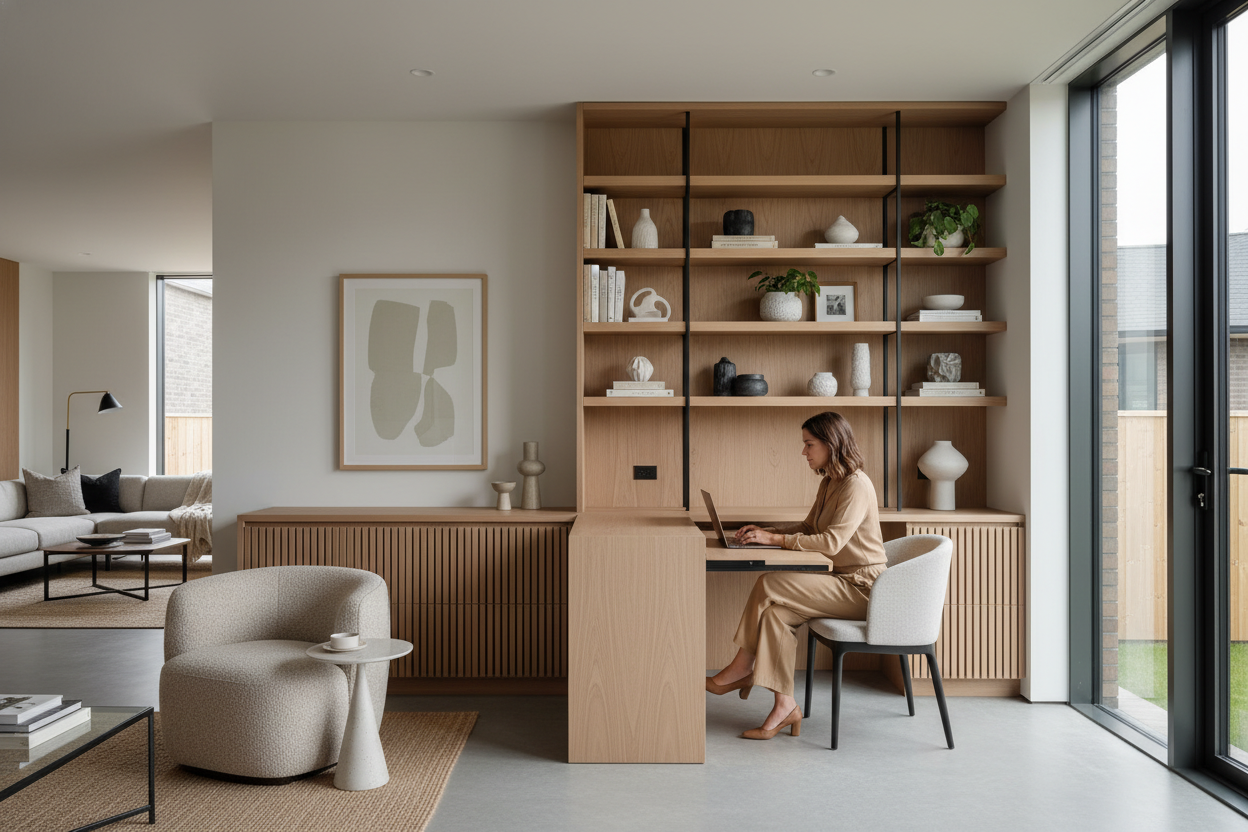
Most of us didn't plan our living rooms around a permanent home office. Yet, here we are, trying to work at laptop screens from dining tables, sofas, and cramped bedroom corners. If you have a work from home job with laptop requirements, you already know the physical toll of a bad setup—and the visual clutter of corporate gear in a cozy space.
Today, we are fixing that. I am going to walk you through how to integrate a functional workspace without sacrificing your home's aesthetic. Whether you are hunting for work from home jobs using your own laptop or you already have a corporate-issued machine, you will walk away knowing exactly how to plan, furnish, and style a workspace that actually feels like home.
Quick Decision Guide for Laptop Workspaces
- Prioritize seat depth and lumbar support over aesthetics if you work on laptop for 8+ hours a day.
- Choose a desk depth of at least 20 inches to maintain a healthy viewing distance from your screen.
- Use a laptop riser and a separate keyboard to prevent 'tech neck' while working from home on a laptop.
- Blend your workspace into a living area by matching the desk's wood tone to your existing media console or shelving.
- If you have remote jobs that provide laptop equipment, use your office stipend on a high-quality ergonomic chair first.
Carving Out Space for Laptop Jobs at Home
The 'Cloffice' and Nook Solutions
When you have a laptop job work from home arrangement, you don't necessarily need a dedicated 12x12 room. A standard laptop is only about 13 to 15 inches wide, which opens up incredible micro-spaces. Think about converting a shallow closet (the 'cloffice') or utilizing the negative space behind a floating sofa. If you are doing jobs you can do from a laptop, a slim console table can double as a desk when paired with the right chair.
Clearance and Walkways
Even in a small apartment, flow matters. If you are setting up a work from laptop at home station in a hallway or bedroom, leave at least 36 inches of clearance behind the desk chair. This ensures you can push back and stand up without scraping the paint off the wall behind you.
Ergonomics: Working From Home on a Laptop Safely
The Truth About Dining Chairs
I see clients constantly trying to work from home on laptop jobs using standard wooden dining chairs. Dining chairs are pitched for a 45-minute meal, not an 8-hour shift. If you are doing remote laptop jobs, invest in a proper ergonomic chair. Look for adjustable seat height, tilt tension, and breathable fabric. If you absolutely must use a dining chair temporarily, add a firm memory foam cushion to raise your hips slightly above your knees.
Hiding the Tech Clutter
Blending Office Gear with Residential Design
The biggest challenge with jobs with laptop requirements is the visual mess. Cords, chargers, and secondary monitors can ruin the vibe of a carefully curated living room. Opt for desks with built-in cable management trays or hidden drop-down fronts. If you secure work from home jobs that give you a laptop, try to find a beautiful woven basket or a dedicated drawer to physically stash the machine away at 5 PM. Out of sight, out of mind.
Designer's Honest Take: My Own WFH Mistakes
I will admit it: when I first started doing remote jobs from laptop setups, I bought a stunning acrylic ghost chair. It looked incredible against my vintage walnut desk. It also gave me debilitating lower back pain within three weeks.
I learned the hard way that acrylic doesn't breathe, has zero lumbar support, and is incredibly rigid. I eventually swapped it for a fully upholstered ergonomic chair. It is bulkier and not quite as visually light, but when you work from my laptop as much as I do, physical health has to trump pure aesthetics. Always test a chair for at least an hour before committing to it for your laptop jobs from home.
Frequently Asked Questions
What is the best desk height for a laptop?
Standard desk height is 29 to 30 inches, which is actually too high for many people typing on a laptop. If you work on laptop at home, consider a height-adjustable desk or an under-desk keyboard tray to keep your elbows at a comfortable 90-degree angle.
Which company provide laptop for work from home?
Many tech, finance, and customer service companies offer remote jobs laptop provided setups. Large firms typically ship out equipment. Always ask during the interview if they are work from home jobs laptop provided or if it is a Bring Your Own Device situation.
How do I make a small space work for remote laptop jobs?
Focus on verticality. Wall-mounted floating desks or ladder desks take up zero floor space visually. Pair them with a stool or low-profile chair that tucks completely underneath when you finish your work from home job laptop tasks for the day.


Leave a comment
This site is protected by hCaptcha and the hCaptcha Privacy Policy and Terms of Service apply.