










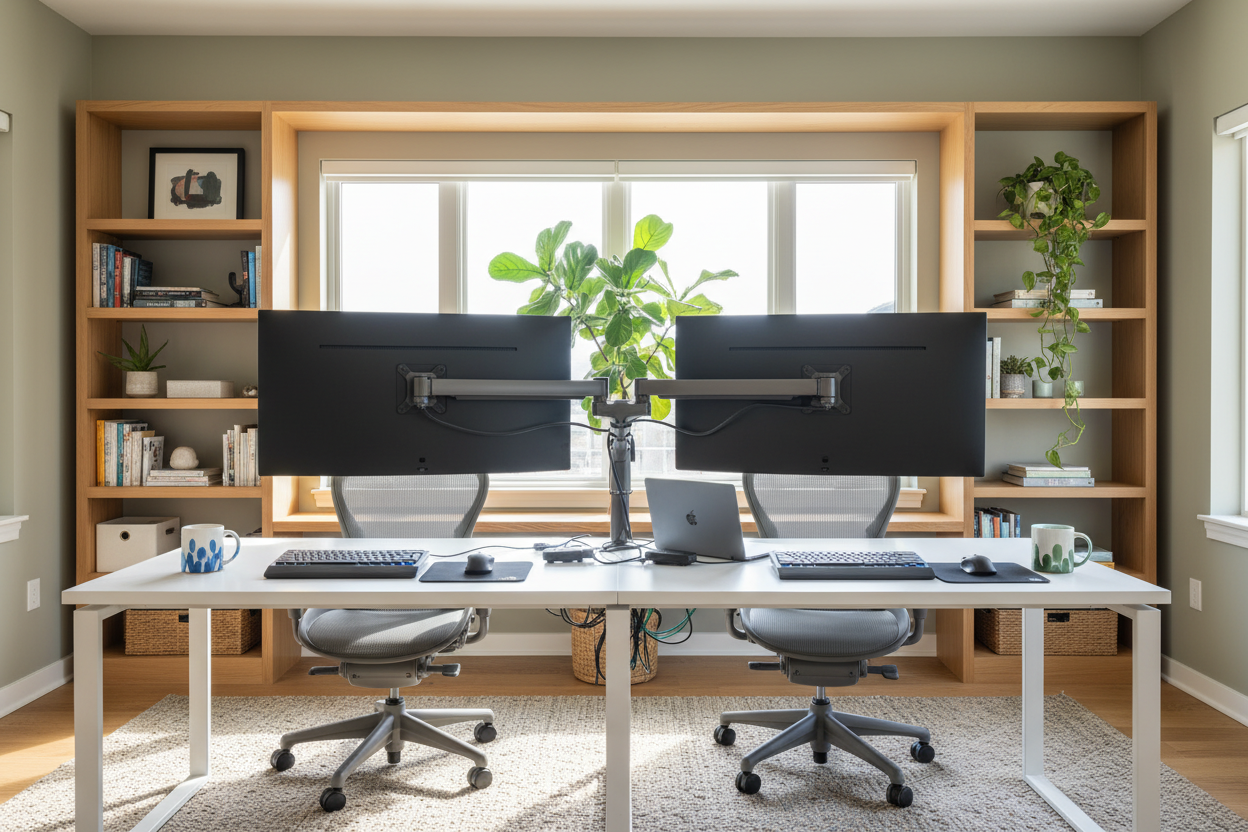
The modern home office has evolved from a casual corner for checking emails into a high-performance command center. For professionals attempting to work from home 2 jobs, the design challenge is unique: you are not just fitting a laptop onto a table; you are integrating two distinct digital ecosystems into one physical reality. Managing double the hardware, double the paperwork, and distinct workflows requires a sophisticated approach to spatial planning. Without the right interior infrastructure, the mental load of switching contexts can become overwhelming due to physical clutter.
Quick Decision Guide: The Dual-Workflow Setup
- Desk Depth: Look for a minimum depth of 30 inches to accommodate dual monitor arms without visual cramping.
- Surface Material: Opt for High-Pressure Laminate (HPL) or hardwood over soft veneers to resist heat from running multiple machines.
- Layout Configuration: L-shaped desks are superior for working 2 work from home jobs, allowing physical separation of tasks.
- Chair Mechanics: A synchro-tilt mechanism is non-negotiable for long hours to support dynamic movement.
- Lighting: Layer ambient lighting with task lighting to reduce eye strain from multiple screens.
Zoning Your Workspace for Dual Efficiency
When you work for many at once, the primary design error is attempting to stack everything linearly. The most effective layout strategy for working two remote jobs simultaneously is "Zoning." This involves creating distinct micro-environments within your office footprint.
The L-Shape Advantage
For those working two IT jobs at once, where hardware requirements are heavy, an L-shaped desk configuration is the gold standard. This allows you to designate one wing for Job A and the perpendicular wing for Job B. By physically swiveling your chair 90 degrees, you create a psychological boundary that helps compartmentalize tasks. If space is tight, a corner desk with a rounded return can offer similar ergonomic benefits without dominating the room.
Monitor Management and Visual Balance
How to work two remote jobs at the same time without drowning in cables? The answer lies in verticality. Utilizing articulating monitor arms is essential. They free up valuable desktop real estate for notebooks or secondary laptops. From a design perspective, ensure your monitors are not blocking natural light sources. Backlighting (placing screens against a window) causes silhouette issues during video calls, while facing a window causes glare. Perpendicular placement to windows is optimal.
Choosing Materials That Endure
Remote workers working 2 jobs put twice the wear and tear on their furniture. The finish you choose matters immensely.
Surface Durability
I often see homeowners choose soft pine or untreated walnut for their aesthetic warmth. However, when doing two jobs at once, you are likely running two laptops and potentially a docking station. The cumulative heat can fog certain lacquers, and the constant movement of two mice and keyboards can wear down softer woods rapidly. I recommend commercial-grade laminates or solid oak with a polyurethane finish for longevity.
Acoustics and The "Background" Factor
If you are wondering how can i work two jobs discreetly, look at your walls. Hard surfaces bounce sound, creating an echo that screams "empty room" on Zoom calls. Incorporate acoustic panels or heavy velvet drapery to dampen sound. Furthermore, consider your background. A curated bookshelf acts as a neutral, professional backdrop suitable for any corporate culture, whereas a blank wall can feel sterile and uninviting.
My Personal Take on work from home 2 jobs
Lessons from My Own Projects
I recently designed a home office for a client in fintech who was working 2 jobs from home. We initially selected a stunning, floating glass desk to keep the small room feeling airy. It was a mistake. Within a week, he called me complaining about the "micro-bounce."
When he was typing furiously on one keyboard for a deadline, the vibration transferred through the glass, causing the webcam mounted on his secondary monitor (for the other job) to shake visibly. It’s a detail you don't think about until you are in the thick of it. We swapped it for a solid mahogany desk with a heavy steel base. The mass of the wood absorbed the typing energy perfectly. Also, never underestimate the heat output of two power bricks—I now always recommend cutting grommet holes for ventilation in closed cabinetry, something I learned after a client cooked their router in a drawer.
Conclusion
Successfully working two remote jobs simultaneously is as much about your environment as it is about your work ethic. By investing in robust materials, ergonomic layouts like the L-shape, and proper acoustic treatments, you build a space that sustains your energy rather than draining it. Treat your home office not as a utility, but as a high-performance cockpit designed for your success.
Frequently Asked Questions
How do I hide the clutter of two computer setups?
Use under-desk cable trays and spine organizers. For a cleaner look, mount your power strips to the underside of the desk surface so only one main power cord runs to the wall outlet.
What is the minimum desk size for two jobs?
If you are how to do 2 jobs at the same time on a single surface, aim for a width of at least 60 inches. However, a 72-inch desk or an L-shape with 48-inch returns is preferable for true separation.
Can one chair really support 12+ hours of sitting?
Standard office chairs are rated for 8 hours. For dual-job demands, look for "24/7 rated" task chairs or models with high-density foam and a 12-year warranty, which indicates higher build quality meant for extended use.

Leave a comment
This site is protected by hCaptcha and the hCaptcha Privacy Policy and Terms of Service apply.