










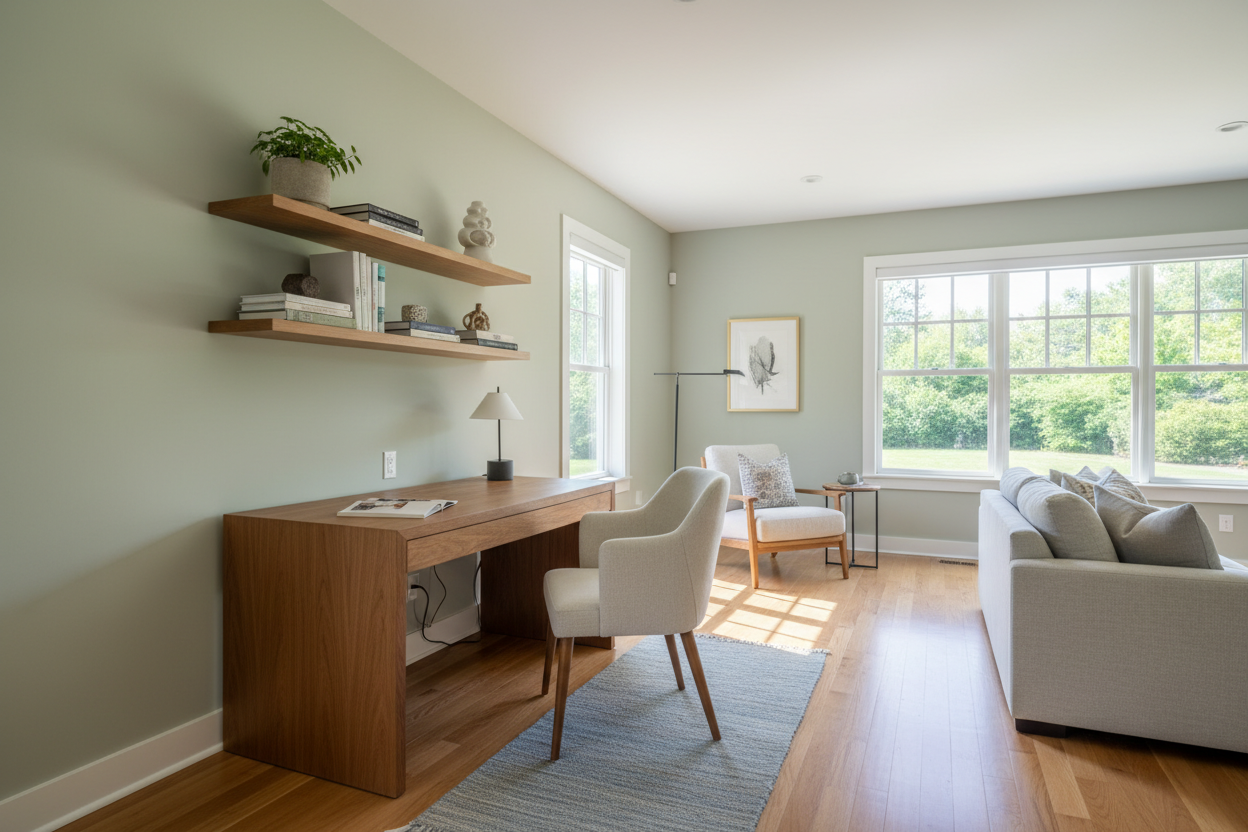
Most remote workers start their journey at the kitchen island. It feels fine for a week, but eventually, the paper clutter builds, your back aches from the counter stool, and the dog barking at the mail carrier ruins your morning meeting. Choosing the best place for home office productivity isn't just about finding an empty corner; it is an exercise in strategic space planning. When furniture looks great online but completely overwhelms your room, or when your desk placement leaves you constantly distracted, the culprit is usually poor layout.
In this guide, we will break down how to evaluate your floor plan, prioritize natural light, and carve out a dedicated workspace that actually helps you focus, whether you live in a sprawling suburban house or a compact city apartment.
Quick Decision Guide
- Follow the light: Position your desk perpendicular to a window to reduce screen glare while boosting your mood and regulating your circadian rhythm.
- Prioritize acoustic separation: A dedicated room with a solid door is ideal, but heavy textiles and bookcases can effectively dampen sound in open plans.
- Consider traffic flow: Avoid high-traffic zones like main hallways or kitchens if your household is active during your working hours.
- Protect your sleep hygiene: Keep workspaces out of the primary bedroom whenever possible to maintain critical mental boundaries between rest and work.
Analyzing Your Floor Plan: Where to Put Office in Home
Figuring out exactly where to put office in home layouts requires balancing your need for square footage with your need for isolation. You have to consider both the physical footprint of your desk and the visual weight of your equipment.
The Dedicated Spare Room
A separate office space is the gold standard for remote work. Converting a guest bedroom or formal dining room allows you to close the door at 5 PM. When planning this room, float your desk in the center of the space facing the door (the "command position") rather than shoving it against a blank wall. This layout makes the room feel larger and provides a much better background for video calls.
The Transitional Nook
If you are struggling with where to put home office setups in a smaller footprint, look for underutilized architectural features. A wide upstairs landing, an alcove under a staircase, or a deep closet can be converted into a highly functional workstation. The key to making these small spaces work is vertical storage. Use wall-mounted shelving above the monitor to draw the eye up and keep the desktop clear of visual clutter.
Designing for Focus: Office Privacy Ideas
Even if you cannot dedicate an entire room to your work, you can still engineer a sense of seclusion. Open-concept living rooms present the biggest challenge for remote workers, but strategic furniture placement can create necessary boundaries.
Visual and Acoustic Buffers
When implementing office privacy ideas, start with visual dividers. An open-backed bookcase styled with plants and ceramics acts as a porous wall—it lets light through while physically separating your desk from the living area. To address acoustics, layer your textiles. A thick wool area rug under your desk, paired with floor-to-ceiling velvet drapery nearby, will absorb echoing voices and keyboard clatter far better than bare hardwood and blinds.
Lessons from My Own Projects
I learned the hard way that a 72-inch executive desk technically fits into a primary bedroom, but it comes at a massive cost. Early in my career, I designed a beautiful custom built-in workspace for a client's master suite. The matte walnut finish looked stunning for the first month. However, within three months, the client asked me to rip it out.
The visual reminder of work completely ruined their sleep hygiene, and the glow of late-night monitor sessions disturbed their spouse. The downside of a bedroom office is that your brain never fully transitions into rest mode. Now, I strictly advise against bedroom offices unless it is a guest room that rarely sees overnight visitors. If you absolutely must use your bedroom, a folding screen or a closet "cloffice" conversion is essential so you can literally shut the door on your workday.
Frequently Asked Questions
Where is the worst place for a home office?
The primary bedroom and the kitchen island are the worst offenders. The bedroom disrupts your sleep hygiene, and the kitchen places you directly in the heaviest traffic zone of the house, practically guaranteeing constant interruptions.
How do I create a separate office space in an open floor plan?
Use an area rug to define the office zone, and float your desk behind your living room sofa rather than pushing it into a dark corner. You can also use a freestanding folding screen or a tall potted plant to create a visual barrier between your monitor and the TV.
Does my home office need a window?
While natural light is highly recommended for mental fatigue and eye strain, it is not strictly mandatory. If you are in a windowless basement, you must compensate with layered lighting: a bright overhead ambient light, a dedicated task lamp for your desk, and warm backlighting behind your monitor to reduce contrast glare.


Dejar un comentario
Este sitio está protegido por hCaptcha y se aplican la Política de privacidad de hCaptcha y los Términos del servicio.