










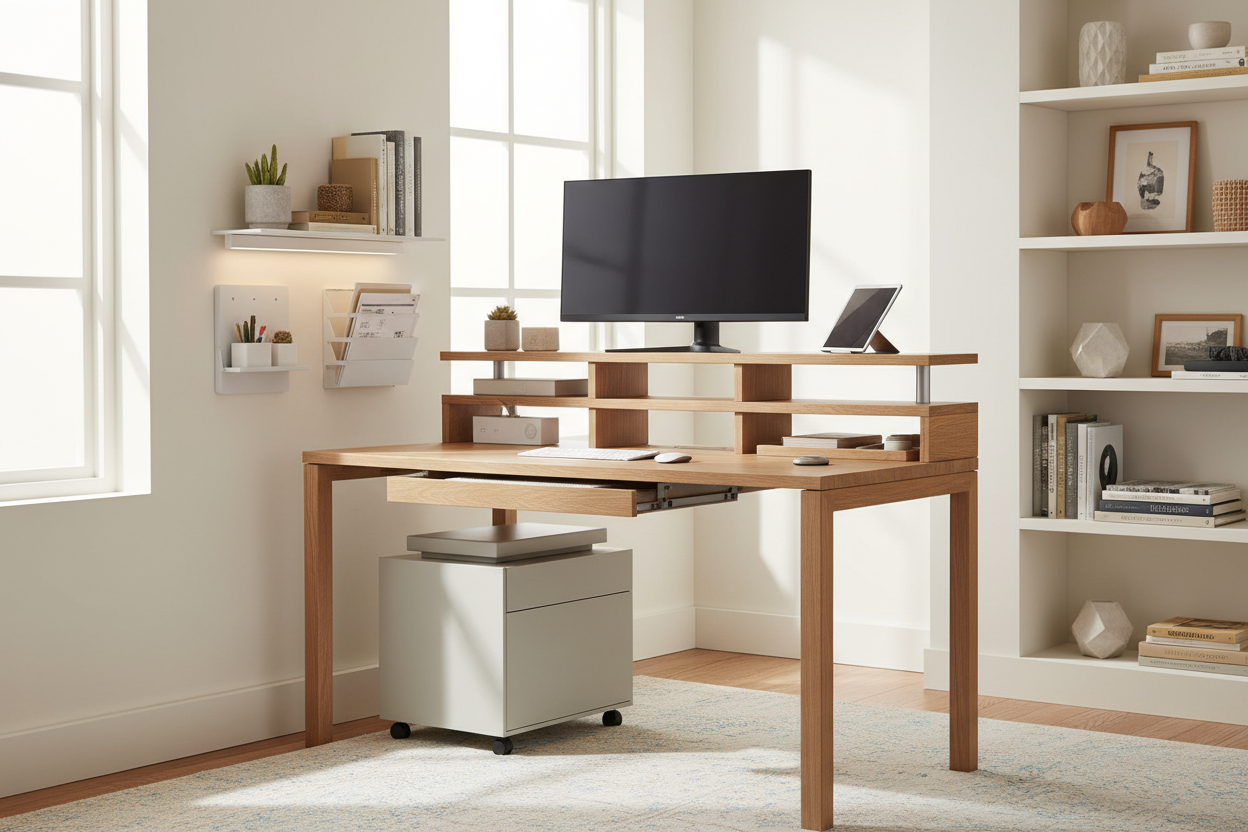
We've all been there: you sit down to work, only to realize you have to carefully nudge a stack of papers, a tangled charging cable, and a rogue coffee mug just to make room for your mouse.
When your home office doubles as a guest room—or just a corner of your living room—learning how to boldly save desk space becomes a necessity, not a luxury. I've spent over a decade designing North American home offices, from sprawling suburban studies to tight city alcoves. The secret isn't buying a bigger desk; it's maximizing the footprint you already have.
Quick Decision Guide
- Go vertical: Utilize wall space above the desk with floating shelves or pegboards to clear the primary work surface.
- Ditch the factory monitor stand: A clamp-on monitor arm reclaims up to 30 percent of your usable desk area instantly.
- Hide the cables: Cable management trays mounted under the desk eliminate visual clutter and physical tangles.
- Choose multi-functional accessories: Swap single-use items for desk space saving ideas like a desk pad that doubles as a mousepad and coaster.
Space Planning and Layout
Mastering Vertical Real Estate
The biggest mistake I see in small offices is treating the desk surface as the only storage zone. When you look at smart desk space ideas, they almost always draw the eye upward. Installing floating shelves or a modular pegboard system directly above your monitors gives you a dedicated home for notebooks, pens, and decorative items. This preserves the negative space on your actual desk, making the room feel larger and your workflow less chaotic.
Managing Visual Weight
Visual weight matters just as much as physical dimensions. A solid oak executive desk with modesty panels will swallow a small room whole. If you're tight on square footage, opt for a desk with an open silhouette—think slim metal legs or a floating wall-mounted design. Seeing the floor underneath the furniture tricks the brain into perceiving more space, even if the desk dimensions are identical to a heavier piece.
Hardware and Ergonomics
The Monitor Arm Rule
Factory monitor stands are notorious space hogs. They feature massive, flat bases that sit right where your keyboard and notebook should go. Swapping to a C-clamp monitor arm is one of my favorite layout adjustments. It lifts the screens off the surface entirely, allowing you to slide a laptop, keyboard, or reference materials underneath. Just ensure your desk is made of solid wood or high-quality plywood; cheap honeycomb-core desks can crush under the pressure of a heavy-duty clamp.
Lessons from My Own Projects
A few years ago, I designed a compact home office for a client in a converted Toronto condo. They insisted on a beautiful, deep walnut desk with built-in cubbies. It looked incredible in the showroom, but once we got it into their 9x10 room, it felt suffocating. The cubbies actually encouraged them to hoard paperwork right in their line of sight.
I learned the hard way that built-in desk storage often backfires. We ended up swapping it for a simple, flat minimalist table and moved the storage to a rolling filing cabinet tucked under the window. One honest downside to this minimalist approach: you have to be disciplined. Without drawers immediately at your fingertips, you can't just shove a mess out of sight when a Zoom call starts. You have to actively maintain the system.
Frequently Asked Questions
How do I hide cables on a minimalist desk?
Use an under-desk cable management tray. Mount a power strip directly to the underside of the desk, plug everything in there, and route a single power cord down the back of a desk leg using zip ties or velcro straps.
Are clamp-on keyboard trays a good idea?
They can save surface space, but proceed with caution. Many clamp-on trays wobble heavily while typing, which causes wrist fatigue. If you need a keyboard tray, invest in a track-mounted version that screws directly into a solid wood desktop.
What size desk do I need for a dual-monitor setup?
To comfortably fit two standard 27-inch monitors without feeling cramped, aim for a desk that is at least 48 inches wide and 24 inches deep. If you go narrower, you will absolutely need a dual-monitor mounting arm to reclaim your workspace.

Dejar un comentario
Este sitio está protegido por hCaptcha y se aplican la Política de privacidad de hCaptcha y los Términos del servicio.