











The Ergonomic and Spatial Value of an L-Shaped Desk with Monitor Stand
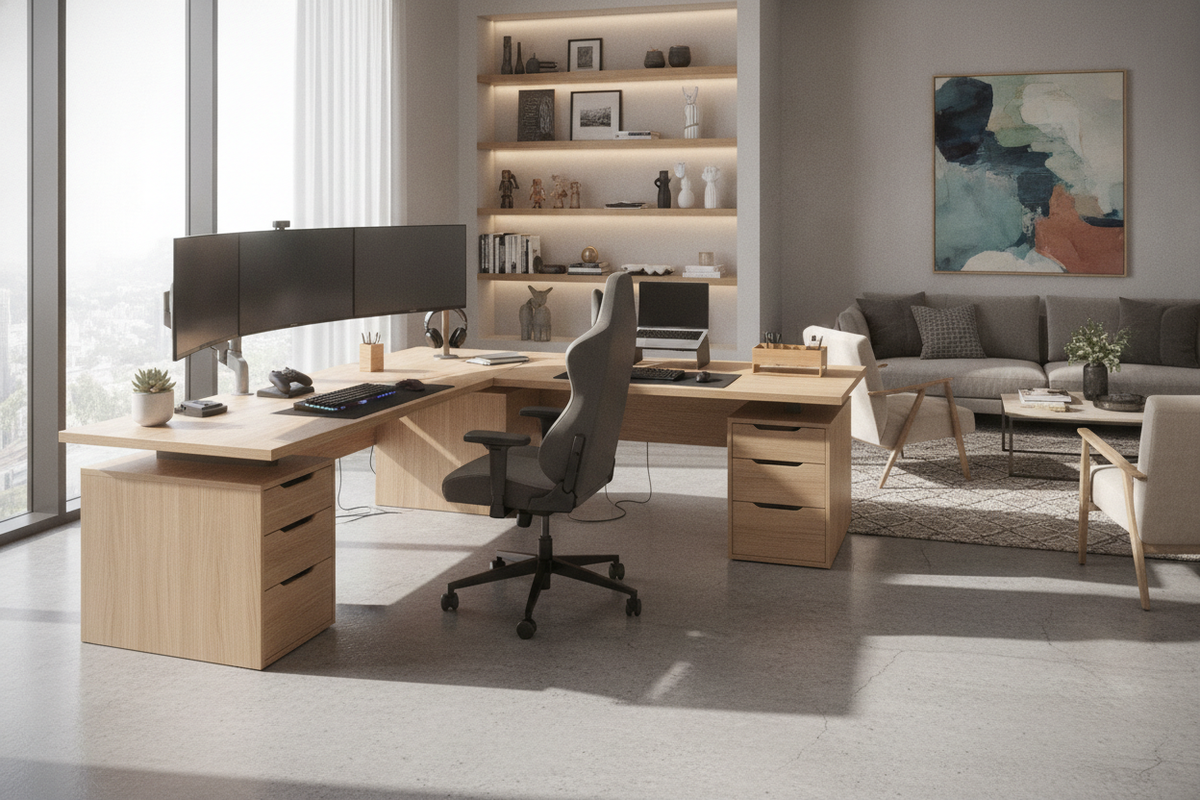
Maximizing corner real estate requires a thoughtful balance between screen placement, surface area, and physical reach. An l shaped desk with monitor stand elevates visual hardware above the main writing surface, creating an architectural separation between active hands-on work and reference displays. In a traditional flat desk setup, computer monitors and their bulky base plates occupy substantial depth, frequently forcing keyboards forward and constricting room for notebooks, tablets, or design tools.
By integrating a raised shelf directly into the desk framework, the workspace gains a vertical dimension. An l shaped desk with monitor shelf provides a dedicated perch for screens at an elevated sightline without requiring aftermarket clamp-on monitor arms that can stress desktop edges or mar finishes. If you are comparing freestanding mounts with surface tiers, reviewing a desk monitor stand guide can clarify how vertical tiers keep the primary surface open for continuous daily tasks.
Monitor Shelf Configurations: Full-Wing vs. Corner-Mounted Tiers
The layout of a raised shelf dictates how workflow moves across the two wings of a corner desk. Depending on room geometry and display count, different structural shelf designs offer distinct functional benefits:
- Continuous Full-Wing Riser Formats: An l desk with monitor shelf that spans an entire wing creates uninterrupted horizontal length. This format supports ultra-wide displays or side-by-side screens alongside desktop speakers, keeping all digital displays aligned across a single visual plane.
- Dedicated Corner Riser Platforms: Placing a raised platform strictly in the 90-degree intersection maximizes the deepest, least accessible zone of the desk. This creates a focal hub in the corner while leaving both surrounding wing surfaces flat and open.
- Asymmetrical Dual-Zone Layouts: An l shaped desk with raised monitor shelf on one side allows you to establish a primary computing zone on the long wing while reserving the shorter wing for drafting, analog paperwork, or studio hardware.
For users assessing broader room configurations and standalone screen placement, reading a desk stand monitor guide can help determine whether an integrated surface shelf or an independent mounting structure best fits your space.
Under-Shelf Clearance and Desktop Organization
One of the chief structural advantages of an elevated monitor tier is the usable cavity created underneath the shelf. This sub-tier clearance acts as a low-profile storage zone that prevents desktop clutter from encroaching on your active working area.
The horizontal channel below an l shaped desk with monitor shelf is suited for sliding mechanical keyboards, numeric pads, and mouse setups out of the way when shifting from digital work to handwritten tasks. It can also shelter audio interfaces, small network hubs, external hard drives, or charging pads. For multi-device workflows, an all-in-one workstation such as a desk monitor stand product leverages these sub-tier spaces to organize power connections and accessories neatly along the frame perimeter.
Storage Synergy: Balancing Shelves, Drawers, and Wing Symmetry
Elevating monitors shifts the visual and physical weight toward the upper rear of the desk. To maintain aesthetic balance and physical stability, integrating lower storage elements creates a grounded foundation across the room.
Choosing an l shaped desk with monitor stand and drawers provides enclosed space for filing documents, storing sensitive equipment, and organizing everyday office supplies. Integrated drawer pedestals anchor the overall unit, especially when arranged opposite the primary monitor wing. Models such as the shaped desk drawers product illustrate how lower cabinetry balances wide desktop spans while offering structured organizational compartments.
When configuring storage, consider whether open shelving or closed drawers serve your routine better:
- Closed Drawers: Protect small accessories, cords, and paperwork from dust while maintaining a clean, minimalist profile.
- Open Shelving: Allow ventilation and swift access for computer towers, gaming consoles, or storage bins.
- Pedestal Placement: Placing heavy drawer banks on the outer end of the secondary wing balances the visual weight of screens positioned on the main tier.
Material Selection, Frame Stability, and Assembly Architecture
The durability of an l shaped desk with monitor stand depends on solid joinery and robust material composition. Multi-tiered desks bear concentrated weight along the riser supports, making structural rigidity a critical consideration during selection and assembly.
Engineered wood panels paired with structural steel framing offer dependable stability for multi-monitor rigs. When planning your office layout, look for desks featuring reversible wing directionality. This structural flexibility allows you to position the monitor riser wing against either wall, optimizing room traffic patterns and proximity to natural light sources.
For classic aesthetics and sturdy leg architecture, designs like the shaped desk drawers product showcase how solid framing supports expansive desktop surfaces. During assembly, ensure all shelf riser fasteners, diagonal braces, and corner connection brackets are evenly tightened to eliminate surface wobble and establish a reliable, ergonomic workstation.

Dejar un comentario
Este sitio está protegido por hCaptcha y se aplican la Política de privacidad de hCaptcha y los Términos del servicio.