










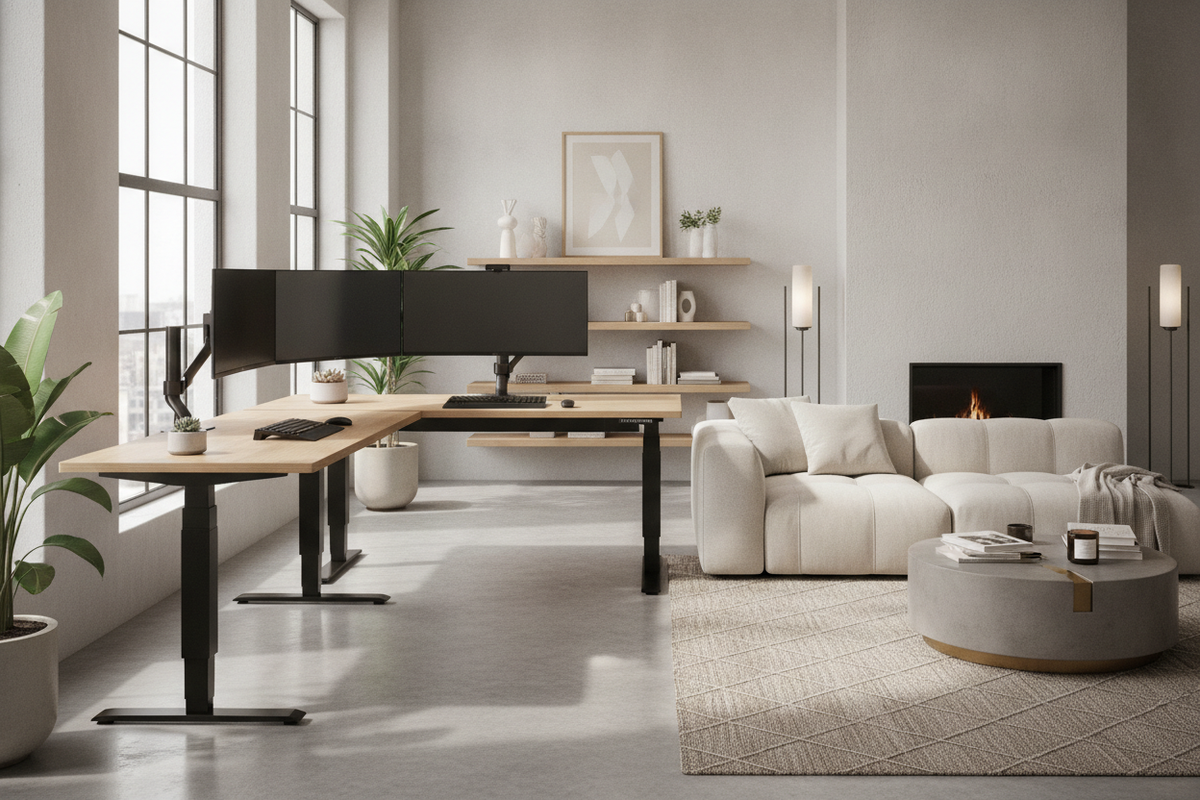
Workstation design increasingly prioritizes structural equilibrium, especially as multi-display setups, heavy desktop accessories, and active movement routines become standard. A flexispot 4 leg standing desk represents a purposeful evolution beyond conventional cantilevered workstations, introducing a balanced four-post foundation that distributes mass evenly across the full perimeter of the work surface.
Architectural Fundamentals of Quad-Column Standing Desks
Traditional adjustable workstations rely on two centralized lifting columns connected by horizontal base feet and upper support brackets. While suitable for standard computing setups, dual-column frames naturally concentrate downward force along a single center axis. In contrast, a quad column standing desk shifts the vertical lift points to all four outer corners of the frame envelope.
This four-post arrangement mirrors time-tested architectural framing, establishing a rigid rectangular perimeter. By positioning support columns near the outer edges, the frame counteracts torsional twisting, front-to-back tilt, and side deflection, creating an exceptionally steady base for expansive desktop surfaces and dense hardware arrangements.
Structural Dynamics: Comparing Four-Leg and Two-Leg Configurations
Evaluating a flexispot 4-leg frame against standard dual-leg alternatives highlights several mechanical advantages during everyday office tasks:
- Corner Load Resistance: Two-leg desks experience mechanical leverage when heavy equipment rests near the outer corners. A four-leg configuration provides direct vertical support beneath peripheral work zones.
- Longitudinal and Lateral Rigidity: Quad-column systems utilize continuous perimeter rails or dual crossmembers, minimizing side-to-side sway and front-to-back rocking during active typing at elevated heights.
- Balanced Motor Distribution: Synchronized multi-motor architecture ensures that each lifting column shares the physical load, promoting smooth vertical travel across varied equipment distributions.
Dimensional Sizing and Surface Scale Categories
Selecting the appropriate desktop scale ensures the workstation harmonizes with room proportions while providing sufficient surface area for daily workflows. Pairing a quad-column base with an expansive top like a 71-inch height adjustable standing desk creates a commanding executive surface capable of accommodating oversized monitors, reference materials, and desktop peripherals without clutter.
Workstation formats generally fall into distinct scale tiers to suit diverse spatial layouts:
- Compact Executive Formats: Designed for dedicated work alcoves and compact home offices, offering ample depth for laptop docking stations while preserving open floor clearance.
- Wide Professional Expanses: Sized for multi-panel screen setups, studio monitors, and spread-out paperwork where uninterrupted width is essential.
- Creative Studio Platforms: Generously proportioned surfaces built to support drafting tools, audio production consoles, and heavy desktop hardware simultaneously.
Spatial Clearance, Dynamic Elevation Zones, and Room Layout
Integrating a four leg adjustable desk requires careful consideration of both static floor area and vertical travel zones. Because the desk moves dynamically throughout the workday, surrounding architectural features must be mapped to avoid collision risks.
To design an efficient and harmonious environment, explore our detailed standing desk layout guide for recommendations on lighting placement, perimeter offsets, and ergonomic zoning. Maintain adequate clearance along adjacent walls so monitor arms do not press against drywall, and ensure an unobstructed perimeter around baseboard outlets, window sills, and nearby doors during height transitions.
Desktop Materials, Core Densities, and Aesthetic Profiles
The desktop material selected for a four-leg workstation must offer sufficient tensile strength and core density to span the quad-column frame without sagging over time. Solid hardwoods, dense engineered wood composites, and high-pressure laminates each offer distinct visual, acoustic, and tactile qualities.
When curating finishes, balance the industrial presence of metal lifting columns with warm, organic surface textures such as natural oak, rich walnut, or soft matte composite finishes. For inspiration on pairing surfaces and concealing cables seamlessly, consult our resource on designing an aesthetic standing desk setup.
Storage Synergy: Pairing Four-Leg Desks with Perimeter Cabinetry
Because a four-leg frame occupies the perimeter beneath the work surface, under-desk storage planning differs from two-leg designs. Instead of wide under-desk drawers that may interfere with corner leg brackets, pair the workstation with modular perimeter solutions.
Consider integrating mobile pedestals, low-profile credenzas, or complementary storage units alongside an adjustable height standing desk with electric lift. Placing secondary storage units adjacent to the primary desk keeps reference files and personal items within arm's reach while maintaining open legroom and clean visual lines beneath the standing surface.
Assembly Sequencing, Leveling, and Long-Term Alignment
Achieving optimal stability from a quad-column standing workstation begins with methodical assembly and meticulous leveling:
- Frame Squaring: Assemble the upper crossbeams and leg brackets on a soft, protective surface. Measure diagonally across corner points to ensure the frame is square before fully tightening the hardware.
- Top Fastening: Secure the desktop using pre-drilled pilot holes or manufacturer-specified anchor inserts, distributing tension evenly from the center outward.
- Leveling Glide Calibration: Once the desk is positioned in its intended location, adjust each corner leveling foot independently until all four points make firm, uniform contact with the flooring.
- Dynamic Cable Routing: Install articulated cable spines or under-desk trays with sufficient slack to accommodate full vertical travel between seated and standing elevations without cord tension.

Dejar un comentario
Este sitio está protegido por hCaptcha y se aplican la Política de privacidad de hCaptcha y los Términos del servicio.