










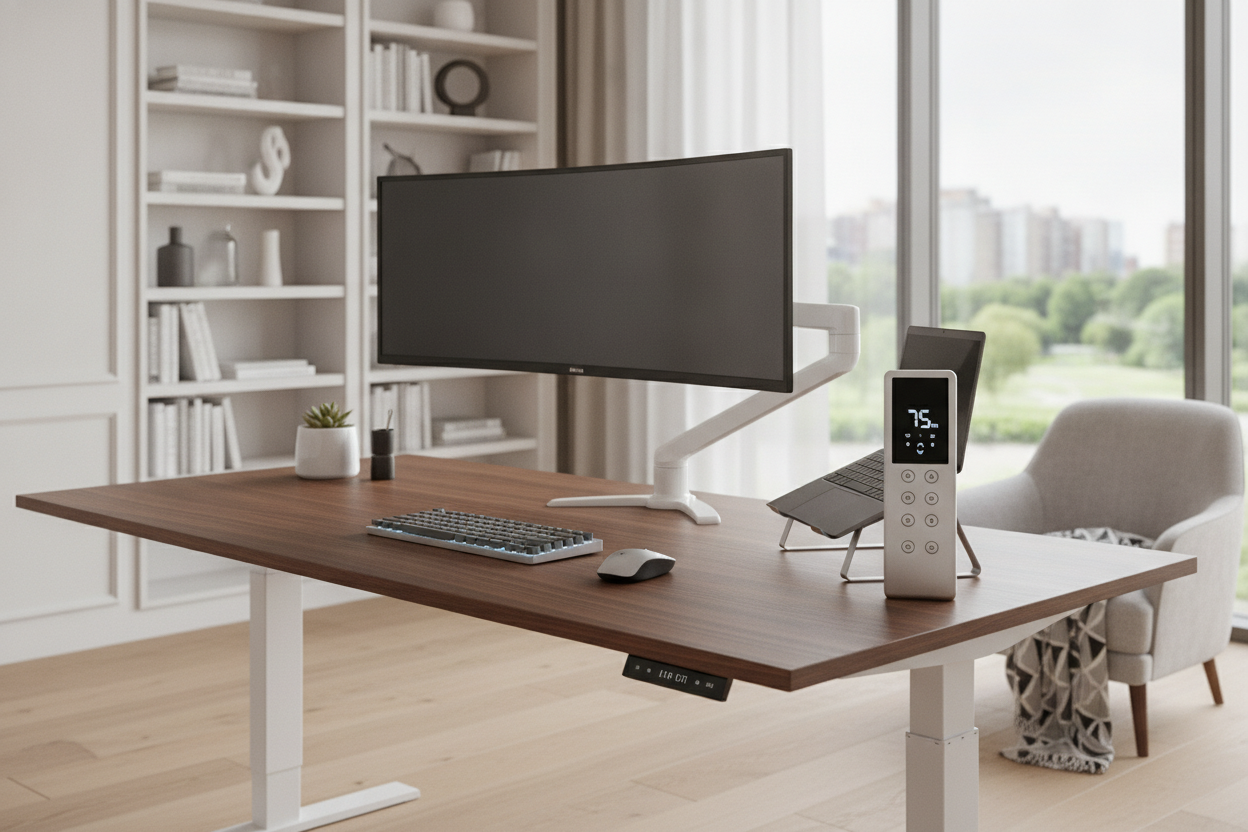
I spent three months staring at a $400 desk that stayed at exactly 29 inches. I bought it specifically to stand more, yet there I was, hunched over like a gargoyle. The culprit wasn't laziness; it was the cheap, plastic standing desk controller that came in the box. Every time I wanted to stand, I had to hold a physical button for 20 seconds, watching the numbers crawl up while my coffee went cold.
It sounds like a small gripe, but in a busy workday, those 20 seconds of friction are enough to keep you glued to your chair. I realized that if I had to manually 'drive' my desk to the right height every single time, I simply wouldn't do it. The interface is the most overlooked part of the entire ergonomic experience.
Quick Takeaways
- Manual up/down buttons are the biggest deterrent to actually using a sit-stand desk.
- Memory presets are a hard requirement for maintaining a healthy posture.
- Safety features like collision detection prevent expensive damage to your gear.
- Compatibility is a nightmare; check your pinouts before trying to swap controllers.
The Trap of the Basic Up and Down Button
Most entry-level desks ship with what I call the 'fidget spinner' of electronics: a basic two-button switch. It looks simple, but it’s a productivity killer. When you use a budget standing motorized desk, manufacturers often save $15 by stripping away the logic board that handles memory. This means you are the logic board.
You have to guess where your 'perfect' standing height is every single time. One day you’re at 41 inches, the next you’re at 42.5. That 1.5-inch difference is exactly why your shoulders start aching by 2 PM. Without a precise sit stand desk controller, you lose the ergonomic consistency that makes these desks worth the investment in the first place.
I found myself constantly overshooting the height, then bumping it down, then up again. It’s annoying. Eventually, you just stop bothering. You end up with a very expensive, heavy table that never moves. If your desk control feels like a chore, you've already lost the battle against a sedentary lifestyle.
What Actually Makes a Good Standing Desk Control Panel?
A great standing desk control panel should be something you don't have to think about. It should be tactile enough to find without looking, but low-profile enough that you don't hit it with your knee every time you shift in your chair. I look for panels with high-contrast LED displays that auto-dim. There is nothing worse than a bright blue light glowing in your home office at 11 PM when you're trying to wind down.
Memory Presets (The One-Touch Rule)
If your desk control doesn't have memory presets, you're doing it wrong. I follow the one-touch rule: I should be able to tap a button and walk away to grab a glass of water. By the time I’m back, the desk is exactly where it needs to be. This is why I always recommend the electric lift system 54 desk with memory presets for anyone starting their WFH journey.
Having four presets is the sweet spot. One for sitting, one for standing, one for a slightly higher 'perching' stool, and a fourth for a treadmill or a second user. Anything less feels like a compromise. If you have to hold the button the whole time, the desk isn't serving you; you're serving the desk.
Child Locks and Collision Detection
I learned about collision detection the hard way when my desk tried to crush a filing cabinet. A modern standing desk control switch needs to be smart enough to feel resistance and back off. It’s not just about protecting your furniture; it’s about protecting the motor from burning out because it’s fighting a solid object.
Child locks are the other unsung hero. If you have a toddler who thinks buttons are toys, an unlocked controller is a recipe for a crushed laptop or a very expensive repair bill. A simple long-press lock on the electric desk controller saves more heartaches than you'd think.
Can You Just Buy a Universal Standing Desk Controller?
I get this question a lot: 'Can I just buy a fancy universal standing desk controller and plug it into my cheap desk?' The honest answer is: maybe, but probably not. The world of desk electronics is a fragmented mess of proprietary cables. Some use 8-pin DIN connectors, others use RJ12 (which looks like a phone jack), and some use specialized serial ports.
I once tried to 'upgrade' a generic electric standing desk with a standing desk remote I found on a tech forum. I ended up fryng the control box because the voltage pins didn't match. Unless you are comfortable with a multimeter and a soldering iron, you're usually stuck with the ecosystem you bought into.
The motor and the control box are a matched set. The controller is just the interface, but it has to speak the exact language of the control box. If you're unhappy with your current setup, sometimes it's cheaper and safer to replace the entire underframe rather than hacking together a standing desk button from a different brand.
Finding a Desk That Doesn't Skimp on the Tech
When you're shopping, don't just look at the desktop finish or the weight capacity. Look at the remote. Is it a flush-mount? Does it have a USB charging port? (Trust me, a USB port on the controller is a life-saver for charging headphones). If you're going for a super-sized standing desk, you absolutely need a high-quality controller to manage the dual-motor sync.
If you realize you don't actually care about the height adjustments and just want a solid surface, you might be better off with a standard writing computer desk. But if you’re serious about the sit-stand life, the controller is your steering wheel. Don't buy a Ferrari with a plastic steering wheel from a go-kart.
FAQ
Can I add memory presets to a desk that doesn't have them?
Usually no. The memory logic lives in the control box, not just the button panel. You'd likely need to replace both the panel and the control box, which often costs as much as a new frame.
Why does my controller show an 'E01' error?
That's usually a reset code. Most controllers require a 'hard reset' where you hold the down button until the desk hits its lowest point and beeps. It recalibrates the legs so they stay level.
Is a touch screen better than physical buttons?
In my opinion, no. Physical buttons let you change height by feel without looking down. Touch screens look sleek but are prone to accidental triggers and fingerprint smudges.

Dejar un comentario
Este sitio está protegido por hCaptcha y se aplican la Política de privacidad de hCaptcha y los Términos del servicio.