










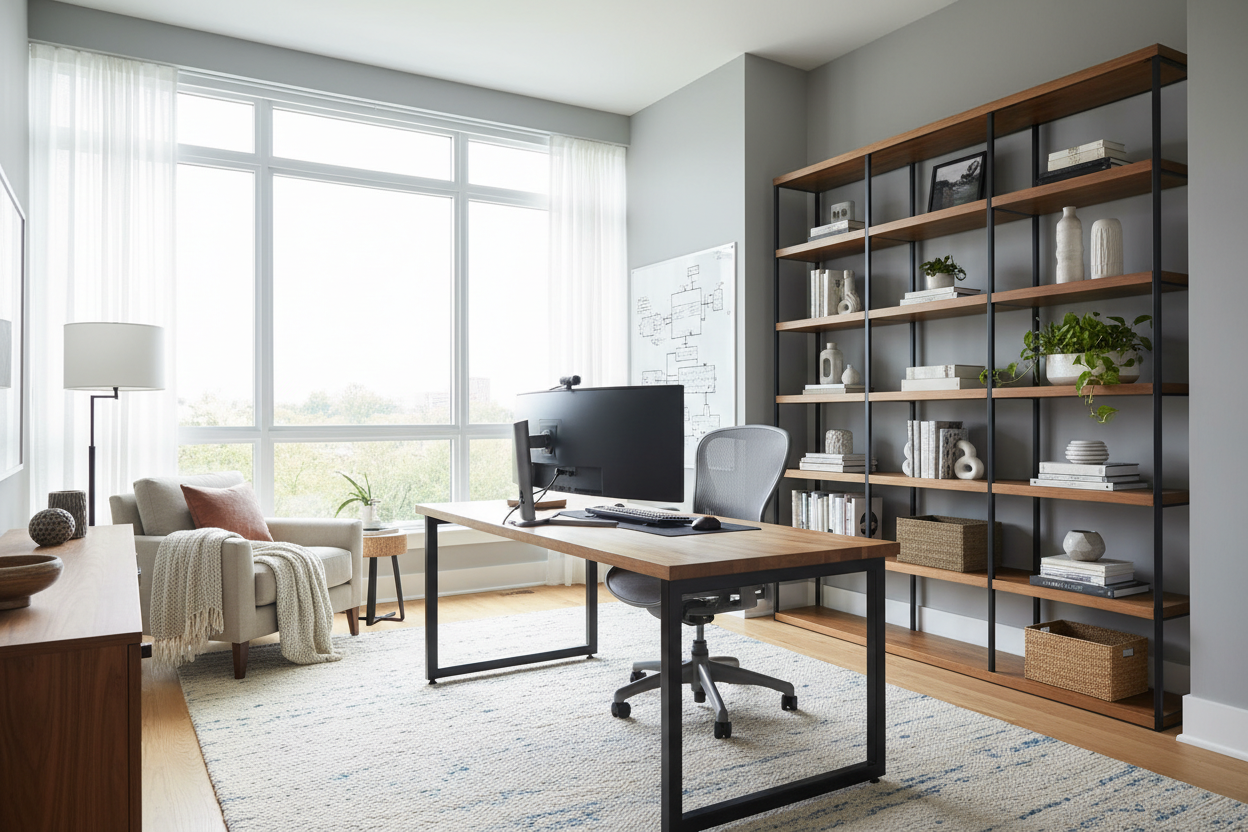
Many of my clients come to me with the same panic: they just landed a remote role, but their current workspace is a laptop balanced on a laundry basket. When you start to train to work at home, your physical environment dictates your success. Whether you are entering rigorous work from home training programs or transitioning into a new industry, trying to absorb complex information while hunched over a kitchen island is a recipe for burnout and back pain.
As a designer, I see people focus heavily on the technology required for their new roles, completely neglecting the furniture and layout that will support them through eight-hour learning blocks. In this guide, I will walk you through how to design a functional, ergonomic, and aesthetically pleasing home office tailored specifically for virtual onboarding. You will learn how to select the right pieces, position your desk for video calls, and avoid the common aesthetic traps that ruin productivity.
Key Takeaways for Your Training Setup
- Prioritize ergonomics over aesthetics: A beautiful chair is useless if it causes lumbar pain during long virtual sessions. Look for adjustable seat depth and lumbar support.
- Control your background: Position your desk facing a window for natural light, keeping a clean, uncluttered wall behind you for video calls.
- Scale your desk to your tech: Dual monitors require a minimum desk width of 48 inches and a depth of 24 inches to maintain proper eye distance.
- Manage visual weight: Keep heavy, dark furniture to a minimum in small rooms to prevent the space from feeling claustrophobic during intense study hours.
Optimizing Layout for Virtual Learning
Space planning is the foundation of any good room design. When you are applying for work from home jobs with virtual training, you have to consider how your space translates on camera. Companies that train you to work from home expect a professional environment, even if you are operating out of a spare bedroom or a living room alcove.
The Window Rule
Never place your back to a window if you can avoid it. The backlighting will turn you into a dark silhouette on camera, which is highly distracting during interactive sessions. Instead, position your desk perpendicular to the window. This provides soft, even lighting across your face and allows you to rest your eyes by looking outside—a crucial habit when you are staring at screens for online paid training.
Clearance and Flow
If you are carving out a workspace in a multi-use room, maintain at least 36 inches of clearance behind your desk chair. This allows you to push back and stand up comfortably without hitting a wall or a sofa. For those seeking train and work from home jobs in smaller apartments, consider a floating desk layout rather than shoving furniture against the wall; it creates a stronger psychological boundary between 'work mode' and 'home mode'.
Investing in Comfort for Long Hours
The physical toll of sitting through comprehensive onboarding is real. If you are doing paid IT training remote, you are likely stationary for hours, navigating complex software. This is where material and build quality matter immensely.
The Truth About Office Chairs
Skip the trendy velvet bucket chairs. For work from home paid training jobs, you need a chair with high-density foam or a breathable mesh back. Performance fabrics are great for resisting coffee spills, but the foam density dictates longevity. Look for a seat cushion that doesn't fully compress when you sit. Your knees should be at a 90-degree angle, with your feet flat on the floor. If the cylinder on the chair feels wobbly in the showroom, it will fail within a year of daily use.
Desk Height and Surface Materials
Standard desk height in North America is 29 to 30 inches, which is actually too high for many people without an adjustable keyboard tray. If you are browsing paid training jobs online, consider investing in a solid wood or high-quality veneer sit-stand desk. Beware of cheap engineered wood with a thin laminate finish; the edges often peel within months of resting your forearms on them during paid training online.
Lessons from My Own Projects
A few years ago, I designed a dual-purpose guest room and office for a client who had just accepted one of those highly competitive work from home jobs with online training. We found a stunning, authentic mid-century modern wooden chair. It looked incredible against the walnut desk and fit the room's aesthetic perfectly.
I learned the hard way that a rigid wooden backrest might look beautiful on a mood board, but after a week of eight-hour onboarding calls, it became an ergonomic nightmare. My client was miserable. We ended up swapping it for a highly adjustable, commercial-grade ergonomic chair that admittedly lacked the vintage charm, but saved her posture. The lesson? Never sacrifice your physical health for a specific silhouette, especially when training for work at home jobs requires intense, prolonged focus.
Frequently Asked Questions
How much space do I need to train to work at home?
You can create a highly functional workspace in an area as small as 5 by 5 feet. The key is utilizing vertical space for storage and ensuring your desk is at least 20 inches deep to accommodate a laptop and a notebook comfortably.
What is the best desk for work at home training jobs?
If your training requires multiple monitors or heavy reference materials, choose a desk with a solid wood or metal frame, at least 48 inches wide. Avoid glass tops, as they show every fingerprint and make wire management incredibly difficult to hide.
Can I use my dining room for virtual training?
While a dining table offers great surface area, the height is usually wrong for typing, and dining chairs lack the necessary lumbar support. If you must use the dining room, invest in a supportive chair cushion and a laptop riser to bring the screen to eye level.

Dejar un comentario
Este sitio está protegido por hCaptcha y se aplican la Política de privacidad de hCaptcha y los Términos del servicio.