










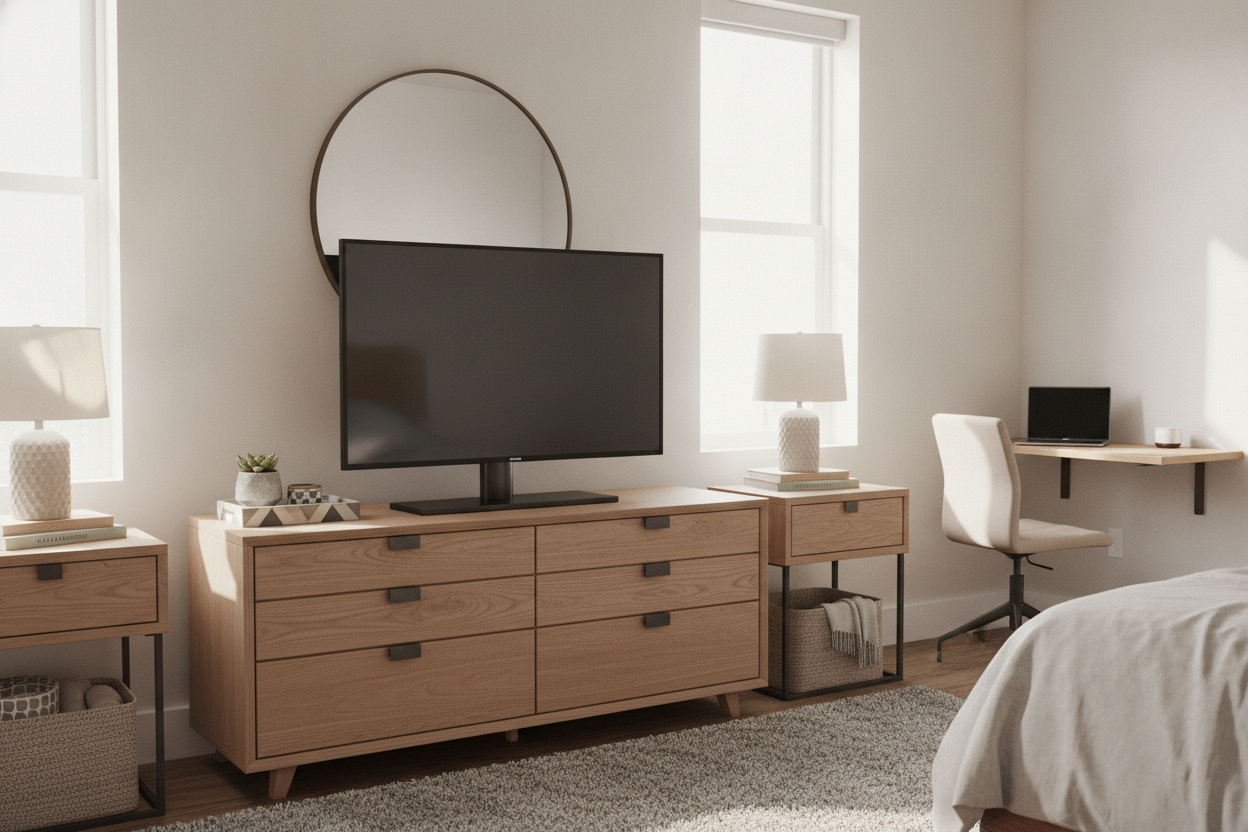
I spent three nights staring at my bedroom dresser, terrified that a strong breeze or a curious cat would send my new screen to its death. Modern TV manufacturers have this annoying habit of placing the included plastic feet at the absolute outer edges of the frame. It is a cost-cutting move that forces you to own a piece of furniture wider than the TV itself, which is ridiculous when you are dealing with a small space.
I finally hit my limit when I realized I couldn't even fit my charging station on the dresser because those spindly 'V' legs were hogging all the real estate. I ditched the factory hardware and installed a heavy-duty 32 inch tabletop tv stand. The difference was immediate: I went from a precarious wobble to a rock-solid pedestal that actually looks like it belongs in a grown-up's bedroom.
Quick Takeaways
- Central pedestal bases reclaim up to 60% of your dresser surface area.
- Look for tempered glass bases—they provide the low-center-of-gravity weight needed to prevent tipping.
- Height adjustability is the secret to fitting a soundbar or a PlayStation under a small screen.
- VESA compatibility is universal; if your TV has four screw holes in the back, it will work.
The Annoying Truth About Factory TV Feet
Manufacturers are cheap. There, I said it. Instead of providing a sturdy, centered base like they did ten years ago, they now ship two pieces of injection-molded plastic that click into the far corners of the screen. While this might save them a few cents in shipping weight, it creates a massive headache for anyone trying to put a 32-inch TV on a standard nightstand or a narrow chest of drawers.
Because those feet sit so wide, you are forced to buy oversized furniture just to support a small screen. It is an inefficient use of space that makes small rooms feel even more cluttered. I have seen people try to balance these wide-set feet on pieces of plywood or stacks of books, which is a recipe for a shattered screen and a very bad Saturday afternoon. You shouldn't have to rearrange your entire floor plan just because a designer decided to put the legs 30 inches apart.
Enter the 32 Inch Tabletop TV Stand
The moment I bolted on a central pedestal, my dresser felt twice as big. By moving the support to the middle of the screen, I suddenly had room for my lamp, my watch tray, and my sanity. It is the most underrated upgrade you can make for a bedroom or home office setup. You really should stop letting giant consoles swallow your entire room just to hold up a modest display.
I personally went with a model that featured a sleek black glass base. It feels premium, unlike the hollow plastic that came in the box. The weight of the glass acts as an anchor, making the whole setup feel much more permanent. My only regret was waiting six months to do it. I spent half a year carefully dusting around those awkward wide feet when I could have had a clean, minimalist setup from day one.
What Makes a Good Table Top Stand for 32 Inch TV Setups?
Not all aftermarket stands are built the same. When you are hunting for a table top stand for 32 inch tv use, check the VESA pattern first—usually 100x100mm or 200x200mm for this size. If the stand doesn't list your TV's hole pattern, keep scrolling. You also want a stand that offers height adjustment. Most factory legs keep the TV about two inches off the surface, which is useless if you want to tuck a cable box or a Nintendo Switch underneath.
Stability is the other big one. I avoid the all-plastic stands. You want a steel pillar and a tempered glass base that has some actual heft to it. If you are shopping for TV stands, look at the weight capacity. Even if your 32-inch TV only weighs 10 pounds, a stand rated for 40 pounds will be significantly more stable and less prone to 'the lean' over time. A little extra beefiness in the hardware goes a long way in a high-traffic area like a bedroom.
Installation Is Embarrassingly Easy
I know people who are terrified of 'building' furniture, but this isn't a 40-step IKEA project. Replacing the legs takes about ten minutes. You lay the TV face-down on a bed, screw the brackets into the VESA holes on the back, and then bolt the pillar to the base. It is four to six screws total. If you can use a Phillips screwdriver, you can do this. I actually find it easier than trying to snap those flimsy factory legs into place without breaking the plastic tabs.
Once you see how much better a centered pedestal looks, you will want to do it for every room in the house. You should stop using factory legs on your big living room screen too, but it is absolutely non-negotiable for small-screen setups. It turns a cheap-looking display into a piece of intentional decor rather than an afterthought balanced on a dresser.
FAQ
Will this stand fit any brand of TV?
As long as your TV has VESA mounting holes on the back (the four screw holes in a square or rectangle), it will fit. Almost every modern 32-inch TV from Samsung, LG, Sony, and TCL uses this standard.
Is a glass base safe?
Yes, as long as it is tempered glass. It is designed to be heavy and shatter-resistant. It actually provides better stability than a lightweight metal base because the weight is concentrated at the bottom.
Can I adjust the height after it is installed?
Most stands require you to choose a height setting during assembly. If you want to change it later, you usually just have to move two screws on the back bracket. It takes about two minutes.

Dejar un comentario
Este sitio está protegido por hCaptcha y se aplican la Política de privacidad de hCaptcha y los Términos del servicio.