










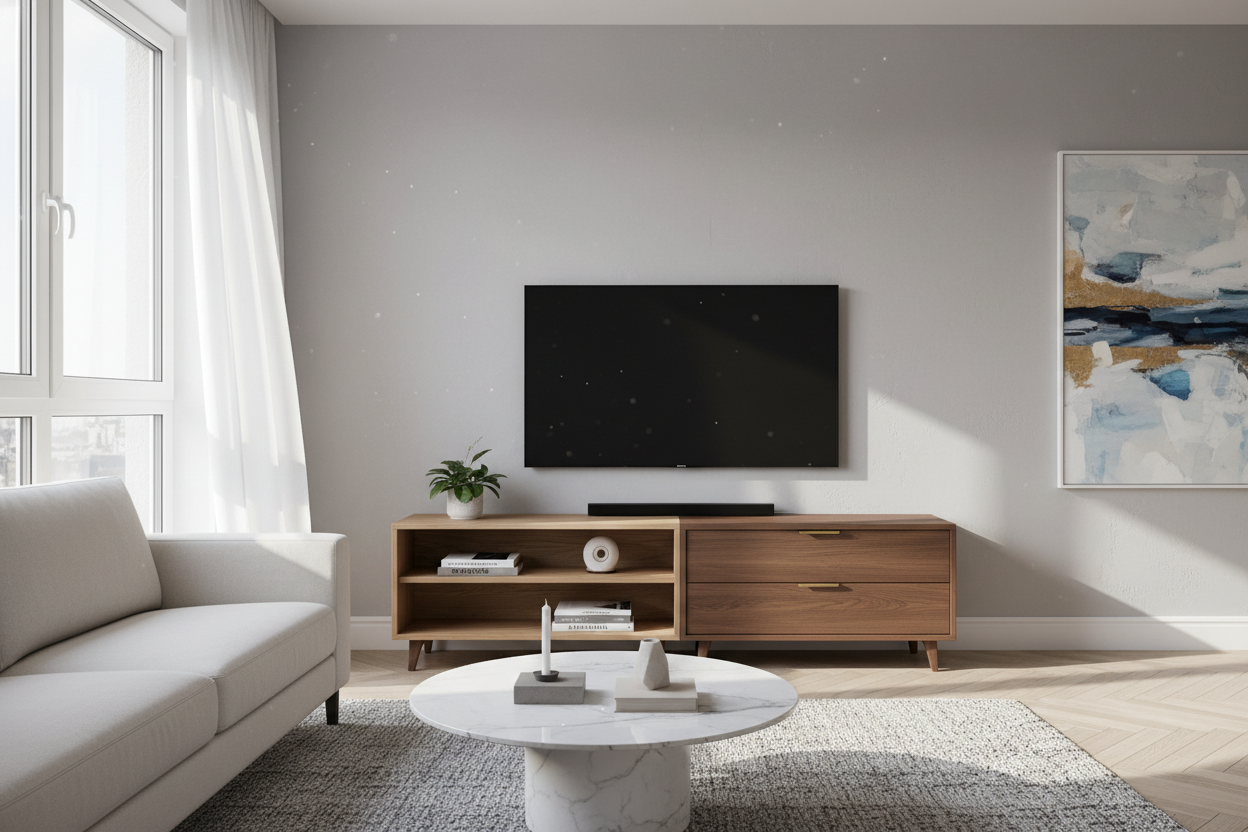
I spent three years sidling past a massive, six-foot-long media console in my Brooklyn apartment. It was a beautiful piece of mid-century walnut, but it was also a total floor-space hog. Every time I tried to vacuum, I would bang the nozzle against its heavy legs, resenting the fact that I had sacrificed 12 square feet of walking room just to hold a TV and a dusty PlayStation.
The breaking point came when I realized I was decorating the rest of the room around this one oversized monolith. I finally ditched the beast for a curated selection of small entertainment units, and the room instantly felt five feet wider. It turns out, you do not need a sideboard-sized piece of furniture to support a screen that weighs less than a bag of groceries.
- Exposing more floor space makes any room feel significantly larger and less cluttered.
- Modern flat screens are light enough to sit on compact, sturdy bases without stability issues.
- Cable management is often easier when you are not digging through a cavernous, dark cabinet.
- Smaller units force you to purge the tech graveyard of old HDMI cables and 2014-era remotes.
The Day I Realized My TV Stand Was Suffocating My Room
I used to think a grown-up living room required a wall-to-wall entertainment center. I bought into the idea that if the TV is 55 inches, the stand needs to be at least 70. But in my 12x14 living room, that massive wooden block was eating 30% of my walkable floor. It made the 9-foot ceilings feel like they were pressing down on me because the furniture was so visually heavy.
One Tuesday, I moved the console to the hallway just to paint the wall. Standing in the empty room, I realized the space felt airy for the first time since I moved in. The storage I thought I needed was mostly just a place to hide things I should have thrown away years ago. I decided then and there that the big stand was not coming back into the room.
Why We Keep Buying Oversized Media Consoles (And Why We Shouldn't)
We are stuck in a 1990s mindset where TVs were heavy CRT boxes that required a structural engineer to support. Back then, you needed a media center to house a VCR, a DVD player, a massive receiver, and a stack of physical discs. Today, most of us have a thin screen, a soundbar, and maybe a small streaming stick hidden in the back.
Buying a massive wooden monolith for a 1-inch thick TV is overkill. It creates a visual anchor that drags the eye down. Modern flat screens look far more intentional when paired with a minimalist base that does not compete for attention. If your furniture is wider than your TV by more than six inches on either side, you are likely just wasting precious square footage for no functional gain.
The Magic of Downsizing Your Media Setup
There is a specific kind of visual trickery that happens when you switch to small entertainment units. By showing the floor underneath and the wall behind the unit, you break the wall of furniture effect. It is the difference between a room that feels like a storage unit and a room that feels like a home.
I opted for a unit that was only 40 inches wide. It was just enough to hold the TV legs and my soundbar. Suddenly, I had room for a floor lamp on one side and a tall plant on the other. When looking for these, I prioritize pieces with legs rather than a solid plinth base—seeing that extra bit of floor makes a massive psychological difference in a cramped apartment.
Finding a Small Entertainment Cabinet That Fits a Receiver
The hardest part of downsizing is the depth. Most small entertainment cabinet options are shallow—often around 12 to 14 inches. That is fine for a Nintendo Switch, but if you are a hifi nerd with a Denon or Marantz receiver, you are going to have a hard time. Those beasts usually need 16 to 18 inches of depth once you factor in the cable plugs sticking out the back.
My mistake was buying a cute cabinet that was only 13 inches deep. I ended up having to saw a giant hole in the back panel just so the receiver would not hang off the front edge. If you have real AV gear, measure your deepest component and add two inches for cable clearance. Look for units specifically marketed as media cabinets rather than just accent cabinets to ensure they have the ventilation and depth you actually need.
How to Style a Tiny Console Without It Looking Like a Dorm
A small TV stand can easily look like a temporary solution if you do not style it right. The key is intentionality. Do not just center the TV and leave two empty patches of wood on the sides. I like to offset the TV slightly to one side and balance it with a stack of coffee table books or a single, high-quality ceramic vase.
Avoid the dorm look by staying away from cheap, unfinished particle board. If you are going small, you can afford better materials. Look for solid oak, walnut veneers, or powder-coated steel. High-quality hardware—like solid brass pulls instead of plastic knobs—makes a 36-inch cabinet feel like a high-end design choice rather than a budget compromise.
Wait, Where Do I Put the Rest of My Stuff?
When I ditched the six-foot console, I lost four drawers of storage. I had to be honest about what stayed. The old DVDs went into a binder, and the random tech junk got sorted into a dedicated bin in my closet. For the items I actually wanted to display, like my record player and a few favorite books, I looked elsewhere in the room.
Instead of cramming everything under the TV, I added a short glass display cabinet in the corner of the dining area. It took up a fraction of the space but looked ten times more sophisticated. Separating your media from your display items prevents that cluttered, overwhelming feeling that usually haunts small living rooms. It turns out, my TV did not need a massive entourage of storage to function.
How small is too small for a TV stand?
Your stand should be at least as wide as the distance between your TV's legs. Ideally, give yourself 2-3 inches of breathing room on each side so the screen does not look like it is teetering on a pedestal. If you wall-mount the TV, the unit can be as small as you like.
Will my gaming console overheat in a small cabinet?
Yes, if there is no airflow. Small units trap heat quickly. Look for cabinets with slatted fronts, mesh doors, or open backs. If you are using a PS5 or Xbox Series X, I recommend an open-shelf unit or keeping the door cracked during long sessions.
Can I put a 65-inch TV on a small unit?
Technically yes, if the weight capacity holds and the legs fit. However, a 65-inch TV on a 40-inch stand looks top-heavy. If you are going that big with the screen, wall-mounting it above a small unit looks much more balanced and professional.

Dejar un comentario
Este sitio está protegido por hCaptcha y se aplican la Política de privacidad de hCaptcha y los Términos del servicio.