










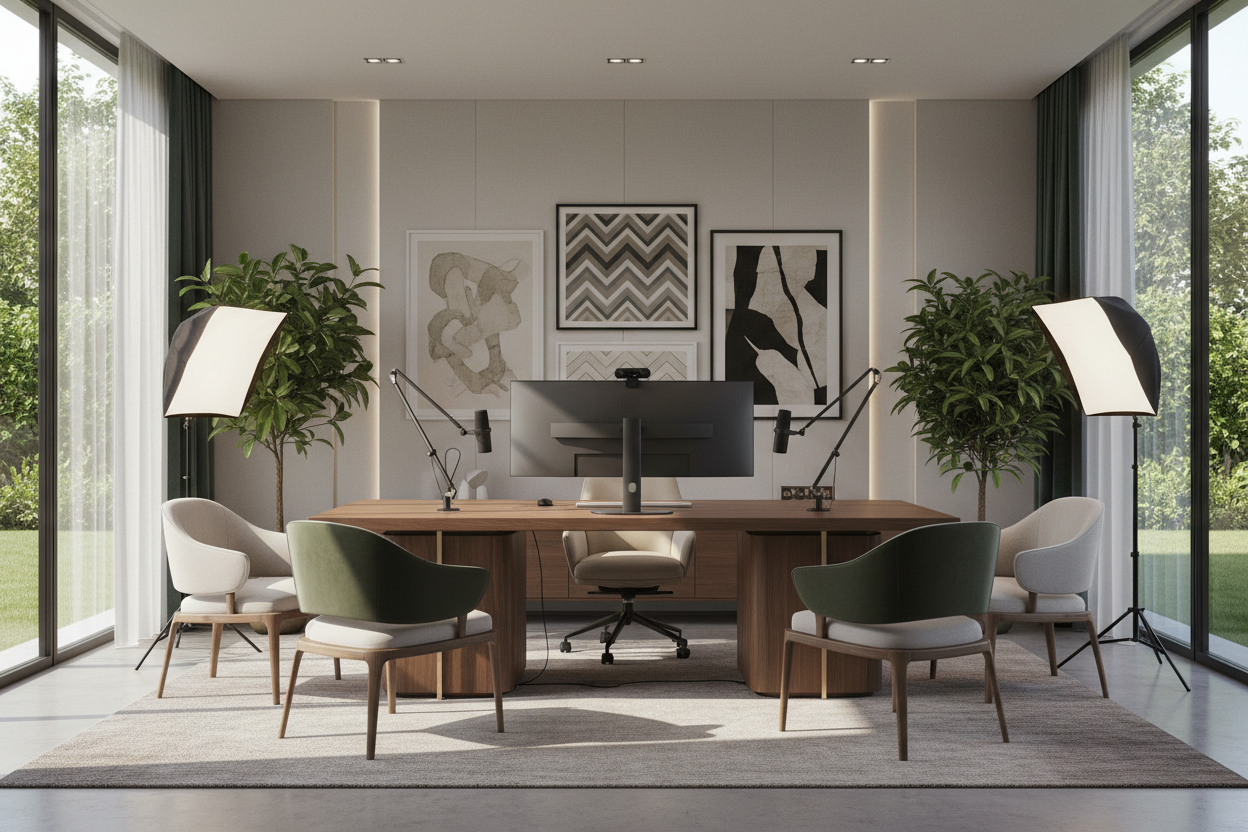
We all remember the early days of working remotely—balancing laptops on stacks of books and hoping the living room lighting was forgiving. But as remote work has matured, that temporary fix no longer cuts it. If you want to project authority and professionalism, a dedicated conferencing setup is non-negotiable. Today, we are moving past the makeshift video meeting setup. I am going to show you how to design a space that looks incredible on camera while remaining a comfortable, functional room when the lens is off.
Whether you are tackling a complete video conferencing installation or just trying to refine your home office camera setup, the goal is the same: a seamless blend of technology and interior design. You will walk away from this guide knowing exactly how to position your furniture, control your lighting, and curate your background for the best video call setup possible.
Quick Decision Guide
- Face the light: Position your desk so natural light hits your face, not your back. This is the golden rule for any home office video conferencing setup.
- Elevate the lens: A professional webcam setup requires the camera to sit slightly above eye level to avoid unflattering, dominating angles.
- Control the acoustics: The best home office audio setup relies heavily on your room's textiles. Rugs and drapes absorb echo much better than bare walls.
- Curate, do not clutter: Maintain visual balance in your background. Use negative space on bookshelves to keep the focus on you during a video conference at home.
Space Planning & Layout
Desk Placement and Lighting Geometry
If you are setting up home office for video conferencing, the most critical decision is where the desk goes. Never sit with your back to a bright window. This turns you into a dark silhouette and forces your camera to overcompensate, washing out the room. Instead, arrange your zoom desk setup so you are facing the natural light source. If room dimensions force you to sit perpendicular to a window, use a sheer curtain to diffuse the harsh directional light.
Camera Placement for Video Conferencing
A high-end home office setup for video calls requires intentional camera placement. If you use a laptop flat on a desk, you are forcing the viewer to look up at you, which distorts your proportions. Use a monitor stand or a dedicated arm mount. Placing the lens at or slightly above eye level creates the best setup for video conferencing instantly. This small ergonomic shift not only improves your posture but dramatically enhances how you connect with others on screen.
Style & Coordination
Styling Your On-Camera Background
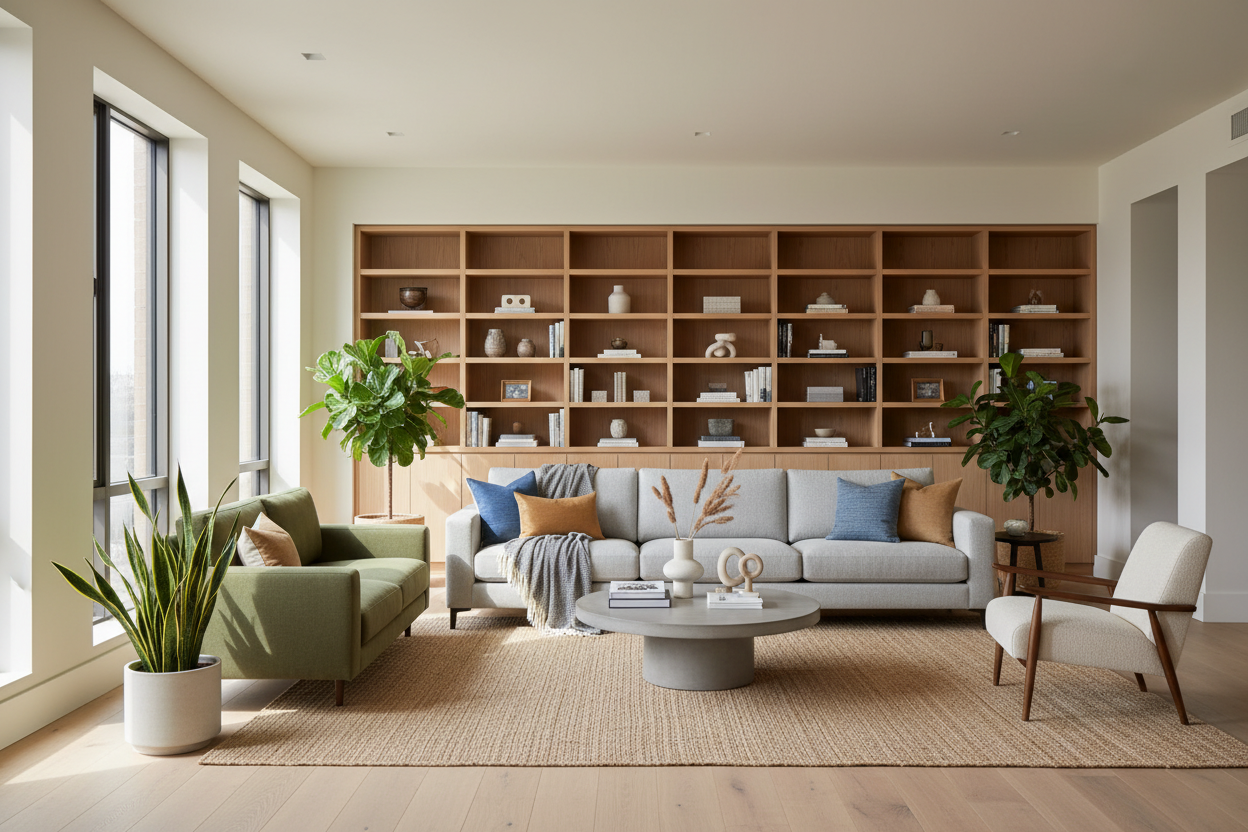
Hosting a video conference home meeting means inviting colleagues into your personal space. You want a background that feels curated but not distracting. If your home office for zoom includes a bookcase behind you, do not stuff it full of paperbacks and loose documents. Instead, group books by color or size, and intersperse them with sculptural objects or trailing plants. This creates a visually appealing zoom office setup that looks intentional and grounded.
Integrating Tech with Decor
The best home office video conference setup often involves a tangle of wires. Microphones, ring lights, and external cameras can quickly ruin the aesthetic of a beautiful mid-century modern or transitional desk. To achieve the best zoom office setup, utilize cable management trays mounted underneath the desk surface. Opt for wireless equipment where possible, or choose a work from home camera setup with matte finishes that blend seamlessly with your room's hardware.
Designer's Honest Take
A few years ago, I designed a stunning, minimalist home office for a client who needed a top-tier virtual meeting setup. We used a sleek glass desk, wide-plank hardwood floors, and bare plaster walls. Visually, it looked like an architectural magazine cover. The problem? The acoustics were an absolute nightmare. During their first teleconference set up, they sounded like they were broadcasting from inside a cave.
I learned the hard way that a beautiful room fails completely if the sound dynamics are ignored. We had to retroactively add a thick wool rug, acoustic panels cleverly disguised as canvas art, and heavy linen drapery to fix the work from home audio setup. Now, when I design any home video conferencing setup, I prioritize sound-absorbing textures from day one. Do not let the pursuit of a minimalist aesthetic ruin your audio quality.
Frequently Asked Questions
How do I set up my home office for video conferencing?
Start with lighting and desk placement. Ensure your face is well-lit by facing a window or using diffused softboxes. Position your camera at eye level, and curate a distraction-free background behind you. This forms the foundation of the best home video conferencing setup.
What is the best home office audio setup?
Invest in a dynamic USB microphone to isolate your voice, and use soft furnishings like area rugs, upholstered chairs, and curtains to minimize room echo. Relying on your laptop's built-in mic in an empty room is the biggest mistake in any setup video call environment.
How can I improve my home webcam setup?
Ditch the built-in laptop camera. A dedicated 1080p or 4K external webcam, placed on an adjustable arm just above your primary monitor, provides the best home office zoom setup for clarity, color balance, and proper framing.

Leave a comment
This site is protected by hCaptcha and the hCaptcha Privacy Policy and Terms of Service apply.