










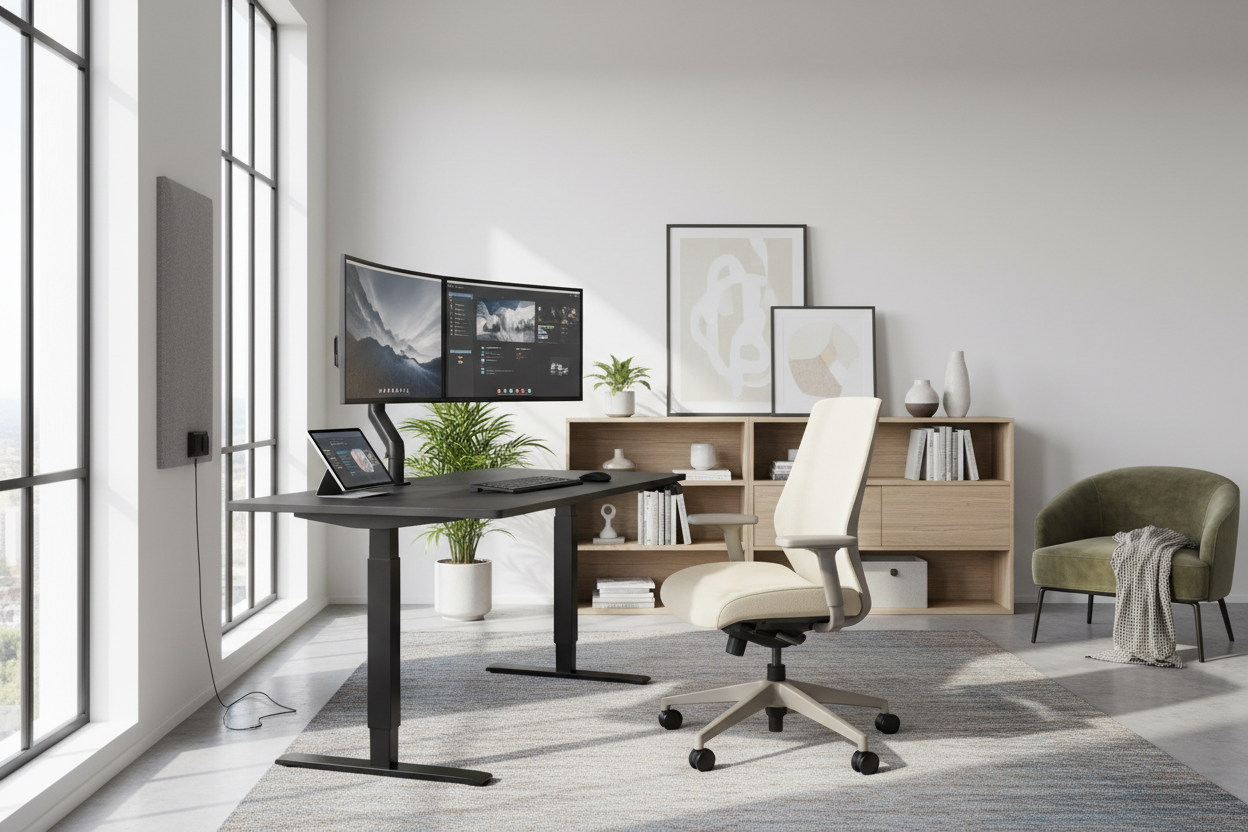
The shift from corporate offices to residential workspaces has blurred the lines between comfort and professionalism. As an interior designer, I often see clients struggling to carve out a functional zone that doesn't disrupt their home's aesthetic. The design dilemma is real: how do you integrate ergonomic necessity with residential style? The answer lies in intentional spatial planning and material selection. Whether you are setting up a corner of your living room or dedicating a spare bedroom, optimizing your environment is critical for sustaining online job work in home without sacrificing your physical well-being or your home's visual harmony.
Quick Decision Guide: The Essentials
Before investing in new furniture, consider these core design elements to ensure your space functions as well as it looks.
- Ergonomic Integrity: Prioritize chairs with adjustable lumbar support and seat depth over purely sculptural pieces.
- Desk Depth: Ensure a minimum depth of 24-30 inches to allow proper focal distance for monitors.
- Lighting Layers: Combine ambient overhead lighting with task lighting (4000K-5000K) to reduce eye strain.
- Acoustic Control: Incorporate soft furnishings (rugs, drapes) to dampen echo during video calls.
- Material Durability: Choose solid wood or high-pressure laminate for surfaces that must withstand daily wear.
Zoning and Spatial Layout
The first step in accommodating work in home online jobs is defining the "command position." In design theory, this means positioning your desk so you have a view of the door without being directly in line with it. Avoid facing a blank wall, which can feel stifling during long hours. Instead, try "floating" your desk in the room. This layout allows you to anchor the space with a rug and utilize the wall behind you for storage or art, creating a sophisticated backdrop for video calls.
Selecting the Right Desk: Material Matters
When curating furniture for home work jobs online, the desk is your foundational piece. While glass desks offer a sleek, modern silhouette, they are often impractical for optical mice and can feel cold to the touch. I recommend solid wood or high-quality wood veneers like walnut or white oak. These materials bring warmth to the room and offer the structural rigidity needed to clamp heavy monitor arms—something cheap particle board often fails to support without cracking.
The Chair: Aesthetic vs. Function
For home based jobs online, the chair is where you will spend the majority of your day. Avoid the temptation to use a dining chair or a stiff mid-century accent chair. Look for "performance" office chairs that offer breathable mesh or high-grade fabric. If you dislike the look of technical office chairs, seek out brands that conceal ergonomic mechanisms within upholstered designs, blending the comfort of a task chair with the look of a club chair.
Lighting and Video Call Aesthetics
Proper illumination is non-negotiable for home based job work. Relying solely on a ceiling fixture creates unflattering shadows. Layer your lighting by placing a task lamp to the side of your monitor and using a soft, diffused light source behind the monitor to reduce contrast glare. For the background visible on camera, curate a bookshelf or install artwork. Keep it organized; visual clutter in the background can distract clients and reduce the perceived professionalism of your workspace.
My Personal Take on Online Job Work in Home Design
In my years of designing home offices, I have learned that specifications on paper don't always translate to real-life comfort. I once specified a beautiful, reclaimed wood desk for a client—it had a gorgeous, rustic texture. However, a week later, the client called me. The uneven surface made writing on paper impossible without a blotter, and the mouse skipped constantly.
Another lesson came from my own home office. I initially placed my desk directly facing a south-facing window for the view. I quickly realized that the contrast between the bright window and my screen caused severe eye fatigue by noon. I had to reorient the entire room so the light came from the side. These tactile and functional nuances—surface texture and solar orientation—are often overlooked but are vital for a sustainable workflow.
Conclusion
Designing a space for online work is about more than just buying a desk; it is about creating an environment that fosters focus while respecting the sanctuary of your home. By selecting durable materials, prioritizing ergonomic layouts, and layering your lighting, you create a workspace that invites productivity.
Frequently Asked Questions
What is the best desk height for average users?
Standard desk height is between 29 and 30 inches. However, if you are shorter than 5'8", you may need a height-adjustable desk or a footrest to ensure your elbows remain at a 90-degree angle while typing.
How can I hide cords in a home office?
Cable management is essential for a clean look. Use desks with built-in grommets, or mount a cable tray specifically designed for wire management to the underside of the desk. Velcro ties are superior to zip ties as they allow for easier adjustments later.
Can I use a dining chair for work?
It is not recommended for full-time work. Dining chairs lack lumbar support and height adjustability, which can lead to back strain over time. If you must use one, add a separate lumbar pillow and seat cushion.

Leave a comment
This site is protected by hCaptcha and the hCaptcha Privacy Policy and Terms of Service apply.