










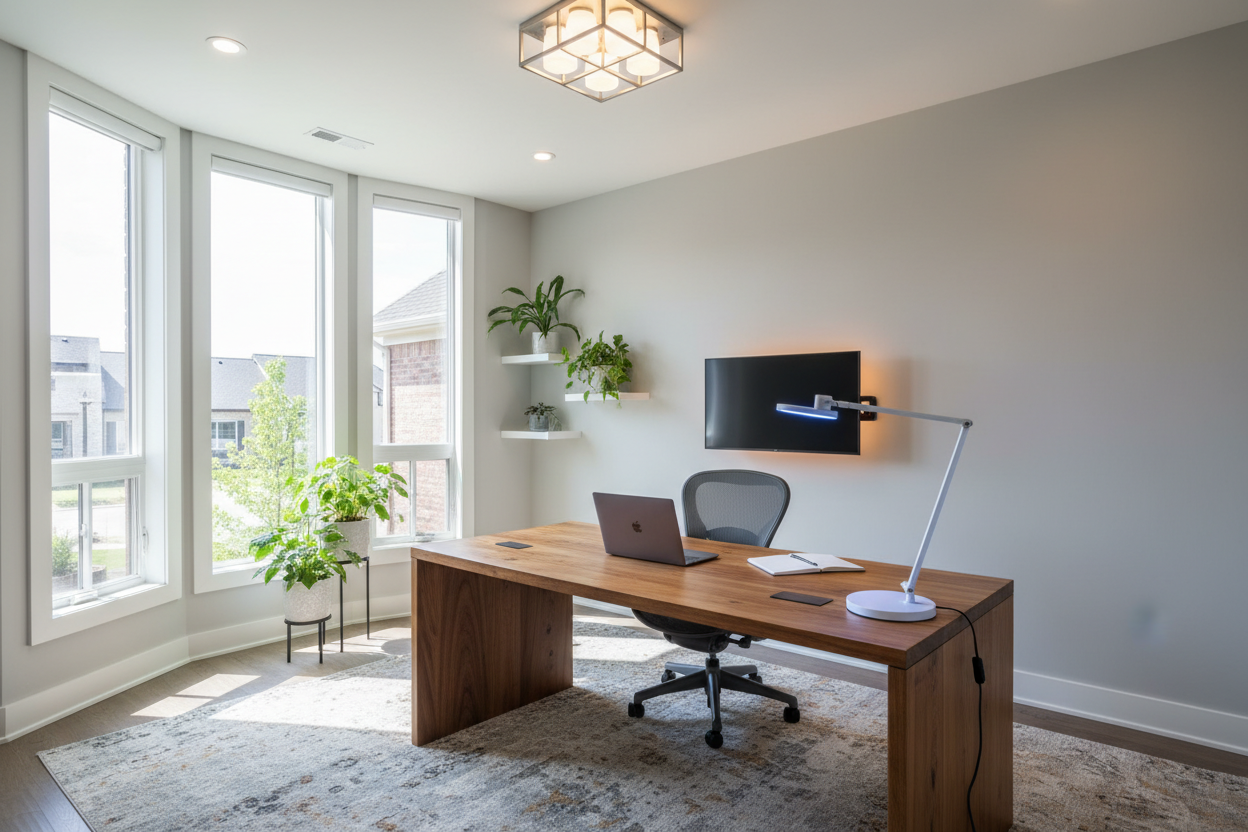
We have all experienced the fatigue that sets in around 3 PM—the headache behind the eyes and the sudden drop in energy. While many blame their coffee intake or ergonomic chair, as a designer, I look immediately at the light source. Creating a high-functioning workspace isn't just about buying a desk lamp; it is about orchestrating an environment that adapts to your biological needs. A well-executed smart lighting office does more than turn on and off via voice command; it acts as a silent partner in your productivity, shifting seamlessly from high-focus daylight tones to relaxing evening hues.
Key Features to Look For
- Color Rendering Index (CRI): Always aim for 90+ CRI. This ensures wood grains on your desk and fabric textures look rich and accurate, rather than washed out.
- Tunable White Spectrum: The ability to shift from 2700K (warm) to 6500K (cool daylight) is non-negotiable for circadian rhythm support.
- Ecosystem Integration: Ensure the fixtures play nicely with your existing hub (Matter, HomeKit, or Zigbee) to avoid app fatigue.
- Diffused Lumens: Look for fixtures with frosted lenses or fabric shades to prevent glare on computer monitors.
- Hardware Aesthetics: The fixture itself should look sculptural and beautiful even when the light is turned off.
Mastering Circadian Rhythms in Design
The core philosophy behind smart office lighting is biomimicry—replicating the natural arc of the sun indoors. Standard LEDs are static, but a smart setup allows us to program "scenes." In my design practice, I configure workspaces to start with a soft, warm glow (3000K) to ease into the morning, transition to a crisp, cool white (5000K) around noon to stimulate cortisol and focus, and gradually soften back to warm amber as the workday ends. This isn't just a tech gimmick; it is a physiological necessity for maintaining a healthy sleep-wake cycle.
Layering Light: The Designer's Rule of Three
A common error homeowners make is relying on a single overhead source. To achieve a luxury studio look, we must layer the lighting.
1. The Ambient Layer
This is your base layer. Instead of a harsh center flush mount, consider smart recessed retrofit downlights or a linear suspension fixture. The goal is uniform brightness that bounces off the walls, reducing the contrast ratio between your bright monitor and the dark room behind it.
2. The Task Layer
This is where form meets function. A smart desk lamp with an adjustable arm is critical. Look for matte finishes—matte black or brushed brass—to minimize fingerprint smudges and reflection. The light should be directed onto your documents, not your screen.
3. The Accent Layer
This adds depth and "mood." I often use smart LED strips tucked behind shelves or monitor backlighting (bias lighting). This reduces eye strain by softening the edges of the screen and allows you to introduce subtle color psychology—perhaps a calm teal or soft indigo during creative brainstorming sessions.
Materiality and Fixture Selection
When selecting the physical vessels for your light, consider the visual weight of the object. In a small home office, a transparent glass or acrylic smart lamp keeps the space feeling open. For larger executive suites, a heavy marble base or solid walnut lamp adds authority and grounds the desk layout. Ensure the smart bulb you choose fits the fixture not just physically, but visually; exposed bulbs should be "Edison" style smart filaments, whereas enclosed fixtures should prioritize high-lumen output bulbs.
Lessons from My Own Projects
Let me share a specific detail that rarely makes it into the product brochures but has caused headaches in several of my installations. It is the "Physical Switch Conflict."
I once designed a stunning mid-century modern office for a client, fully outfitted with Philips Hue bulbs in vintage sconces. A week later, the client called saying the system was "broken." The issue? Their family kept flipping the physical wall toggle switches off, cutting power to the bulbs and rendering the smart features useless.
My takeaway for you: If you are retrofitting a room, do not just buy bulbs. You must address the control point. I now insist on installing smart switches (like Lutron Caséta) or placing wireless dimmer dials over the existing toggles. It’s an unpolished, practical detail, but if you have to tape over your light switch to keep your office "smart," the design has failed. True luxury is seamless usability.
Conclusion
Transforming your workspace isn't about chasing the latest gadget; it is about curating an atmosphere that respects your eyes and your energy levels. By layering your lighting and prioritizing color quality, you turn a utility into a design asset. Start with the task light, build out the ambience, and watch your focus sharpen.
Frequently Asked Questions
How many lumens do I need for a home office?
For a standard 10x10 office, aim for approximately 3,000 to 6,000 lumens total across all layers. However, the key is dimmability; you want the capacity for brightness during gloomy days but the ability to dial it down to 20% for late-night emails.
Can I use smart plugs instead of smart bulbs?
Yes, especially for vintage lamps where you can't change the bulb socket. However, smart plugs only offer on/off control. You lose the ability to change color temperature (tunable white), which is the primary ergonomic benefit of a smart lighting office setup.
Does bias lighting behind a monitor actually help?
Absolutely. It creates a luminous background that reduces the contrast between the bright screen and the dark wall. This forces your iris to adjust less frequently, significantly reducing eye strain during long work sessions.


Leave a comment
This site is protected by hCaptcha and the hCaptcha Privacy Policy and Terms of Service apply.