










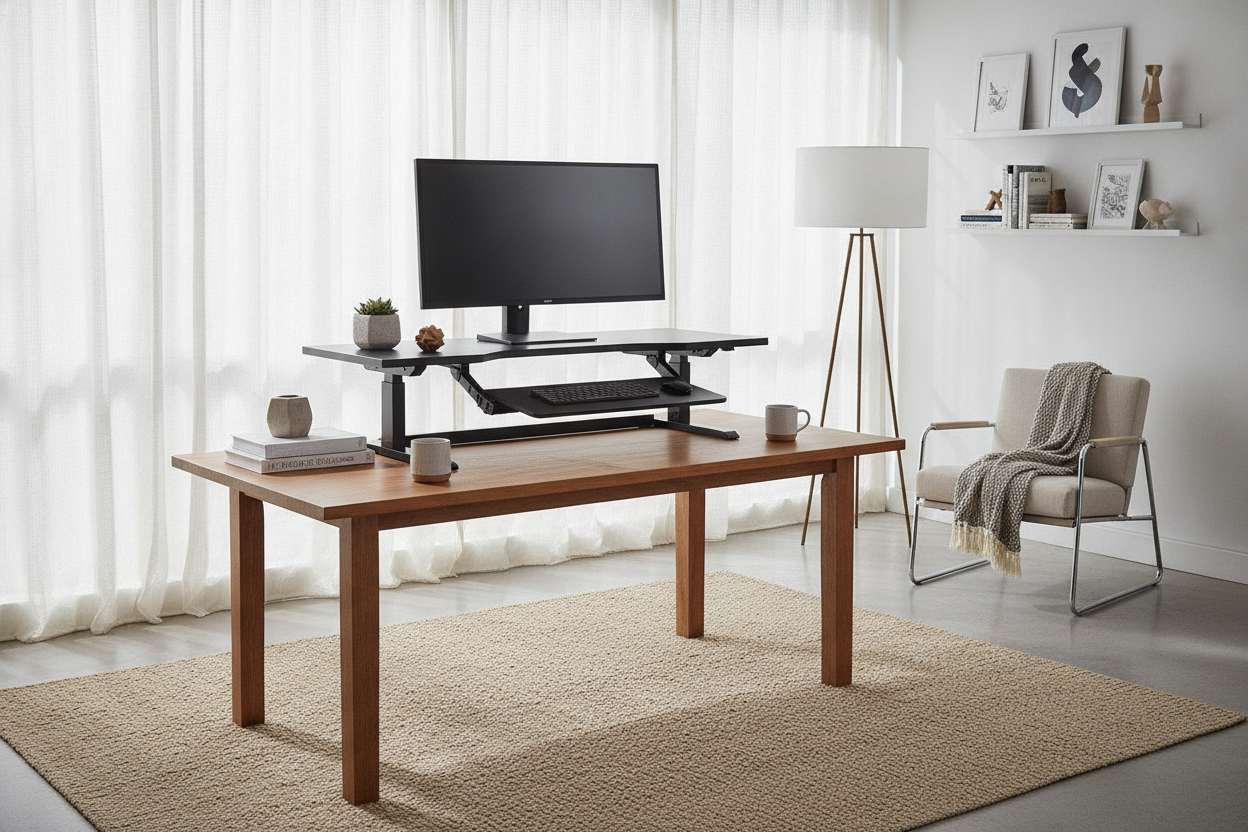
I was three ibuprofen deep into a Tuesday afternoon when I realized my mid-century walnut desk was slowly killing me. It is a gorgeous piece of furniture—all tapered legs and honey-toned grain—but it sits at exactly 29 inches high. That is perfect for writing a handwritten letter in 1962, but it is a disaster for a 40-hour work week spent hunched over a 27-inch monitor. My neck felt like it was being squeezed by a vice, and my lower back was staging a full-scale protest.
I spent hours scrolling through motorized standing desk frames, but the thought of dragging my solid wood heirloom to the curb felt like a betrayal. I did not want a desk that looked like it belonged in a sterile corporate cubicle. After weeks of indecision, I finally caved and bought an adjustable riser desk. It was the best $200 compromise I have ever made for my home office.
Quick Takeaways
- Keep your existing furniture and save hundreds compared to buying a full motorized setup.
- Look for gas-spring or hydraulic mechanisms; they are significantly smoother than manual notched versions.
- Measure your desk depth—most risers need at least 24 inches of surface area to sit securely without overhang.
- A riser acts as a built-in monitor stand, fixing your neck posture even when you are in a seated position.
The 'Burn It All Down' Phase of WFH Ergonomics
Chronic back pain makes you do irrational things. When you can’t sit for more than twenty minutes without a shooting pain in your shoulder blade, you start looking at those $800 standing desks and thinking, 'Yeah, I’ll just put my vintage executive desk on Craigslist for fifty bucks and start over.' It is a moment of pure ergonomic desperation. You assume that to be healthy, you have to sacrifice your personal style and embrace the industrial aesthetic of a desk lifter for standing.
I almost pulled the trigger on a treadmill desk before I realized the problem wasn't my beautiful table—it was the static height. We weren't built to stay in one position for eight hours. But the 'Burn It All Down' approach is expensive and wasteful. Most people don't need a whole new piece of furniture; they just need a way to change their eye level. Dragging a heavy, high-quality desk to the curb just to replace it with a wobbly, motorized particle-board frame is a mistake you will regret the second you try to lean on it and feel the whole thing shake.
Why I Refused to Buy a Full Motorized Frame
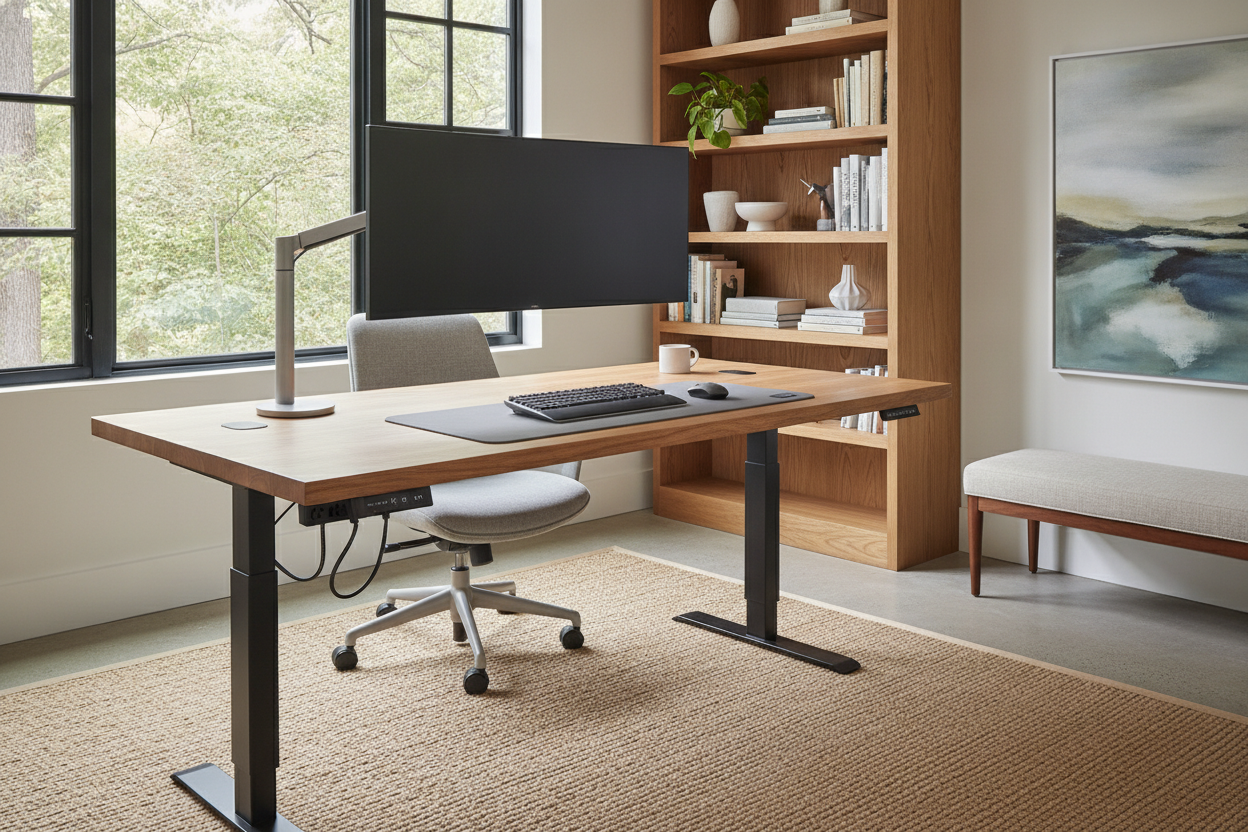
Most standing desks on the market are, frankly, ugly. They have those thin, T-shaped metal legs that scream 'temporary office space.' My current desk has character, history, and—most importantly—drawers. Most motorized frames are just a flat slab of wood on top of a motor. If you are starting from a totally blank room with zero furniture, an adjustable height standing desk with electric lift is a fantastic, streamlined choice. It handles the heavy lifting for you and offers a clean, modern look.
But if you already own a solid wood table, why throw away that quality? I couldn't stomach the idea of a motorized desk clashing with my living room's mid-century vibe. I also worried about the longevity of the motors. I’ve seen too many friends deal with 'Error' codes on their desk controllers, leaving their workspace stuck at an awkward 42-inch height forever. By keeping my original desk and adding a converter, I kept my storage space and my peace of mind. I didn't have to worry about a motor burning out three years down the line.
Enter the Adjustable Riser Desk (My Skeptical First Impressions)
I’ll be honest: I was worried about the 'clunk factor.' I thought an adjustable riser for desk use would look like a giant black plastic beetle perched on my walnut top. When the box arrived, it was heavy—nearly 40 pounds. That’s actually a good sign. In the world of furniture, weight usually equals stability. If it’s light enough to toss around, it’s going to wobble when you type.
The unboxing took about ten minutes. Most of these units come pre-assembled, so you really just have to snap the keyboard tray into place. I cleared my monitors off my desk, slid the riser into the center, and put everything back. I was shocked by how well it blended in. Because it has a matte finish, it didn't look like a medical device; it looked like a deliberate, tiered workspace. The first time I squeezed the handle to lift it, I expected to have to heave it up with all my strength. Instead, the gas springs did 90% of the work. It floated up to standing height with a gentle push. It was the ergonomic desk riser experience I didn't think was possible at this price point.
The Hidden Perks of a Desk Lift for Standing
After a month of use, I discovered benefits I hadn't even considered. The biggest one? Monitor height. Even when I’m sitting down, the riser keeps my screen about five inches higher than it used to be. This puts the top third of the screen at eye level, which completely eliminated my 'tech neck' slouch. It turns out I didn't just need to stand; I needed to stop looking down at my lap.
Then there is the cable management. When you have a full standing desk, you need extra-long cables for everything—power, HDMI, peripherals—because the entire surface moves away from the wall outlets. With a sit to stand desk riser, your computer tower or laptop usually stays in a similar position, and only the monitors move. It’s a much cleaner setup. I actually wrote a post about how I stand for standing desk and loved it because sometimes the simplest, most budget-friendly solution is actually the most functional. You don't need a $1,000 motor to get your blood flowing; you just need a reliable lift.
How to Choose a Sit to Stand Desk Riser That Doesn't Wobble
Not all risers are created equal. If you buy the cheapest one you find on a clearance site, it’s going to bounce like a trampoline every time you hit the 'Enter' key. First, check the weight capacity. If you have dual monitors and a heavy mechanical keyboard, you need a riser rated for at least 30 to 35 pounds. Anything less will feel flimsy and might struggle to lift.
Second, measure your footprint. If your standard writing computer desk is narrow—say, less than 24 inches deep—a large riser might overhang the front or back, making it prone to tipping. You want the base of the riser to sit fully on your desk surface. Finally, look at the keyboard tray depth. Some trays are so shallow that your wrists will hang off the edge, which defeats the whole purpose of an ergonomic upgrade. Aim for a tray that is at least 10 inches deep so you have room for a wrist rest. My transition wasn't perfect—I had to buy a longer DisplayPort cable for one of my monitors—but my back has never felt better.
FAQ
Will a riser scratch my expensive wood desk?
Most come with rubber feet, but I recommend adding your own heavy-duty felt pads to the bottom of the frame. It makes the riser easier to micro-adjust on the desk surface without leaving any scuffs on your finish.
Is it hard to move between sitting and standing?
Not if you get one with gas-spring assistance. It takes about three seconds to change positions. If you find yourself avoiding the 'stand' mode because it's too much effort, you bought a model with poor hydraulics.
Do I need a special mat to stand on?
Yes. Don't stand on a hardwood floor in your socks for four hours. Get a high-density foam anti-fatigue mat. Your knees and heels will thank you by the end of the first week.


Leave a comment
This site is protected by hCaptcha and the hCaptcha Privacy Policy and Terms of Service apply.