










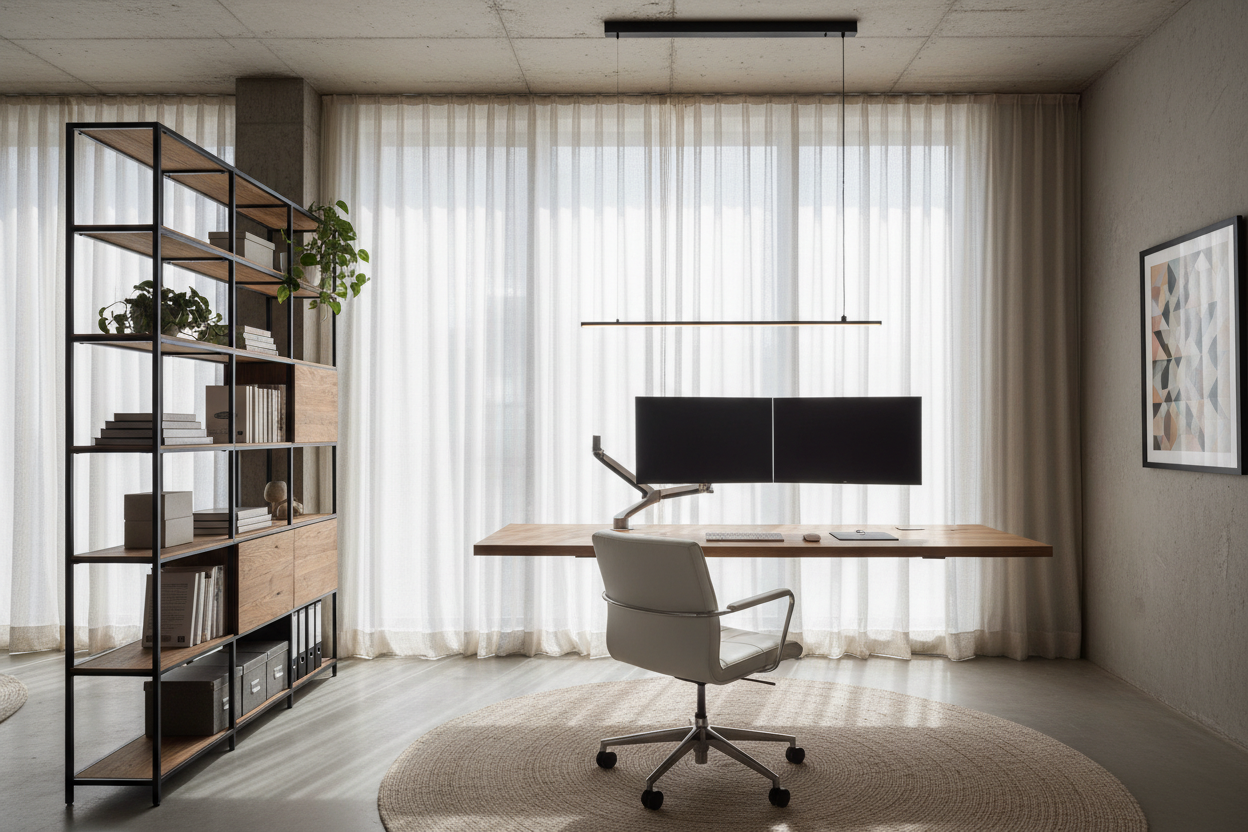
We have all experienced the fatigue that comes from a poorly designed environment—the back pain from a makeshift chair or the mental fog caused by clutter. The difference between a space where you survive the workday and one where you thrive often comes down to intentional design. As an interior designer, I see clients struggle to balance professional functionality with residential warmth. This guide explores curated office workstation ideas that bridge that gap, ensuring your workspace is as productive as it is visually compelling.
Quick Decision Guide: The Essentials
Before committing to a layout or purchasing furniture, consider these core elements to ensure your workstation meets professional standards.
- Ergonomics First: Prioritize chair height and monitor level over aesthetic trends to prevent long-term strain.
- Surface Material: Choose matte finishes (wood, laminate) over glass to reduce glare and coldness on the wrists.
- Lighting Layers: Combine ambient overhead light with focused task lighting to reduce eye fatigue.
- Spatial Flow: Ensure a minimum of 36 inches behind your chair for comfortable movement.
- Storage Integration: Vertical shelving or under-desk pedestrians are vital for maintaining visual calm.
Mastering the Layout: Flow and Function
When curating workstation ideas for home, the placement of the desk dictates the energy of the room. The "command position"—facing the door but not directly in line with it—is a classic design principle for a reason. It offers a sense of security and authority.
However, if you are working with limited square footage, consider a floating desk anchored to a wall. This clears floor space, creating an illusion of openness. For a dedicated room, a peninsula layout (perpendicular to the wall) allows for client meetings or collaborative workstation ideas for office setups where interaction is key.
Materiality: Texture and Tone
The tactile experience of your desk matters. Solid wood offers longevity and a warm, organic texture that ages beautifully, developing a patina over time. Walnut and white oak are currently favored for their ability to blend with modern and transitional decor.
Veneer vs. Solid Wood
While solid wood is the gold standard, high-quality architectural veneers are practical home workstation ideas for those on a budget. They provide the visual grain of wood without the susceptibility to warping in fluctuating humidity. Avoid cheap thermofoil finishes; they tend to peel at the edges within a year or two.
Visual Balance and Ergonomics
Aesthetically, your workstation should not look like a sterile cubicle dropped into a living space. Use a chair that complements your room's palette—perhaps a fabric-upholstered task chair rather than standard black mesh. However, never sacrifice lumbar support for style.
Integrating workstation ideas involves managing visual noise. Cord chaos destroys the serenity of a room. Look for desks with integrated cable management channels or modesty panels that hide the "spaghetti" of wires, maintaining a clean silhouette.
Lessons from My Own Projects: The Glass Desk Mistake
Early in my career, I designed a sleek, minimalist home office for a client in Chicago. We selected a stunning, architectural glass desk. It looked incredible in the portfolio photos. However, three months later, the client called me with two specific complaints that I now warn everyone about.
First, the acoustic reflection. Glass bounces sound, making zoom calls echoey and harsh. Second, the temperature. In the winter, the glass surface sapped the heat right out of her wrists, making typing uncomfortable after an hour. We ended up having to commission a custom leather desk blotter to cover the very material we paid a premium for. Now, when I discuss workstation ideas, I always steer clients toward materials that feel good to the touch, not just ones that look sharp in a rendering.
Conclusion
Designing the ideal workspace is an investment in your own efficiency and mental well-being. By selecting the right materials and respecting ergonomic principles, you can create a sanctuary that fosters focus. Don't settle for a temporary setup; build a space that respects the work you do.
Frequently Asked Questions
What is the ideal depth for a workstation desk?
For standard computer work, a depth of 24 to 30 inches is recommended. This allows enough distance between your eyes and the monitor (roughly an arm's length) to prevent strain while leaving room for a keyboard and notepad.
How can I fit a workstation into a small bedroom?
Utilize vertical space. A ladder desk or a wall-mounted secretary desk can provide a functional surface that folds away or occupies a minimal footprint. Ensure the chair can tuck fully under the desk when not in use to keep the walkway clear.
What lighting is best for reducing eye strain?
Avoid relying solely on overhead can lights, which cast shadows on your work. Use a dedicated task lamp with an adjustable arm. A bulb temperature of 3000K to 4000K (neutral white) is ideal for focus without being too clinical.

Leave a comment
This site is protected by hCaptcha and the hCaptcha Privacy Policy and Terms of Service apply.