










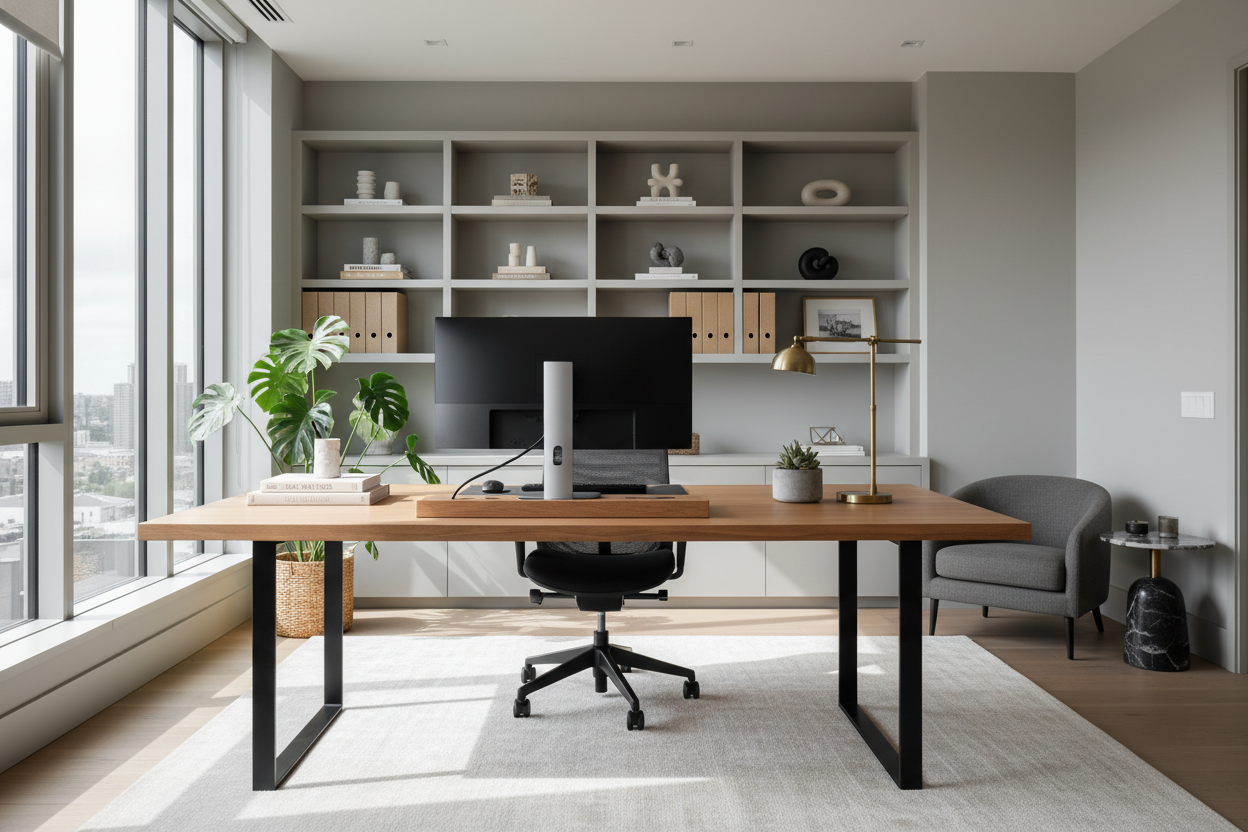
There is a distinct difference between a workspace that merely functions and one that inspires. As a designer, I frequently see homeowners push a leftover table against a wall and call it a day, only to wonder why their productivity plummets by 2:00 PM. A curated office set up is not just about aesthetics; it is an exercise in cognitive ergonomics. It is about creating a spatial flow that reduces mental friction and signals to your brain that it is time to focus.
Quick Decision Guide: The Essentials
- Ergonomics First: Prioritize a chair with adjustable lumbar support and seat depth over purely decorative options.
- Surface Area: Ensure a minimum desk depth of 24–30 inches to accommodate monitors without crowding your visual field.
- Lighting Layering: Combine ambient overhead light with task lighting (3000K–4000K) to reduce eye strain.
- Materiality: Choose matte finishes (wood, laminate) over high-gloss surfaces to eliminate distracting glare.
- Flow: Position your desk to face the room (the "command position") rather than staring directly at a blank wall.
Mastering the Spatial Layout
When analyzing successful office setups, the placement of the furniture is just as critical as the pieces themselves. In interior design, we refer to the "command position." Ideally, your workstation setup at home should allow you to see the door without being directly in line with it. This taps into a primal sense of security, allowing you to focus deeply without subconscious unease.
For smaller footprints, you might not have the luxury of a floating desk. In these cases, home desk setups near a window can provide necessary visual relief. However, be mindful of direct sunlight creating contrast glare on your screens. A sheer drapery or solar shade is essential here to diffuse the light while maintaining the view.
Materiality and The Desk: Beyond the Surface
Selecting the right desk is about balancing visual weight with durability. For a home desk set up that feels sophisticated, I often steer clients toward natural materials like walnut or white oak. These woods bring warmth and texture, softening the harshness of modern technology.
Solid Wood vs. Veneer
While solid wood is the gold standard for longevity, high-quality architectural veneers are often more stable in fluctuating humidity, preventing warping over time. Avoid cheap thermofoil finishes; they tend to peel at the edges within a year. If you are aiming for a simple office setup with a modern edge, a matte Fenix laminate is excellent—it is soft to the touch and resists fingerprints, unlike glass or polished stone.
Visual Balance and Ergonomics
Many home office desk setups fail because they ignore the vertical plane. If your desk is heavy and dark, pair it with a chair that has a lighter silhouette or mesh backing to keep the room from feeling claustrophobic.
Furthermore, consider the "reach zones." Your primary zone (keyboard, mouse) should be immediate. The secondary zone (notebooks, coffee) should be an arm's reach away. If your at home desk set up requires you to lean forward constantly to grab a pen, the ergonomics are flawed, and back pain is inevitable.
Lessons from My Own Projects
I want to share a specific realization from a project I worked on last year, which changed how I view home desk setups. I designed a stunning, minimalist office for a client using a sleek, glass-top desk. It looked incredible in the photos—airy, modern, and clean.
However, three weeks later, the client called me. The issue wasn't the look; it was the thermodynamics and the acoustics. He complained that the glass felt freezing against his wrists during early morning sessions, and every time he set his ceramic coffee mug down, it made a sharp, distracting clank that broke his concentration.
We ended up swapping it for a leather-wrapped writing desk. The difference was immediate. The leather was warm, provided just enough friction for writing, and dampened sound. It taught me that tactile comfort in an office is just as important as the visual aesthetic. When you are shopping, physically touch the surface. Imagine resting your wrists there for eight hours. If it feels cold or hard now, it will be unbearable by month three.
Conclusion
Transforming a spare corner into a high-performance workspace requires a thoughtful blend of form and function. By selecting materials that age well and prioritizing a layout that commands the room, you elevate your daily routine. Don't settle for a temporary fix; build a space that respects your work.
Frequently Asked Questions
What is the ideal desk depth for a dual-monitor setup?
For dual monitors, aim for a desk depth of at least 30 inches. This allows you to place the screens at an arm's length distance, preventing eye strain and leaving ample room for a keyboard and documents.
How can I make a small workstation look less cluttered?
Utilize vertical space. Install floating shelves above the monitor for storage to keep the desk surface clear. Additionally, invest in integrated cable management solutions, such as vertebrae spines or under-desk trays, to hide visual noise.
Is a standing desk worth the investment for a home setup?
Yes, provided it is stable. Many budget standing desks wobble at full height, which ruins concentration. Look for a desk with a dual-motor system and a heavy crossbar or wedge design for maximum stability when elevated.

Leave a comment
This site is protected by hCaptcha and the hCaptcha Privacy Policy and Terms of Service apply.