










Lighting is often the afterthought in workspace design, usually considered only after the desk and chair are in place. Yet, it is the single most critical factor in determining whether you feel energized or fatigued by 2:00 PM. As a designer, I see clients invest heavily in ergonomic seating while ignoring the strain caused by poor illumination. Selecting the right lamp for home office use isn't just about aesthetics; it is a balance of lumen output, color temperature, and architectural form that dictates your productivity.
Quick Decision Guide
If you are rushing to make a purchase, prioritize these four technical specifications to ensure functionality meets style:
- Color Temperature (Kelvin): Aim for 3,500K to 4,500K (Cool White) for alertness. Anything under 3,000K is too sleepy; anything over 5,000K is too harsh.
- Adjustability: Look for articulating arms or goosenecks. You must be able to direct light away from screens to prevent glare.
- Footprint vs. Output: Ensure the base size doesn't dominate your work surface, but check that the shade is wide enough to cast a broad pool of light.
- CRI (Color Rendering Index): Look for a CRI of 85+. This ensures colors (on documents or fabric swatches) look accurate, not washed out.
The Science of Illumination: Lumens and Temperature
In residential design, we often gravitate toward warm, ambient lighting (2,700K) because it feels cozy. However, for a workspace, this creates a "twilight" effect that signals the brain to relax. Conversely, generic office fluorescents are often too blue and sterile.
For a home office task lamp, you need a middle ground. I recommend an LED integrated fixture or a bulb that offers adjustable color temperature. This allows you to switch to cool white during high-focus morning hours and transition to a warmer glow as you wind down in the evening. Furthermore, look for a minimum of 450 to 800 lumens. This intensity is sufficient to illuminate paperwork without overwhelming your monitor's backlight.
Materiality and Visual Weight
A lamp is a sculptural element that sits at eye level; its finish and silhouette matter immensely. When selecting materials, consider the visual weight of the piece relative to your desk.
Metal Finishes
Brass and oil-rubbed bronze add warmth and a sense of heritage, often working well in traditional or transitional spaces. However, be wary of unlacquered brass in high-touch areas, as finger oils will tarnish the switch or adjustment knobs unevenly.
Matte and Architectural Finishes
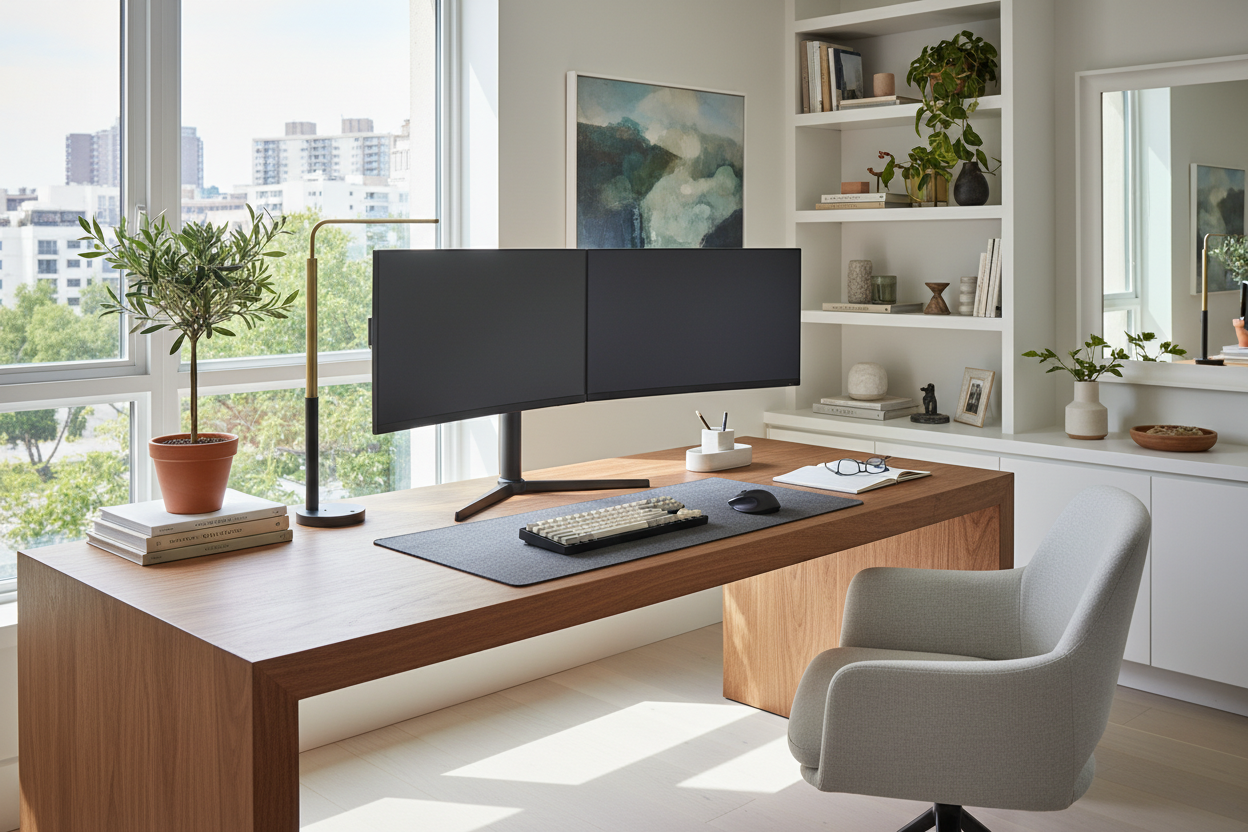
Matte black or powder-coated white creates a modern, architectural look. These finishes are excellent for reducing visual clutter. If your desk is often messy, a slim, matte black lamp with a minimal profile helps "quiet" the space visually.
Ergonomics and The "Shadow Rule"
Placement is just as vital as the fixture itself. The golden rule of task lighting is to place the lamp on the opposite side of your dominant hand. If you are right-handed, the lamp goes on the left. This prevents your hand from casting a shadow across the page while you write or sketch.
Additionally, the light source should be positioned below eye level to prevent direct glare, yet high enough to disperse light across the keyboard. This is why I almost exclusively specify lamps with adjustable heights or pivoting shades for professional workspaces.
Lessons from My Own Projects
I learned a hard lesson early in my career regarding switch placement. I once specified a stunning, high-end Italian architectural lamp for a client's expansive mahogany desk. The light quality was impeccable, and the silhouette was museum-worthy. However, the on/off switch was located on the cord, about two feet down from the base.
Because the client's desk was deep, the cord dangled behind the desk, making the switch completely inaccessible without crawling underneath. It was a functional disaster. Since then, I always check the switch mechanism personally. I look for capacitive touch dimmers on the base or rotary knobs on the shade. Also, on cheaper articulating lamps, I check the tension springs. There is nothing more frustrating than a lamp head that slowly droops over the course of an hour because the tension knobs can't hold the weight of the shade.
Conclusion
Your workspace deserves more than a leftover bedside lamp. By choosing a fixture with the right color temperature, adjustability, and build quality, you protect your vision and elevate the sophistication of your room. Treat your lighting as a tool for success, and the investment will pay dividends in your daily focus.
Frequently Asked Questions
What is the best lamp height for a computer setup?
Ideally, the bottom of the lamp shade should be at roughly the same height as your chin when seated. This keeps the bulb out of your direct line of sight while ensuring the light pool covers your keyboard and documents without hitting the monitor screen.
Can I use a decorative table lamp instead of a task lamp?
You can, but it is rarely functional for serious work. Decorative lamps usually have fabric shades that diffuse light outward (ambient) rather than directing it downward (task). If you love the look, pair a decorative lamp for mood with a slim, discreet task light for actual work.
How do I stop my lamp from causing glare on Zoom calls?
Never place your task lamp directly behind your monitor facing you, as this creates a silhouette effect. Instead, bounce the light off a wall behind your desk or position the lamp at a 45-degree angle to your face to create soft modeling on your features without blinding the camera lens.

Leave a comment
This site is protected by hCaptcha and the hCaptcha Privacy Policy and Terms of Service apply.