










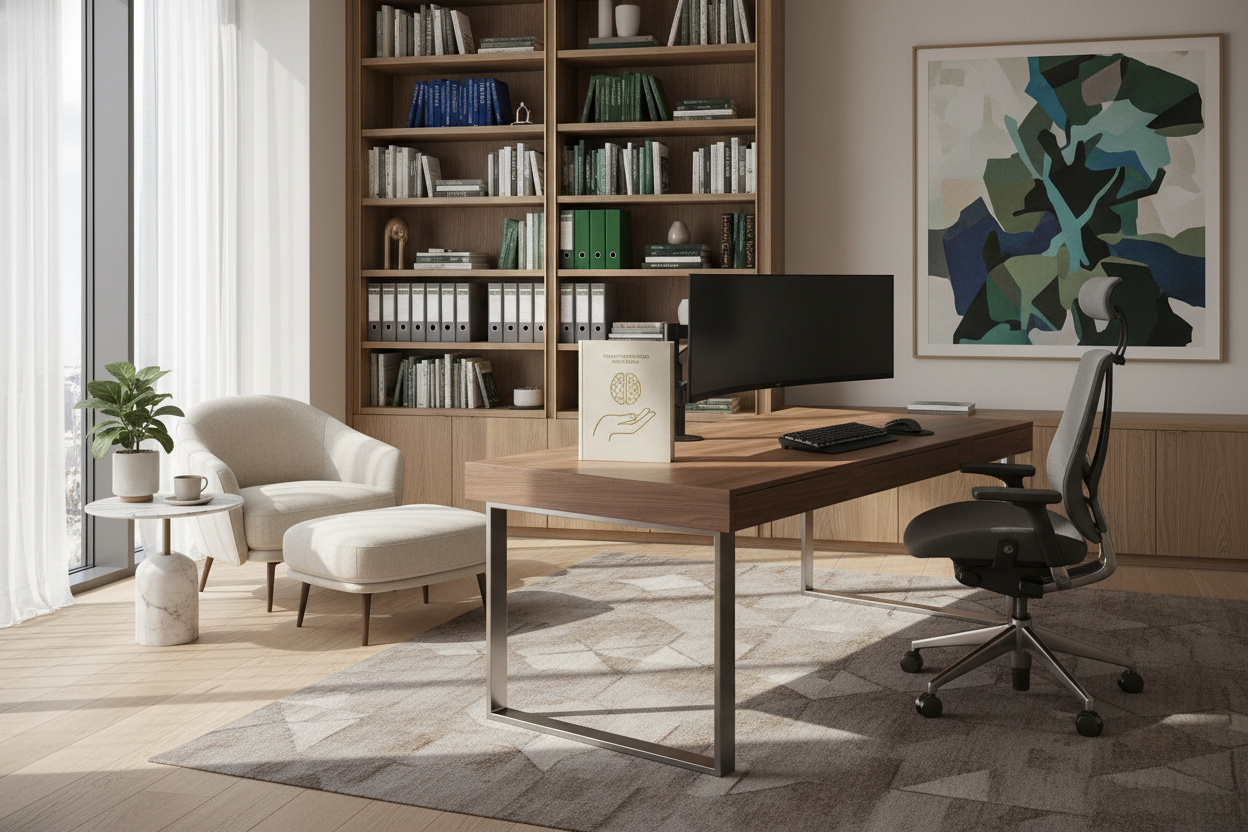
We have moved past the era of temporary setups on kitchen islands. As a designer, I see too many clients struggling to merge professional efficacy with residential comfort, often resulting in cluttered sightlines and aching backs. Establishing clear work at home guidelines is not just about HR policies; it is about curating a physical environment that sustains your focus and health. Whether you are navigating a strict corporate policy or setting your own boundaries, the layout and furniture you choose dictate your success.
Quick Decision Guide: Essential WFH Standards
Before investing in new pieces, evaluate your space against these core functional pillars to ensure long-term comfort and compliance.
- Ergonomic Compliance: Ensure seating supports the lumbar spine and keeps elbows at a 90-degree angle.
- Lighting Layers: Combine ambient overhead lighting with task lighting to reduce eye strain (aim for 4000K color temperature).
- Acoustic Control: Incorporate soft textiles (rugs, curtains) to dampen echo for professional call quality.
- Spatial Zoning: Physically separate the 'work zone' from leisure areas to maintain mental boundaries.
- Tech Integration: Plan for cable management solutions that handle employer-mandated hardware without visual chaos.
Defining the Workspace: Rules & Regulations
When we discuss work from home rules and regulations from a design perspective, we are looking at safety and spatial planning. A dedicated workspace is often a work from home requirement for many corporations, but it is also a psychological necessity.
The Ergonomic Mandate
Many guidelines for working from home prioritize employee health. If you are selecting your own furniture, resist the urge to buy a chair solely for its silhouette. A mid-century modern bucket chair may look stunning in a portfolio, but it lacks the adjustability required for an eight-hour shift. Look for task chairs with synchro-tilt mechanisms and breathable mesh or high-quality leather that regulates temperature.
Equipment and Employer Responsibilities
A common friction point in residential design is integrating corporate hardware. Clients frequently ask, do employers have to provide equipment for work from home? While legalities vary by jurisdiction, if your company provides a stipend or ships you equipment, your challenge is aesthetic integration.
Managing Corporate Hardware
Work from home employer responsibilities often include data security, which translates to design choices. For instance, screens should not face ground-floor windows where sensitive data is visible. If you are issued dual monitors that clash with your decor, consider a darker wall color behind the desk to camouflage the black plastic bezels, or invest in a monitor arm that allows you to tuck screens away when the workday ends.
Establishing WFH Rules for Layout and Flow
Your wfh rules should dictate the flow of the room. Never position a desk where your back is to the door—this triggers a primal unease known as the 'fight or flight' response. Instead, position your desk in the 'command position,' facing the room entrance.
Lighting and Video Call Aesthetics
Work from home guidelines for employers often mention professionalism on camera. To achieve this, avoid backlighting (sitting with a window behind you). Instead, position the desk perpendicular to the window. This provides soft, side-lighting that renders well on camera without causing glare on your screen.
My Personal Take on Work at Home Guidelines
In my years of designing home offices, the biggest failure I see is the 'Dining Chair Trap.' I once worked with a client who insisted on using a vintage velvet dining chair for her workspace because it matched the drapes perfectly. It was a beautiful vignette, but functionally disastrous.
After three months, the velvet pile was crushed and permanently discolored from daily friction, and she had developed significant hip pain because the seat depth was too shallow for upright typing. We had to replace it with a performance-fabric task chair. The lesson? Work at home guidelines exist for a reason. Real commercial-grade furniture is tested for 50,000+ rubs (Wyzenbeek rating) and 8+ hours of sitting. Residential furniture simply isn't engineered for that level of intensity. Always prioritize the 'sit test' over the visual snapshot.
Frequently Asked Questions
What are the standard work from home employer responsibilities regarding furniture?
Generally, employers must ensure a safe work environment, which can include ergonomic assessments. While they may not be legally required to buy you a designer desk, many offer stipends. Check your specific contract for details on reimbursement.
How do I follow work from home rules in a small apartment?
Verticality is key. Use wall-mounted shelving and a secretary desk that closes up to hide the 'office' at night. This satisfies the psychological need to 'leave work' even if you are just stepping three feet away to the sofa.
Are there specific lighting guidelines for working from home?
Yes. Avoid cool, blue-tinted light (6000K+) as it can feel clinical and harsh in a home setting. Stick to 3500K-4000K bulbs for task lamps, which provide a clean white light that improves concentration without ruining the room's ambiance.


Leave a comment
This site is protected by hCaptcha and the hCaptcha Privacy Policy and Terms of Service apply.