










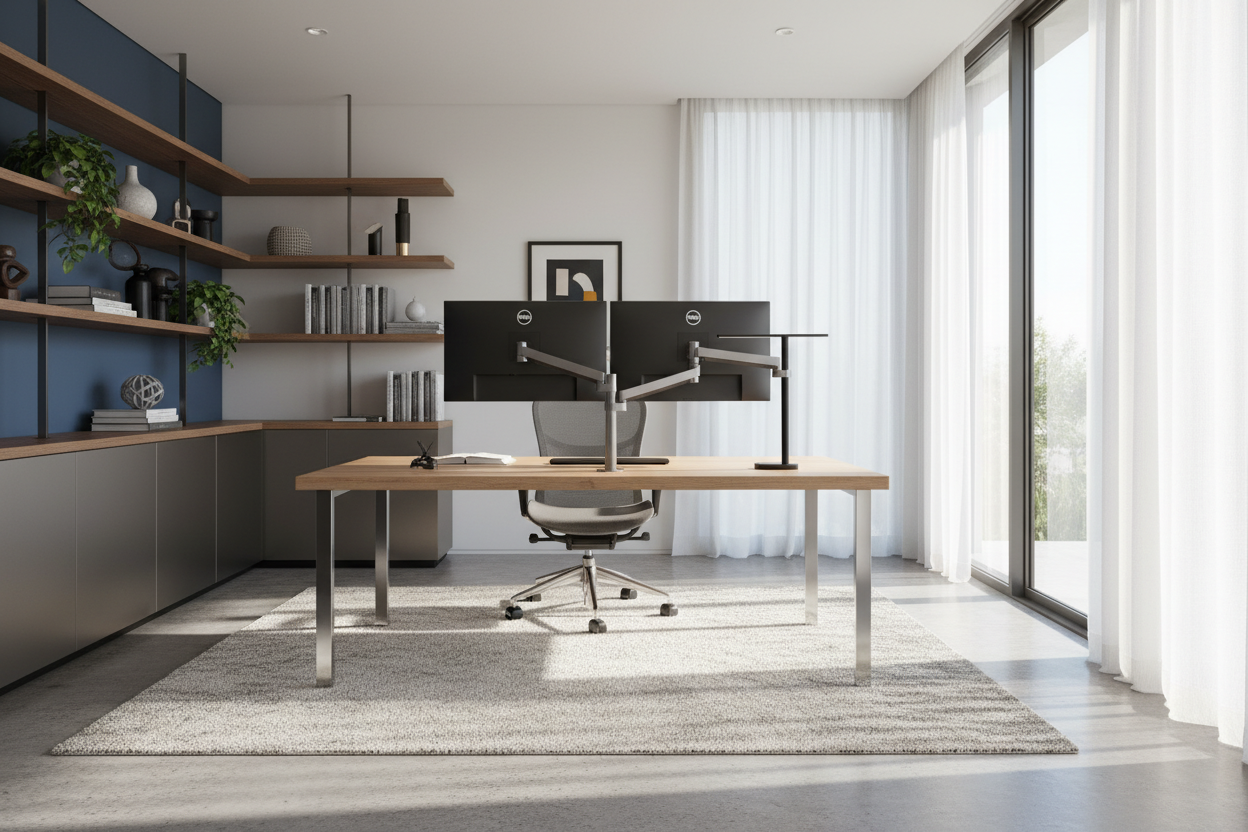
We have all been there: hunched over a laptop at the dining room table, slowly realizing that a makeshift office is terrible for both your posture and your home's aesthetic. When clients ask me to design their remote workspaces, I always stress that your desk dictates your daily comfort and the visual flow of the room. If you are shopping for a dedicated setup, you have likely stumbled across this brand. In this workfromhomedesks com review, I will break down the construction, ergonomics, and overall value of their pieces so you can decide if they actually belong in your house.
Quick Decision Guide
- Frame Stability: Heavy-duty steel bases effectively eliminate the dreaded 'typing wobble' common in cheaper alternatives.
- Material Realities: Desktop finishes range from basic laminates to premium solid woods—choose carefully based on your daily wear and tear.
- Ergonomics: Generous surface depths allow for proper monitor distance, keeping screens at least 20 inches from your eyes.
- Style Integration: The industrial-leaning silhouettes pair beautifully with transitional, minimalist, and mid-century modern decor.
Material & Build Quality
The Desktop Surface
In North American homes, a desk needs to survive fluctuating humidity, spilled coffee, and the occasional pet jumping onto the surface. The entry-level engineered wood tops from this brand offer a budget-friendly entry point, but they lack the tactile warmth of natural wood. If your budget allows, upgrading to their solid wood or high-quality veneer options provides significantly better longevity and a richer visual weight in the room.
Frame Mechanics
A beautiful desk is useless if it shakes every time you hit the spacebar. Their motorized frames utilize a dual-motor system that handles heavy loads—like multiple monitors and heavy reference books—without straining. The steel construction provides excellent grounding, ensuring the piece feels like permanent furniture rather than a temporary folding table.
Space Planning & Layout
Finding the Right Footprint
Scale and proportion are everything when integrating a workspace into a bedroom or living area. A common mistake I see is buying a desk that is too deep for a narrow room, which suffocates the walkway. These desks come in various dimensions, but I generally recommend their 48-inch models for apartment alcoves and the 60-inch models for dedicated suburban home offices. Always leave at least 36 inches of clearance behind the desk so your chair can roll back comfortably without hitting a wall.
Comfort & Ergonomics
The Sit-to-Stand Transition
From an ergonomic standpoint, the ability to change postures throughout the day is vital. The memory presets on their keypads allow you to program your exact seated and standing heights. This means you aren't guessing the right height every morning. Proper alignment—where your elbows rest at a 90-degree angle and your monitor sits at eye level—is easily achievable with their height range, accommodating users from 5'2" to 6'4".
Designer's Honest Take
Last year, I specified one of their 60-inch motorized standing desks for a client's downtown condo. The dual-motor system was incredibly quiet, and the walnut veneer added a beautiful, earthy texture to an otherwise stark, modern room. However, I learned the hard way that their matte black laminate option—which I used in a different project—is an absolute magnet for natural oils. Every time my client touched the front edge, it left a noticeable smudge. If you hate wiping down your furniture daily, skip the matte dark laminates and opt for a lighter wood grain or a textured finish. Additionally, while their cable management tray is functional, it can be incredibly frustrating to install if you don't attach it before flipping the heavy desk upright.
Frequently Asked Questions
How long does assembly usually take?
For a single person, expect assembly to take about 45 to 60 minutes. The instructions are straightforward, but the steel legs are quite heavy, so having a second person to help flip the desk upright is highly recommended.
Do these desks wobble at maximum standing height?
There is a very slight lateral movement at the absolute maximum height, which is typical for almost all two-leg standing desks. However, during normal typing and writing, the frame remains impressively rigid and does not disrupt workflow.
Are the desktop dimensions suitable for dual monitors?
Yes, but size matters here. If you use two monitors, you should opt for at least the 55-inch or 60-inch width. A 48-inch desk will feel entirely consumed by dual screens, leaving you with zero negative space for notebooks or a desk lamp.


Leave a comment
This site is protected by hCaptcha and the hCaptcha Privacy Policy and Terms of Service apply.