










I spent three hours last night scrolling through interior design subreddits, and I saw the same tragedy repeated in almost every photo. Someone buys a gorgeous, 65-inch 4K OLED screen, spends a fortune on it, and then plops it onto a 48-inch console they’ve had since their first studio apartment. It looks like a massive lollipop balancing on a toothpick.
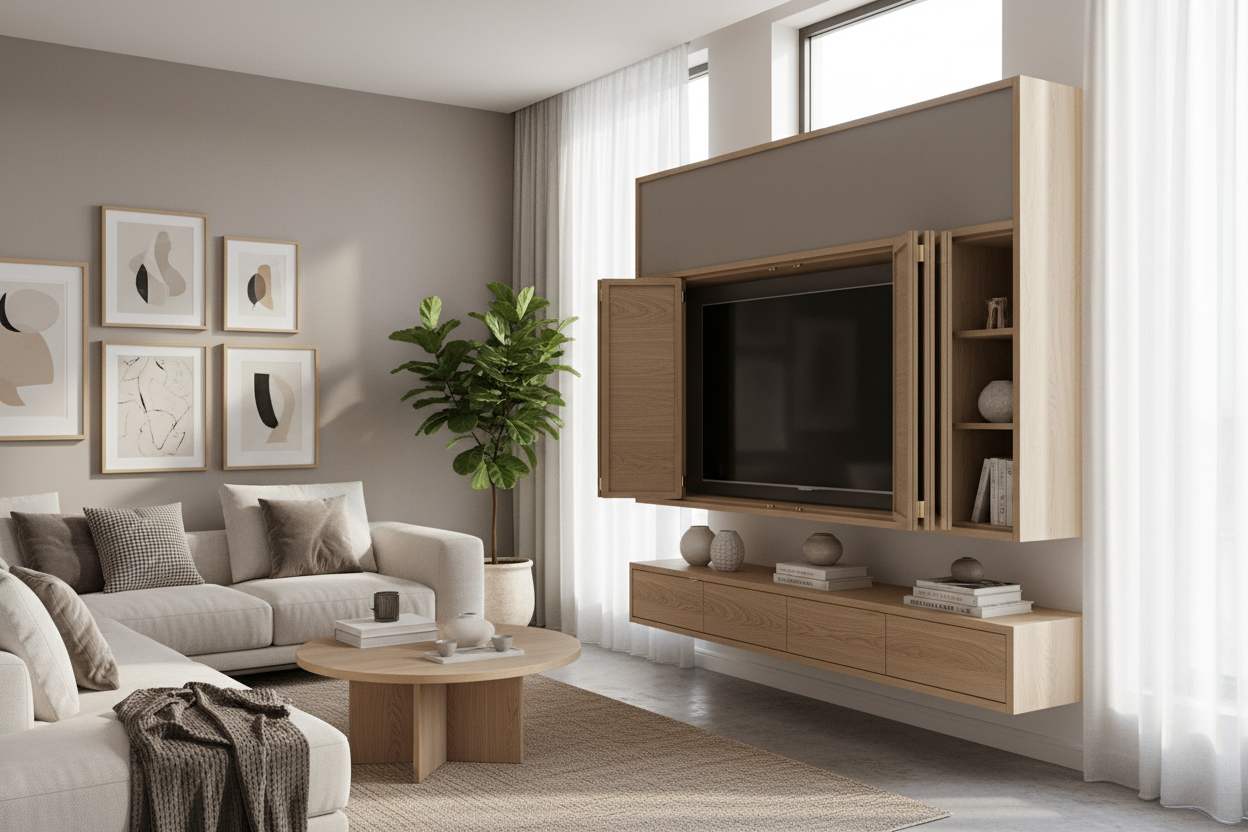
Choosing the right living room.tv stand isn't just about finding a surface that holds the weight of your electronics. It is about visual physics. If your furniture is narrower than your screen, your entire wall feels top-heavy and anxious. I’ve made this mistake myself—buying a vintage credenza because it looked 'cool,' only to realize my TV hung off the edges like a bad haircut.
Quick Takeaways
- Your console should be at least 6 to 12 inches wider than your TV on both sides.
- Visual weight matters; a spindly metal stand feels smaller than a solid wood block.
- Aim for the 25% rule: the stand should be roughly 25% wider than the screen itself.
- If you have a small room, use off-center styling to distract from a narrow console.
The 'Lollipop Effect' (And Why It Ruins Your Room)
The 'Lollipop Effect' is that awkward, unbalanced look where a huge screen dwarfs the furniture beneath it. It makes your ceiling feel lower and your expensive TV look like a temporary addition rather than a deliberate design choice. When you balance your living room correctly, the furniture acts as an anchor, grounding the tech so it doesn't feel like it's floating away.
I’ve walked into high-end homes where the owner spent $5,000 on a sofa but $200 on a tiny media unit. The result? The room feels cheap. A TV stand needs to provide a 'visual runway' for your eyes. Without that extra width on the sides, the screen feels cramped and the wall looks cluttered.
The Golden Rule for Media Proportions
Here is the math I swear by: your console should be at least 25% wider than the actual width of your TV. Note that I said width, not screen size. A 65-inch TV is usually about 57 inches wide. If you put that on a 60-inch stand, you only have an inch and a half of clearance on each side. That is a recipe for a cramped aesthetic.
For a 65-inch screen, you really want a stand that is at least 72 inches wide. If you aren't sure what size TV you'll have in three years, an adjustable wide TV stand is a lifesaver. It lets you expand the footprint as you upgrade your tech without having to buy new furniture every time Samsung releases a bigger panel.
Visual Weight Matters Just As Much As Width
Width is the number on the tape measure, but visual weight is how 'heavy' the piece feels to your eyes. A dark, chunky oak cabinet feels massive, while a white minimalist unit can almost disappear. I often find that a crisp white TV stand needs to be even wider than a dark one to provide the same sense of stability against a light-colored wall.
If you have a massive black screen (which is basically a giant black hole when turned off), you need something substantial to counter it. I’ve seen a TV stand with a fireplace work wonders here. It adds physical bulk and a secondary focal point that keeps the TV from being the only 'heavy' thing on the wall. It’s about creating a base that looks like it can actually support the 'weight' of the image.
But What If I Have a Tiny Apartment?
I get it—some of us are living in 500-square-foot boxes where a 72-inch console would block the front door. If you can't go wide, you have to get creative. Try mounting the TV to the wall and placing the console slightly off-center. Fill the 'missing' width with a tall floor plant or a stack of oversized art books on the floor.
Another trick is the gallery wall. Surround your TV with framed prints and shelves. This integrates the screen into a larger composition, making the width of the stand beneath it feel less critical because the 'unit' is now the entire wall, not just the piece of furniture.
Personal Experience: My 55-Inch Disaster
A few years ago, I bought a beautiful mid-century modern bench and decided it would be my TV stand. It was exactly 50 inches wide. My 55-inch TV was about 48 inches wide. On paper, it fit. In reality, it looked like the TV was crushing the bench. Every time I sat on the sofa, I felt like the room was tilting. I eventually swapped it for an 80-inch low-profile sideboard, and suddenly, the room felt twice as big. Proportions are the difference between a room that feels 'decorated' and one that feels 'assembled.'
FAQ
How high should my TV stand be?
Your eyes should be level with the center of the screen when you're sitting down. Usually, this means a console height of about 18 to 22 inches. Don't mount it too high; 'TV-over-the-fireplace' neck strain is real.
Can the TV be wider than the stand?
Technically yes, but it looks terrible. It creates a top-heavy silhouette that makes the room feel unstable and cluttered. Always aim for the stand to be wider.
What material is best for a heavy TV?
Solid wood or high-grade MDF with a center support leg. Avoid cheap particle board for large screens, as it will eventually sag in the middle, and there is nothing sadder than a bowed TV stand.


Leave a comment
This site is protected by hCaptcha and the hCaptcha Privacy Policy and Terms of Service apply.