










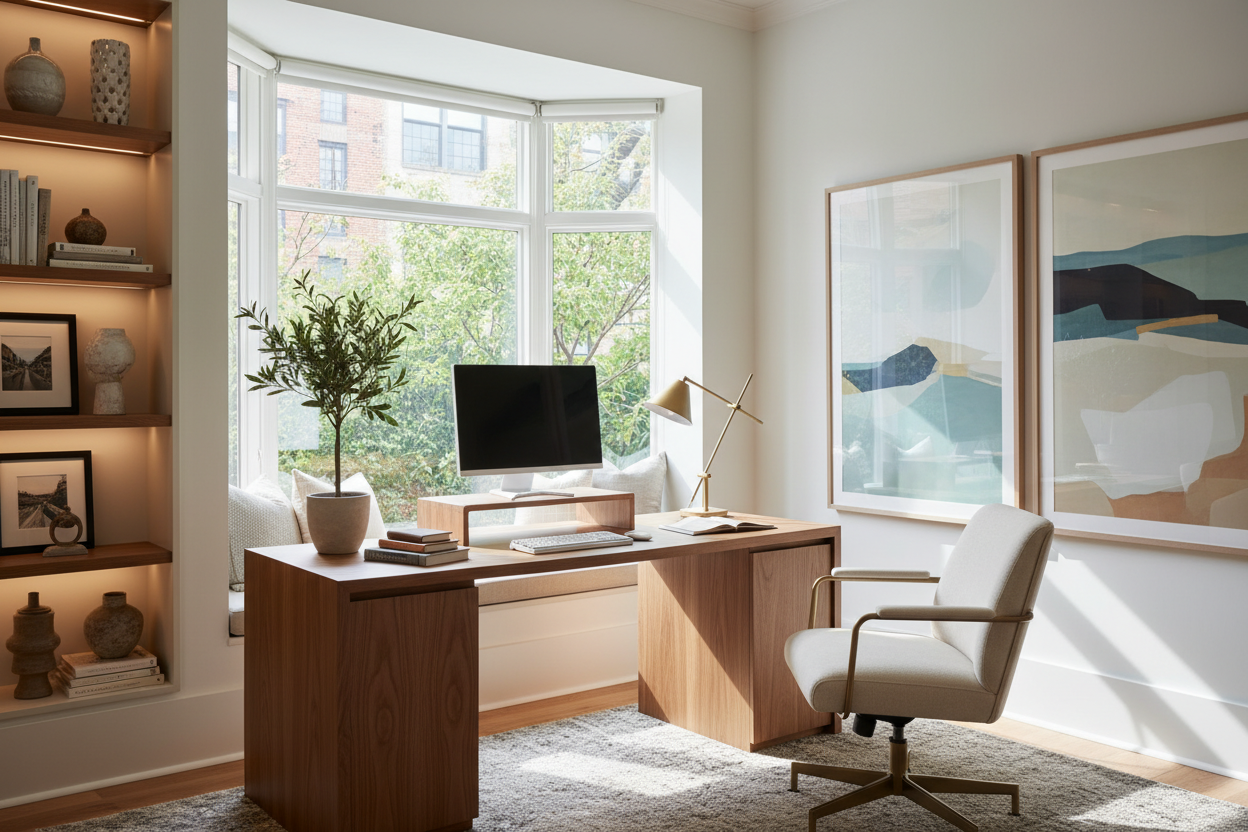
Most people default to shoving their desk against the nearest blank wall and calling it a day. But if you are spending forty hours a week in that room, a poorly planned setup quickly leads to screen glare, cramped legs, and a space that feels more like a closet than a workspace. Finding the best desk layouts isn't just about making the room look good in photos. It is about manipulating flow, light, and proportion to support how you actually function throughout the day.
A well-considered office desk arrangement changes the entire psychology of the room. Instead of feeling trapped in a corner, proper placement can make a standard 10x10 suburban spare bedroom feel like a dedicated executive suite. Here is how to plan your space like a professional designer.
Quick Decision Guide
- The Command Position: Face the door, but do not sit directly in line with it. This creates a psychological sense of control and openness.
- Clearance Rules: Always leave at least 36 to 42 inches of space behind the desk so you can comfortably push back your chair.
- Lighting Geometry: Position your desk perpendicular to windows to avoid harsh backlighting on video calls and direct screen glare.
- Cord Control: If you plan to float your desk in the middle of the room, floor outlets or strategic rug placements are non-negotiable.
Space Planning & Layout
The Command Position Explained
Borrowed from feng shui but deeply rooted in practical interior design, the command position is the gold standard for residential workspaces. This means placing your desk so you have a clear view of the entry door without being directly in the pathway. In a typical North American home office, this often means placing the desk diagonally opposite the door. It grounds the room, gives you a strong focal point, and prevents the jarring feeling of someone walking up behind you while you work.
Floating vs. Wall-Anchored
Floating a desk (placing it in the center of the room) looks incredibly high-end and creates excellent flow, but it requires a room large enough to accommodate 36 inches of walkway on all sides. If you are working with a smaller apartment or a shared guest room, anchoring one side of the desk to the wall (a peninsula layout) offers a great compromise. It breaks up the negative space without eating up the entire floor plan.
Comfort & Ergonomics
Nailing the Dimensions
A beautiful silhouette means nothing if your knees hit the drawers. Standard desk height is 29 to 30 inches. If you are pairing this with a standard office chair, ensure you have at least 24 inches of knee clearance width. When planning your layout, do not forget the visual weight of the chair. A bulky, high-backed ergonomic chair requires more breathing room visually than a low-profile mid-century design. Ensure your layout leaves enough negative space around the chair so the room doesn't feel choked.
The Window Dilemma
It is tempting to push your desk directly under a window to enjoy the view. In reality, this is an ergonomic nightmare. The contrast between a bright window and a backlit monitor causes severe eye strain, and the shifting sunlight will fight you all day. Instead, arrange your desk perpendicular to the natural light source. This washes your workspace in soft, indirect light, which is ideal for both focus and video conferencing.
Style & Coordination
Visual Weight and Your Office Desk Arrangement
The layout dictates the type of desk you should buy. If your office desk arrangement requires the piece to sit in the center of the room, avoid heavy, solid-wood pedestal desks unless you have a massive space. A heavy desk in the middle of a small room acts like a visual anchor that drags the whole design down. Opt for an open metal frame or a sleek, tapered-leg wood design to let light pass through and keep the sightlines open.
Designer's Honest Take
I learned a hard lesson about floating desks early in my career. I designed a stunning home office for a client in a historic townhouse, placing a gorgeous matte walnut desk right in the center of the room. It looked like a magazine cover. Then the client moved in and plugged in two monitors, a heavy-duty printer, a desk lamp, and a laptop charger.
Because we hadn't planned for floor outlets, a thick black power strip snaked across the vintage Persian rug, creating an ugly trip hazard. We eventually had to pivot the entire layout and push the desk against a wall to hide the cables. The takeaway? Floating a desk is only a good idea if you have a bulletproof cord management strategy. If you rely on a lot of wired tech, a wall-facing or peninsula layout will save your sanity.
Frequently Asked Questions
How much space do I need behind my desk?
You need an absolute minimum of 36 inches between the edge of the desk and the wall (or any furniture behind you). If the room allows, 42 to 48 inches is ideal to allow someone to walk behind you while you are seated.
What is the best layout for a very small room?
In tight spaces, an L-shaped corner layout is highly efficient. It utilizes dead corner space and gives you distinct zones for computer work and analog tasks, without dominating the center of the room.
Should my desk face the window?
Generally, no. Facing a window directly causes eye strain due to the contrast between the bright outdoor light and your screen. Positioning the desk perpendicular to the window is the best way to utilize natural light.


Dejar un comentario
Este sitio está protegido por hCaptcha y se aplican la Política de privacidad de hCaptcha y los Términos del servicio.