










We have all experienced the initial novelty of sending emails from the sofa, only to be met weeks later with back pain and a scattered mind. The environment you inhabit dictates your output. As an interior designer, I see clients struggle not with discipline, but with spaces that actively fight against their productivity. Implementing the right working at home best practices is less about time management software and more about physical zoning, ergonomic support, and visual psychology.
Quick Decision Guide: The Pillars of a WFH Space
If you are rethinking your home office setup, prioritizing these design elements will yield the highest return on investment for your comfort and focus.
- Ergonomics First: Prioritize a chair with adjustable lumbar support and seat depth over aesthetic trend pieces.
- Lighting Layers: Combine ambient overhead light with specific task lighting to reduce eye strain; avoid relying solely on natural light which shifts throughout the day.
- Spatial Zoning: Establish a distinct boundary between "living" and "working" zones, even if utilizing a rug or a room divider in a shared space.
- Acoustic Control: Incorporate soft textiles (curtains, rugs, upholstered furniture) to dampen echo and improve audio quality during calls.
- Surface Material: Choose matte finishes for desktops to prevent glare and fingerprint fatigue.
Zoning and Layout Strategy
The most critical error I see in residential office design is the "corner of shame" layout—shoving a desk directly against a blank wall in a dark corner. This creates a claustrophobic visual field that stifles creativity. One of the best work from home practices is to position your desk to command the room, often referred to as the "power position."
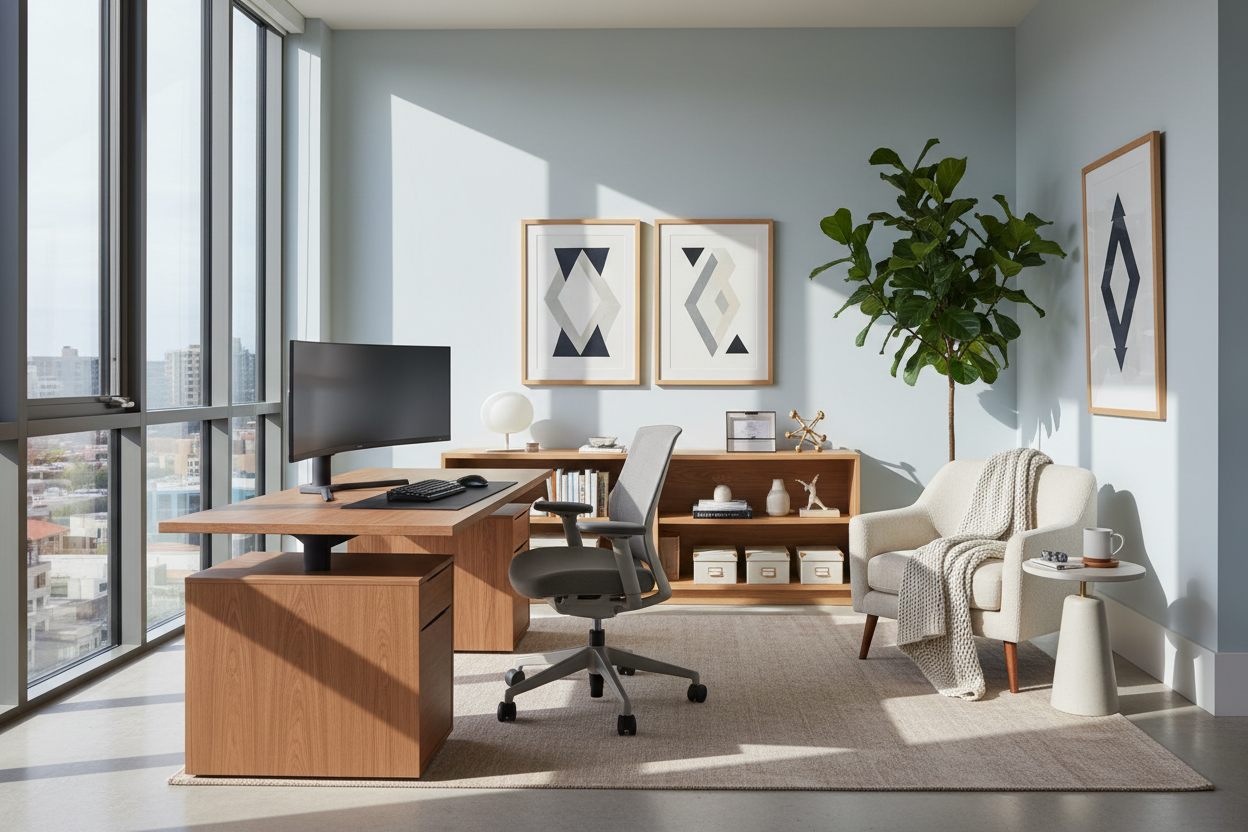
If space permits, float your desk perpendicular to a window. This allows you to enjoy the view without the direct glare hitting your monitor, which causes significant eye fatigue. If you must face a wall, install a floating shelf or artwork above the monitor to create depth and a resting point for your eyes.
The Ergonomic Investment: Chair and Desk Dynamics
While a vintage velvet armchair looks stunning in a portfolio, it is disastrous for an eight-hour workday. Your chair is a tool, not just a prop. Look for a silhouette that supports the natural S-curve of your spine. The seat material matters immensely; mesh offers breathability for long sessions, while high-quality leather warms to the body but requires climate control to prevent stickiness.
Desk Height and Depth
Standard dining tables are often too high (around 30 inches) for proper typing posture, leading to elevated shoulders and tension headaches. A dedicated desk should ideally sit between 28 and 29 inches high, or be adjustable. Ensure the desk is deep enough (minimum 24 inches) to allow your monitor to sit at arm's length, preventing digital eye strain.
Lighting and Visual Balance
Lighting is the unsung hero of wfh best practices. Relying on a single overhead pendant casts unflattering shadows on your face during video calls and creates contrast issues for your eyes. Use a three-point lighting approach:
- Ambient: General ceiling light for the room.
- Task: An articulated desk lamp with a warm-to-neutral temperature (3000K-4000K) focused on your documents, not the screen.
- Accent: A floor lamp or bias lighting behind the monitor to soften the contrast between the bright screen and the dark room.
My Personal Take on working at home best practices
I learned a hard lesson about materials early in my career while designing my own home studio. I fell in love with a sleek, high-gloss lacquered writing desk. It was visually striking—a true statement piece. However, after one week of actual work, I realized it was a nightmare. The high-gloss finish acted like a mirror, reflecting the overhead recessed lighting directly into my eyes, causing migraines by noon.
Furthermore, the optical mouse struggled to track on the slick surface, forcing me to use a mousepad that ruined the clean aesthetic I was aiming for. And the fingerprints? I was wiping it down five times a day. Now, I always advise clients to choose honed stone, wood veneer, or matte laminate for work surfaces. It’s a tactile detail that you don't think about until it becomes a daily nuisance. True luxury in a home office is friction-free functionality.
Conclusion
Transforming your workspace is not merely about purchasing new furniture; it is about respecting the ritual of work through design. By addressing lighting, ergonomics, and layout, you create a container that holds your focus and protects your downtime. Invest in the pieces that you touch the most, and your environment will return the favor with increased clarity and calm.
Frequently Asked Questions
How do I apply these practices in a small apartment?
In compact spaces, verticality is key. Utilize wall-mounted shelving units that include a drop-down desk leaf. This allows you to physically "close" the office at the end of the day, signaling to your brain that the workday is over, which is vital for mental separation.
What is the best color temperature for a home office?
Aim for 3500K to 4000K LED bulbs. This range mimics bright morning daylight, which stimulates alertness and focus. Avoid warm, yellow lights (2700K) which can induce drowsiness, or harsh cool whites (5000K+) which can feel clinical and sterile.
Is a standing desk necessary for best work from home practices?
While not mandatory, a sit-stand converter or desk is highly recommended for circulation. If a full standing desk isn't in the budget or doesn't fit your aesthetic, ensure you have a workspace layout that encourages movement, such as placing the printer or file storage across the room to force micro-breaks.

Dejar un comentario
Este sitio está protegido por hCaptcha y se aplican la Política de privacidad de hCaptcha y los Términos del servicio.