










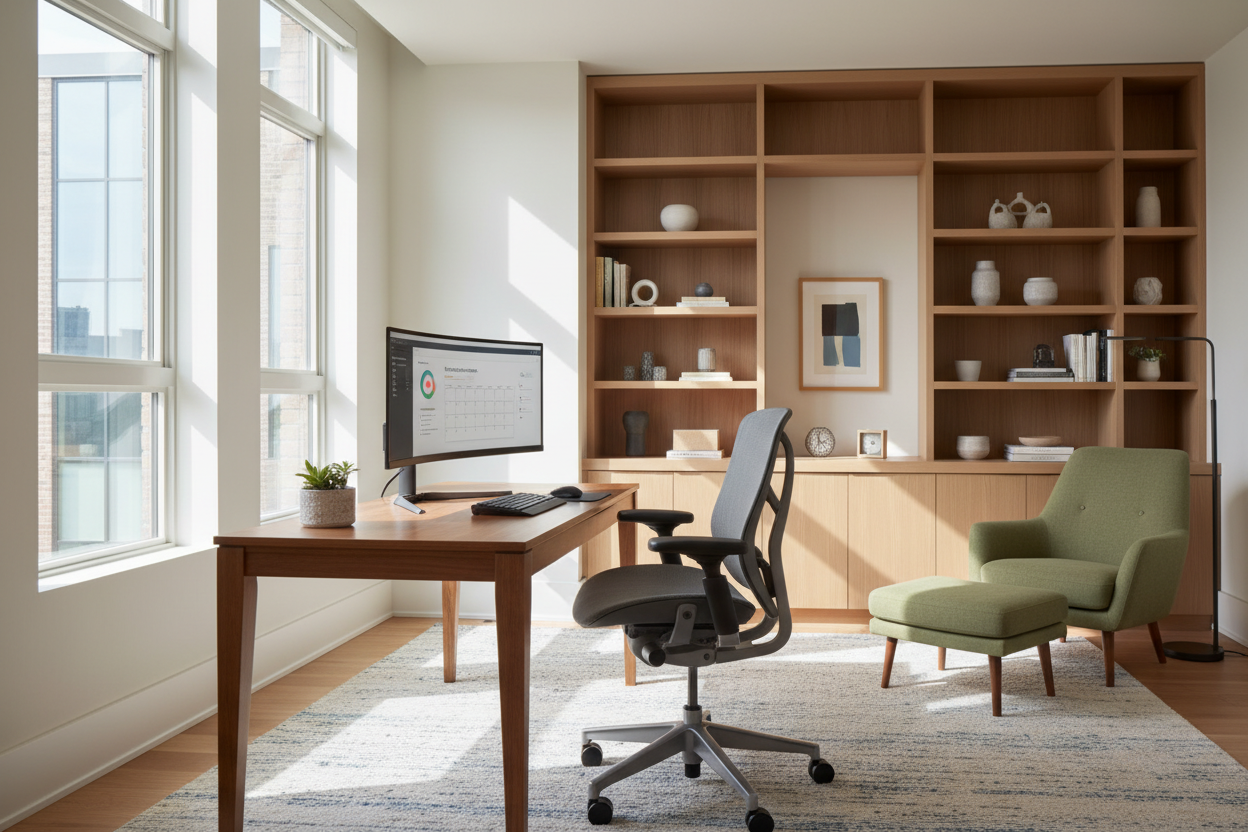
We have all attempted to draft emails from the sofa or conduct Zoom calls at the kitchen island, only to realize by midday that our backs ache and our focus has fractured. As an interior designer, I tell my clients that your environment dictates your output. Learning how to be successful working remotely isn't just about discipline or software; it is fundamentally about ergonomics, spatial planning, and selecting furniture that supports the human body for eight hours a day. A well-curated space doesn't just look professional—it functions as a tool to sustain your energy and creativity.
Key Design Elements for Productivity
- Ergonomics Over Aesthetics: Prioritize task chairs with adjustable lumbar support and seat depth over trendy, fixed-back accent chairs.
- Lighting Layers: Combine ambient overhead lighting with focused task lighting to reduce eye strain and screen glare.
- Surface Area: Ensure your desk depth (minimum 24-30 inches) accommodates monitors without cramping your keyboard reach.
- Acoustic Control: Use textiles like rugs and upholstered furniture to dampen echo and improve audio quality on calls.
- Visual Zoning: Position furniture to create a distinct psychological boundary between 'work' and 'living' zones.
The Foundation: Investing in the Right Chair
If there is one piece of furniture that defines remote work success, it is the task chair. In the showroom, clients often gravitate toward mid-century modern bucket seats because of their sleek silhouette. However, for full-time work, these are detrimental. You need a mechanism that moves with you.
Look for a "synchro-tilt" mechanism, which allows the backrest and seat to recline at different ratios, keeping your feet flat on the floor while opening your hip angle. Material selection is equally critical. While high-grade leather offers a luxury aesthetic and durability, a high-performance mesh is often superior for temperature regulation during long sessions, preventing heat buildup that causes restlessness.
Desk Dynamics and Spatial Layout
The desk is your command center, but size is often misjudged. A common mistake is selecting a console table as a desk to save space. These are typically only 16 to 18 inches deep, forcing you to sit too close to your monitor, leading to digital eye strain.
The Command Position
Beyond the furniture itself, placement is paramount. Borrowing from design psychology, position your desk in the "command position"—facing the door, with a solid wall behind you. This reduces subconscious anxiety about what is happening behind your back and offers a professional backdrop for video calls. If you must face a wall, install a mirror or artwork above the desk to create visual depth and prevent the feeling of being boxed in.
Lighting: The Invisible texture
Lighting is the texture you feel but cannot touch. Relying solely on a single overhead pendant creates harsh shadows that induce fatigue. To achieve a balanced scheme, layer your lighting. Start with diffuse ambient light, then add a dedicated task lamp with an adjustable arm. Ideally, position your desk perpendicular to a window. Facing a window directly causes contrast glare, while sitting with your back to one creates silhouette issues on camera and glare on your screen.
My Personal Take on how to be successful working remotely
I learned a hard lesson about materials early in my own home office renovation. I fell in love with a stunning, reclaimed rough-hewn oak desk. It added incredible texture and warmth to the room. However, after two weeks of working, I realized it was a functional nightmare. The uneven grain meant my mouse skipped constantly, and writing on a single sheet of paper was impossible without a pad. Worse, the rough edge snagged my merino wool sweaters.
It taught me that in a workspace, the "hand" of the material—how it feels against your skin and equipment—is just as important as the look. I eventually had to have a custom glass top cut for it. It ruined the matte finish I loved, but it saved my sanity. Success in a home office often comes down to these tactile details that you don't notice until they start annoying you.
Conclusion
Designing a workspace is an investment in your career capital. By selecting ergonomic furniture, optimizing your layout, and respecting the functional needs of your workflow, you create a sanctuary that fosters focus. Don't settle for a makeshift setup; curate a space that works as hard as you do.
Frequently Asked Questions
What is the ideal desk height for an ergonomic setup?
The standard desk height is 29 to 30 inches. However, this is often too high for proper typing posture for people under 5'10". An adjustable sit-stand desk or a keyboard tray can help ensure your elbows remain at a 90-degree angle.
Is a standing desk necessary for remote work success?
While not strictly necessary, a standing desk encourages movement, which is vital for circulation. If you prefer a fixed desk, ensure you take hourly breaks. The goal is postural variety, not just standing all day.
How do I choose the right rug size for a home office?
Ideally, your rug should be large enough that your chair remains on the rug even when you push back from the desk. This prevents the casters from getting stuck on the rug's edge, which ruins the flow of movement and damages the floor.


Dejar un comentario
Este sitio está protegido por hCaptcha y se aplican la Política de privacidad de hCaptcha y los Términos del servicio.