










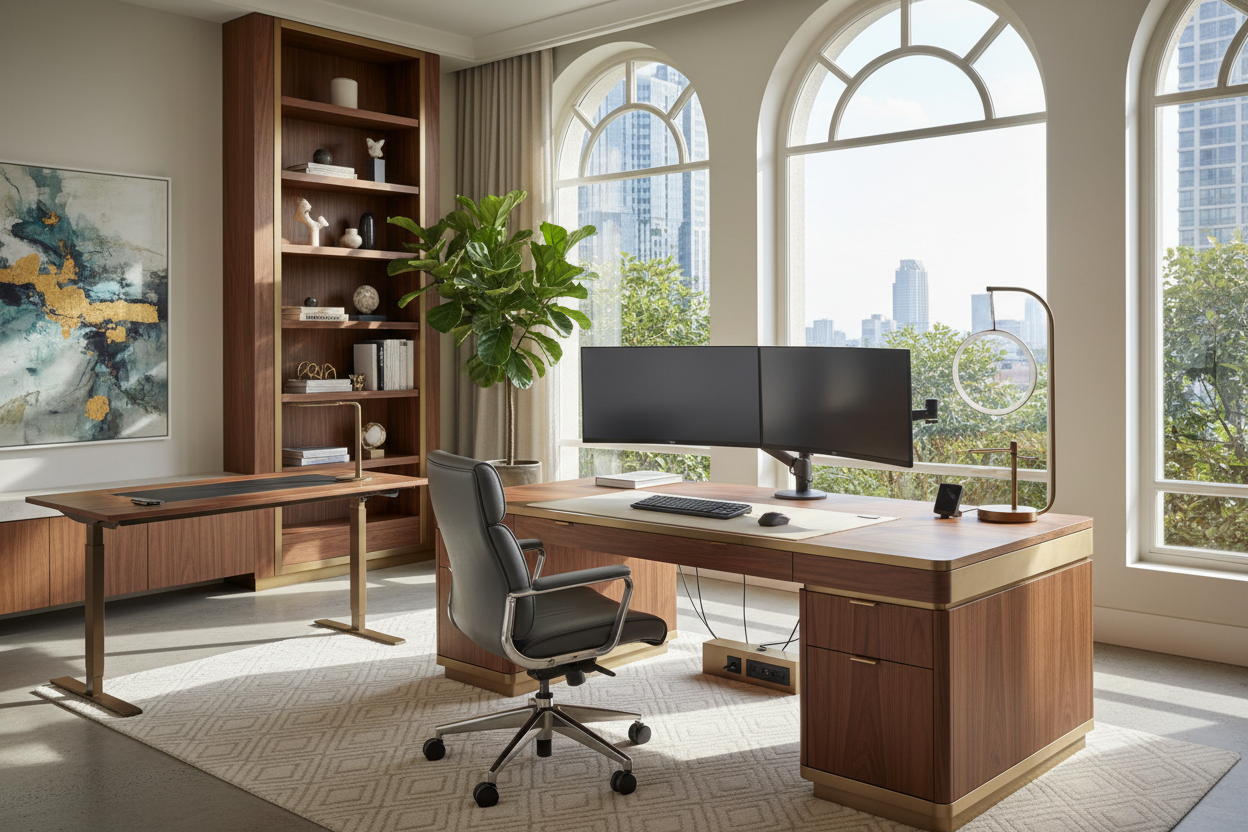
The most frequent dilemma I encounter when consulting with residential clients isn't a lack of square footage; it is the visual friction between high-tech utility and residential warmth. Integrating a computer setup home requires a delicate balance. You want the functionality of a corporate headquarters without your sanctuary feeling like a sterile cubicle. It is about curating a space that invites focus while maintaining the design integrity of your interior.
Quick Decision Guide: The Essentials
- Desk Depth: Aim for a minimum of 24–30 inches to maintain proper focal distance from monitors.
- Materiality: Prioritize solid hardwoods (walnut, white oak) or high-pressure matte laminates over cheap veneers that peel with heat.
- Lighting Temperature: Stick to 2700K–3000K for ambient lighting to reduce eye strain; avoid harsh 5000K daylight bulbs in the evening.
- Ergonomic Foundation: Invest in a chair with synchro-tilt mechanisms rather than just height adjustment.
- Cable Management: Look for integrated grommets or under-mount trays to preserve the visual silhouette.
Curating the Foundation: The Desk and Layout
The centerpiece of the best desk setup for home office environments is not the computer, but the surface it rests on. When selecting a desk, consider the visual weight. If you are placing the setup in a shared living area, opt for a desk with legs rather than a blocky pedestal base; this increases the perception of floor space and keeps the room feeling airy.
For a sophisticated it office setup, material selection is paramount. I often steer clients toward solid wood or matte Fenix surfaces. Unlike glossy finishes, matte textures absorb light rather than reflecting it, reducing glare on your monitors and hiding fingerprints. If you are creating a home office setup with laptop and monitor, ensure the desk width accommodates the peripherals without looking cluttered. A 60-inch width is generally the sweet spot for a dual-screen configuration.
Ergonomics Meets Aesthetics
The best work setup is one you can inhabit for eight hours without fatigue. However, ergonomic chairs are often design offenders. Look for task chairs that offer lumbar support but utilize fabric upholstery or high-quality mesh rather than aggressive, racing-style leather. The goal is to have the chair blend into the room's color palette rather than screaming for attention.
Monitor Placement and Visual Balance
Your work computer setup should prioritize eye level. A common mistake is placing monitors too low, forcing a forward head posture. Use monitor arms instead of stock stands. Not only does this allow for precise ergonomic alignment, but it also reclaims valuable desk real estate, allowing for a cleaner aesthetic. This floating effect contributes significantly to an ideal work from home setup.
Lighting: The Invisible Design Element
Lighting defines the mood. Avoid relying solely on overhead recessed cans, which create unflattering shadows. Layer your lighting. Start with a focused task lamp with an adjustable arm for document work. Then, introduce bias lighting (LED strips) behind your monitor. This reduces the contrast between the bright screen and the dark room, significantly lowering eye strain and adding a soft, architectural glow to the setup.
Lessons from My Own Projects
In my years of designing, I’ve learned that specifications on paper don't always translate to daily use. I once designed a custom computer setup home using a stunning, reclaimed barn wood top for a client. It was visually spectacular. However, within a week, I received a call: the texture was too rough for writing, and the mouse skipped constantly.
We had to commission a custom leather desk blotter to solve the issue. It taught me a valuable lesson I now apply to every project: tactile function comes first. Another detail I personally struggle with is the "all-black" trend. On my own desk, I initially bought matte black accessories. I regretted it within a month. Dust shows up instantly on black. I now advise clients to mix materials—gunmetal, brushed brass, or warm woods—which hide dust better and age more gracefully than monochromatic plastic.
Conclusion
Transforming your workspace isn't just about buying gear; it is about intentional design. By selecting materials that age well, prioritizing lighting layers, and hiding the "tech" clutter, you create a space that serves your career and respects your home’s aesthetic. Start with the desk, and let the rest follow.
Frequently Asked Questions
How deep should my desk be for a comfortable computer setup?
Ideally, your desk should be between 24 and 30 inches deep. This allows you to place your monitor at arm's length, preventing eye strain, while leaving enough room for a keyboard, mouse, and notepad without feeling cramped.
What is the best way to hide cables in a home office?
Avoid cheap plastic ties. Use velcro sleeves to bundle cables together, and mount a metal J-channel tray under the desk surface. For a truly seamless look, run cables down the desk leg using magnetic cable sheaths or zip-tie mounts.
Can I use a dining chair for my work setup?
For short periods, yes, but for a full workday, it is ill-advised. Dining chairs lack the lumbar support and adjustability required for long-term posture health. If you dislike the look of office chairs, look for "resimercial" designs that hide ergonomic features inside upholstered shells.

Dejar un comentario
Este sitio está protegido por hCaptcha y se aplican la Política de privacidad de hCaptcha y los Términos del servicio.