










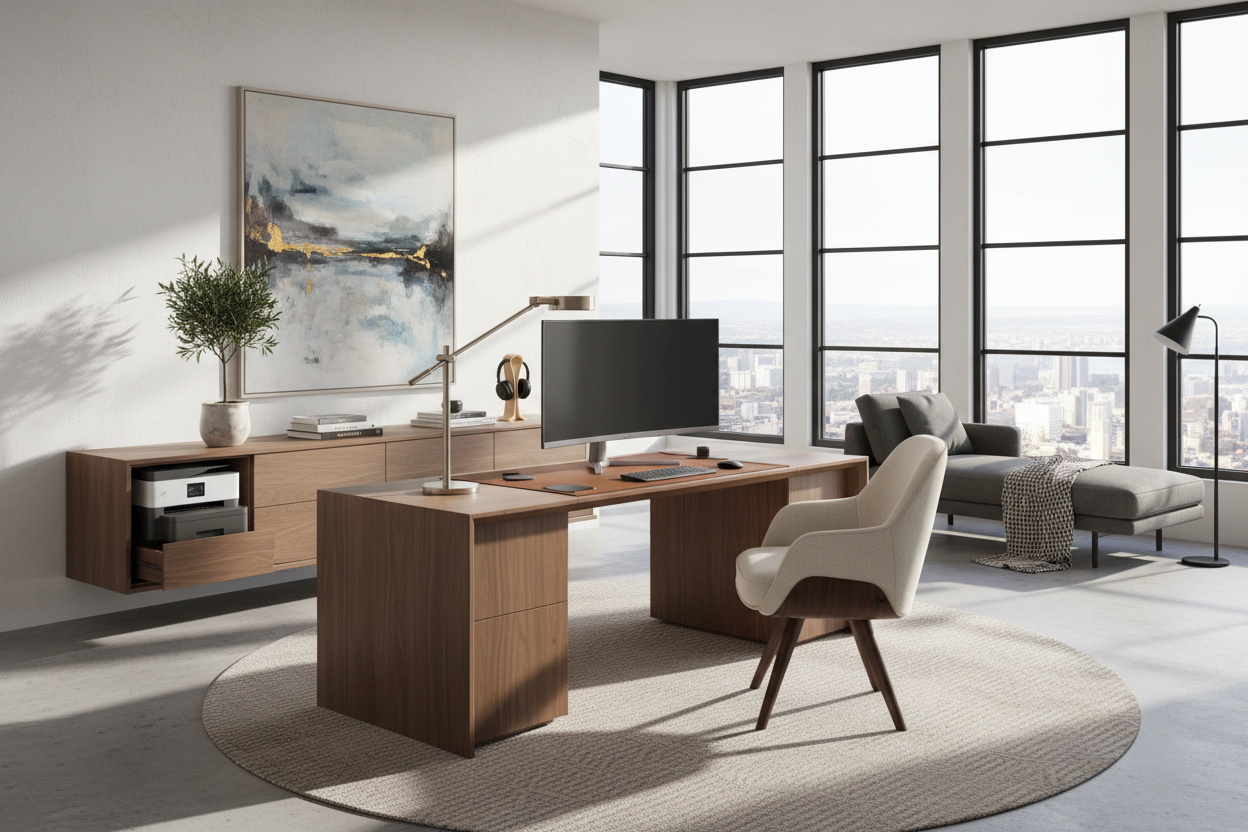
We have all been there. You set up a temporary workspace in the guest room or living area, and suddenly, the space feels heavy, cluttered, and decidedly un-relaxing. The challenge of integrating home and office equipment into a residential floor plan is one of the most common dilemmas my clients face. You want the functionality of a corporate setup, but you certainly do not want your sanctuary looking like an IT department. By the end of this guide, you will know exactly how to merge these two worlds seamlessly without sacrificing your personal aesthetic.
Quick Decision Guide
- Prioritize closed storage: Printers, shredders, and routers should live behind solid doors or inside woven baskets, not on open shelving.
- Match finishes to the room: Opt for warm woods or matte metals that speak to your existing decor rather than stark commercial laminates.
- Respect visual weight: Keep heavy dual monitors anchored against a wall rather than floating them in the middle of an open-concept room.
- Invest in ergonomics smartly: Dining chairs are for dining. A proper task chair is non-negotiable for your back, but it can still be upholstered in a residential fabric.
Space Planning & Layout
Establishing Visual Boundaries
When placing a desk in a multi-use room, orientation is everything. In typical North American suburban homes, we often see desks shoved into a dark corner. Instead, try floating a finished-back desk perpendicular to a window. This gives you a view while working and creates a natural division of space. Just remember to leave at least 36 to 42 inches of clearance behind the desk for your chair to roll comfortably without hitting the sofa or a wall.
Style & Coordination
Avoiding the Commercial Aesthetic
The secret to styling is treating your tech like decor. When selecting office equipment for the home, pay close attention to the silhouette and materials. A massive, black plastic printer will instantly kill the vibe of a curated mid-century modern living room. Look for hardware in white, soft gray, or even brushed brass accents. If you must have heavy-duty gear, build it into a custom millwork cabinet. Layering texture around the workspace—think a chunky wool rug underfoot or a linen pinboard—softens the hard edges of monitors and keyboards.
Comfort & Ergonomics
The Truth About Aesthetic Desk Chairs
We need to talk about the beautiful, velvet bucket chairs I see all over design blogs. They look stunning, but after four hours of answering emails, your lower back will be screaming. True ergonomic support requires adjustable seat depth, lumbar tension, and proper armrest height. Thankfully, many reputable brands now offer high-performance task chairs in residential fabrics like bouclé or woven linen. You do not have to settle for the standard black mesh monolith to get proper support.
Lessons from My Own Projects
A few years ago, I designed a stunning workspace for a client in a downtown Chicago condo. We chose a beautiful, minimalist glass desk. It looked incredibly chic on installation day. Then, the client moved in their dual monitors, docking station, and mechanical keyboard. The glass surface meant every single thick black wire was visible from every angle of the open-concept living space. It was a chaotic mess.
I learned the hard way that when it comes to technology-heavy setups, solid surfaces and built-in wire management are non-negotiable. We ended up swapping the desk for a solid walnut piece with a discreet drop-down cable tray. Minimalist glass is strictly for writing letters, not running a business.
Frequently Asked Questions
How do I hide cords from my home and office equipment?
Use a combination of under-desk cable trays, zip ties, and neoprene sleeves to bundle wires together. If your desk floats in the room, route the main power strip down the back of a desk leg using adhesive clips.
What size desk do I need for a dual-monitor setup?
To comfortably fit two standard monitors, a keyboard, and have room to write, you need a desk that is at least 60 inches wide and 24 to 30 inches deep. Anything shallower will put the screens too close to your eyes.
Can I put a workspace in my bedroom?
Yes, but visual separation is crucial for your sleep hygiene. If possible, place the workspace in a closet (a 'cloffice') or use a folding screen to hide the monitors at night. Always turn off glowing standby lights to keep the room restful.


Dejar un comentario
Este sitio está protegido por hCaptcha y se aplican la Política de privacidad de hCaptcha y los Términos del servicio.