










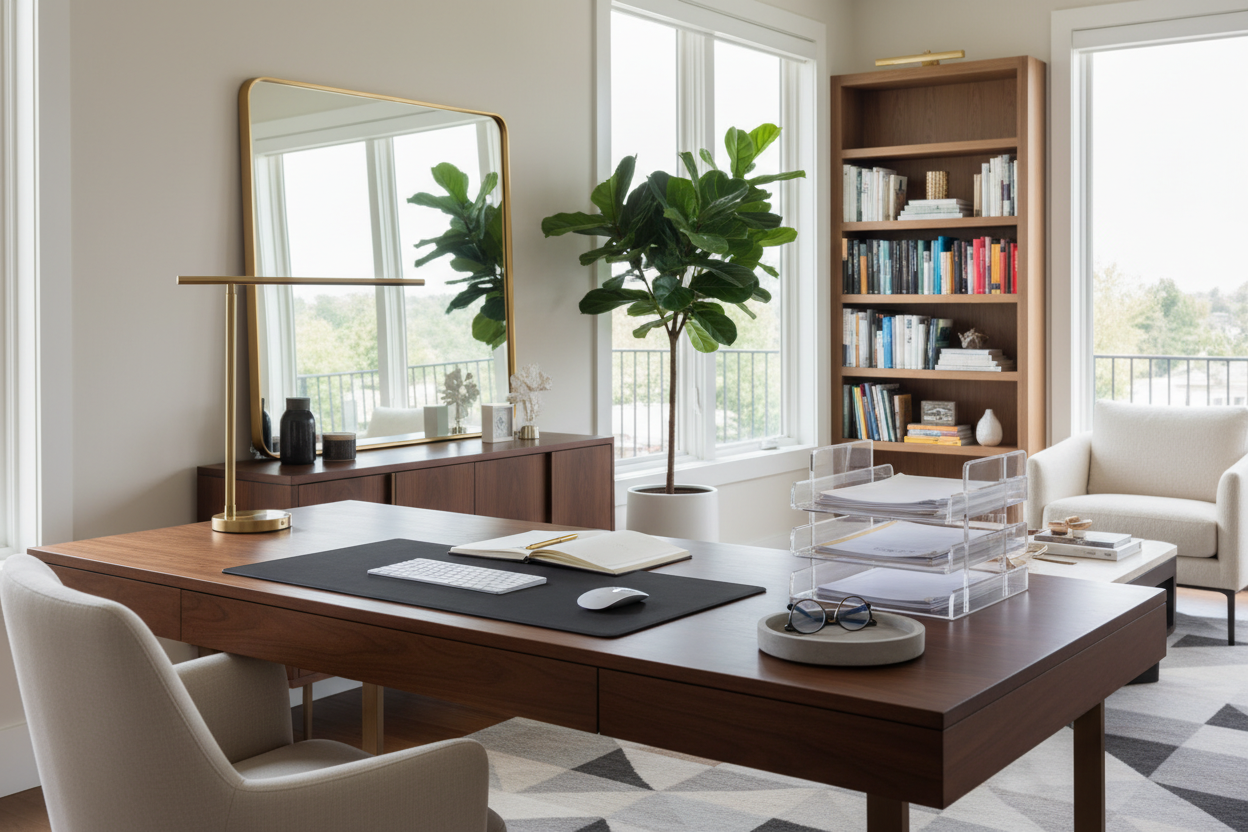
Visual noise is the silent killer of productivity. When I enter a client's home office, the focal point is rarely the architectural details or the view; it is often the chaotic accumulation of paper, tech, and stationery on the work surface. To organize desks effectively, we must move beyond simple tidying and approach the task as a curation of your daily tools. A well-organized workspace does not just look pristine in photos; it facilitates a flow state by reducing cognitive load through intentional design.
Quick Decision Guide: The Essentials of Desk Organization
- Define Your Zones: Separate your "active work" area (keyboard/mouse) from your "reference" area (notebooks/documents).
- Vertical Utilization: Use monitor risers with storage or wall-mounted shelving to free up the primary surface.
- Material Selection: Opt for leather or felt trays over hard plastic to dampen sound and add tactile warmth.
- Cable Management: Prioritize organizers that integrate hidden cable routing to maintain visual silence.
- Lighting Hierarchy: Ensure your task lamp does not compete with your screen glare; position it to illuminate the analog workspace.
Mastering the "Prime Real Estate" Concept
In interior design, we talk about spatial planning, and your desk surface is a microcosm of a floor plan. The area within the immediate reach of your arms—roughly a semi-circle—is your prime real estate. The most common mistake I see is filling this zone with items used only once a week.
To how to organize desks for maximum efficiency, place only your daily essentials here: the keyboard, the mouse, and perhaps a single, high-quality pen. Everything else belongs in the secondary zone (drawers or side consoles). By preserving negative space around your hands, you create a psychological buffer that reduces anxiety.
Choosing Materials: Texture and Visual Weight
Organization tools are often an afterthought, resulting in a mismatch of cheap acrylics or wire mesh that clashes with a high-end solid wood desk. As a designer, I advocate for organizers that complement the furniture's silhouette and finish.
The Case for Natural Materials
Synthetic materials often create static and collect dust visibly. Instead, look for full-grain leather catchalls or solid walnut trays. These materials age beautifully, developing a patina over time rather than looking scratched and worn. Furthermore, leather acts as a grounding element, preventing items from sliding and softening the sound of placing down a phone or pen.
Concealing the Tech Infrastructure
Nothing ruins a sophisticated aesthetic faster than a tangle of black PVC cables. This is where form must meet function aggressively. When curating a workspace, I always inspect the underside of the desk. If your desk lacks an integrated modesty panel or cable tray, you must create one.
Use weighted cable blocks on the surface to keep charging cords accessible but tidy. Underneath, mount a spine or a basket to hold the power strip. The goal is "visual silence"—where the technology is available instantly but invisible when not in use.
Lessons from My Own Projects: The "Acrylic Trap"
I feel compelled to share a specific failure from my own home office redesign a few years ago. I fell in love with the look of clear, heavy-gauge acrylic organizers. In the showroom, they looked sleek, modern, and disappeared into the room, making the desk feel larger. I bought a full suite of them.
Within two weeks, I regretted it. What nobody tells you about clear acrylic is that it magnifies dust. Every speck of eraser shaving or lint was visible from the other side of the room. Worse, the sound of dropping a metal pen into a hard acrylic cup was jarringly loud, breaking my concentration. I found myself constantly wiping them down with microfiber cloths to prevent them from looking cloudy. I eventually swapped them for felt-lined wooden organizers. The lesson? In a high-traffic zone like a desk, tactile acoustics and maintenance ease trump initial visual transparency.
Curating Your Sanctuary
Ultimately, the way you arrange your desk sets the tone for your professional output. By selecting materials that age with grace and prioritizing negative space, you transform a utility surface into a sophisticated command center. It is about creating a space where you are eager to sit down and create.
Frequently Asked Questions
How do I organize a desk without drawers?
When storage is absent, you must build upwards or outwards. Utilize a monitor riser with built-in drawers for small items like post-its and drives. Additionally, a mobile pedestal (file cabinet) that slides under the desk can provide the deep storage needed to keep the surface clear.
What is the best way to manage paper clutter?
Adopt a "touch it once" policy supported by a tiered tray system. Use a high-quality, stackable leather or wood tray for "Action Items" and file everything else immediately. Do not let paper pile up horizontally; vertical sorters take up less visual weight and make retrieval easier.
How do I maintain the organization long-term?
The key is the "Friday Reset." Dedicate the last 10 minutes of your work week to clearing the desktop. If every item has a designated "home" within your organizers, this process is swift. Returning to a pristine desk on Monday morning significantly boosts morale and readiness.



Dejar un comentario
Este sitio está protegido por hCaptcha y se aplican la Política de privacidad de hCaptcha y los Términos del servicio.