










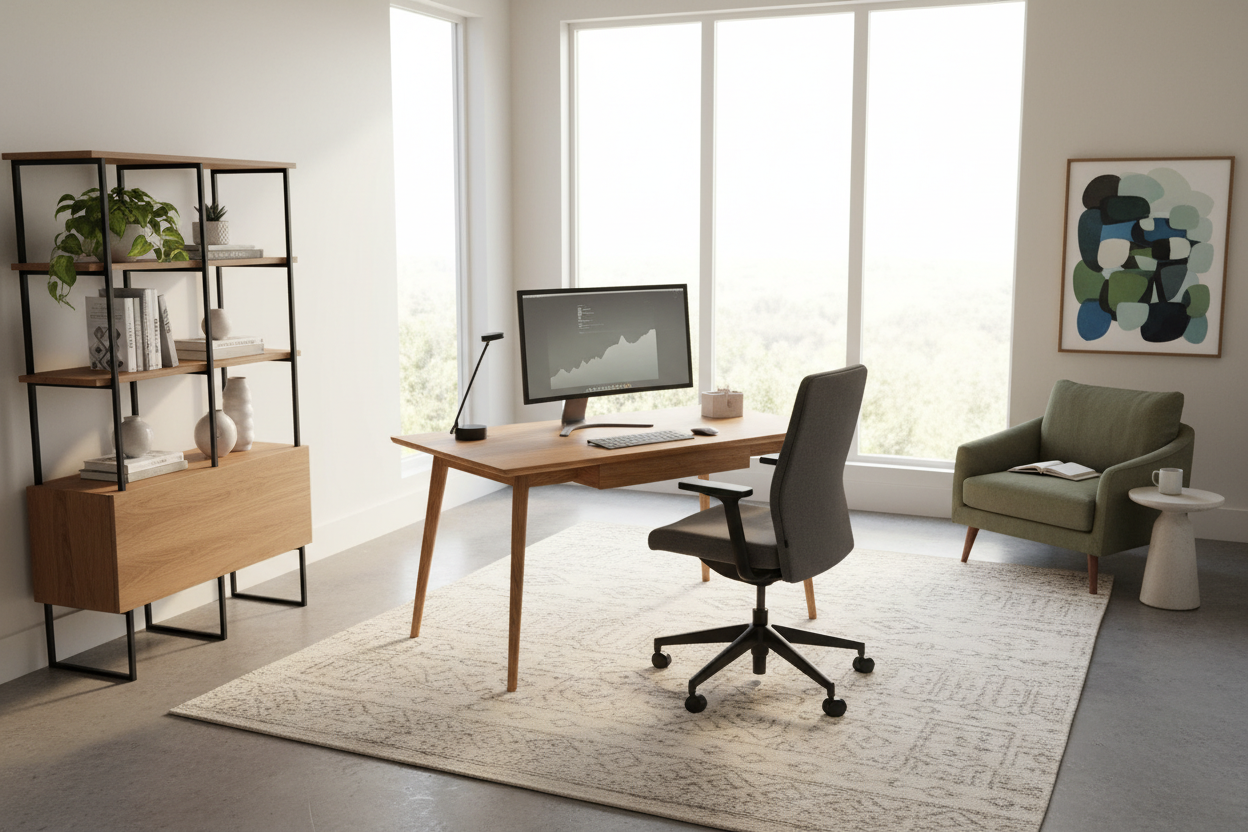
We have all been there: perched on the edge of a dining chair, laptop propped on a stack of books, wondering why our lower back aches by 2 PM. When the shift to remote work happened, many of us threw together temporary desk setups. But as temporary turned into permanent, the reality of a poorly planned physical environment set in. If you want to improve your work at home experience, you have to look closely at your furniture, layout, and lighting.
As an interior designer, I spend a lot of time fixing home offices that look great on camera but feel terrible to live in. I am going to walk you through exactly how to set up a home workspace that balances visual appeal with the ergonomics required to support your body through an eight-hour day.
Quick Decision Guide for Home Offices
- Prioritize desk depth: Aim for at least 24 to 30 inches of depth if you use a monitor, keyboard, and mouse. Anything shallower forces your eyes too close to the screen.
- Float the desk if possible: Facing a blank wall can feel claustrophobic. Floating your desk in the middle of the room improves visual flow and focus.
- Invest in ergonomics over aesthetics for seating: A sculpted wooden chair looks great but will ruin your posture. Choose adjustable, supportive seating for your primary chair.
- Control the lighting: Position your desk perpendicular to a window to avoid screen glare while still benefiting from natural ambient light.
Space Planning & Layout for Focus
How you position your furniture dictates how the room feels and functions. In North American homes, we often shove desks into empty bedroom corners or hallway nooks. While this saves square footage, it creates a cramped visual field that can hinder productivity.
Finding the Right Clearances
Always leave at least 36 inches of clearance behind your desk chair. This gives you enough room to push back, stand up, and move without hitting a wall or a bedframe. If your office shares space with a guest room, maintain a 30-inch walkway between the edge of the desk and the bed. Proper negative space around your workstation reduces mental clutter and makes the room feel intentional rather than leftover.
Comfort & Ergonomics: Beyond the Aesthetics
Many clients ask me how to hide their bulky office equipment. My answer is usually that you should not compromise your physical health just to make a room look like a magazine spread. The furniture you interact with is the core of your daily routine.
The Truth About Dining Chairs
Using a spare dining chair is the most common mistake I see in home offices. Dining chairs are designed for a relaxed, leaning-back posture during a 45-minute meal. Desk chairs require a forward-leaning, task-oriented pitch. Look for a chair with a seat depth of 15 to 18 inches and adjustable lumbar support. If you hate the look of traditional mesh office chairs, opt for an upholstered executive chair with hidden ergonomic mechanisms.
Visual Weight and Room Coordination
A massive, dark mahogany executive desk will visually swallow a standard 10x10 foot spare bedroom. If you are working with a smaller footprint, choose a desk with open metal legs or a glass top. This reduces the visual weight of the piece, allowing light to pass through and making the room feel larger. Pair it with closed storage, like a sleek credenza, to hide cables, printers, and paperwork, maintaining a clean background for video calls.
Designer's Honest Take: Work From Home Experience Sharing
When clients ask for some work from home experience sharing, I always tell them about my own first home office. I bought a stunning, vintage mid-century modern desk with a matching low-back walnut chair. It was gorgeous. It also had zero cable management and a chair that offered absolutely no upper back support.
The matte walnut finish looked stunning for the first month. Then, the reality of daily use set in. Every coffee cup ring and pen scratch became a permanent feature because I refused to use a desk pad. Worse, I ended up taking calls from my sofa because the vintage chair was agonizing after two hours. I learned the hard way that a workspace has to function as a tool first and a showpiece second. I eventually swapped the vintage chair for a high-end ergonomic one. It disrupted the strict mid-century vibe, but my back thanked me.
Frequently Asked Questions
How do you feel about working from home in a small apartment?
When people ask me, how do you feel about working from home when square footage is tight, I tell them it comes down to boundaries. Use a room divider, an area rug, or even a specific paint color to visually separate your desk from your living area. This helps your brain transition out of work mode at the end of the day.
How is work from home experience different with a dedicated office?
If you are wondering how is work from home experience improved by a separate room, the biggest factor is acoustic control and privacy. A dedicated room allows you to use heavier, sound-dampening furniture like upholstered sofas and thick rugs, which drastically improves audio quality on calls and reduces household distractions.
What is the best desk size for dual monitors?
For two standard 24-inch or 27-inch monitors, you need a desk that is at least 60 inches wide and 30 inches deep. Anything shallower will put the screens too close to your eyes, leading to strain, and anything narrower will leave your monitors hanging off the edges.

Dejar un comentario
Este sitio está protegido por hCaptcha y se aplican la Política de privacidad de hCaptcha y los Términos del servicio.