










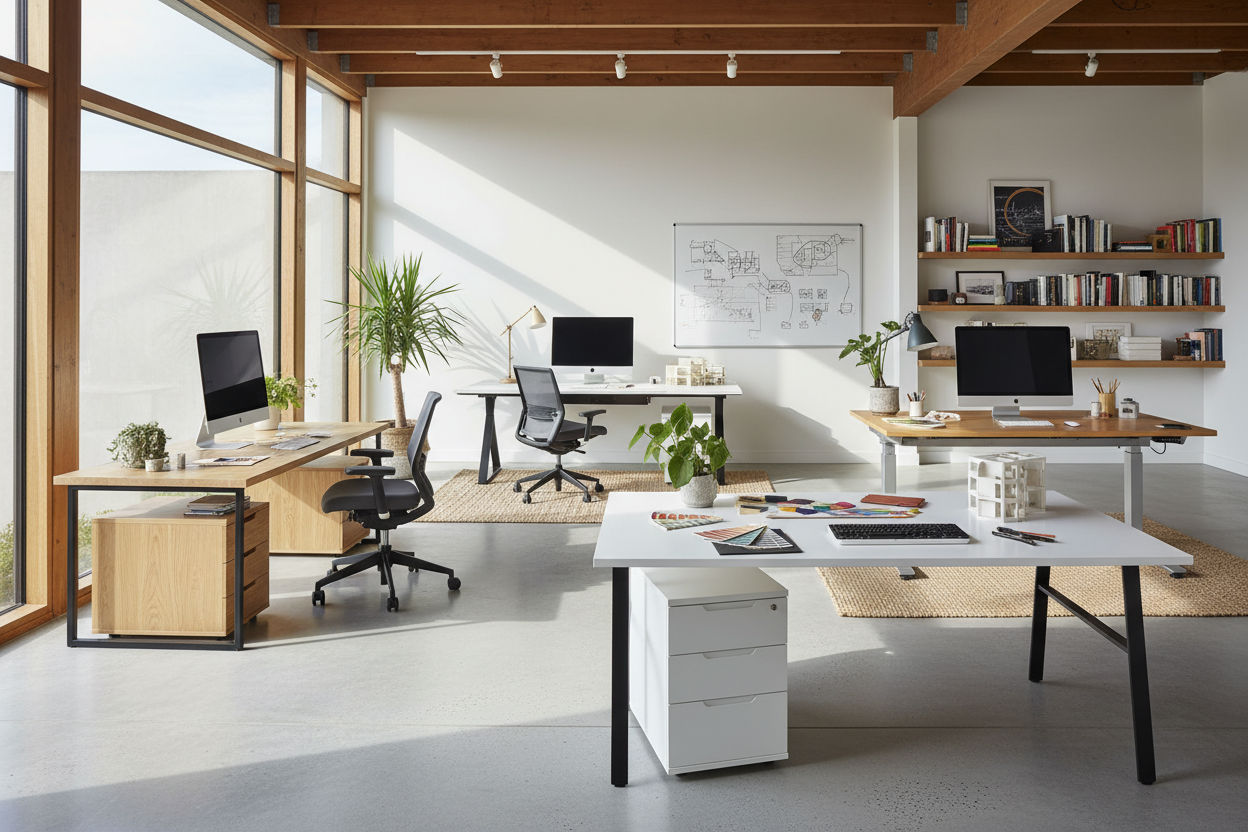
We have all been there: trying to squeeze a productive day out of a dining room table or a flimsy accent piece that shakes every time you type. When your workspace feels chaotic, your focus follows suit. Upgrading to dedicated workstation tables is often the turning point between a makeshift setup and a truly functional home office.
But navigating the sea of desks and workstations online can be overwhelming. I am going to walk you through exactly what to look for—from ergonomics to materials—so you bring home a piece that actually supports your daily grind.
Quick Decision Guide
- Prioritize depth over width: A standard work station desk needs at least 24 to 30 inches of depth to keep monitors at a safe viewing distance.
- Match the material to your habits: Solid wood offers longevity, but high-pressure laminate is better if you are prone to coffee spills or heavy equipment use.
- Clearance matters: Always leave 36 inches of clearance behind your office workstation to allow for chair movement and easy standing.
- Hide the cables: Look for an office desk workstation with built-in grommets or a modesty panel—cable clutter ruins the visual weight of any room.
Space Planning & Layout
Sizing Your Office Workstation
When plotting out an office space desk, the biggest mistake people make is buying for the room size rather than the equipment load. If you run dual monitors, a laptop, and a notepad, a standard 48-inch working station desk will feel suffocating. For a multi-monitor workplace station, you want a minimum of 60 inches in width. If you are designing workstations in office environments or a shared home office, consider back-to-back or L-shaped workstation desk for office configurations to maximize corner real estate.
Managing Visual Weight in Small Rooms
A bulky, solid-sided commercial workstation can swallow a small room whole. If you are setting up workstations home style (like in a guest bedroom), opt for a deskstation with open metal legs or a floating design. This preserves negative space and keeps the room feeling airy. Conversely, if you have a massive dedicated study, an executive office table workstation with solid sides anchors the room and establishes a clear focal point.
Material & Build Quality
Engineered Wood vs. Solid Surfaces
You will see a lot of office work stations for sale boasting solid wood, but be careful. True solid wood is beautiful and ages well, but it can warp with humidity changes and dent easily if you drop a heavy stapler. For a heavy-duty working station table, commercial-grade engineered wood with a thermally fused laminate finish is often superior. It resists scratches, handles heat from laptops, and cleans up effortlessly. If you are browsing workstation furniture for office use, this material is the industry standard for durability.
Comfort & Ergonomics
The Truth About Desk Height
Most office desk units sit at a standard height of 29 to 30 inches. Here is the problem: that height is designed for someone who is over six feet tall. If you are shorter, working at a standard computer work station desk without an adjustable chair and a footrest will destroy your shoulders. When shopping for work station furniture, consider an adjustable-height sit-to-stand frame. It allows you to dial in the exact ergonomic height for your silhouette and posture, ensuring the office station works for you, not against you.
Designer's Honest Take
Over the last 15 years, I have sourced hundreds of workstations office furniture pieces for clients. My biggest personal lesson? Never buy a glass-top office desk station if you hate seeing cords. I once installed a stunning, modern glass workstation table for office use in a client's penthouse. It looked architectural and sleek—until we plugged in the monitors, the phone charger, and the desk lamp.
Suddenly, it looked like a server room explosion. We had to spend hours retrofitting custom cable raceways painted to match the base just to hide the mess. Glass shows every fingerprint, every dust speck, and every single wire. If you want a clean look, stick to opaque materials with built-in wire management.
Frequently Asked Questions
What is the difference between a desk and a workstation?
A traditional desk is typically a standalone piece of furniture meant for light tasks. Workstations and desks differ in utility; an office furniture workstation is usually a modular, system-based setup designed for heavy technology use, complete with cable management, monitor arms, and sometimes privacy panels.
How much space do I need for a home office work station?
At a bare minimum, you need a 5x7 foot area. This accommodates a standard 48-inch by 24-inch working station office desk, plus the mandatory 36 inches of push-back clearance for your office chair to move freely.
Where is the best place to put a workstation in an office?
Avoid placing your workstation table directly facing a window, as the glare will cause eye strain, and the backlight will ruin your video calls. The best placement is perpendicular to the window, giving you natural light on your face without the harsh screen glare.

Dejar un comentario
Este sitio está protegido por hCaptcha y se aplican la Política de privacidad de hCaptcha y los Términos del servicio.