









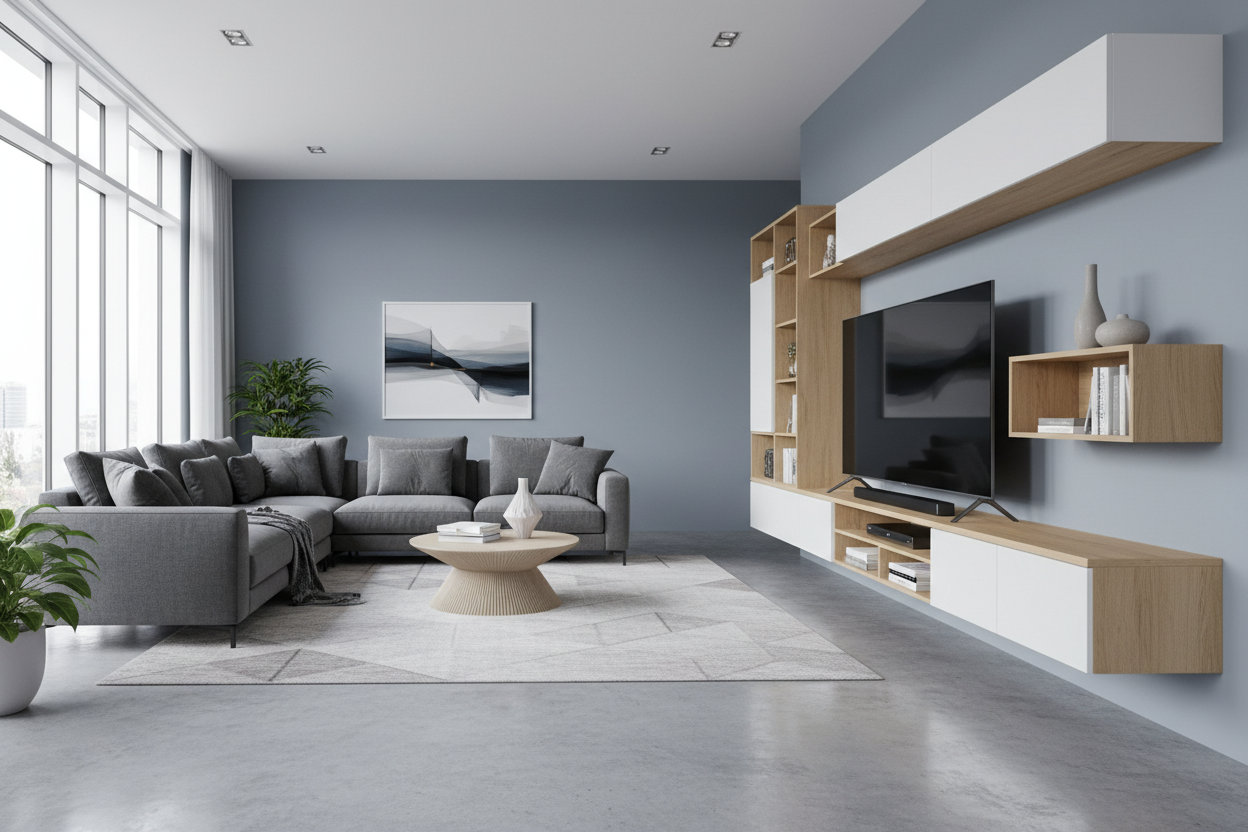
I remember the day my 75-inch beast arrived. I’d cleared off my old media console, thinking it was 'big enough' because it had served me well for years. Then I opened the box. Those spindly little feet weren't in the middle like my old plasma; they were practically in different zip codes at the far edges of the chassis. My tv stand for 75 inches tv wasn't a reality—it was a disaster waiting to happen.
Quick Takeaways
- Measure the distance between the TV legs, not just the screen width.
- A 75-inch TV is actually about 65 inches wide horizontally.
- A stand should be at least 4-6 inches wider than the TV for safety and aesthetics.
- Check the depth; many modern TV legs require 14+ inches of surface space.
The Panic of Unboxing a Giant Screen Without a Center Base
There is a specific kind of cold sweat that hits when you realize your $1,200 investment is about to tip over. Most manufacturers have moved away from center pedestals to save on weight and cost, opting instead for 'duck feet' at the corners. If you bought a 75in tv stand that is exactly 65 inches long, you are living on the edge—literally.
I watched a friend try to balance a flagship Sony on a dresser that was half an inch too short. One leg was firmly planted; the other was hovering over the carpet like a diver on a high board. It looked ridiculous and felt dangerous. You need a 75 tv stand that understands physics, not just one that looks pretty in a catalog.
Diagonal vs. Horizontal: The Sizing Math Nobody Tells You
Here is the trap: 75 inches is a diagonal measurement. The actual horizontal width of the screen is usually around 65.2 inches. If you buy a 65-inch console for 75 inch tv, your screen will hang over the edges. This makes your living room look top-heavy and cramped, like a bodybuilder who skipped leg day.
To get that high-end look, you want a stand for 75 inch tv setups that is at least 70 to 80 inches wide. This provides a visual 'buffer' on either side. You really need to Mid Century Modern Tv Stand 75 Inch Stop Making Sizing Mistakes before you commit to a vintage-style piece that can't handle the sheer scale of a modern 4K panel.
The 'Leg Hang' Danger (And Why Depth Matters Just as Much)
Depth is the silent killer of home theaters. I once bought a slim tv stand 75 inch model that looked incredibly sleek. The problem? The legs on my TV were 15 inches deep from front to back, and the stand was only 13 inches deep. The TV literally could not sit flat on the surface.
When you are browsing Tv Stands, don't just look at the length. Check the 'top surface depth' in the specs. A 75 inch tv pedestal stand can solve this by moving the weight back to the center, but if you want to use the included legs, you need a deep 75 inch tv media console. Anything less than 16 inches of depth is playing with fire.
Framing the Void: When You Actually Need an Entertainment Center
Let's be honest: a 75-inch screen is a giant black hole when it's turned off. It sucks the light and style right out of a room. A simple low tv stand 75 inch works if you're a minimalist, but for most of us, it looks like a tech store display. You need something to ground the screen.
I found that I Cured The Giant Black Void With A Wall Unit For 75 Inch Tv by adding verticality. A full entertainment center 75 inch tv setup frames the screen with shelving and storage. This integrates the 'big black rectangle' into your decor rather than letting it dominate the entire wall. It turns a piece of hardware into a piece of furniture.
Adding Warmth to a Tech-Heavy Wall
If you go for a 75 inch modern tv stand, the vibe can get clinical very quickly. I'm a big fan of mixing textures to soften the blow of all that glass and plastic. Look for a wooden tv stand for 75 inch tv with some visible grain or unique hardware to break up the monotony.
I’ve also seen some great setups using light to add ambiance. A 30 Inch Electronic Fireplace With White Tv Stand And Adjustable Light is a fantastic way to add a flicker of warmth beneath the screen. It makes movie night feel less like a laboratory experiment and more like a cozy den, especially if you have a wide tv stand for 75 inch tv that offers enough room for the fireplace insert and your consoles.
Personal Experience: The Glass Table Disaster
I once tried to put a 75-inch LED on a glass tv stand 75 inch model I found on clearance. The weight limit said it was fine, but the moment we set the TV down, the glass started making a 'tinkling' sound. The concentrated pressure from the sharp metal legs was too much for the tempered surface. I ended up returning it for a solid 75 inch tv console table made of actual wood. Learn from me: heavy TVs need solid foundations. Glass is for coffee tables, not for holding up a month's salary worth of electronics.
FAQ
How wide should a stand be for a 75 inch TV?
Ideally, your stand should be at least 70 inches wide. This allows for the actual 65-inch width of the TV plus a small margin of safety and style on each side.
Can a 75 inch TV fit on a 65 inch stand?
Technically, maybe—if the legs are narrow enough. But it will look terrible. The screen will be flush with the edges, making the setup look unstable and cheap.
What is the best height for a 75 inch TV stand?
Since the screen is so tall, you want a low tv stand 75 inch model. Aim for a height between 18 and 24 inches so the center of the screen stays at eye level while you're sitting on the sofa.



Dejar un comentario
Este sitio está protegido por hCaptcha y se aplican la Política de privacidad de hCaptcha y los Términos del servicio.