










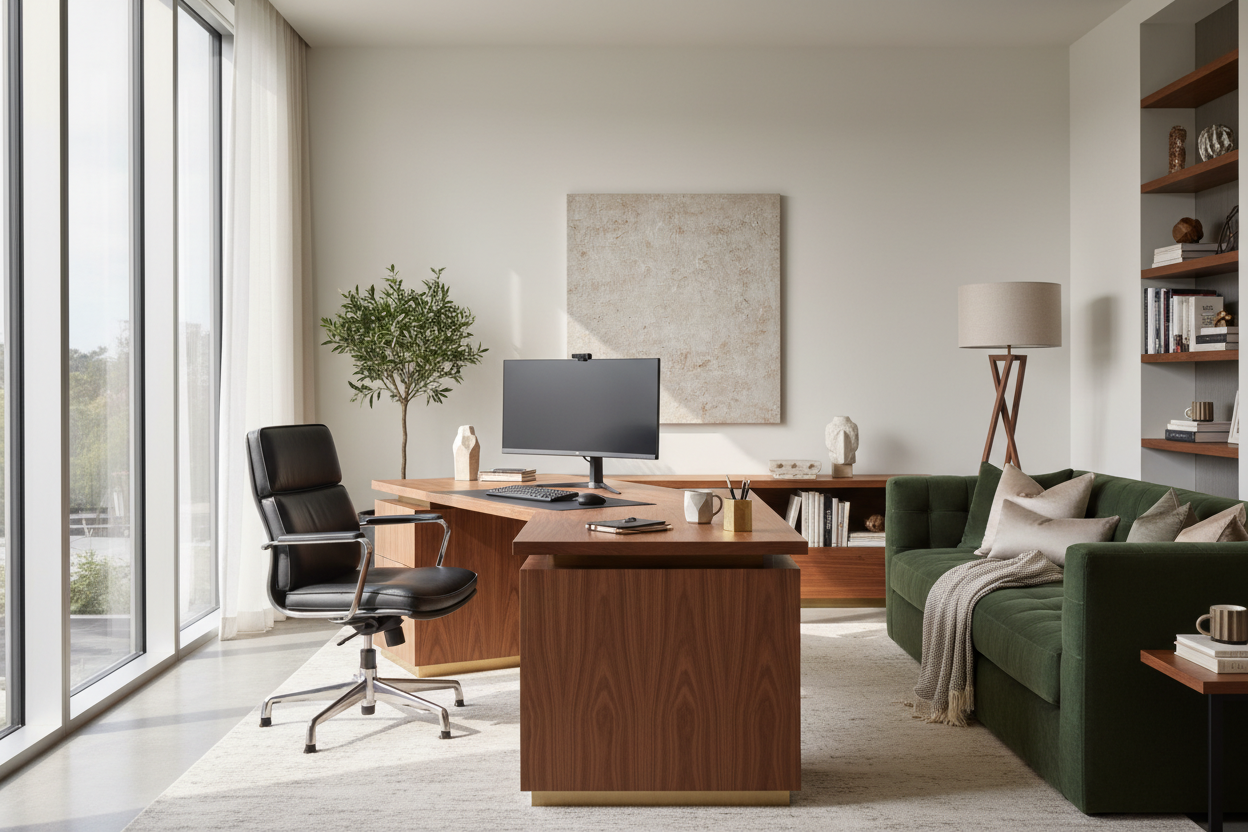
We often blame our lack of focus on digital distractions or poor time management, but as an interior designer, I see a different culprit: the physical environment. Working from a dining table or a poorly lit corner is a recipe for fatigue. If you want to master how to stay productive, you must stop treating your workspace as an afterthought and start treating it as a functional design system. The right furniture, lighting, and spatial planning do more than look good—they dictate your cognitive endurance.
Quick Decision Guide: The Pillars of a Productive Office
- Ergonomics First: Prioritize a chair with adjustable lumbar support and seat depth over aesthetic silhouette.
- Surface Tactility: Choose matte finishes (wood, laminate) over glass to reduce glare and cold contact points.
- Lighting Layers: Combine ambient overhead lighting with focused task lighting (2700K-3000K) to reduce eye strain.
- Spatial Zoning: Position your desk in the "command position" facing the room entrance to lower subconscious anxiety.
Establishing the Foundation: The Desk and Chair
The centerpiece of your workflow is the desk-chair relationship. When clients ask me for ways to stay productive, I immediately look at their seating. A chair is a tool, not just a prop.
Selecting the Right Chair Mechanics
Avoid the temptation of buying a chair solely because it features trendy velvet upholstery or a mid-century modern shape. For deep work, you need a high-performance task chair. Look for synchro-tilt mechanisms, which allow the seat and backrest to move in a synchronized ratio, keeping your feet on the floor while you recline. Breathable mesh is superior for temperature regulation, while high-grade leather offers durability but requires climate control to prevent sticking.
The Desk: Materiality and Depth
The material of your desk affects your sensory experience. Solid wood, such as walnut or white oak, offers warmth and absorbs sound, creating a quieter acoustic environment. In contrast, glass or metal surfaces can feel cold to the touch and create harsh acoustic reflections. Furthermore, ensure your desk depth is at least 30 inches. This allows you to position your monitor at an arm's length, reducing eye fatigue—a critical factor in maintaining focus throughout the day.
Lighting and Layout Strategy
Visual comfort is often the most underrated aspect of productivity design. Poor lighting causes you to squint, leading to tension headaches that derail your afternoon.
Layering Your Light Sources
Never rely on a single overhead fixture. This creates shadows on your work surface. Instead, employ a three-point lighting system: ambient light for general visibility, a task lamp with an adjustable arm for focused work, and accent lighting to soften contrast. I recommend LED bulbs with a high Color Rendering Index (CRI) of 90+ to ensure colors look natural and to prevent the subtle flickering that tires the brain.
The Command Position
In spatial planning, where you sit determines how you feel. Facing a wall is a common mistake; it creates a subconscious feeling of confinement. Instead, float your desk in the room, facing the door. This "command position" provides a view of the room and entry, satisfying a primal need for security and allowing you to stay productive without low-level background anxiety.
My Personal Take on How to Stay Productive
Early in my career, I designed a stunning minimalist home office for myself centered around a bespoke, tempered glass desk. It looked incredible in photos—sleek, modern, and airy. However, living with it was a disaster for my workflow.
I realized quickly that the glass was always freezing cold against my forearms, which was distracting during early morning drafting sessions. Worse, the optical mouse didn't track well on the glass without a pad, and every fingerprint or coffee ring created visual clutter that nagged at my attention. I spent more time Windexing the desk than designing.
I swapped it out six months later for a matte-finished, rift-sawn oak desk. The wood was warm, the matte finish diffused the light from my task lamp rather than reflecting it into my eyes, and the visual "weight" of the desk grounded the room. That switch taught me that tactile comfort is just as important as visual aesthetics when you are trying to maintain output.
Conclusion
Transforming your workspace isn't just about buying new furniture; it's about curating an environment that removes friction from your day. By investing in ergonomic support, warm materials, and proper lighting, you build a sanctuary that naturally encourages focus. Don't settle for a makeshift setup—design a space that works as hard as you do.
Frequently Asked Questions
What is the ideal desk height for productivity?
Standard desk height is between 29 and 30 inches. However, the "ideal" height allows your elbows to rest at a 90-degree angle while typing. If you are shorter or taller than average, an adjustable sit-stand desk is the best investment to ensure proper alignment.
Does room color affect how to stay productive?
Absolutely. Color psychology plays a massive role. Blues and greens are known to improve efficiency and focus by inducing calmness. High-saturation colors like bright red can be stimulating but may lead to anxiety over long periods. Neutral tones with natural textures are generally the safest bet for a home office.
How do I reduce visual clutter without losing functionality?
Invest in "closed storage" solutions like credenzas or filing cabinets with solid doors. Open shelving requires constant styling to look good. Closed storage allows you to hide paperwork and tech accessories, keeping your visual field clear for the task at hand.


Leave a comment
This site is protected by hCaptcha and the hCaptcha Privacy Policy and Terms of Service apply.