










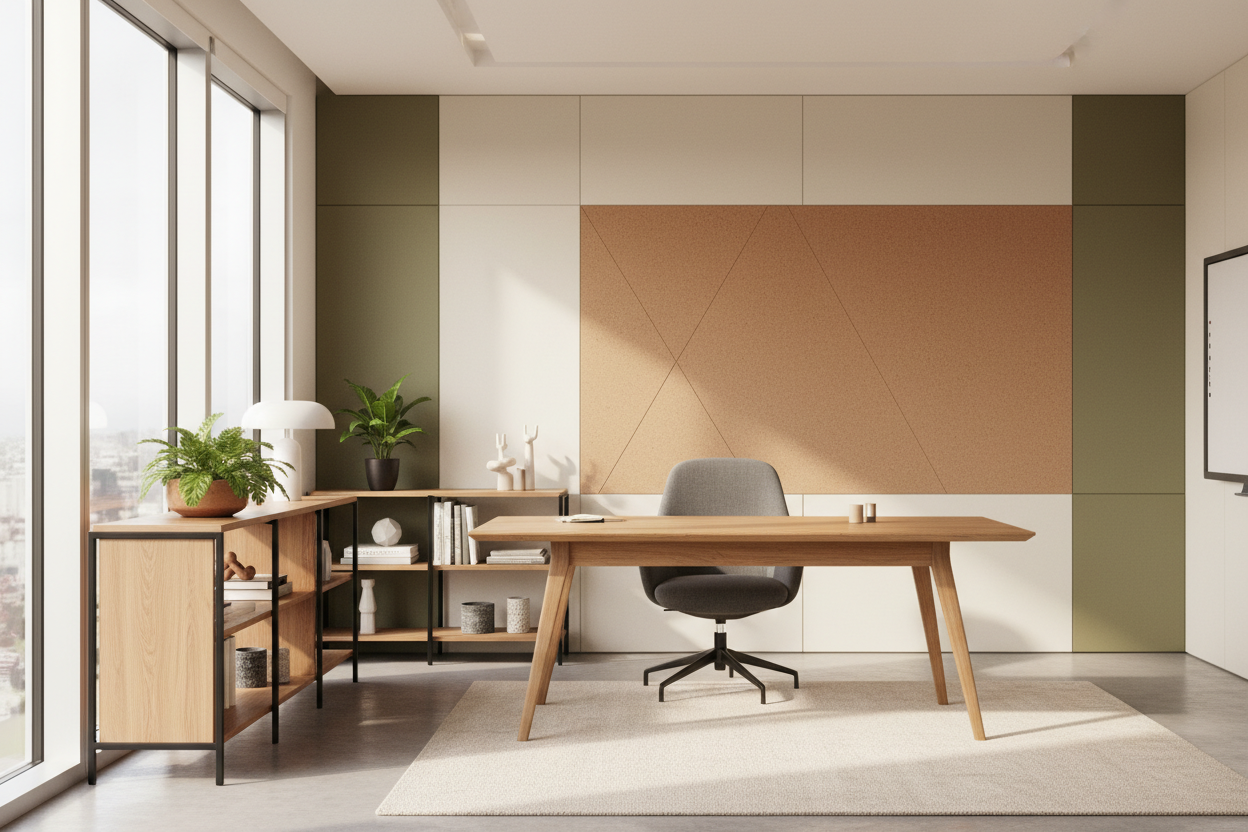
We have all experienced the fatigue that comes from a poorly planned room—the glare on a monitor that induces headaches, or the chair that ruins your posture by 2 PM. Whether you are outfitting a dedicated room in your residence or refining boutique interior office spaces for a small team, the stakes are high. It is not just about aesthetics; it is about cognitive endurance. As a designer, I tell my clients that a workspace should function like a well-tailored suit: structured enough to command respect, but comfortable enough to move in.
Key Features to Look For
- Ergonomics First: Prioritize adjustable seat depth and lumbar support over visual flair.
- Lighting Layers: Ensure a mix of ambient (overhead) and task lighting (desk level) to reduce eye strain.
- Acoustic Control: Look for soft materials like rugs, acoustic panels, or drapery to dampen echo.
- Material Durability: Select high-pressure laminates or sealed hardwoods for high-touch surfaces.
- Spatial Flow: Maintain at least 36 to 48 inches of clearance behind desks for movement.
Mastering the Layout and Flow
The biggest failure I see in design is ignoring the "triangle of movement." In a kitchen, this is the stove-sink-fridge relationship. In office design, it is the relationship between your desk, your storage, and your light source. You should never have your back to the entrance if it can be avoided—this triggers a primal unease known as "visual exposure."
When analyzing office building interiors or home workspaces, placement is paramount. Positioning a desk directly facing a wall can feel stifling. Instead, try "floating" the desk in the center of the room or perpendicular to a window. This commands the space and allows your eyes to rest on a distant view, which is essential for reducing optical fatigue.
Choosing the Right Materials
Solid Wood vs. Veneer vs. Laminate
For executive desks or statement pieces, solid wood (walnut or white oak) offers gravitas and ages beautifully, developing a patina over time. However, it reacts to humidity. For high-traffic areas, high-quality architectural veneers offer the same warmth but with better stability.
Textiles and Tactility
The tactile experience—or haptics—of a room influences mood. A leather desk blotter does more than protect the wood; it provides a soft landing for your wrists. When selecting seating upholstery, avoid cheap synthetics that trap heat. Opt for commercial-grade wool blends or breathable mesh that offer durability without sacrificing thermal comfort.
The Lighting Equation
Lighting is the silent mood manipulator. Relying solely on overhead recessed cans creates harsh shadows that make you look tired on video calls and strain your eyes. You need to create a "lightscape."
Aim for a color temperature between 3000K and 4000K. This range mimics neutral daylight, keeping you alert without the sterility of a hospital waiting room. Always incorporate a task lamp with an articulated arm; it provides focused illumination for reading documents without washing out your computer screen.
My Personal Take on Interior Office Spaces
I learned a hard lesson about finishes during a project for a tech consultant a few years ago. We fell in love with a stunning, high-gloss black lacquer desk. It looked incredible in the showroom and editorial photos.
However, three weeks after installation, the client called me. The issue wasn't the look—it was the usability. The high-gloss finish acted like a mirror, reflecting the overhead lights directly into his eyes, causing migraines. Furthermore, every single fingerprint showed up, turning a sleek design into a messy distraction. We ended up having to refinish the top with a matte, satin-finish protective film. Since then, I always test surface glare under actual working lighting conditions before specifying a desk. Matte and satin finishes are not just trends; they are functional necessities for a workspace.
Conclusion
Creating a workspace that inspires productivity requires balancing the technical with the tactile. By investing in the right layout, controlling your lighting, and choosing materials that age gracefully, you build an environment that supports your best work. Don't settle for a setup that fights against you.
Frequently Asked Questions
How do I reduce noise in an office with hard floors?
Hard surfaces bounce sound, creating echoes that disrupt focus. Introduce "soft architecture": a thick pile area rug, upholstered bulletin boards, or heavy velvet curtains. Even adding large potted plants can help diffuse sound waves.
What is the ideal desk depth for a computer setup?
For a standard setup with a monitor, aim for a depth of 24 to 30 inches. If you use dual monitors or need space to spread out blueprints or documents, a 30-inch depth is the minimum comfortable standard to prevent the screens from being too close to your face.
Is a standing desk worth the investment?
Absolutely, but only if the mechanism is stable. Many budget options wobble at full height, which breaks concentration. Look for a dual-motor electric frame with a crossbar for stability. The ability to shift posture throughout the day is critical for long-term spinal health.

Leave a comment
This site is protected by hCaptcha and the hCaptcha Privacy Policy and Terms of Service apply.