











Selecting an ergonomic desk chair with lumbar support requires evaluating how the backrest interacts with your body during prolonged work sessions. The lower back naturally curves inward, and without dedicated reinforcement, seated workers often slouch forward or experience muscular fatigue. A well-designed lumbar desk chair bridges the gap between your lower spine and the chair frame, maintaining upright stability and comfortable weight distribution across the seat pan.
When planning your complete workstation layout, reviewing a designer-focused chair desk guide helps balance aesthetic lines with practical support features. Understanding the fundamental structural archetypes and spatial relationships within your home office ensures your seating choice pairs seamlessly with your daily workflow and storage furniture.
Understanding Lumbar Support Archetypes in Modern Desk Chairs
Lumbar mechanisms generally fall into three distinct structural categories, each offering different levels of adaptability and firmness:
- Fixed Molded Contours: The chair frame or interior shell features an inherent S-curve built directly into the structure. This provides steady, continuous support with zero moving parts, making it dependable for single-user stations where the frame matches the user's torso proportions.
- Adjustable Lumbar Pads: A separate pad or lumbar bar mounts onto the backrest spine, allowing vertical height adjustments and, in some designs, manual depth changes. This configuration lets users align the support apex directly with their lumbar region.
- Dynamic Suspended Panels: Modern ergonomic task chairs frequently use self-adjusting lower back panels connected via spring hinges or flexible polymers. These panels pivot automatically as you shift between upright typing and reclined reading postures.
Evaluating Lumbar Adjustment Mechanisms
Adjustment hardware determines how easily you can customize a chair to your frame. Vertical track adjusters allow the lumbar support piece to slide up or down along the central spine, accommodating various torso heights. Dial-in depth tensioners push the support pillow forward into the backrest mesh, varying the firmness of lower back contact.
For buyers evaluating retail options across diverse price points, consulting a practical desk chair guide assists in spotting durable build materials and stable adjustment hardware. Flexible split-back designs offer independent movement for the upper and lower back, distributing lateral movement evenly during active workdays.
Dimensional Sizing Categories: Aligning Seat Depth and Lumbar Placement
Even the most advanced lumbar mechanism cannot function effectively if seat depth and backrest height are poorly proportioned. The relationship between the seat pan and the backrest dictates whether your back actually contacts the lumbar cushion.
If the seat pan is too deep, you may find yourself sitting on the front edge of the seat, leaving your back completely unsupported. Conversely, an overly shallow seat concentrates pressure beneath the thighs. Ideally, a seated user should have a modest gap between the back of their knees and the front waterfall edge of the seat cushion while their lower back rests flush against the lumbar contour.
Spatial Clearance and Desk Proportion Guidelines
Before finalizing a chair choice, review the physical clearance under and around your desk:
- Armrest-to-Apron Clearance: Measure the distance between your floor and the bottom edge of the desk apron or center drawer. Ensure the chair's armrests can adjust low enough to slide completely under the work surface when tucked away.
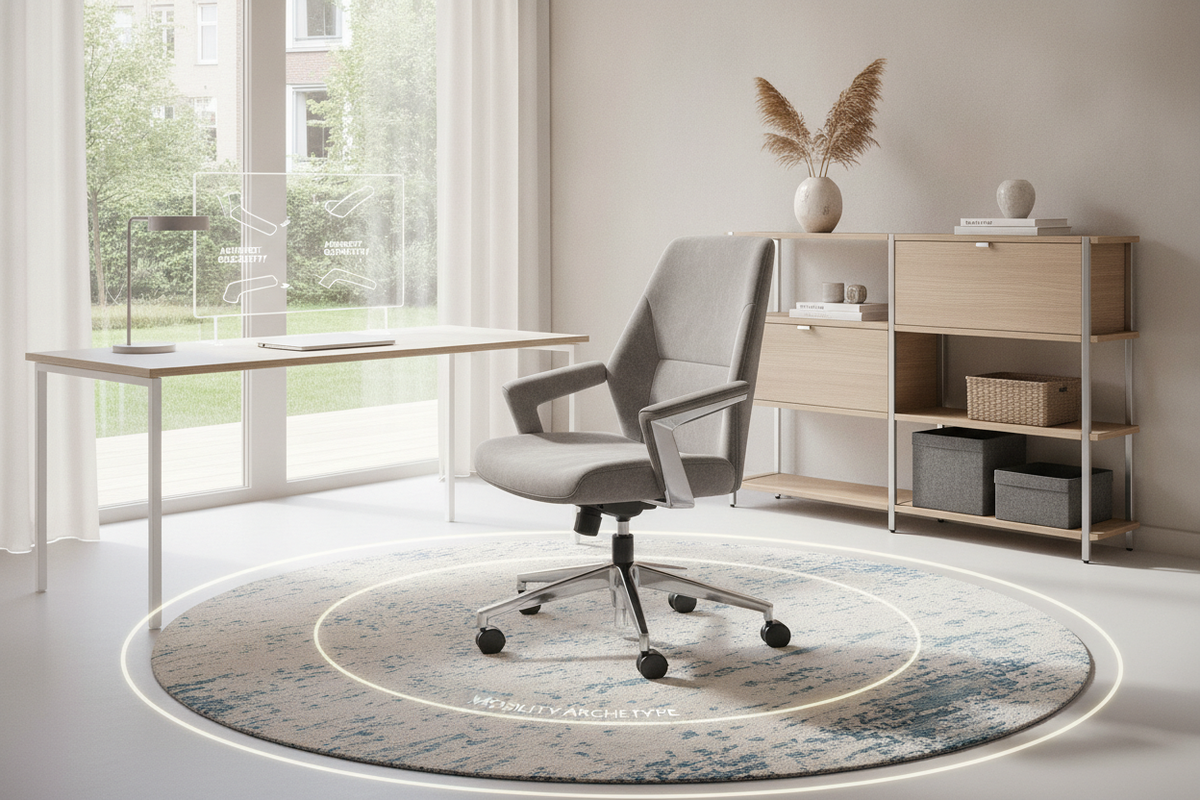
- Base Diameter and Turning Clearance: Five-star caster bases require adequate turning room. Position your chair to maintain an unobstructed pathway between the desk and any nearby credenzas or storage towers.
- Footrest and Leg Clearance: When adjusting seat height so your feet rest flat on the floor, verify that your knees maintain clearance below any under-desk cable management trays or keyboard shelves.
Material Selection: Breathability, Cushion Density, and Frame Durability
The materials framing your lumbar chair dictate daily thermal comfort, tactile feel, and long-term structural resilience:
- High-Tensile Mesh Backrests: Mesh backrests allow constant airflow around the spine, preventing heat buildup. In lumbar applications, quality mesh must maintain tension over time without sagging away from the underlying support frame.
- High-Density Molded Foam: Molded foam seat cushions retain their shape and provide even pressure distribution across the pelvic region, preventing bottoming out during long shifts.
- Upholstery Covers: Woven fabric covers offer breathability and soft texture, whereas bonded leather or polyurethane surfaces provide easy wipe-down cleaning at the expense of ventilation.
- Reinforced Frame Hardware: Look for heavy-duty nylon composite or polished aluminum five-star bases, class-rated pneumatic gas lift cylinders, and steel bracket connections at the seat plate.
Integrating Lumbar Seating with Home Office Storage and Layouts
A functional home office requires harmony between seating movement and surrounding cabinetry. High-back executive chairs with prominent lumbar wings create a substantial visual presence, requiring open perimeter space. Mid-back task chairs offer a more compact footprint, making them well-suited for tight nooks and multi-purpose workstations.
When organizing around filing pedestals and credenzas, place mobile drawer units outside the chair's standard swivel zone. If your desk incorporates integrated lower shelving or a deep filing pedestal, confirm that the chair base can glide backward smoothly without striking cabinet corners or drawer pulls. Maintaining clear floor space around your workstation preserves easy reach to frequently accessed storage compartments.
Assembly Verification, Hardware Care, and Ergonomic Fine-Tuning
Proper initial assembly and routine maintenance protect both the chair's mechanism and your comfort over years of use:
- Level Mechanism Seating: When mounting the seat plate to the underside of the cushion, hand-tighten all bolts before applying final torque in a cross-pattern to ensure the seat pan sits completely level.
- Cylinder Engagement: Press the pneumatic lift firmly into the base hub and seat mechanism, ensuring full vertical engagement without wobbling.
- Periodic Fastener Inspection: Every few months, check the bolts securing the armrests, backrest spine, and lumbar bracket. Vibrations from daily swiveling and tilting can gradually loosen hardware.
- Caster Cleaning: Clear debris and floor fibers from the wheel housings to prevent dragging and floor scuffing.
For additional assembly walkthroughs, hardware troubleshooting, and warranty questions, visit our customer support resource.

Leave a comment
This site is protected by hCaptcha and the hCaptcha Privacy Policy and Terms of Service apply.