










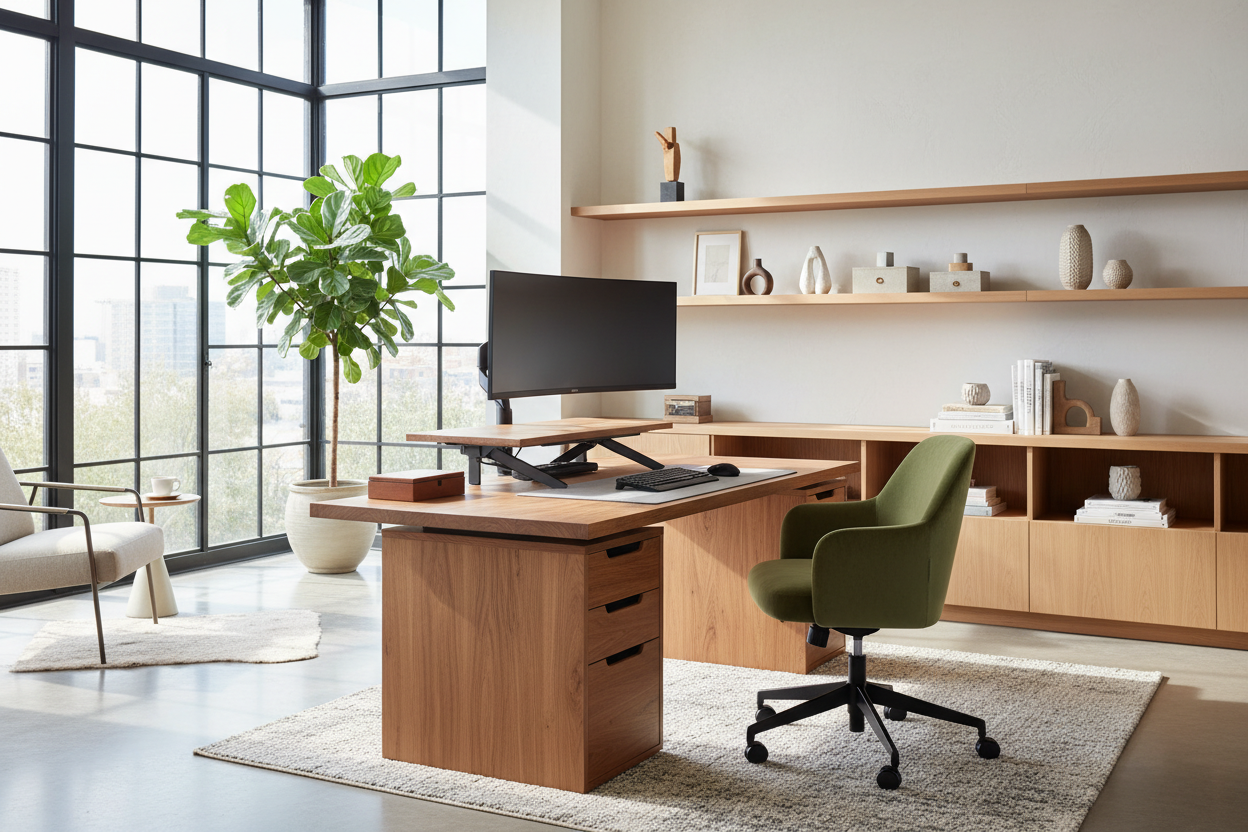
For many professionals, the temporary solution of working from a dining table has lingered far too long. It is time to treat your workspace with the same design integrity as your living room. A curated remote workstation setup is not merely about purchasing a desk; it is about micro-architecture. It requires balancing visual weight, ergonomic function, and tactile luxury to create an environment where focus comes naturally.
Key Features to Look For
Before investing in new pieces, consider these core elements to ensure your space functions as well as it looks:
- Ergonomic Integrity: Prioritize seating with lumbar support and adjustable tension over purely sculptural shapes.
- Material Durability: Look for solid woods (walnut, oak) or high-pressure laminates that resist heat and moisture better than standard veneers.
- Lighting Layers: Ensure a mix of ambient, task, and accent lighting to reduce eye strain.
- Spatial Flow: The furniture footprint should allow for easy movement without dominating the room's square footage.
Mastering Spatial Planning and Layout
When designing a telecommuting office setup, the placement of your furniture dictates the energy of the room. The most common error I see is pushing the desk directly against a wall. This creates a claustrophobic "time-out" effect. Instead, consider floating the desk in the room, facing the door or a window. This "command position" not only looks more authoritative but also improves the visual flow of the space.
If you are working with limited square footage, utilize verticality. Wall-mounted shelving units that integrate a drop-down desk surface can maintain a minimal silhouette while offering maximum utility. The goal is to separate "living" from "working" through layout, even if they occupy the same room.
Choosing the Right Materials: Texture and Tone
The tactile experience of your furniture affects your daily comfort. When you describe your home office setup, you should be able to speak to the warmth of the materials. Avoid glass interaction points if possible; while visually light, glass is cold to the touch and can cause wrist fatigue over long periods. It also wreaks havoc on optical mouse tracking.
I recommend matte finishes for work surfaces. High-gloss lacquers, while stunning in a showroom, reflect overhead lighting and create glare on computer monitors. A honed stone or matte wood finish absorbs light, creating a softer, more productive visual field.
The Ergonomic Equation
Aesthetically pleasing chairs often lack the mechanics required for an eight-hour workday. However, you do not need to settle for a bulky, plastic task chair that ruins your interior design scheme. Look for "hidden ergonomics"—chairs upholstered in performance velvets or leathers that conceal advanced tilt mechanisms and lumbar curves within a sleek profile. If you are asked to "describe your work at home set up," the response should ideally be "supportive yet stylish."
My Personal Take on Remote Workstation Setup
I learned a hard lesson about surface materials early in my career during a project for a tech executive. We selected a stunning, midnight-black matte laminate desk. It looked incredible in the photos. However, within a week, the client called me. The matte finish, while anti-glare, was a magnet for skin oils. Every time he rested his palms to type, it left greasy smears that were difficult to clean.
It taught me that "low maintenance" is a luxury feature. Now, when I specify dark surfaces, I insist on Fenix or similar nanotechnology materials that are fingerprint-resistant and self-healing. It is these unpolished, practical details—how a surface ages, how it handles a coffee ring, how it hides dust—that determine if a workstation is truly livable.
Conclusion
Investing in your workspace is ultimately an investment in your professional longevity and mental well-being. By selecting materials that age gracefully and prioritizing a layout that breathes, you create a space that invites productivity rather than demanding it.
Frequently Asked Questions
How deep should a desk be for a proper workstation?
Ideally, aim for a depth of 24 to 30 inches. This provides enough distance for your monitor to sit at arm's length, reducing eye strain, while leaving ample room for a keyboard and documents.
What is the best lighting temperature for a home office?
Look for bulbs in the 3500K to 4000K range (Cool White). This color temperature mimics natural daylight, which promotes alertness and focus, unlike warmer, yellow tones that induce relaxation.
Can I mix wood tones in my office setup?
Absolutely. The key to mixing woods is to keep the undertones consistent (e.g., mixing warm walnut with warm cherry). Ensure there is enough contrast between the pieces so it looks intentional, rather than like a failed attempt at matching.


Leave a comment
This site is protected by hCaptcha and the hCaptcha Privacy Policy and Terms of Service apply.