










The first time I unboxed a mounting tv stand, I was convinced I was building a very expensive catapult. I have a 14-pound ginger cat named Mochi who thinks every vertical surface is a personal challenge, and the idea of hanging a 65-inch OLED from a single metal pole felt like a disaster waiting to happen. I spent three hours staring at the base, wondering if I was about to lose my security deposit and my television in one loud crash.
- Hybrid stands use the weight of the furniture (and your TV) to create a low center of gravity.
- Always check your VESA pattern before buying; not every bracket fits every screen.
- Cable management is the hardest part, so buy extra zip ties now.
- If you have thick carpet, look for a stand with a wide, heavy glass or steel base.
The 'Will This Crush My Cat?' Panic
We’ve all seen those viral videos of dressers tipping over. When you are mounting a tv stand that isn't actually bolted to the wall studs, that same fear kicks in. You’re essentially asking a piece of furniture to hold a heavy glass sail. But after living with one for three years, I realized the physics are actually pretty clever. The mount is integrated into the frame, meaning the weight of the TV is pulled downward into the center of the unit, not forward.
I’ve watched Mochi do a full-speed parkour move off the top of my console, and the screen didn't even wobble. The key is the 'integrated' part. Unlike a cheap universal mount you might slap onto a desk, a dedicated mount-it tv stand is engineered to balance that specific load. It’s less of a 'hanging' situation and more of a 'structural' one.
Can You Really Mount a TV With Just a Stand?
I get this question from my renter friends constantly: can you mount a tv with a stand and actually trust it? The answer is yes, provided you aren't trying to put an 85-inch beast on a tiny end table. These hybrid units are the middle ground for people who hate the look of 'feet' on a TV but aren't allowed to drill four-inch holes into their drywall.
If you’re skeptical about the pole, you can always skip the built-in mount and go back to basics. However, if you do that, you need to invest in sturdy TV stands made of solid wood or heavy-duty MDF. A flimsy, $40 particle board unit from a big-box store will bow under the weight of a modern screen in six months. A mounting stand avoids that bowing entirely because the weight never actually touches the top shelf.
How to Actually Attach Your Flat Screen (Without Swearing)
The instructions for how to mount tv to tv stand are usually written in a language that vaguely resembles English but makes no sense. Here is the reality: the hardest part is the VESA bracket. Every TV has four screw holes on the back. You need to line these up with the bracket arms provided with your stand. If the screws that came with the stand don't fit your TV, don't force them. Go to the hardware store and find the right M-size bolt.
When learning how to attach a tv to a tv stand, use the spacers. Most kits include little plastic rings. Use them! They prevent the metal bracket from scratching the back of your TV and give the bolts a snug fit. Once the arms are on the TV, you just 'hook' it onto the stand's crossbar. This is the moment you need a friend. Don't be a hero. How to put a tv on a tv stand mount safely requires two sets of hands so you don't drop a $1,000 screen because you lost your grip.
What to Do With All That Freed-Up Surface Area
The best part about how to mount tv on entertainment center units is the 'floating' effect. Once that screen is hovering six inches above the console, you suddenly have a massive amount of real estate. I used to have my TV legs taking up half the surface, collecting dust bunnies and preventing me from putting anything else there.
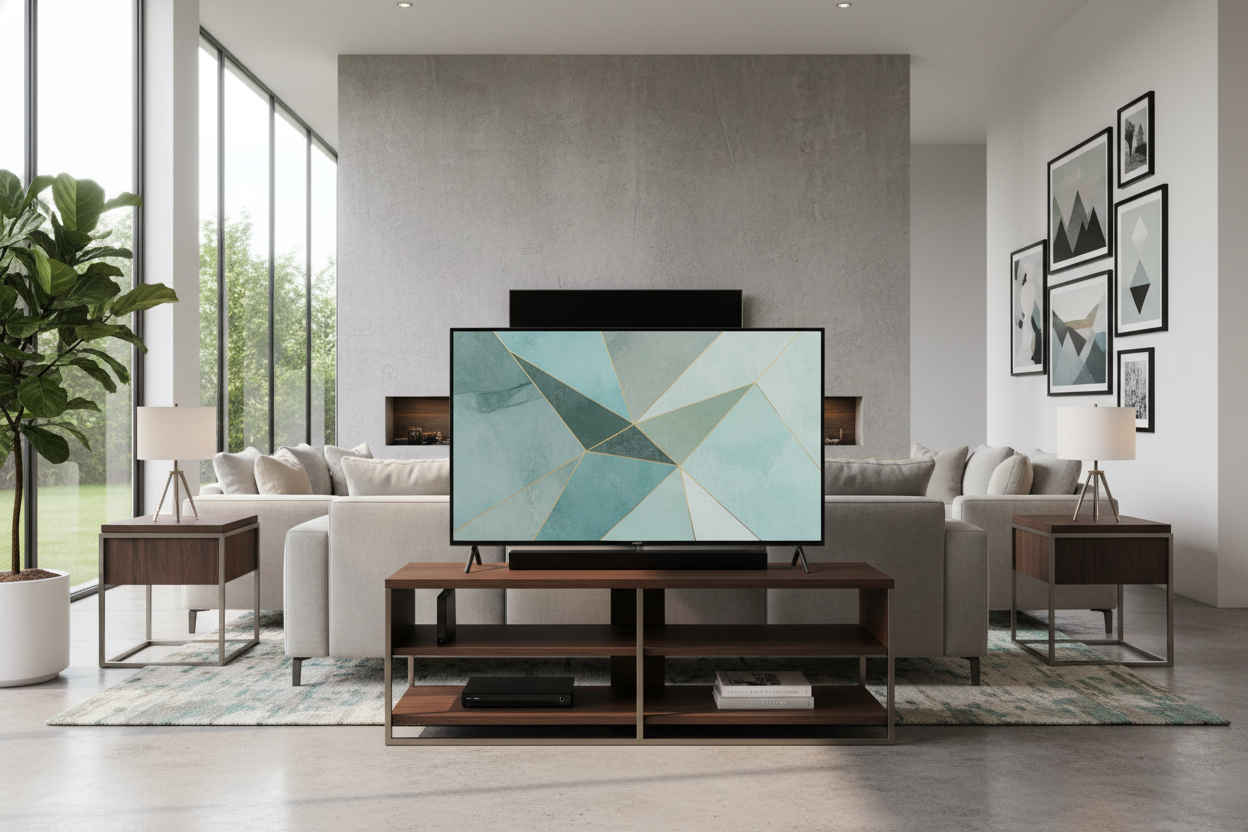
Now, I use a modern TV stand with cabinets to hide my PS5 and messy board games, while the top surface stays clean. I’ve put a soundbar directly under the TV and a few low-profile plants on the sides. If you’re feeling fancy, you can style a sideboard TV stand with some stacked books or a small tray for remotes. It makes the whole setup look like a deliberate design choice rather than just a place where you watch Netflix.
The Cord Concealment Reality Check
Let’s be honest: how to install a tv stand is easy, but hiding the wires is a nightmare. Since your TV is now hovering on a pole, you have a 'tail' of black cords dangling in mid-air. Most mounting stands have a hollow spine or clips on the back of the pole. Use them, but don't expect them to be perfect.
I ended up using black zip ties every three inches to bundle my power cord and HDMI cables into one 'snake.' This makes it much easier to how to fix tv on stand aesthetics. If your stand doesn't have a hollow back, you can buy fabric cord wraps that match your wall color. It’s not invisible, but it’s a hell of a lot better than the 'spaghetti explosion' look.
FAQ
How do I know if my TV will fit the stand?
Check your TV's VESA pattern (the distance between the holes on the back in millimeters) and the weight. Most stands support up to 110 lbs, which covers almost any modern 55 to 75-inch screen.
Can one person assemble a mounting TV stand?
You can build the stand alone, but you absolutely need a second person to lift the TV onto the bracket. Trying to do it solo is a great way to end up with a cracked screen and a very sad afternoon.
Is a mounting stand better than a wall mount?
It’s better for renters or people who like to rearrange their furniture. A wall mount is more permanent, but a mounting stand gives you that 'pro' look without the commitment or the power tools.

Leave a comment
This site is protected by hCaptcha and the hCaptcha Privacy Policy and Terms of Service apply.