










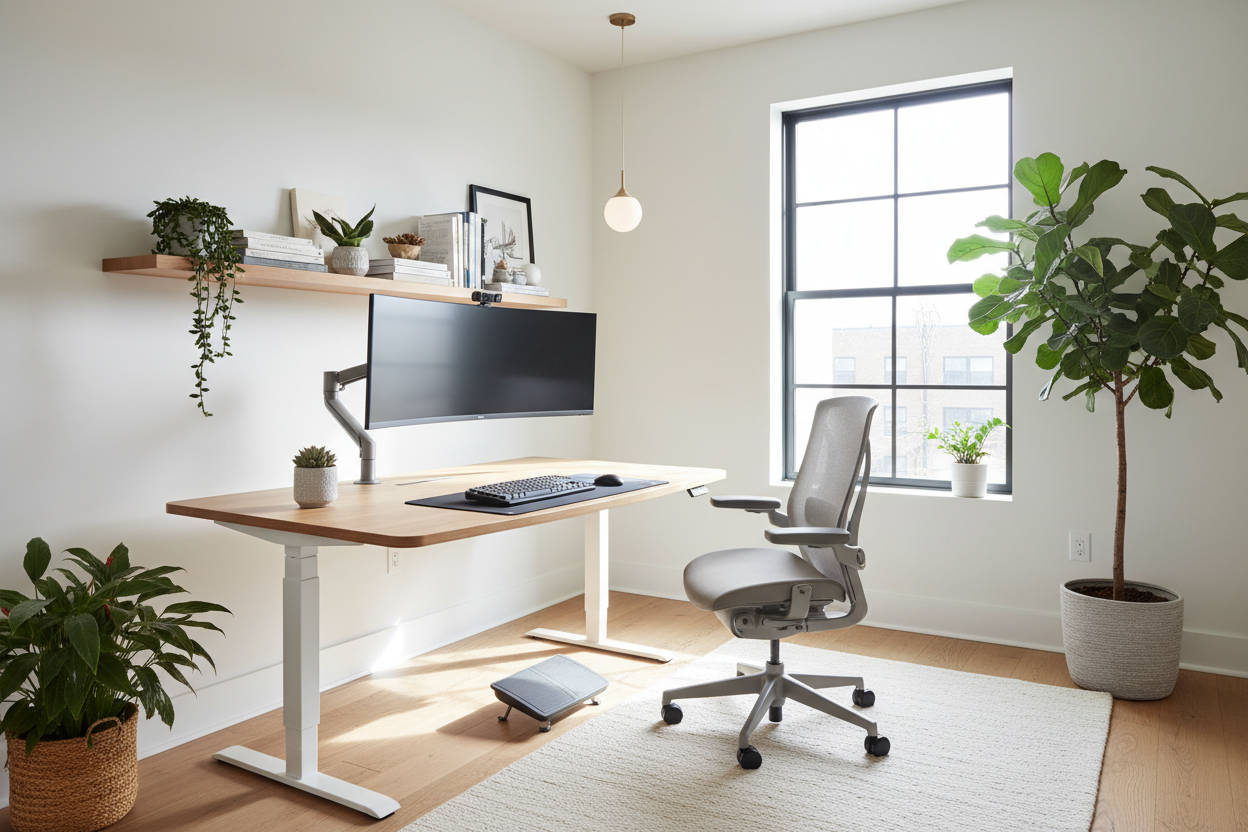
There is a pervasive myth in interior design that you must choose between a workspace that looks editorial-worthy and one that doesn't leave you with chronic back pain. Too often, I see clients working from dining tables that are two inches too high, or conversely, buying industrial-looking gear that clashes with their carefully curated home decor. Creating a proper ergonomic set up desk is not just about buying a standing desk; it is about harmonizing human physiology with spatial design.
Key Features of a Balanced Workspace
- Desk Height & Articulation: Look for adjustability (22-48 inches) or a fixed height that allows your elbows to rest at a 90-degree angle.
- Material Tactility: Prioritize materials like solid wood or matte laminate over cold glass or metal for forearm comfort.
- Monitor Positioning: The top third of your screen must be at eye level to maintain cervical alignment.
- Lumbar Integrity: Seating must support the natural S-curve of the spine, regardless of the chair's aesthetic style.
- Lighting Layers: Combine ambient lighting with task lighting to reduce ocular strain.
The Foundation: Selecting the Desk
When planning an office ergonomic set up, the desk is your anchor. In a showroom, I always steer clients toward 'warm' materials. While a glass desk offers a lightweight visual footprint, it is terrible for ergonomics; it runs cold on the wrists and reflects overhead glare. For a sophisticated ergonomic desk setup at home, opt for walnut or oak veneers with a beveled edge. This softens the contact point where your forearms rest, preventing circulation cut-off during long design charrettes or coding sessions.
Depth and Width Considerations
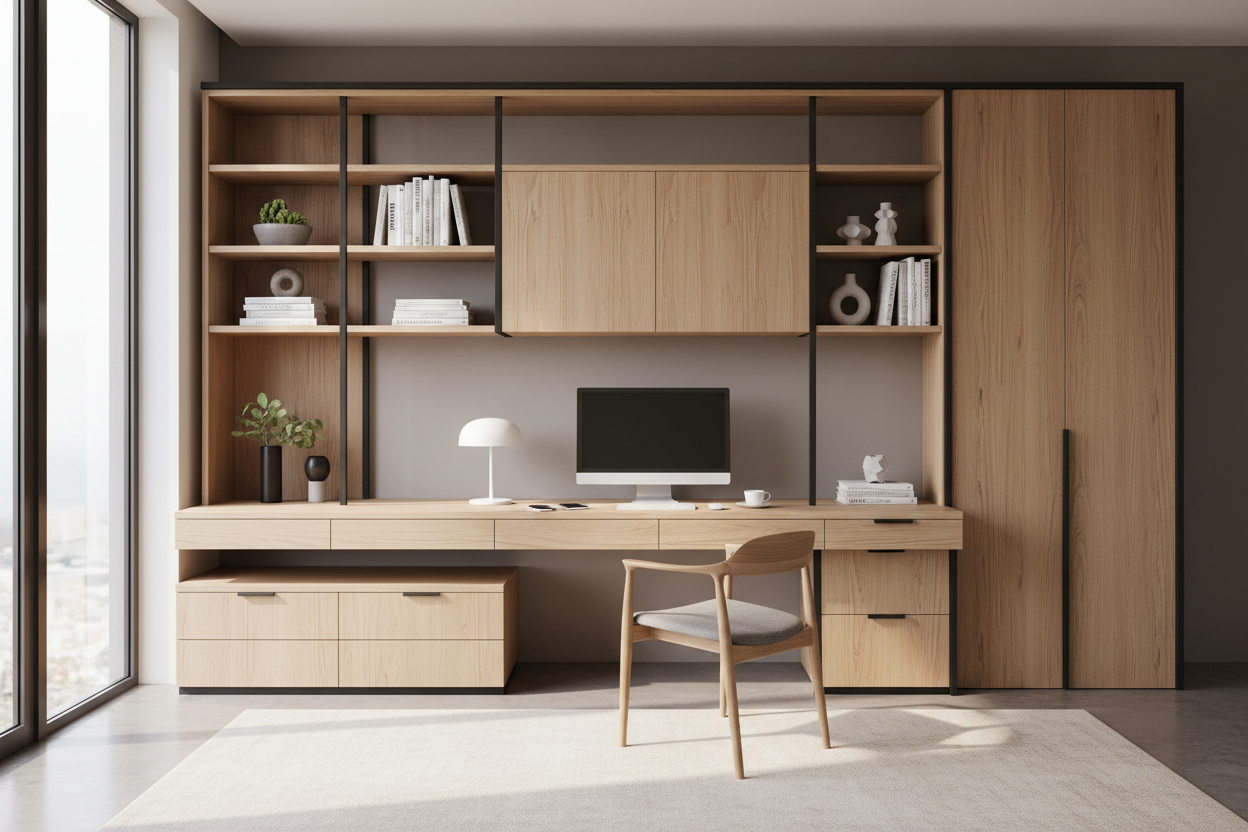
A common error in a work from home ergonomic setup is selecting a desk that is too shallow. You need a minimum depth of 30 inches. This ensures your monitor sits at arm's length, preventing the subconscious leaning forward that ruins posture. If you are tight on square footage, look for desks with vertical storage integration to keep the surface clear for movement.
Seating: The Intersection of Form and Function
The best ergonomic work from home setup relies heavily on the chair. However, you do not need a chair that looks like a race car cockpit. Many high-end manufacturers are now producing task chairs wrapped in boucle, linen, or high-grade leather that hide advanced lumbar mechanisms. The goal is to find a chair with a 'synchro-tilt' mechanism, which opens the angle of your hips as you recline, keeping your feet planted and your spine aligned without disrupting the room's visual flow.
Monitor Dynamics and Visual Balance
How to create an ergonomic home office often comes down to what you don't see. Clutter creates visual noise, which increases cognitive load. Elevate your monitor using a VESA arm rather than the factory stand. This not only aligns the screen perfectly with your gaze but also reclaims valuable desk real estate. From a design perspective, this creates a 'floating' effect that looks cleaner and more intentional than a bulky plastic stand sitting on your desktop.
Lighting and Environment
An ergonomic wfh setup is incomplete without addressing light. Never position your desk where a window is directly behind you (creating glare on the screen) or directly in front of you (creating silhouette contrast issues). Ideally, the light source should be perpendicular to the desk. Layer this with a warm-temperature task lamp (2700K-3000K) to create a focused, intimate pool of light that signals to your brain that it is time to work.
Lessons from My Own Projects
I want to share a specific realization from a recent project—and my own home office. I once specified a gorgeous, reclaimed rough-sawn oak desk for a client. Visually, it was a masterpiece of texture. Practically? It was a nightmare. Within a week, the client complained that their mouse wouldn't track correctly without a pad, and the rough grain was irritating their wrists.
I had to have the surface specifically sanded down and sealed with a high-build matte lacquer to retain the look but smooth the touch. In my own space, I learned the hard way that cable management isn't just aesthetic; it's ergonomic. I used to catch my feet on hanging wires, which limited how I shifted my legs. Once I installed a proper spine and tray system to tuck everything away, I found I was moving my legs more freely, which significantly reduced my fatigue by the end of the day. It’s these unpolished, practical details that often make or break the design.
Conclusion
Transforming your workspace isn't about buying the most expensive gear; it's about thoughtful curation. By respecting the principles of biomechanics and merging them with high-quality materials, you elevate your daily experience. Your workspace should support your body and inspire your mind.
Frequently Asked Questions
What is the ideal desk height for an ergonomic setup?
For most people between 5'8" and 6'0", a standard 29-inch desk is actually too high. The ideal height is usually between 25 and 28 inches. If you cannot adjust your desk, raise your chair and use a footrest to maintain hip alignment.
Is a standing desk necessary for a good setup?
Not strictly. The key is movement, not just standing. If a standing desk ruins your design aesthetic, a high-quality active sitting chair and taking hourly breaks to walk can offer similar health benefits.
How do I fix my ergonomics in a small apartment?
In compact spaces, look for wall-mounted drop-leaf desks or console tables that are deep enough (20"+) for a laptop. Pair this with a compact task stool that tucks away completely, ensuring the room functions as a living space when the workday ends.

Leave a comment
This site is protected by hCaptcha and the hCaptcha Privacy Policy and Terms of Service apply.