










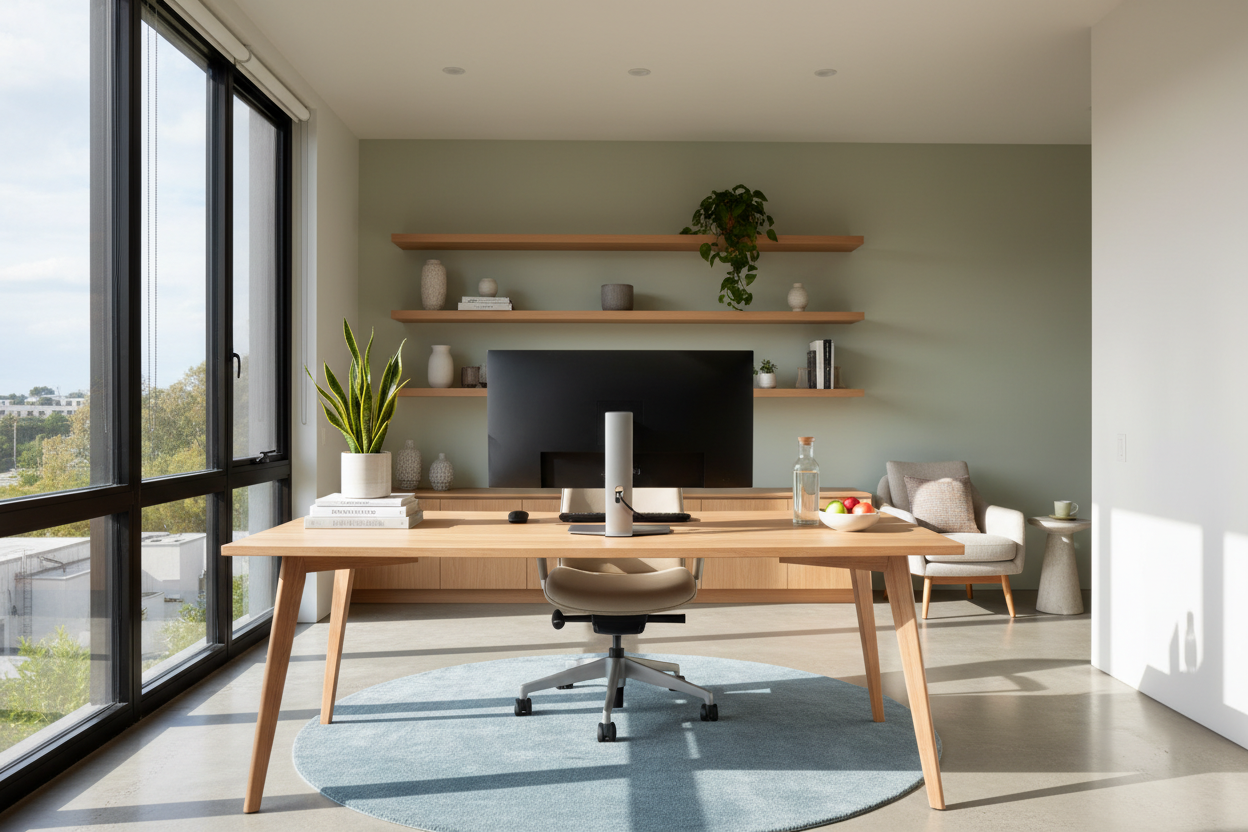
We often assume that fatigue, eye strain, and back pain are inevitable consequences of the 9-to-5 grind. However, as a designer who has overhauled hundreds of home offices, I can tell you that the culprit is rarely the work itself—it is the environment in which you are doing it. Many homeowners unintentionally sacrifice their physical well-being for aesthetics, forcing their bodies to adapt to poor furniture choices rather than curating a space that supports them. Implementing strategic working from home health tips isn't just about taking breaks; it is about engineering a space that physically prevents burnout.
Quick Decision Guide: The Wellness Checklist
Before you invest in new pieces, evaluate your current setup against these non-negotiable design standards to ensure long-term health.
- Seating Mechanics: Look for synchro-tilt mechanisms and adjustable lumbar support, not just static cushioning.
- Lighting Temperature: Aim for 4000K (cool white) task lighting to reduce eye strain, layered with softer ambient light.
- Desk Depth: Ensure a minimum depth of 30 inches to allow proper focal distance for monitors.
- Material Breathability: Prioritize mesh or natural textiles over synthetic leathers to regulate body temperature.
- Biophilic Elements: Integrate natural wood grains or plants to lower cortisol levels visually.
The Ergonomic Foundation: Seating and Posture
When clients ask how to stay healthy while working from home, the conversation must start with the chair. There is a misconception that "plush" equals "healthy." In reality, overly soft seating can cause your pelvic tilt to collapse, leading to chronic lumbar strain.
Structure Over Softness
You need a chair that fights gravity for you. Look for a task chair with a high-tensile mesh back or high-density foam. The goal is a silhouette that mirrors the natural S-curve of your spine. A chair should have a "waterfall" seat edge—this slopes downward at the front to prevent the cushion from cutting off circulation to your lower legs, a common cause of fatigue.
Lighting Layers and Visual Health
One of the most overlooked work from home wellness tips involves the management of light. Relying on a single overhead ceiling fixture creates harsh shadows and glare on screens, forcing your eyes to work harder.
Controlling Color Temperature
To mitigate digital eye strain, employ a layered lighting scheme. Use an adjustable task lamp with a high CRI (Color Rendering Index) to illuminate physical documents. Crucially, position your desk perpendicular to windows. Facing a window directly causes contrast issues, while sitting with your back to one creates glare. Proper positioning is a cornerstone of how to stay healthy working from home.
Spatial Flow and Movement
Sedentary behavior is the enemy. However, relying solely on willpower to stand up usually fails. As a designer, I believe in creating a layout that compels movement. This is one of the most practical tips to stay healthy while working from home.
Zoning Your Layout
Don't keep everything within arm's reach. Place your printer, reference books, or hydration station on a credenza across the room. This forces micro-movements throughout the day. Furthermore, consider a sit-stand desk mechanism. If investing in a standing desk isn't feasible, a high-quality standing converter can alter your focal point and engage your core muscles without requiring a full furniture overhaul.
Materiality and Air Quality
Staying healthy while working from home also involves the air you breathe. Cheap, mass-produced particle board furniture often off-gasses VOCs (Volatile Organic Compounds) like formaldehyde, which can contribute to headaches and brain fog.
Opt for solid wood desks or Greenguard Gold certified laminates. Additionally, introducing textiles like wool rugs can improve acoustics, reducing the low-level noise stress that accumulates during the day.
My Personal Take on WFH Wellness Tips
I learned the hard way that aesthetics cannot override ergonomics. Early in my career, I bought a stunning, vintage mid-century modern bucket chair in a bouclé fabric. It looked incredible in photos.
However, after three months, I developed a nagging pain in my right hip. The issue wasn't just the lack of lumbar support; it was the fixed height of the chair. It forced my wrists into an extended angle to reach my keyboard, creating a chain reaction of tension up to my neck. I also noticed the bouclé fabric trapped heat, making me restless by 2 PM. I swapped it for a high-end ergonomic chair that, frankly, is uglier—but my focus doubled immediately. Sometimes, the best wfh wellness tips require sacrificing the "magazine look" for high-performance engineering.
Frequently Asked Questions
Is a standing desk truly worth the investment for health?
Yes, but with a caveat. Standing all day is just as detrimental as sitting. The benefit comes from the transition. Look for a dual-motor electric desk that moves smoothly enough that you won't hesitate to adjust it. Stability at full height is key; a wobbly desk will subconsciously make you lean, ruining your posture.
How can I reduce eye strain in a small dark room?
If you lack natural light, bias lighting is essential. Place an LED strip behind your monitor facing the wall. This creates a soft glow that reduces the contrast between your bright screen and the dark room, significantly lowering eye fatigue.
What is the best desk depth for wellness?
To maintain healthy vision, your monitor should be roughly an arm's length away. I recommend a desk depth of at least 30 inches. Shallow console tables (often 18-20 inches) force you too close to the screen, which is a major design flaw in many home offices.

Leave a comment
This site is protected by hCaptcha and the hCaptcha Privacy Policy and Terms of Service apply.