










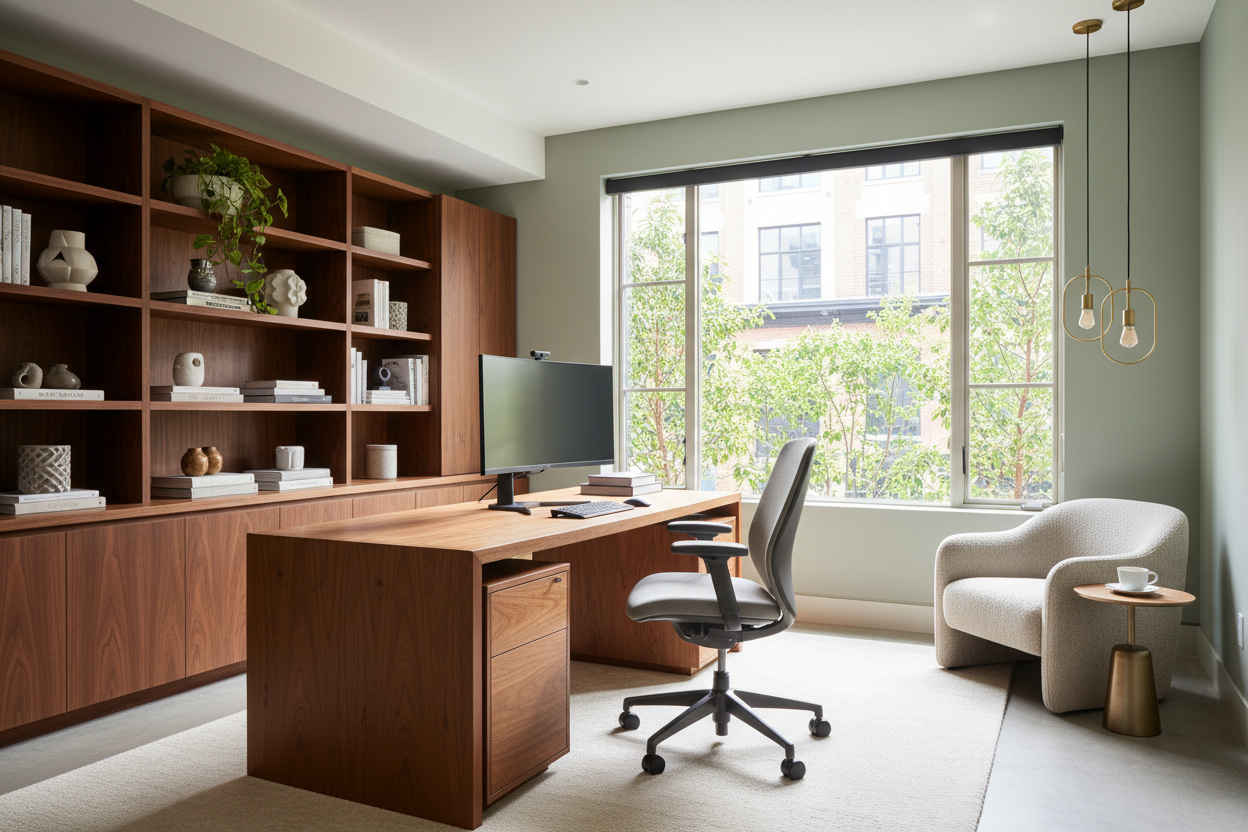
We have all been there: staring at a makeshift workspace that feels more like a storage corner than a place of productivity. You might be tempted to simply buy a new desk and call it a day, but a truly successful home office update requires a deeper understanding of how your body interacts with the built environment. It is not merely about aesthetics; it is about engineering a space that reduces cognitive load and physical fatigue. Before you purchase a single piece of furniture, we need to address the structural and functional foundation of your workspace.
Key Considerations for a Functional Refresh
- Ergonomic Integrity: Prioritize chair and desk heights that support a neutral spine position over purely decorative styles.
- Lighting Layers: Ensure a mix of ambient, task, and accent lighting to reduce eye strain and monitor glare.
- Material Durability: Choose work surfaces (solid wood, high-pressure laminate) that resist scratches and heat from electronics.
- Acoustic Control: Incorporate soft furnishings like rugs or drapery to dampen echo and improve focus.
- Visual Weight: Select furniture scale that matches the room size to avoid a cluttered, claustrophobic feel.
Mastering the Layout and Flow
The biggest error I see in residential design is the "corner of shame"—shoving a desk against a wall in the darkest part of the room. For a sophisticated update, position your desk in the "command position." This means facing the door, or at least perpendicular to a window. This orientation invites natural light to wash over your workspace without creating direct glare on your screen, and it psychologically instills a sense of authority and openness.
Defining Zones in Open Spaces
If your office is part of a larger living area, use area rugs to anchor the furniture. This creates a psychological boundary between "work" and "rest." A low-profile console table placed behind a floating desk can also act as a functional divider, hiding cables while offering surface area for reference books or architectural lighting.
Selecting Materials with Longevity
When selecting a desk, look beyond the initial finish. Veneers can be stunning, but for a high-traffic surface, ensure it is a thick-cut veneer or solid wood. Solid walnut or white oak offers a tactile warmth that glass or metal lacks, and they can be refinished if scratched.
The Chair: Function Over Form
While a velvet bucket chair looks chic in a catalog, it offers zero lumbar support for an eight-hour day. Look for seating that marries performance with style. Brands are now producing high-end ergonomic chairs wrapped in breathable wool blends or premium leathers that hide the mechanics. The goal is a silhouette that looks residential but performs like commercial-grade equipment.
Lighting: The Invisible Design Element
Bad lighting is the silent killer of productivity. A single overhead fixture casts shadows on your work surface. Your update must include a dedicated task lamp with an articulated arm. Aim for a color temperature between 3000K and 4000K; this range is crisp enough for reading but warm enough to avoid the sterile feeling of a hospital.
My Personal Take on Home Office Updates
I learned a hard lesson early in my career regarding "minimalist" desks. I once specified a stunning, high-gloss lacquer parson's desk for a client who wanted a sleek, modern look. It looked incredible in the photos.
However, two weeks later, the client called me in frustration. The high-gloss finish acted like a mirror, reflecting the overhead recessed lighting directly into her eyes, causing migraines. Furthermore, because the desk had no drawers or modesty panel, every single wire from her monitor and laptop was visible, ruining the sleek aesthetic we aimed for.
Since then, I always insist on matte or satin finishes for horizontal work surfaces to absorb light rather than reflect it. I also prioritize desks with integrated cable management channels or at least a deep enough apron to hide a surge protector. Real life involves wires; good design acknowledges them rather than pretending they don't exist.
Conclusion
Updating your workspace is an investment in your own efficiency and well-being. By prioritizing layout, lighting, and honest materials, you create a room that doesn't just look expensive—it feels supportive. Take the time to measure, plan, and invest in pieces that serve your workflow.
Frequently Asked Questions
What is the most important investment in a home office update?
The chair is non-negotiable. While a desk is static, your chair interacts with your body constantly. Invest the majority of your budget in a chair with adjustable lumbar support, seat depth, and arm height.
How do I update a small home office without it feeling cramped?
Utilize vertical space. Instead of a deep, heavy desk, opt for wall-mounted shelving or a ladder desk. This reduces the furniture's footprint and exposes more floor area, tricking the eye into perceiving the room as larger.
Should I choose warm or cool light for my office?
Cooler light (3500K-4000K) is generally better for focus and alertness during the day. However, adding a warm accent lamp (2700K) for late-night work sessions can help you wind down and reduce blue light exposure before bed.


Leave a comment
This site is protected by hCaptcha and the hCaptcha Privacy Policy and Terms of Service apply.