











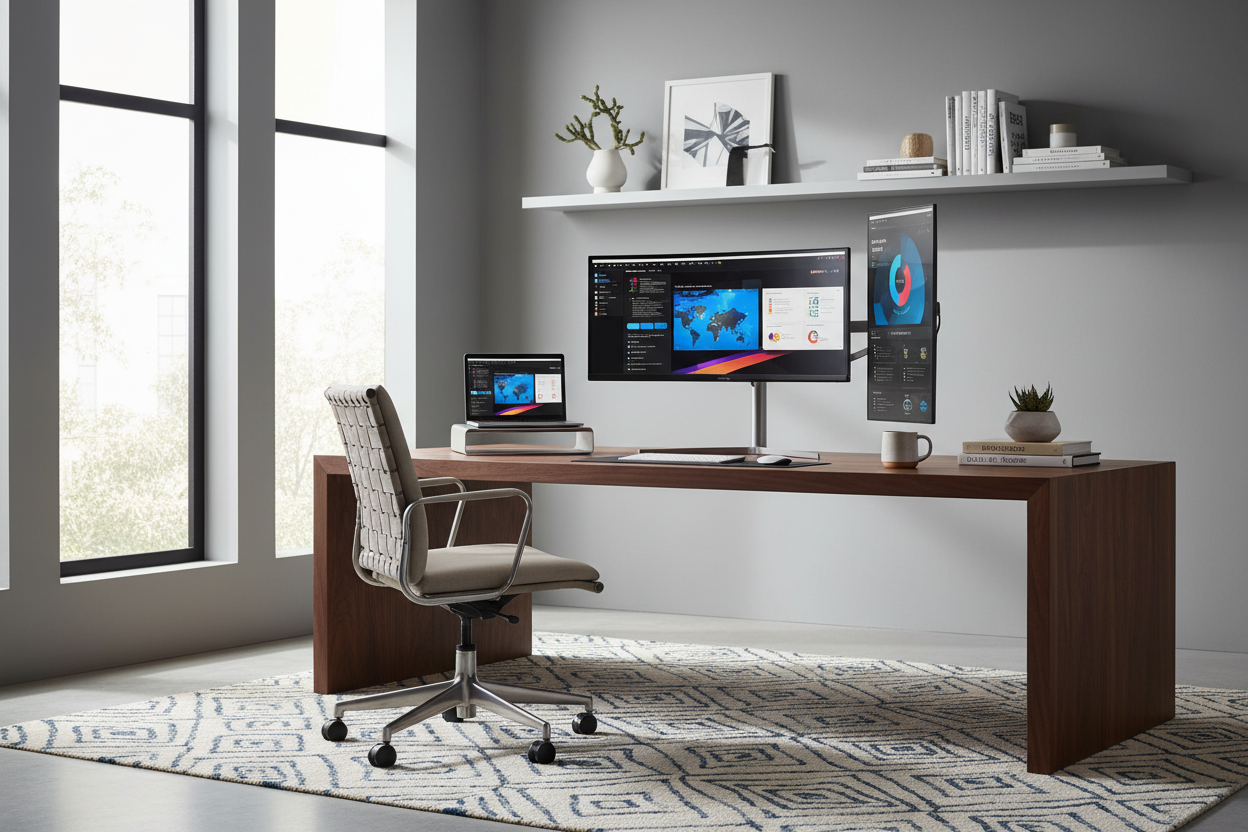
We spend countless hours curating the perfect desk, selecting the right chair upholstery, and dialing in the ambient lighting, yet the focal point of the room often remains an afterthought: the screen. As an interior designer, I often see beautiful home offices compromised by bulky, utilitarian plastic screens that dominate the space rather than complement it. Finding the best office monitor is not just about pixel density or refresh rates; it is about finding a piece of technology that harmonizes with your workflow and your interior aesthetic.
Key Features to Look For
Before we dive into the nuances of design and placement, here is a quick decision guide to help you identify the best display for your needs. These are the non-negotiables for a modern, high-functioning workspace:
- Panel Technology: Look for IPS (In-Plane Switching) panels for the best color accuracy and viewing angles, essential for creative work.
- Resolution & Clarity: Aim for QHD (1440p) or 4K. This is the sweet spot for the best picture monitor experience without pixelation.
- Ergonomic Adjustability: The stand must offer height, tilt, and swivel adjustments to prevent neck strain during long working hours.
- Design Silhouette: Opt for "bezel-less" or ultra-thin frames to minimize visual clutter and create a seamless look.
- Connectivity: USB-C connectivity is vital for a clean setup, allowing you to charge your laptop and transfer data with a single cable.
Balancing Scale and Proportion
In interior design, scale is everything. A common mistake is purchasing a screen that overwhelms the desk. For a standard writing desk (approx. 48-60 inches wide), the best 27 inch monitor for work from home offers the perfect balance of screen real estate and physical footprint. It provides enough width for side-by-side windows—making it the best monitor for Excel spreadsheets—without crowding your workspace.
If you are working with a compact vintage secretary desk or a tight nook, you might consider the best 24 inch monitor for work from home. These small monitors for home office setups ensure the technology doesn't dominate the room's atmosphere. Conversely, for expansive executive setups, a wide computer monitor for work (34-inch ultrawide) can replace dual screens, offering a cleaner, more sophisticated silhouette.
The Aesthetic of the Display
Gone are the days when office equipment had to be bulky and beige. Today, the most stylish monitors feature brushed aluminum finishes, matte white chassis options, and weighted bases that look more like architectural elements than tech peripherals. When searching for the best slim monitor or best ultra thin monitor, pay attention to the rear profile of the screen as well. If your desk floats in the center of the room, the back of the monitor is visible to anyone walking in. A sleek, well-designed back panel is crucial for maintaining a polished look.
Resolution and Eye Comfort
For those clocking in serious hours, the best monitor for long working hours must prioritize eye health. A best 4k monitor for office work provides incredible text sharpness, which reduces the micro-strains your eyes endure when trying to focus on pixelated fonts. Whether you are doing word processing or detailed CAD work, a high-resolution work screen is an investment in your physical well-being.
Optimizing for Productivity
Different professions require different tools. The best monitor setup for accountants often involves dual screens or a large ultrawide to view long ledgers uninterrupted. Meanwhile, the best monitor for office and gaming hybrids often features higher refresh rates, but be wary of the "gamer" aesthetic—aggressive RGB lighting rarely suits a sophisticated home office. Stick to a non gaming monitor aesthetic with high-performance specs (often labeled as "creator" monitors) to get the best of both worlds: speed and style.
Lessons from My Own Projects
My Personal Take on the best office monitor
I recently redesigned a home office for a client who insisted on a massive 49-inch curved gaming monitor for their day trading. While technically impressive, it felt like sitting in the front row of a movie theater. The sheer curvature blocked the sightlines to the window, making the room feel claustrophobic.
I convinced them to switch to two high-quality, flat 27-inch 4K displays mounted on a single articulating arm. The difference was night and day. Not only did we reclaim desk surface area, but the "floating" look elevated the entire room's design. A detail I always check now—which you won't find in most pc magazine monitor reviews—is the stability of the stand. I once specified a stunningly beautiful silver monitor that wobbled every time the client typed on their mechanical keyboard. It drove them crazy. Now, I always test the "wobble factor" by tapping the desk corner before recommending a display. Stability is a tactile luxury you shouldn't ignore.
Conclusion
Selecting the right display is about merging the digital window you look through with the physical space you inhabit. By focusing on ergonomic flexibility, appropriate scale, and refined materials, you can find a monitor that supports your productivity while respecting your home's design integrity. Don't settle for plastic clutter; elevate your view.
Frequently Asked Questions
What is the best monitor size for a small home office desk?
For desks smaller than 48 inches wide, the best 24 inch monitor for work from home is ideal. It provides Full HD or QHD clarity without overhanging the desk edges or forcing you to sit too close to the screen.
Is a curved monitor better for office work?
Curved screens can be the best big screen monitor option if you choose an ultrawide format, as they bring the edges of the screen into your peripheral vision. However, for precise line work (like architecture or design), a flat IPS monitor is often preferred to avoid visual distortion.
What is the best monitor for working from home if I use a laptop?
The best laptop monitor for home office use is one with USB-C Power Delivery. This allows you to connect your laptop to the monitor for video while simultaneously charging it and accessing USB accessories (mouse, keyboard) through the monitor, effectively turning the display into a docking station.

Leave a comment
This site is protected by hCaptcha and the hCaptcha Privacy Policy and Terms of Service apply.